1
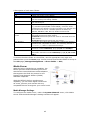
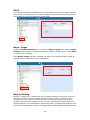
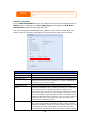
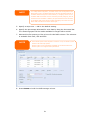
Thecus N5500
FW v3.00.01
User’s Manual
Copyright and Trademark Notice
Thecus and other names of Thecus products are registered trademarks of Thecus
Technology Corp. Microsoft, Windows, and the Windows logo are registered
trademarks of Microsoft Corporation. Apple, iTunes and Apple OS X are registered
trademarks of Apple Computers, Inc. All other trademarks and brand names are the
property of their respective owners. Specifications are subject to change without
notice.
Copyright © 2009 Thecus Technology Corporation. All rights reserved.
About This Manual
All information in this manual has been carefully verified to ensure its correctness.
In case of an error, please provide us with your feedback. Thecus Technology
Corporation reserves the right to modify the contents of this manual without notice.
Product name: Thecus N5500
Manual Version: 1.00
Release Date: June 2009
Limited Warranty
Thecus Technology Corporation guarantees all components of Thecus N5500 are
thoroughly tested before they leave the factory and should function normally under
general usage. In case of any system malfunctions, Thecus Technology
Corporation and its local representatives and dealers are responsible for repair
without cost to the customer if the product fails within the warranty period and
under normal usage. Thecus Technology Corporation is not responsible for any
damage or loss of data deemed to be caused by its products. It is highly
recommended that users conduct necessary back-up practices.
2
Safety Warnings
For your safety, please read and follow the following safety warnings:
Read this manual thoroughly before attempting to set up your N5500.
Your N5500 is a complicated electronic device. DO NOT attempt to repair it
under any circumstances. In the case of malfunction, turn off the power
immediately and have it repaired at a qualified service center. Contact your
vendor for details.
DO NOT allow anything to rest on the power cord and DO NOT place the
power cord in an area where it can be stepped on. Carefully place connecting
cables to avoid stepping or tripping on them.
Your N5500 can operate normally under temperatures between 0°C and
40°C, with relative humidity of 20% – 85%. Using the N5500 under extreme
environmental conditions could damage the unit.
Ensure that the N5500 is provided with the correct supply voltage (AC 100V
~ 240V, 50/60 Hz, 3A). Plugging the N5500 to an incorrect power source
could damage the unit.
Do NOT expose the N5500 to dampness, dust, or corrosive liquids.
Do NOT place the N5500 on any uneven surfaces.
DO NOT place the N5500 in direct sunlight or expose it to other heat sources.
DO NOT use chemicals or aerosols to clean the N5500. Unplug the power
cord and all connected cables before cleaning.
DO NOT place any objects on the N5500 or obstruct its ventilation slots to
avoid overheating the unit.
Keep packaging out of the reach of children.
If disposing of the device, please follow your local regulations for the safe
disposal of electronic products to protect the environment.
3
Table of Contents
Copyright and Trademark Notice ................................................... 2
About This Manual ......................................................................... 2
Limited Warranty........................................................................... 2
Safety Warnings ............................................................................ 3
Table of Contents .......................................................................... 4
Chapter 1: Introduction ................................................................. 8
Overview ...............................................................................................8
Product Highlights.................................................................................8
File Server ...............................................................................................8
FTP Server ...............................................................................................8
iTunes Server...........................................................................................8
Media Server............................................................................................9
Backup Server..........................................................................................9
Printer Server...........................................................................................9
Multiple RAID ...........................................................................................9
Dual Mode Support ...................................................................................9
Superior Power Management ......................................................................9
Package Contents ................................................................................10
Front Panel ..........................................................................................11
Hard Disk Trays ...................................................................................12
Rear Panel ...........................................................................................13
Overview .............................................................................................14
Before You Begin .................................................................................14
Hard Disk Installation..........................................................................14
Cable Connections ...............................................................................14
Checking System Status ......................................................................15
System Status Normal ............................................................................. 15
System Trouble ...................................................................................... 16
Chapter 3: First Time Setup ......................................................... 17
Overview .............................................................................................17
Thecus Setup Wizard ...........................................................................17
LCD Operation .....................................................................................19
LCD Controls .......................................................................................... 19
Display Mode ......................................................................................... 19
USB Copy.......................................................................................................... 20
Management Mode.................................................................................. 20
Typical Setup Procedure ......................................................................20
Step 1: Network Setup ............................................................................ 21
Step 2: RAID Creation ............................................................................. 21
Step 3: Create Local Users or Setup Authentication ..................................... 21
Step 4: Create Folders and Set Up ACLs..................................................... 21
Step 5: Start Services ............................................................................. 21
Overview .............................................................................................23
Web Administration Interface .............................................................23
Menu Bar............................................................................................... 23
Message Bar .......................................................................................... 24
Logout .................................................................................................. 25
Language Selection .............................................................................25
System Information.............................................................................25
Product Information ................................................................................ 25
System/Service Status ............................................................................ 26
4
Logs ..................................................................................................... 27
System Management ...........................................................................28
Time: Setting system time ....................................................................... 28
Notification configuration ......................................................................... 29
Firmware Upgrade .................................................................................. 30
UPS Setting ........................................................................................... 30
Schedule Power On/Off ............................................................................ 31
Wake-Up On LAN (WOL) .......................................................................... 32
SNMP Support ........................................................................................ 33
Utility.................................................................................................... 33
System Network ..................................................................................38
WAN Configuration.................................................................................. 38
LAN ...................................................................................................... 39
LAN Configuration ................................................................................... 39
DHCP Server Configuration....................................................................... 40
Samba / CIFS......................................................................................... 40
Samba Service ................................................................................................... 40
File Access Cache ............................................................................................... 40
Samba Recycle Bin ............................................................................................. 41
Samba Anonymous Login Authentication................................................................ 41
AFP (Apple Network Setup) ...................................................................... 41
NFS Setup ............................................................................................. 42
FTP ......................................................................................................42
Media Server .......................................................................................43
Media Manager Settings........................................................................... 43
Share Media Folders ................................................................................ 44
Connecting DMAs to the Media Server........................................................ 44
HTTP/ Web Disk ..................................................................................45
UPnP ...................................................................................................46
Nsync Target .......................................................................................46
Bonjour Setting ...................................................................................46
Storage Management...........................................................................47
Disks Information ................................................................................... 47
S.M.A.R.T. Information........................................................................................ 48
Bad Block Scan .................................................................................................. 49
RAID Information.................................................................................... 49
Create a RAID.................................................................................................... 50
RAID Level ........................................................................................................ 52
Edit RAID .......................................................................................................... 53
Remove RAID .................................................................................................... 54
Expanding a RAID .............................................................................................. 55
Migrating a RAID ................................................................................................ 56
Space Allocation ..................................................................................... 58
Allocating Space for iSCSI Volume ........................................................................ 59
Modify iSCSI Volume........................................................................................... 60
Delete Volume ................................................................................................... 61
Allocating Space for Target USB Volume ................................................................ 62
Advance Option ...................................................................................... 62
iSCSI Block Size ................................................................................................. 63
iSCSI CRC/Checksum .......................................................................................... 63
Share Folder .......................................................................................... 63
Adding Folders ................................................................................................... 64
Modify Folders ................................................................................................... 65
Remove Folders ................................................................................................. 65
NFS Share ......................................................................................................... 66
Snapshot ............................................................................................... 67
Snap (Snapshot configuration) ............................................................................. 67
Folder and sub-folders Access Control List (ACL) ..................................................... 68
5
Stackable NAS........................................................................................ 70
ISO Mount ............................................................................................. 76
User and Group Authentication............................................................79
ADS/NT Support ..................................................................................... 79
Local User Configuration .......................................................................... 81
Add Users .............................................................................................. 81
Edit Users ......................................................................................................... 82
Remove Users.................................................................................................... 83
Local Group Configuration ........................................................................ 83
Add Groups ....................................................................................................... 84
Edit Groups ....................................................................................................... 84
Remove Groups ................................................................................................. 85
Batch Create Users and Groups................................................................. 85
Application Server ...............................................................................86
Printer Information ................................................................................. 86
Windows XP SP2 ..................................................................................... 87
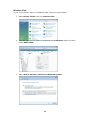
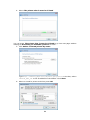
Windows Vista ........................................................................................ 88
iTunes® Server....................................................................................91
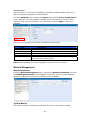
Module Management ...........................................................................91
Module Installation .............................................................................91
System Module ....................................................................................91
User Module ........................................................................................92
Backup ................................................................................................92
Nsync ................................................................................................... 92
Add Nsync Task.................................................................................................. 92
Setting Up an Nsync Target on an Nsync Device...................................................... 94
Setting Up an Nsync Target on Another Device ....................................................... 94
Designating N5500 as an Nsync Target .................................................................. 94
Thecus Backup Utility .............................................................................. 95
Windows XP Data Backup......................................................................... 95
Apple OS X Backup Utilities ...................................................................... 96
Chapter 5: Using the N5500......................................................... 97
Overview .............................................................................................97
Login Page...........................................................................................97
Using WebDisk ....................................................................................97
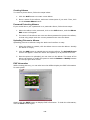
Photo Server........................................................................................99
Windows XP Publishing Wizard ................................................................ 100
Managing Albums and Photos ................................................................. 105
Creating Albums ................................................................................... 106
Password Protecting Albums ................................................................... 106
Uploading Pictures to Albums ................................................................. 106
EXIF Information .................................................................................. 106
Slide Shows ......................................................................................... 107
Mapping a Client PC to the N5500 ..................................................... 107
Windows.............................................................................................. 107
Apple OS X .......................................................................................... 107
Mapping the N5500 as an iSCSI Drive ............................................... 108
Windows 2000/XP ................................................................................. 108
Windows Vista ...................................................................................... 112
Chapter 6: Tips and Tricks ......................................................... 113
USB and eSATA Storage Expansion.................................................... 113
Adding a Spare Disk .......................................................................... 113
Remote Administration...................................................................... 113
Part I - Setup a DynDNS Account ............................................................ 114
Part II - Enable DDNS on the Router........................................................ 114
Part III - Setting up Virtual Servers (HTTPS)............................................. 114
Firewall Software Configuration ........................................................ 114
6
Replacing Damaged Hard Drives........................................................ 115
Hard Drive Damage............................................................................... 115
Replacing a Hard Drive .......................................................................... 115
RAID Auto-Rebuild ................................................................................ 115
Chapter 7: Troubleshooting ....................................................... 116
Forgot My Network IP Address .......................................................... 116
Can't Map a Network Drive in Windows XP ........................................ 116
Restoring Factory Defaults ................................................................ 116
Problems with Time and Date Settings .............................................. 116
Dual DOM Supports for Dual Protection ............................................. 117
Appendix A: Product Specifications ........................................... 118
Hardware Specifications .................................................................... 118
Software Specifications ..................................................................... 118
Appendix B: Customer Support.................................................. 120
Appendix C: RAID Basics ........................................................... 121
Overview ........................................................................................... 121
Benefits ............................................................................................. 121
Improved Performance .......................................................................... 121
Data Security ....................................................................................... 121
RAID Levels ....................................................................................... 121
RAID 0 ................................................................................................ 121
RAID 1 ................................................................................................ 121
RAID 5 ................................................................................................ 122
RAID 6 ................................................................................................ 122
RAID 10 .............................................................................................. 122
JBOD .................................................................................................. 122
Stripe Size ......................................................................................... 122
Disk Usage......................................................................................... 123
Appendix D: Active Directory Basics .......................................... 124
Overview ........................................................................................... 124
What is Active Directory? .................................................................. 124
ADS Benefits...................................................................................... 124
Appendix E: UPS Compatibility List............................................ 125
Appendix F: Licensing Information ............................................ 129
Overview ........................................................................................... 129
Source Code Availability .................................................................... 129
CGIC License Terms........................................................................... 130
GNU General Public License ............................................................... 130
7
Chapter 1: Introduction
Overview
Thank you for choosing the Thecus N5500 IP Storage Server. The Thecus N5500 is
an easy-to-use storage server that allows a dedicated approach to storing and
distributing data on a network. Data reliability is ensured with RAID features that
provide data security and recovery—over six Terabyte of storage is available using
RAID 5 and RAID 6. Gigabit Ethernet ports enhance network efficiency, allowing the
N5500 to take over file management functions, increase application and data
sharing and provide faster data response. The N5500 offers data mobility with a disk
roaming feature that lets you hot swap working hard drives for use in another
N5500, securing the continuity of data in the event of hardware failure. The N5500
allows data consolidation and sharing between Windows (SMB/CIFS), UNIX/Linux,
and Apple OS X environments. The N5500’s user-friendly GUI supports multiple
languages.
Product Highlights
File Server
First and foremost, the N5500 allows you to store and share files over an IP network.
With a Network Attached Storage (NAS) device, you can centralize your files and
share them easily over your network. With the easy-to-use web-based interface,
users on your network can access these files in a snap.
To learn about the Web User Interface, go to
Chapter 5: Using the N5500 > Using WebDisk.
FTP Server
With the built-in FTP Server, friends, clients, and customers can upload and
download files to your N5500 over the Internet with their favorite FTP programs.
You can create user accounts so that only authorized users have access.
To set up the FTP Server, refer to
Chapter 4: System Network> FTP .
iTunes Server
With the built-in iTunes server capability, the N5500 enables digital music to be
shared and played anywhere on the network!
To set up the iTunes Server, refer to
Chapter 4: Application Server>iTunes Configuration.
8
Media Server
With the built-in Media Server capability, the N5500 provides media streaming
service to stand-alone networked home media adapters that support the UPnP AV
protocol or are Digital Living Network Alliance (DLNA) standard compliant.
To set up the Media Server, refer to
Chapter 4: System Network >Media Server.
Backup Server
Don’t leave precious data to chance. With advanced backup capabilities, you can
easily upload mission critical files to the N5500, and even automate your backup
tasks for true peace-of-mind.
To find out how to backup your files with the N5500, refer to
Chapter 4: Backup >Nsync.
Printer Server
With the N5500’s Printer Server, you can easily share an IPP printer with other PCs
connected to your network.
To set up the Printer Server, refer to
Chapter 4: Application Server>Printer Information.
Multiple RAID
N5500 supports multiple RAID volumes on one system. So, you can create RAID 0
for your non-critical data, and create RAID 5 for mission-critical data. Create the
RAID levels depending on your needs.
To configure RAID modes on the N5500, refer to
Chapter 4: Storage Management >RAID Information.
Dual Mode Support
N5500 is not only a file server, but it also supports iSCSI initiators. Your server can
access N5500 as a direct-attached-storage over the LAN or Internet. There is no
easier way to expand the capacity of your current application servers. All the
storage needs can be centrally managed and deployed. This brings ultimate
flexibility to users.
To set up an iSCSI volume, refer to
Chapter 4: Storage Management > Space Allocation > Allocating Space for
iSCSI Volume.
Superior Power Management
N5500 supports schedule power on/off. With this feature, administrator can set at
what time to turn on or off the system. This feature is a big plus for people who want
to conserve energy. Wake-On-LAN enables administrator to remotely turn on the
system without even leaving their own seat.
To schedule system on and off, refer to
Chapter 4: System Management> Scheduled Power On/Off
9
Package Contents
Your N5500 package should contain the following items:
z
z
z
z
z
z
z
z
z
N5500 Unit x1
Power Cord x1
USB Cable x1
QIG (Quick Installation Guide) x1
CD-Title x2 (DriveClone5 Pro CD & Universal CD)
Ethernet Cable x1
Screw Kit & Key-Luck x1
HDD Compatibility list Card x1
Multiple Languages Warranty Card x1
Please check to see if your package is complete. If you find that some items are
missing, contact your dealer.
10
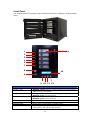
Front Panel
The Thecus N5500’s front panel has the device’s controls, indicators, and hard disk
trays:
1
14
2
3
4
5
7
8
13
6
9 10 11 12
Front Panel
Item
1.System LED
2.WAN LED
3.LAN LED
4.USB Copy LED
5.Syetem Warning LED
6.Reset Button
7.USB Port
Description
• Blinking orange: system is being upgraded or system startup;
data currently inaccessible
• Solid green: network link
• Blinking green: network activity
• Solid green: network link
• Blinking green: network activity
• Solid blue: files are being copied from a USB storage device
• Solid RED: System error.
• Reset system configuration to default value.
• USB 2.0 port for compatible USB devices, such as USB disks,
USB printers, and USB wireless dongles*
11
8.Power Button/ Power
LED
9.Up Button ▲
10.Down Button ▼
11.Enter Button ↵
12.Escape Button ESC
13.LCD Display
14.HDD Trays
Note: For supported USB wireless dongles, please contact
http://esupport.thecus.com/support
• Power on/off N5500 and Power LED.
• Solid blue: System is power on.
• Push to scroll up when using the LCD display
• Push to enter USB copy operation screen
• Push to enter LCD operate password for basic system setting
• Push to leave the current LCD menu
• Displays current system status and warning messages
• Five 3.5” SATA HDD trays
• Locks are provided for added security
Hard Disk Trays
Each of the N5500’s hard disk trays has a lock, a latch, and two LED indicators:
1
3
5
2
4
Hard Disk Trays
Item
Description
1.HDD Power LED
• Solid blue: hard disk is powered on
2.HDD
• Blinking green: system is accessing data on the hard disk
Access/Error LED
3.Lock
• Use the lock to physically secure the hard disk to the unit
4.Handle
• Pull out HDD tray
12
Rear Panel
The N5500 rear panel features ports and connectors.
4
5
6
8
3
2
7
1
Back Panel
Item
Description
1.WAN Port
• WAN port for connecting to an Ethernet network through a switch
or router
2.LAN Port
• LAN port for connecting to an Ethernet network through a switch
or router
3.Serial Port
• This port is for external UPS device
4.eSATA Port
• eSATA port for high-speed storage expansion
5.USB Port
• USB 2.0 port for compatible USB devices, such as USB disks, and
USB printers
6.System Fan
• System fan that exhausts heat from the unit
7.Power Connector • Connect the included power cords to these connectors
8.USB Port
• USB 2.0 port to connect PC (Type B of target mode)
13
■
Chapter 2: Hardware Installation
Overview
Your N5500 is designed for easy installation. To help you get started, the following
chapter will help you quickly get your N5500 up and running. Please read it carefully
to prevent damaging your unit during installation.
Before You Begin
Before you begin, be sure to take the following precautions:
1. Read and understand the Safety Warnings outlined in the beginning of the
manual.
2. If possible, wear an anti-static wrist strap during installation to prevent static
discharge from damaging the sensitive electronic components on the N5500.
3. Be careful not to use magnetized screwdrivers around the N5500’s electronic
components.
Hard Disk Installation
The N5500 supports five standard 3.5” Serial ATA (SATA) hard disks. To install a
hard disk into the N5500, follow the steps below:
1. Remove a hard disk tray from the N5500.
2. Slide the new SATA hard disk into the tray and fasten the screws.
3. Insert the hard disk and tray back into the N5500 until it snaps into place and
lock it with a key if desired.
4. The LED blinks green when the hard disk is accessed.
Cable Connections
To connect the N5500 to your network, follow the steps below:
1. Connect an Ethernet cable from your network to the WAN port on the back
panel of the N5500.
2. Connect the provided power cord into the universal power socket on the back
panel. Plug the other end of the cord into a surge protector socket. Press the
power supply switch to turn on the power supply.
14
3. Press the power button on the Front Panel to boot up the N5500.
Checking System Status
After making connections on the N5500 and powering up, check whether the system
status is normal or has trouble by observing indicators on the front panel and hard
disk trays.
System Status Normal
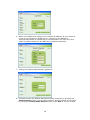
The system status is normal if:
The WAN and LAN LEDs glow green (assuming both are connected).
The Power LED on the Front Panel glows blue.
The HDD Power LED on each HDD tray glows blue (assuming all disks are
installed).
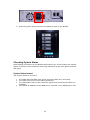
4. The default IP address of the WAN port is 192.168.1.100 displayed on LCD.
1.
2.
3.
15
1
3
2
4
System Trouble
The system has trouble if:
1. System LED always glows orange.
If the system has trouble, please refer to Chapter 7: Troubleshooting.
1
WARNING
There are no user serviceable parts inside the N5500. Please contact your distributor
for service.
16
Chapter 3: First Time Setup
Overview
Once the hardware is installed, physically connected to your network, and powered
on, you can configure the N5500 so that it is accessible to your network users. There
are two ways to set up your N5500: using the Thecus Setup Wizard or the LCD
display. Follow the steps below for initial software setup.
Thecus Setup Wizard
The handy Thecus Setup Wizard makes configuring N5500 a snap. To configure the
N5500 using the Setup Wizard, perform the following steps:
1. Insert the installation CD into your CD-ROM drive (the host PC must be
connected to the network).
2. The Setup Wizard should launch automatically. If not, please browse your
CD-ROM drive and double click on Setup.exe.
NOTE
For MAC OS X users, double click on Thecus Setup Wizard .dmg file.
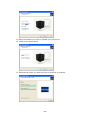
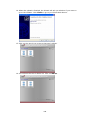
3. The Setup Wizard will start and automatically detect all Thecus storage
devices on your network. If none are found, please check your connection
and refer to Chapter 7: Troubleshooting for assistance.
4. Select the N5500 that you like to configure.
5. Login with the administrator account and password. The default account and
password are both “admin”.
17
6. Name your N5500 and configure the network IP address. If your switch or
router is configured as a DHCP Server, configuring the N5500 to
automatically obtain an IP address is recommended. You may also use a
static IP address and enter the DNS Server address manually.
7. Change the default administrator password.
8. Finished! Access the N5500 Web Administrator Interface by pressing the
Start Browser button. You can also configure another N5500 at this point
by clicking the Setup Other Device button. Press Exit to exit the wizard.
18
NOTE
The Thecus Setup Wizard is designed for installation on systems running Windows
XP/2000 or Mac OSX or later. Users with other operating systems will need to
install the Thecus Setup Wizard on a host machine with one of these operating
systems before using the unit.
LCD Operation
The N5500 is equipped with an LCD on the front for easy status display and setup.
There are four buttons on the front panel to control the LCD functions.
LCD Controls
Use the Up (▲), Down (▼), Enter (↵) and Escape (ESC) keys to select various
configuration settings and menu options for N5500 configuration.
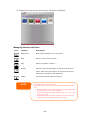
The following table illustrates the keys on the front control panel:
LCD Controls
Icon
Function
Description
▲
Up Button
Select the previous configuration settings option.
▼
Down Button
USB copy confirmation display.
↵
Enter
Enter the selected menu option, sub-menu, or parameter setting.
ESC
Escape
Escape and return to the previous menu.
There are two modes of operation for the LCD: Display Mode and Management
Mode.
Display Mode
During normal operation, the LCD will be in Display Mode.
Display Mode
Item
Host Name
Current
WAN
Current
LAN
Current
Link Aggregation
Current
System Fan
Current
CPU Fan
Current
2009/05/22 12:00
Current
Description
host name of the system.
WAN IP setting.
LAN IP setting.
Link Aggregation status
system fan status.
CPU fan status
system time.
19
Disk Info
RAID
Current status of disk slot has been installed
Current RAID status.
The N5500 will rotate these messages every one-two seconds on the LCD display.
USB Copy
The USB Copy function enables you to copy files stored on USB devices such as USB
disks and digital cameras to the N5500 by press button. To use USB copy, follow the
steps below:
1. Plug your USB device into an available USB port on the Front end.
2. In Display Mode, press the Down Button (▼).
3. The LCD will display “USB Copy?”
4. Press Enter (↵) and the N5500 will start copying USB disks connected to the
front USB port.
5. All of data will be copied into system folder named “USB copy”.
Management Mode
During setup and configuration, the LCD will be in Management Mode.
To enter into Management Mode, press Enter (↵) and an “Enter Password” prompt
will show on the LCD.
At this time, the administrator has to enter the correct LCD password. System will
check whether the correct LCD password has been entered. The default LCD
password is “ 0000 ”. If correct password is entered, you will enter into the
Management Mode menu.
Management
Item
WAN Setting
LAN Setting
Link Agg. Setting
Change Admin Passwd
Reset to Default
Exit
NOTE
Mode
Description
IP address and netmask of your WAN ports.
IP address and netmask of your LAN ports.
Select Load Balance, 802.3ad or Failover.
Change administrator’s password for LCD operation.
Reset system to factory defaults.
Exit Management Mode and return to Display Mode.
You can also change your LCD password using the Web Administration
Interface by navigating to System Management >Utility>
Administrator Password. For more on the Web Administration
Interface, see Chapter 4: System Management.
Typical Setup Procedure
From the Web Administration Interface, you can begin to setup your N5500 for use
on your network. Setting up the N5500 typically follows the five steps outlined
below.
For more on how to use the Web Administration Interface, see
Chapter 4: Web Administration Interface.
20
Step 1: Network Setup
From the Web Administration Interface, you can configure the network settings of
the N5500 for your network. You can access the Network menu from the menu bar.
For details on how to configure your network settings, refer to
Chapter 4: System Network .
Step 2: RAID Creation
Next, administrators can configure their preferred RAID setting and build their RAID
volume. You can access RAID settings from the menu bar of the Web Administration
Interface by navigating to Storage Management > RAID Configuration.
For more information on configuring RAID, see
Chapter 4: System Management > .
Don’t know which RAID level to use? Find out more about the different RAID levels
from Appendix C: RAID Basics.
Step 3: Create Local Users or Setup Authentication
Once the RAID is ready, you can begin to create local users for the N5500, or choose
to setup authentication protocols such as Active Directory (AD).
For more on managing users, go to Chapter 4:User and Group Authentication.
For more information on configuring Active Directory, see
Chapter 4: User and Group Authentication > Support.
For information about the benefits of Active Directory, see Appendix D: Active
Directory Basics.
Step 4: Create Folders and Set Up ACLs
Once users are introduced into your network, you can begin to create various folders
on the N5500 and control user access to each using Folder Access Control Lists.
More information on managing folders, see
Chapter 4: Storage Management > Share Folder .
To find out about configuring Folder Access Control Lists, see Chapter 4: Storage
Management > Share Folder> Folder Access Control List (ACL).
Step 5: Start Services
Finally, you can start to setup the different services of the N5500 for the users on
your network. You can find out more about each of these services by clicking below:
SMB/CIFS
Apple File Protocol (AFP)
Network File System (NFS)
File Transfer Protocol (FTP)
iTunes Server
Media Server
21
Printer Server
Photo Server
22
Chapter 4: System
Overview
The N5500 provides an easily accessible Web Administration Interface. With it,
you can configure and monitor the N5500 anywhere on the network.
Web Administration Interface
Make sure your network is connected to the Internet. To access the N5500 Web
Administration Interface:
1. Type the N5500’s IP address into your browser. (Default IP address is
http://192.168.1.100)
NOTE
Your computer’s network IP address must be on the same subnet as the N5500.
If the N5500 has default IP address of 192.168.1.100, your managing PC IP
address must be 192.168.1.x, where x is a number between 1 and 254, but not
100.
2. Login to the system using the administrator user name and password. The
factory defaults are:
User Name: admin
Password: admin
※ If you changed your password in the setup wizard, use the new password.
Once you are logged in as an administrator, you will see the Web Administration
Interface. From here, you can configure and monitor virtually every aspect of the
N5500 from anywhere on the network.
Menu Bar
The Menu Bar is where you will find all of the information screens and system
settings of the N5500. The various settings are placed in the following groups on the
menu bar:
23
Menu Bar
Item
System Information
System Management
System Network
Storage
User and Group Authentication
Application Server
Module Management
Backup
Description
Current system status of the N5500.
Various N5500 system settings and information.
Information and settings for network connections, as well as
various services of the N5500.
Information and settings for storage devices installed into the
N5500.
Allows configuration of users and groups.
Printer Server and iTunes Server to set up of the N5500.
System and user Module to install of the N5500.
Category of Backup Features set up of the N5500.
Moving your cursor over any of these items will display the dropdown menu
selections for each group.
In the following sections, you will find detailed explanations of each function, and
how to configure your N5500.
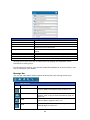
Message Bar
You can get information about system status quickly by moving mouse over.
Message Bar
Item
Status
Description
RAID Information.
Display the status of created RAID volume. Click
to go to RAID information page as short cut.
Disks Information.
Display the status of disks installed in the
system. Click to go to Disk information page as
short cut.
Display system FAN Status. Click to go to
System Status page as short cut.
FAN.
UPS.
Display UPS device status. Click to go to UPS
Setting page as short cut.
24
Temperature.
Network.
Green: Systematic temperature is normal.
Red: Systematic temperature is unusual.
Click to go to System Status page as short cut.
Green: Connection to network is normal.
Red: abnormal connection to the network
Logout
Click to logout Web Administration Interface.
Language Selection
The N5500 supports multiple languages, including:
•
English
•
Japanese
•
Traditional Chinese
•
Simplified Chinese
•
French
•
German
•
Italian
•
Korean
•
Spanish
•
Russia
•
Polish
On the menu bar, click Language and the selection list
appears. This user interface will switch to selected
language for the N5500.
System Information
Information provides viewing on current Product info, System Status, Service
Status and Logs.
The menu bar allows you to see various aspects of the N5500. From here, you can
discover the status of the N5500, and also other details.
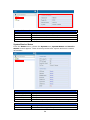
Product Information
Once you login, you will first see the basic Product Information screen providing
Manufacturer, Product No., Firmware Version, and System Up Time
information.
25
Product Information
Item
Description
Manufacturer
Displays the name of the system manufacturer.
Product No.
Shows the model number of the system.
Firmware version
Shows the current firmware version.
Up time
Displays the total run time of the system.
System/Service Status
From the Status menu, choose the System item, System Status and Service
Status screens appear. These screens provide basic system and service status
information.
System Status
Item
CPU Loading (%)
CPU Fan Speed
System Fan Speed
Up Time
Description
Displays current CPU workload of the N5500.
Displays current CPU fan status.
Displays the current status of the system fan.
Shows how long the system has been up and running.
Service Status
Item
AFP Status
Description
The status of the Apple Filing Protocol server.
26
NFS Status
SMB/CIFS Status
FTP Status
Media Server
Nsync Status
UPnP Status
SNMP
The
The
The
The
The
The
The
status
status
status
status
status
status
status
of
of
of
of
of
of
of
the
the
the
the
the
the
the
Network File Service Server.
SMB/CIFS server.
FTP server.
Media Server
Nsync server.
UPnP service.
SNMP service.
Logs
From the System Information menu, choose the Logs item and the System Logs
screen appears. This screen shows a history of system usage and important events
such as disk status, network information, and system booting. See the following
table for a detailed description of each item:
See the following table for a detailed description of each item:
System Logs
Item
All
INFO
WARN
ERROR
Download All Log File
Description
Provides all log information including system messages, warning
messages and error messages.
Records information about system messages.
Shows only warning messages.
Shows only error messages.
Export all logs to an external file.
27
Truncate All Log File
The number of lines per
page □
Sort Ascending
Sort Descending
|<< < > >>|
Clear all log files.
Specify desired number of lines to display per page.
Shows logs by date in ascending order.
Shows logs by date in descending order.
Use the forward ( > >>| ) and backward ( |<<
browse the log pages.
<)
buttons to
Re-loading logs.
System Management
The System Management menu gives you a wealth of settings that you can use to
configure your N5500’s system administration functions. You can set up system
time, system notifications, and even upgrade firmware from this menu.
Time: Setting system time
From the time menu, choose the Time item and the Time screen appears. Set the
desired Date, Time, and Time Zone. You can also elect to synchronize the system
time on the N5500 with an NTP (Network Time Protocol) Server.
See the following table for a detailed description of each item:
Time
Item
Date
Time
Time Zone
Act as NTP Server
Sync with external NTP
Server
WARNING
Description
Sets the system date.
Sets the system time.
Sets the system time zone.
Select Enable to synchronize with the NTP server.
Select Disable to close the NTP server synchronization.
Select YES to allow the N5500 to synchronize with an NTP server
of your choice. Press Apply to change.
If an NTP server is selected, please make sure your N5500’s network has been
setup to access the NTP server.
28
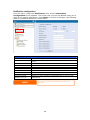
Notification configuration
From the menu, choose the Notification item, and the Notification
Configuration screen appears. This screen lets you have the N5500 notify you in
case of any system malfunction. Press Apply to confirm all settings. See following
table for a detailed description of each item.
Notification Configuration
Item
Description
Beep Notification
Enable or disable the system beeper that beeps when a problem
occurs.
Email Notification
Enable or disable email notifications of system problems.
SMTP Server
Specifies the hostname/IP address of the SMTP server.
Port
Specifies the port to send outgoing notification emails.
Auth Type
Select the SMTP Server account authentication type.
SMTP Account ID
Set the SMTP Server Email account ID.
Account Password
Enter a new password.
E-mail From
Set email address to send email.
Receiver’s E-mail
Add one or more recipient’s email addresses to receive email
Address (1,2,3,4)
notifications.
NOTE
Consult with your mail server administrator for email server
information.
29
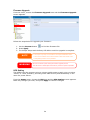
Firmware Upgrade
From the menu, choose the Firmware Upgrade item and the Firmware Upgrade
screen appears.
Follow the steps below to upgrade your firmware:
1. Use the Browse button
to find the firmware file.
2. Press Apply.
3. The beeper beeps and the Busy LED blinks until the upgrade is complete.
NOTE
• The beeper only beeps if it is enabled in the System Notification menu.
• Check Thecus website for the latest firmware release and release notes.
• Downgrading firmware is not permitted.
WARNING
Do not turns off the system during the firmware upgrade process.
This will lead to a catastrophic result that may render the system inoperable.
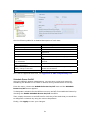
UPS Setting
The N5500 can also support various uninterruptible power supply units via either
“Serial” or “USB” interface, providing extra data security and accessibility in the
case of a power failure.
From the Status menu, choose the UPS item and the UPS Setting screen appears.
Make any changes you wish, and press Apply to confirm changes.
30
See the following table for a detailed description of each item.
UPS Setting
Item
UPS Monitoring
Manufacturer
Model
Battery Status
Power
Seconds between power failure and
first notification
Seconds between subsequent power
failure notifications
Shutdown the system when the
battery charge is less than
Apply
Description
Enable or disable UPS monitoring.
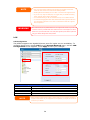
Choose the UPS manufacturer from the dropdowns.
Choose the UPS model number from the
dropdowns.
Current status of the UPS battery
Current status of the power being supplied to the
UPS
Delay between power failure and first notification in
seconds.
Delay between subsequent notifications in seconds.
Amount of UPS battery remaining before system
should auto-shutdown.
Press Apply to save your changes.
For a list of supported UPS units, see Appendix E: UPS Compatibility List.
Schedule Power On/Off
Using the N5500’s System Management, you can save energy and money by
scheduling the N5500 to turn itself on and off during certain times of the day.
From the menu, choose the Schedule Power On/Off item and the Schedule
Power On/Off screen appears.
To designate a schedule for the N5500 to turn on and off, first enable the feature by
checking the Enable Schedule Power On/Off checkbox.
Then, simply choose an on and off time for each day of the week that you would like
to designate a schedule by using the various dropdowns.
Finally, click Apply to save your changes.
31
Example - Monday: On: 8:00; Off: 16:00
System will turn on at 8:00 AM on Monday, and off at 16:00 on Monday. System will
turn on for the rest of the week.
If you choose an on time, but do not assign an off time, the system will turn on and
remain on until a scheduled off time is reached, or if the unit is shutdown manually.
Example - Monday: On: 8:00
System will turn on at 8:00 AM on Monday, and will not shut down unless powered
down manually.
You may also choose two on times or two off times on a particular day, and the
system will act accordingly.
Example - Monday: Off: 8:00; Off: 16:00
System will turn off at 8:00 AM on Monday. System will turn off at 16:00 PM on
Monday, if it was on. If the system was already off at 16:00 PM on Monday, system
will stay off.
Wake-Up On LAN (WOL)
The N5500 has the ability to be awoken from sleep mode via WAN port.
32
From the menu, choose the WOL item, and the Wake-up On LAN screen appears.
From here, you can Enable or Disable.
Wake-up On LAN Configuration
Item
Description
WOL Service
Enable or Disable WOL service
Apply
Click Apply to save changes.
SNMP Support
From the menu, choose the SNMP item and the SNMP Support screen appears.
You could enable the SNMP function and filled in the related information in each
fields. With the SNMP management software could get system basic information.
From the menu, choose the SNMP item, and the SNMP Support screen appears.
From here, you can Enable or Disable.
Utility
˙ Administrator password
From the menu, choose the Administrator Password item and the Change
Administrator Password screen appears. Enter a new password in the New
Password box and confirm your new password in the Confirm Password box.
Press Apply to confirm password changes.
There is also password for enter LCD setting you could setup here. Enter a new
password in the New Password box and confirm your new password in the
Confirm Password box. Press Apply to confirm password changes.
33
See the following table for a detailed description of each item.
Change Administrator and LCD Entry Password
Item
Description
New Password
Type in a new administrator password.
Confirm Password
Type the new password again to confirm.
Apply
Press this to save your changes.
˙ Config Mgmt
From the menu, choose the Config Mgmt item and the System Configuration
Download/Upload screen appears. From here, you can download or upload stored
system configurations.
See the following table for a detailed description of each item.
System Configuration Download/Upload
Item
Description
Download
Save and export the current system configuration.
Upload
Import a saved configuration file to overwrite current system
configuration.
NOTE
Backing up your system configuration is a great way to ensure that you can revert
to a working configuration when you are experimenting with new system settings.
The system configuration you have backup can be only restore in same firmware
version. And the backup details have excluded user/group accounts.
34
˙ Factory default
From the menu, choose the Factory Default item and the Reset to Factory
Default screen appears. Press Apply to reset the N5500 to factory default settings.
WARNING
Resetting to factory defaults will not erase the data stored in the hard disks, but
WILL revert all the settings to the factory default values.
˙ Reboot & Shutdown
From the menu, choose Reboot & Shutdown item, and the Shutdown/Reboot
System screen appears. Press Reboot to restart the system or Shutdown to turn
the system off.
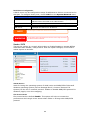
˙ File System check
The File System Check allows you to perform a check on the integrity of your disks’
file system. Under the menu, click File system Check and the File System Check
prompt appears.
35
To perform a file system check, click Apply.
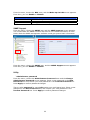
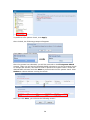
Once clicked, the following prompt will appear:
Click Yes to reboot the system.
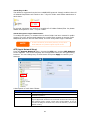
Once the system has rebooted, you will be returned to the File System Check
prompt. There you will see the available RAID volumes to run the file system check
on except ZFS volume, ZFS has no need to perform file system check. Check the
desired RAID volumes and click Next to proceed with the file system check. Click
Reboot to reboot without running the check.
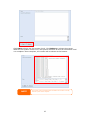
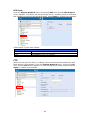
Once you click Next, you will see the following screen:
36
Click Start to begin the file system check. Click Reboot to reboot the system.
When the file system check is run, the system will show 20 lines of information until
it is complete. Once complete, the results will be shown at the bottom.
NOTE
The system must be rebooted before the N5500 can function normally
after file system check complete.
37
System Network
Use the System Network menu to make network configuration settings as well as
service support settings.
WAN Configuration
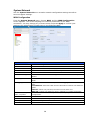
From the System Network menu, choose WAN, and the WAN Configuration
screen appears. This screen displays the network parameters of the WAN
connection. You may change any of these items and press Apply to confirm your
settings. See a description of each item in the following table:
WAN Configuration
Item
Description
Host name
Domain name
Host name that identifies the N5500 on the network.
Specifies the domain name of the N5500.
WINS Server
To set a server name for NetBIOS computer.
MAC Address
MAC address of the network interface.
Jumbo Frame Support
Enable or disable Jumbo Frame Support of the WAN interface on your
N5500.
IP Sharing Mode
When enabled, PCs connected to the LAN port will be able to access the
WAN.
Link Aggregation
Set IP Address by:
Static / Dynamic
IP
Specifies whether WAN and LAN ports will be aggregated and act as one
port.
Load Balance: Ethernet traffic will flow alternative between two Ethernet
ports.
Failover: When one port fails, the other one will take over.
802.3ad: Linkage two Ethernet ports in parallel to increase throughput.
You can choose a static IP or Dynamic IP, and input your network
configuration.
IP address of the WAN interface.
Netmask
Gateway
Network mask, which is generally: 255.255.255.0
Default Gateway IP address.
DNS Server
Domain Name Service (DNS) server IP address.
38
NOTE
• Only use Jumbo Frame settings when operating in a Gigabit environment
where all other clients have Jumbo Frame Setting enabled.
• Enabling DHCP automatically turns on UPnP— see the Service Support Screen.
• If you are only using the WAN port, we suggest that you disable IP Sharing
Mode. This will result in higher throughput.
• A correct DNS setting is vital to networks services, such as SMTP and NTP.
• To use the Link Aggregation with “802.3ad selected” feature, please make sure
the networking equipment on the other end of Ethernet cable also supports
802.3ad protocol.
WARNING
Most Fast Ethernet (10/100) Switches/Routers do not support Jumbo Frame and you will not
be able to connect to your N5500 after Jumbo Frame is turned on. If this happens, turn off the
N5500. Then, press the reset button on the front panel right below power button. System will
bring your network settings back to factory default.
LAN
LAN Configuration
The N5500 supports two Gigabit Ethernet ports for higher service availability. To
configure these ports, choose LAN from the System Network menu, and the LAN
Configuration screen appears. Press Apply to save your changes.
LAN Configuration
Item
Description
MAC Address
Displays the MAC address of the LAN interface.
Jumbo Frame Support
Enable or disable Jumbo Frame Support on the LAN interface.
IP
Specifies the IP address of the LAN interface.
Netmask
Specifies the Network Mask of the LAN interface.
NOTE
Before enabling Jumbo Frame Support, please make sure your network equipment
supports Jumbo Frame. If your equipment is incompatible, you might not be able to
connect to your N5500.
39
DHCP Server Configuration
A DHCP server can be configured to assign IP addresses to devices connected to the
LAN port. To configure these ports, choose LAN from the System Network menu.
DHCP Configuration
Item
Description
DHCP Server
Enable or disable the DHCP server to automatically assign IP
address to PCs connected to the LAN interface.
Start IP
Specifies the starting IP address of the DHCP range.
End IP
Specifies the ending IP address of the DHCP range.
DNS Server
NOTE
WARNING
Displayed the DNS server IP address.
The IP Segment of WAN and LAN should not overlap.
The IP address of the LAN interface should not be in the range of the Start
IP address and End IP address.
Samba / CIFS
There are 4 options is currently allow Admin to Enable/Disable to operate N5500
associated with Samba / CIFS protocol. With the option changed, it will need to
reboot system to activate.
Samba Service
Used for letting the operating system of UNIX series and SMB/CIFS of Microsoft
Windows operating system (Server Message Block / Common Internet File
System).Do the link in network protocol. Enable or Disable SMB/CIFS protocol for
Windows, Apple, Unix drive mapping.
File Access Cache
File Access Cache is default Enable. This option will help to increase the
performance while single client access share folder in writing under SMB/CIFS
protocol.
40
Samba Recycle Bin
The N5500 is supported recycle bin via SMB/CIFS protocol. Simply enable it then all
of deleted files/folders will reside in the “.recycle” folder with hidden attribution in
each share.
In general, Windows has default to invisible all of hidden folders/files. So please
enable this option to view “.recycle” folder.
Samba Anonymous Login Authentication
To enable this option, no matter there is share folder has been created in public
access. The user account and password is needed from system to access under
SMB/CIFS protocol. On the other hand, no more anonymous login is allowed.
NOTE
• In some environments, due to security concerns, you may wish to
disable SMB/CIFS as a precaution against computer viruses.
AFP (Apple Network Setup)
From the System Network menu, choose the AFP item, and the AFP Support
screen appears. This screen displays the configuration items for the Apple Filing
Protocol. You can change any of these items and press Apply to confirm your
settings.
A description of each item follows:
Apple Network Configuration
Item
Description
AFP Server
Enable or disable Apple File Service to use the N5500 with MAC
OS-based systems.
Zone
Specifies Zone for Applet Talk service.
If your AppleTalk network uses extended networks and is assigned
with multiple zones, assign a zone name to the N5500. If you do
not want to assign a network zone, enter an asterisk (*) to use the
default setting.
41
NFS Setup
From the System Network menu, choose the NFS item, and the NFS Support
screen appears. The N5500 can act as an NFS server, enabling users to download
and upload files with the favorite NFS clients. Press Apply to confirm your settings.
A description of each item follows:
NFS
Apply
NFS Server Setting
Item
Description
Enable or Disable NFS support.
Click Apply to save your changes.
FTP
N5500 can act as a FTP server, enabling users to download and upload files with
their favorite FTP programs. From the System Network menu, choose the FTP
item, and the FTP screen appears. You can change any of these items and press
Apply to confirm your settings.
42
A description of each item follows:
FTP
Item
FTP
Security FTP
Port
FTP ENCODE
Allow Anonymous FTP
Access
Auto Rename
Upload Bandwidth
Download Bandwidth
Description
Enable FTP Service on the N5500.
Enable or disable Security FTP, be sure the client FTP software
has also security FTP setting enabled.
Specifies the port number of an incoming connection on a
non-standard port.
If your FTP client or operating system does not support Unicode
(e.g. Windows® 95/98/ME or MAC OS9/8), select the same
encoding as your OS here in order to properly view the files and
directories on the server. Available options are BIG5, HZ,
GB2312, GB18030, ISO, EUC-JP, SHIFT-JIS and UTF-8.
Upload/Download: Allow anonymous FTP users to upload or
download files to/from public folders.
Download: Allow anonymous FTP users to download files from
public folders.
No access: Block anonymous FTP user access.
If checked, the system will automatically rename files that are
uploaded with a duplicate file name. The renaming scheme is
[filename].#, where # represents an integer.
You may set the maximum bandwidth allocated to file uploads.
Selections include Unlimited, 1, 2, 4, 8, 16 and 32 MB/s.
You may set the maximum bandwidth allocated to file
downloads. Selections include Unlimited, 1, 2, 4, 8, 16 and 32
MB/s.
To access the share folder on the N5500, use the appropriate user login and
password set up on the Users page. Access control to each share folder is set up on
the ACL page (Storage Management > Shore Folder > ACL).
Media Server
With the built-in Media Server capability, the
N5500 provides media streaming service to
stand-alone networked home media adapters
that support the UPnP AV protocol or are
Digital Living Network Alliance (DLNA)
standard compliant.
With the N5500’s built-in media server
capability, you can share digital media such
as music, pictures, and movies with any
compatible device throughout your entire home.
Media Manager Settings
To configure the media server, under the System Network menu, click Media
Server and the Media Manager Settings window will appear.
43
A description of each field follows:
Media Manager Settings
Item
Description
Media Server
Enable or disable the Media Server service.
Shared Media Folders
Select the folder(s) that contains media files to be shared.
Rescan
Click the Rescan button to have the N5500 for new contents in
the selected media folder.
Share Media Folders
Once the Media Server software is installed, you can start adding folders that
contain the media that you would like to share. To create a media share folder,
follow the steps below:
1. Click on System Network > Media Server in the menu bar.
2. From the Shared Media Folders window, select the folder that contains
your media files, and click its checkbox.
3. The contents in the folder will be scanned for the Media Server. The time
required for scanning depends on the size of the folder.
Connecting DMAs to the Media Server
Next, it’s time to connect your Digital Media Adapter (DMA) to the media server:
1. Connect your DMA to your Media Server
a. Configure your DMA to use a Dynamic IP address. The IP address will
be assigned by the router.
b. Some DMAs are wireless enabled. You can connect the DMA to a
wireless router. For instructions on how to connect your DMA to a
wireless router, please refer to your DMA’s user manual.
2. Connect your DMA’s video output to video input of your TV set.
3. Turn on the TV and change the video signal input to DMA.
44
4. Setup the DMA (These steps will be different if you use a different DMA)
a. From the Server List screen, select “N5500: Media Server” as the
server.
b. Go to My Media
c. Click on the Up/Down Arrow buttons to select Music Jukebox,
Photo Albums, or Video Clips
d. Start enjoying the contents stored in your N5500.
HTTP/ Web Disk
From the System Network menu, choose the HTTP/ Web Disk item, and the
Web Disk (HTTP) Support screen appears. This screen displays the service
support parameters of the system. You can change any of these items and press
Apply to confirm your settings.
A description of each item follows:
Web Service
Item
HTTP (WebDisk) Support
HTTPs (Secure WebDisk)
Support
NOTE
Description
Enable or disable WebDisk support. Enter the port number if
this option is enabled. The port number is default 80.
Enable or disable secure WebDisk support. Enter the port if this
option is enabled.
• Disable HTTP support and Enable Secure HTTP support to guarantee
secure access.
45
UPnP
This device supports UPnP Media server, which allows users to play media files with
UPnP client (ex. DMA devices). Enable or disable Universal Plug and Play protocol.
UPnP helps to find the IP address of the N5500.
Nsync Target
From the System Network menu, choose the Nsync Target item, and the Nsync
Setting screen appears. Enable or Disable your Nsync Target Server. Press Apply
to confirm your settings.
Once Nsync Target has been enabled, the other Thecus NAS product is able to
operate remote replication to this NAS system.
Bonjour Setting
Bonjour, is Apple Inc.'s trade name for its implementation of Zeroconf, a service
discovery protocol. Bonjour locates devices such as printers, as well as other
computers, and the services that those devices offer on a local network using
multicast Domain Name System service records. This definitive guide walks you
through Bonjour zero-configuration networking with a complete description of the
protocols and technologies used to create Bonjour enabled applications and devices.
46
Storage Management
The Storage menu displays the status of storage devices installed in the N5500,
and includes storage configuration options such as RAID and disk settings, folder
configuration, space allocation and ISO Mount.
Disks Information
From the Storage menu, choose the Disks item and the Disks Information
screen appears. From here, you can see various items about installed SATA hard
disks. Blank lines indicate that a SATA hard disk is not currently installed in that
particular disk slot.
Disks Information
Item
Description
Disk No.
Indicates disk location.
Capacity
Shows the SATA hard disk capacity.
Model
Displays the SATA hard disk model name.
Firmware
Shows the SATA hard disk firmware version.
Status
Indicates the status of the disk. Can read OK, Warning, or
Failed.
Bad Block scan
Yes to start scan Bad Block.
Total Capacity
Shows the total SATA hard disk capacity.
Disk Power
The administrator can set the disk to power down after a period of
Management
inactivity.
47
NOTE
When the Status shows Warning, it usually means there are bad sectors on the
hard disk. It is shown only as a precaution and you should consider changing the
drives.
S.M.A.R.T. Information
On the Disks Information screen, the status of each disk will be displayed in the
Status column. Clicking on an OK or Warning link will display the S.M.A.R.T
Information window for that particular disk.
You may also perform disk SMART test, simply to click “Test” to start with. The
result is only for reference and system will not take any action from its result.
S.M.A.R.T. Information
Item
Description
Tray Number
Tray the hard disk is installed in.
Model
Model name of the installed hard disk.
Power ON Hours
Count of hours in power-on state. The raw value of this attribute
shows total count of hours (or minutes, or seconds, depending on
manufacturer) in power-on state.
Temperature Celsius
The current temperature of the hard disk in degrees Celsius
Reallocated Sector
Count of reallocated sectors. When the hard drive finds a
Count
read/write/verification error, it marks this sector as "reallocated"
and transfers data to a special reserved area (spare area).
This process is also known as remapping and "reallocated" sectors
are called remaps. This is why, on a modern hard disks, you can
not see "bad blocks" while testing the surface - all bad blocks are
hidden in reallocated sectors. However, the more sectors that are
reallocated, the more a decrease (up to 10% or more) can be
noticed in disk read/write speeds.
Current Pending Sector Current count of unstable sectors (waiting for remapping). The
raw value of this attribute indicates the total number of sectors
waiting for remapping. Later, when some of these sectors are read
successfully, the value is decreased. If errors still occur when
reading sectors, the hard drive will try to restore the data, transfer
48
Test Type
Test Result
Test Time
NOTE
it to the reserved disk area (spare area), and mark this sector as
remapped. If this attribute value remains at zero, it indicates that
the quality of the corresponding surface area is low.
Set short or long time to test.
Result of the test.
Total time of the test.
If the Reallocated Sector Count > 32 or Current Pending Sector of a hard disk
drive > 0 , the status of the disk will show “Warning”. This warning is only used
to alert the system administrator that there are bad sectors on the disk, and
they should replace those disks as soon as possible.
Bad Block Scan
On the Disks Information screen, you may also perform disk bad block scan,
simply to click “Yet to start” to start with. The result is only for reference and system
will not take any action from its result.
The testing result will be stay till system reboot with “Yet to start” displayed as
default.
RAID Information
From the Storage menu, choose the RAID item and the RAID Information screen
appears.
This screen lists the RAID volumes currently residing on the N5500. From this
screen, you can get information about the status of your RAID volumes, as well as
the capacities allocated for data, target USB and iSCSI. There is also a graph which
represents how the RAID volume is currently allocated.
49
RAID Information
Item
Description
Master RAID
The RAID volume currently designated as the Master RAID
volume.
ID
ID of the current RAID volume.
NOTE: All RAID IDs must be unique.
RAID Level
Shows the current RAID configuration.
Status
Indicates status of the RAID. Can read either Healthy,
Degraded, or Damaged.
Disks Used
Hard disks used to form the current RAID volume.
Total Capacity
Total capacity of the current RAID.
Data Capacity
Indicates the used capacity and total capacity used by user data.
USB Capacity
Total capacity of the target USB Device.
iSCSI Capacity
Indicates the capacity allocated to iSCSI.
Create a RAID
On the RAID Information screen, press the create button to go to the CREAT
RAID screen. In addition to RAID disk information and status, this screen lets you
make RAID configuration settings.
Using Create RAID, you can select stripe size, choose which disks are RAID disks or
the Spare Disk. .
RAID Configurations
Item
Description
Disk No.
Number assigned to the installed hard disks.
Capacity (MB)
Capacity of the installed hard disks.
Model
Model number of the installed hard disks.
Status
Status of the installed hard disks.
Used
If this is checked, current hard disk is a part of a RAID volume.
Spare
If this is checked, current hard disk is designated as a spare for a
RAID volume.
Master RAID
Check a box to designate this as the Master RAID volume. See the
NOTE below for more information.
Stripe Size
This sets the stripe size to maximize performance of sequential
files in a storage volume. Keep the 64K setting unless you require
a special file storage layout in the storage volume. A larger stripe
size is better for large files.
Data Percentage
The percentage of the RAID volume that will be used to store data.
Create
Press this button to configure a file system and create the RAID
storage volume.
To create a RAID volume, follow the steps below:
1. On the RAID Information screen, click create.
2. On the RAID Configuration screen, set the RAID storage space as JBOD,
RAID 0, RAID 1, RAID 5, RAID 6, or RAID 10 — see Appendix C: RAID
Basics for a detailed description of each.
3. Specify a RAID ID.
4. If this RAID volume is meant to be the Master RAID volume, tick the Master
RAID checkbox.
50
NOTE
In a multiple RAID configuration, one RAID volume must be designated as the
Master RAID volume. The Master RAID volume will store all installed modules. If
the Master RAID is changed to another location (i.e. assigning volume 2 to be
the Master RAID volume after volume 1 had been previously assigned), then all
modules must be reinstalled. In addition, all system folders that were contained
on the Master RAID volume will be invisible. Reassigning this volume to be the
Master RAID will make these folders visible again.
5. Specify a stripe size — 64K is the default setting.
6. Specify the percentage allocated for user data by drag the horizontal bar.
The remaining space will be made available for target USB or iSCSI.
7. Selected the file system you like to have for this RAID volume. The selection
is available from ext3, XFS and ZFS.
NOTE
.Select ZFS file system while snapshot is needed. It is only one ZFS file system
allowed to be created per system.
.ZFS file system is only accessible by CIFS/SMB, not for AFP and NFS users.
.XFS file system is not support folder quota feature
8. Press Create to build the RAID storage volume.
51
NOTE
Building a RAID volume may take time, depending on the size of hard drives
and RAID mode. In general, while the RAID volume building process is up to
“RAID Building” then the data volume is capable to be accessed.
WARNING
Creating RAID destroys all data in the current RAID volume. The data is
unrecoverable.
With a RAID 1, RAID 5, RAID 6, or RAID 10 volume, you can also add a spare disk
after the RAID is created.
See Chapter 6: Tips and Tricks > Adding a Spare Disk for details.
For more information on RAID, see Appendix C: RAID Basics.
RAID Level
You can set the storage volume as JBOD, RAID 0, RAID 1, RAID 5, RAID 6 or
RAID 10. RAID configuration is usually required only when you first set up the
device. A brief description of each RAID setting follows:
RAID Levels
Level
JBOD
RAID 0
RAID 1
RAID 5
Description
The storage volume is a single HDD with no RAID support. JBOD
requires a minimum of 1 disk.
Provides data striping but no redundancy. Improves performance
but not data safety. RAID 0 requires a minimum of 2 disks.
Offers disk mirroring. Provides twice the read rate of single disks,
but same write rate. RAID 1 requires a minimum of 2 disks.
Data striping and stripe error correction information provided.
52
RAID 6
RAID 10
WARNING
RAID 5 requires a minimum of 3 disks. RAID 5 can sustain one
failed disk.
Two independent parity computations must be used in order to
provide protection against double disk failure. Two different
algorithms are employed to achieve this purpose. RAID 6 requires
a minimum of 4 disks. RAID 6 can sustain two failed disks.
RAID 10 has high reliability and high performance. RAID 10 is
implemented as a striped array whose segments are RAID 1
arrays. It has the fault tolerance of RAID 1 and the performance of
RAID 0. RAID 10 requires 4 disks. RAID 10 can sustain two failed
disks.
If the administrator improperly removes a hard disk that should not be
removed when RAID status is degraded, all data will be lost.
Edit RAID
On the RAID Information screen, press the Edit button to go to the RAID
Information screen.
Using Edit RAID, you can select RAID ID and the Spare Disk. .
53
Remove RAID
Click to remove the RAID volume. All user data, iSCSI and target USB data been
created in selected RAID volume will be removed.
To remove a RAID volume, follow the steps below:
1. On the RAID List screen, select the RAID volume by clicking on its radio
button, and click RAID Information to open the RAID Configuration
screen.
2. On the RAID Configuration screen, click Remove RAID.
3. The confirmation screen appear, you will have to input “Yes” with exactly
wording case to complete “Remove RAID” operation
54
WARNING
Remove RAID destroys all data in the current RAID volume. The data is
unrecoverable.
Expanding a RAID
To expand a RAID 1, RAID 5, RAID 6, or RAID 10 volume, follow the steps below:
1. Replace one of the hard drives in the RAID volume and allow it to
automatically rebuild.
2. Once rebuilt, you can continue to replace any remaining disks in the RAID
array.
3. When you are done replacing hard drives, log on to Web Management.
Navigate to Storage> RAID to open the RAID Configuration screen.
4. On the RAID Information screen, and click Edit to open the RAID
Configuration screen.
5. On the RAID Configuration screen, click Expand.
NOTE
RAID expansion did not support file system created by ZFS.
55
Migrating a RAID
Once a RAID volume has been created, you may want to move it to other physical
drives or change the RAID array all together. To migrate a RAID 0, RAID 1, RAID 5
or RAID 6 volume, follow the steps below:
1. From the RAID Configuration screen, click Migrate RAID.
2. A list of possible RAID migration configurations will be listed. Select the
desired migration scheme and click Apply.
3. The system will begin migrating the RAID volume.
56
NOTE
Migrating a RAID volume could take several hours to complete
With RAID level migration function, it has two different type “On line” and “Off line”
alone with limitation as listed below.
1. During RAID level migration, it is not allowed reboot or shutdown system.
2. Off line RAID level migration, all services will stop and data is inaccessible.
3. To have ZFS file system created doing on line RAID level migration from R1
to R5 or R1 to R6, the all services will restart and volumes “user data”,
“iSCSI” and “Target USB” are read only during operation.
4. To have ext3 and XFS file system created doing on line RAID level
migration from R1 to R5 or R1 to R6, the all services will restart and
volumes “iSCSI” and “Target USB” are read only but “user data” is capable
read / write during operation.
5. The other combination to make as “On line” can have read / write work as
normal.
Below is a table listing of possible RAID migration schemes:
To
From
RAID 0
RAID 5
RAID
[OFFLINE]
0
[RAID 0] HDDx2 to [RAID 0] HDDx3 [RAID 0] HDDx2 to [RAID 5] HDDx3
[OFFLINE]
[RAID 0] HDDx2 to [RAID 0] HDDx4 [RAID 0] HDDx2 to [RAID 5] HDDx4
[RAID 0] HDDx2 to [RAID 0] HDDx5 [RAID 0] HDDx2 to [RAID 5] HDDx5
[RAID 0] HDDx3 to [RAID 0] HDDx4 [RAID 0] HDDx3 to [RAID 5] HDDx4
[RAID 0] HDDx3 to [RAID 0] HDDx5 [RAID 0] HDDx3 to [RAID 5] HDDx5
[RAID 0] HDDx4 to [RAID 0] HDDx5 [RAID 0] HDDx4 to [RAID 5] HDDx5
57
RAID 6
X
RAID
[OFFLINE]
1
[RAID 1] HDDx2 to [RAID 0] HDDx2 [RAID 1] HDDx2 to [RAID 5] HDDx3 [RAID 1] HDDx2 to [RAID 6] HDDx4
[ONLINE]
[ONLINE]
[RAID 1] HDDx2 to [RAID 0] HDDx3 [RAID 1] HDDx2 to [RAID 5] HDDx4 [RAID 1] HDDx2 to [RAID 6] HDDx5
[RAID 1] HDDx2 to [RAID 0] HDDx4 [RAID 1] HDDx2 to [RAID 5] HDDx5 [RAID 1] HDDx3 to [RAID 6] HDDx4
[RAID 1] HDDx2 to [RAID 0] HDDx5 [RAID 1] HDDx3 to [RAID 5] HDDx4 [RAID 1] HDDx3 to [RAID 6] HDDx5
[RAID 1] HDDx3 to [RAID 0] HDDx4 [RAID 1] HDDx3 to [RAID 5] HDDx5 [RAID 1] HDDx4 to [RAID 6] HDDx5
[RAID 1] HDDx3 to [RAID 0] HDDx5 [RAID 1] HDDx4 to [RAID 5] HDDx5
[RAID 1] HDDx4 to [RAID 0] HDDx5
[RAID 1] HDDx4 to [RAID 0] HDDx5
RAID
X
[ONLINE]
X
[RAID 5] HDDx3 to [RAID 5] HDDx4
5
[RAID 5] HDDx3 to [RAID 5] HDDx5
[RAID 5] HDDx4 to [RAID 5] HDDx5
RAID
X
X
[ONLINE]
[RAID 6] HDDx4 to [RAID 6] HDDx5
6
Space Allocation
You may specify the space allocated for both Target USB and iSCSI volumes. The
iSCSI volume can be created up to 5 volumes per RAID volume.
To do this, under the Storage menu, click RAID and the RAID List window
appears. Select the RAID volume you wish to reallocate by clicking on its radio
button, and click Space Allocation. The RAID Information and Volume
Allocation List windows will appear.
The Volume Allocation List displays the space allocated for Target USB and iSCSI
volumes on the current RAID volume. The N5200PRO supports up to five iSCSI
volumes.
Volume Allocation List
Item
Description
Modify
Click this to modify the allocated space.
Delete
Click this to delete the allocated space.
iSCSI Target
Click to allocate space to iSCSI volume.
Target USB
Click to allocate space to USB volume.
Type
Type of volume. Can be either USB or iSCSI.
Name
Name assigned to the volume.
Capacity
Capacity of the allocated space.
58
Allocating Space for iSCSI Volume
To allocate space for an iSCSI volume on the current RAID volume, follow the steps
below:
1. Under the Volume Allocation List, click iSCSI Target.
The Create iSCSI Volume screen appears.
Create iSCSI Volume
Item
Description
RAID ID
ID of current RAID volume.
Allocation
Percentage and amount of space allocated to iSCSI volume.
Unused
Percentage and amount of unused space on current RAID
volume.
iSCSI Target Volume
Enable or Disable the iSCSI Target Volume.
Target Name
Name of the iSCSI Target. This name will be used by the
Stackable NAS function to identify this export share.
Year
Select the current year from the dropdown.
Authentication
You may choose CHAP authentication or choose None.
Month
Select the current month from the dropdown.
59
Username
Password
Password Confirm
Enter a username.
Enter a password.
Reenter the chosen password
2. Designate the percentage to be allocated from the Allocation drag bar.
3. Enable the iSCSI Target Service by selecting Enable.
4. Choose to enable CHAP authentication or choose None.
5. Enter a Target Name. This will be used by the Stackable NAS function to
identify this export share.
6. Choose the current year from the Year dropdown.
7. Choose the current month from the Month dropdown.
8. If you’ve enabled CHAP authentication, enter a username and a password.
Confirm your chosen password be reentering it in the Password Confirm
box.
9. Click OK to create the iSCSI volume.
Modify iSCSI Volume
To Modify iSCSI volume on the current RAID volume, follow the steps below:
1. Under the Volume Allocation List, click Modify.
The Modify iSCSI Volume screen appears.
60
2. Modify your setting. Press ok to change.
Delete Volume
To delete volume on the current RAID volume, follow the steps below:
1. Under the Volume Allocation List, click Delete.
The Space Allocation screen appears.
2. Press YES. All data in the volume will be removed.
61
Allocating Space for Target USB Volume
1. Under the Volume Allocation List, click Target USB.
The Create Target Volume screen appears.
2. Designate the percentage to be allocated from the Allocation drag bar.
3. Click OK to create the USB volume.
Create USB Volume
Item
Description
RAID ID
ID of current RAID volume.
Unused
Percentage and amount of unused space on current RAID
volume.
Allocation
Percentage and amount of space allocated to USB volume.
Advance Option
There are 2 options is currently allow Admin to Enable/Disable to operate N5500
associated with iSCSI setting. The details as listed in following screenshot. With the
option changed, it will need to reboot system to activate.
62
iSCSI Block Size
Select the block size with 4K while the iSCSI volume size is over 2TB.
iSCSI CRC/Checksum
To enable this option, the initiator can connect with “Data digest” and “Header
digest” enabled.
Share Folder
From the Storage menu, choose Share Folder, and the Folder screen appears.
This screen allows you to create and configure folders on the N5500 volume.
63
Adding Folders
On the Folder screen, press the Add button and the Add Folder screen appears.
This screen allows you to add a folder. After entering the information, press Apply
to create new folder.
Add Folder
Item
RAID ID
Folder Name
Description
Browseable
Public
Share Folder Limit
Apply
NOTE
Description
RAID volume where the new folder will reside.
Enter the name of the folder.
Provide a description the folder.
Enable or disable users from browsing the folder contents. If Yes
is selected, then the share folder will be browseable.
Admit or deny public access to this folder. If Yes is selected, then
users do not need to have access permission to write to this folder.
When accessing a public folder via FTP, the behavior is similar to
anonymous FTP. Anonymous users can upload/download a file to
the folder, but they cannot delete a file from the folder.
Enter the maximum size of the folder in Gigabytes (GB). The
folder cannot grow beyond this limit. You can enter a 0 to turn off
the share folder limit.
This option did not apply while XFS file system selected.
Press Apply to create the folder.
Folder names are limited to 60 characters. Systems running Windows 98 or earlier
may not support file names longer than 15 characters.
64
Modify Folders
On the Folder screen, press the Edit button and the Modify Folder screen appears.
This screen allows you to change folder information. After entering the information,
press Apply to save your changes.
Modify Folder
Item
RAID ID
Folder Name
Description
Browseable
Public
Share Limit
Description
RAID volume where the folder will reside.
Enter the name of the folder.
Provide a description the folder.
Enable or disable users from browsing the folder contents. This
setting will only apply while access via SMB/CIFS and web disk.
Admit or deny public access to this folder.
Enter the maximum size of the folder. The folder will not grow
beyond this limit. You can enter a 0 to turn off the share folder
limit.
Remove Folders
To remove a folder, press the Remove button from the specified folder row. The
system will confirm folder deletion. Press Yes to delete the folder permanently or
No to go back to the folder list.
65
WARNING
All the data stored in the folder will be deleted once the folder is deleted.
The data will not be recoverable.
NFS Share
To allow NFS access to the share folder, enable the NFS Service, and then set up
hosts with access rights by clicking Add.
NFS Share
Item
Hostname
Privilege
Guest System Support
Description
Enter the name or IP address of the host
Host has either read only or writeable access to the folder.
There are two selections available:
•
Unix / Linux System
•
AIX (Allow source port > 1024)
Choose the one which best fits your needs.
66
IO Mapping
Apply
There are three selections available:
•
Guest system root account will have full access to this
share (root:root).
•
Guest system root account will be mapped to anonymous
user (nobody:nogroup) on NAS.
•
All user on guest system will be mapped to anonymous
user (nobody:nogroup) on NAS.
Choose the one which best fits your needs.
Click to save your changes.
Snapshot
The N5500 is capable for 16 snapshot version control. To have snapshot to work on,
the file system creation for RAID volume has to be “ZFS”.
Snap (Snapshot configuration)
If added folder has located in the RAID volume with “ZFS” file system, then the
folder management screen with “Snap” button will be configurable.
Snapshot
Item
Take Shot
Remove
Schedule
Description
Click to take snapshot right away.
Click to remove snapshot schedule.
Click to open snapshot schedule setup screen.
Clicking on schedule button then schedule setup screen appear. Checked the enable
check box to activate the snapshot scheduled operation.
67
The N5500 snapshot is supported total 16 versions. Once checked “Automatically
remove oldest snapshot”, the oldest will be removed to let newest to added on top.
Otherwise, if the check box is unchecked and snapshot versions are up to 16 then
system will appear warning message and won’t execute the task till available
version count.
The snapshot schedule rules can be setup for monthly, weekly or daily hour.
Clicking on Apply after firmed with desired schedule
These taken snapshot is only accessible though CIFS/SMB by manually type \\NAS
IP address\snapshot and invisible from normal access. Also, the taken snapshot
version is read only can not be deleted under CIFS/SMB access but only click the
“Del” button showing on the screen shot above.
Folder and sub-folders Access Control List (ACL)
On the Folder screen, press the ACL button, and the ACL setting screen appears.
This screen allows you to configure access to the specific folder and sub-folders for
users and groups. Select a user or a group from the left hand column and then
choose Deny, Read Only, or Writable to configure their access level. Press the
Apply button to confirm your settings.
68
ACL setting
Item
Deny
Read Only
Writable
Recursive
Description
Denies access to users or groups who are displayed in this column.
Provides Read Only access to users or groups who are displayed in
this column.
Provides Write access to users or groups who are displayed in this
column.
Enable to inherit the access right for all its sub-folders.
To configure folder access, follow the steps below:
1. On the ACL screen, all network groups and users are listed in the left hand
column. Select a group or user from this list.
2. With the group or user selected, press one of the buttons from the three
access level columns at the top. The group or user then appears in that
column and has that level of access to the folder.
3. Continue selecting groups and users and assigning them access levels using
the column buttons.
4. To remove a group or user from an access level column, press the Remove
button in that column.
5. When you are finished, press Apply to confirm your ACL settings.
NOTE
If one user has belonged to more than one group but different privilege than
the priority Deny > Read Only > Writable
To setup sub-folders ACL, click on “ ” symbol to extract sub folders list as screen
shot shows below. You may carry on with same steps as share level ACL setting.
69
NOTE
The ACL can be set for share and sub-folders level, not for files.
The ACL screen also allows you to search for a particular user. To do this, follow the
steps below:
1. In the blank, enter the name of the user you would like to find.
2. From the drop down select the group you would like to search for the user in.
3. Click Search.
NOTE
The system will list up to 1,000 users from the chosen category. To narrow
your search, enter a search term in the blank provided.
Stackable NAS
The N5500’s capacity can be expanded even further using the stackable function.
With it, users can expand the capacity of their network storage systems up to 5
other stack target volumes which are located in different systems. These can be
stacked through single network access like SMB or AFP acting as a share folder type.
70
From the main menu, the stackable feature is located under “Storage”. Please refer
the figure below for reference.
A. Add a Stack Target Volume
From the figure above, click Add to access the stackable target device configuration
page. Please refer to the figure below:
With the added stack target you could “Enable” or “Disable” now or later per usage
needed.
Next, input the target IP address of the stackable device and click the Discovery
button. The system will list available target volumes from the inputted IP address.
71
Once IP with volume have been set, you may need to input a valid user name and
password to validate your access rights. If there is no user name and password
needed to access target volume, then leave it blank.
Once IP with volume have been set, you may need to input a valid user name and
password to validate your access rights. If there is no user name and password
needed to access target volume, then leave it blank.
The Export share name will become the network share name and displayed
through network access such as SMB. You may refer the figures below to see the
result. Please note the naming limitation.
From the figure above, the Export share name is “pmmeeting”. The figures below
show the result before and after via Microsoft Network Access with settings have
been completed.
72
No Stack Target
Stack target with export
share name “pmmeeting”
The Browseable setting will be same method of setting for system share folder. It
designates whether or not this folder will be visible through web disk. You may refer
the figures below for reference when Yes and No are selected.
The Public setting will be set same as what the setting for the system share folder
associated with the ACL permission setup. If Public is set to Yes, all users will be
able to access it, and ACL button will be grayed out. If Public is set to No, the ACL
button will be available on the Stack Target List window.
73
Click Apply to save your changes.
B. Activate a Stack Target
After your settings have been applied, the system will bring you back to Stack
Target List window as shown below. There is one stack target device has been
attached into this stack master.
With this newly attached stack target device, you will see the information displayed
and also several options you can choose.
In general, if attached stack target device has been used by another
N5200PRO/1U4500/N5500/N7700/N8800 as stack target volume, then the Format
item will be display and system will recognize it straight away and display its
capacity. Otherwise, the Format item will be available and the Capacity and
Status items will show as “N/A” and “Unknown file system” respectively.
Next, click Format to proceed with formatting.
74
After the format is complete, the stack target volume will be created successfully.
You will see the volume’s capacity and status in the Stack Target List screen.
C. Edit a Stack Target
To make any changes to stack targets, click Edit for the corresponding stack target,
and system will bring up the following dialogue:
After your changes have been made, click Apply to confirm any modifications. Once
changes are applied, the associated information will be updated on the Stack
Target List window.
D. Stack Target ACL
If the stack target Public setting set to Yes, then the ACL button will be grayed out.
However, if Public setting is set to No, then the ACL button will be available for you
to setup user access permissions for the stack target.
ACL settings will be exactly the same as system folder that you may have setup
previously.
75
E. Reconnect a Stack Target
The enabled stack target devices may be disconnected by situations such as power
outages or network disconnects. When this happens, the Reconnect button will
available. To attempt to reconnect the stack target, click Reconnect.
ISO Mount
The ISO Mount feature is very useful tool from Thecus products. With it, users can
mount an ISO file and having export name to display all details from mounted ISO
file.
From the main menu, the ISO Mount feature is located under “Storage”. Please refer
the figure below for reference.
Select on the ISO mount function and you will have the screen shot appear as
following.
76
A. Add a ISO file
From the figure above, select ISO file from drop down share list.
After selection, system will bring up Mount table for further setting screen.
To mount new ISO file, select from listed ISO file and input desired mounting name
into “Mount as:” field. Click “ADD” with confirmation to complete mounting ISO file.
Or without “Mount as” ISO file export name input, system will automatic to give the
export name by ISO file name.
If left “Mount as:” blink then system will create mount point by ISO file name.
77
After you have completed to add ISO then the page will displayed all mounted ISO
files,
You could click “Unmount” to eliminate mounted ISO file.
78
B. Using ISO
The mounted ISO file will be located same share folder with name giving. Please
refer the screen shot below.
ISO file “image” has mounted as folder “Image” you could see. The ISO file “Thecus
01” without assign mounting name, system automatically has folder “Thecus 01”
created.
User and Group Authentication
The N5500 has built-in user database that allows administrators to manage user
access using different group policies. From the User and Group Authentication
menu, you can create, modify, and delete users, and assign them to groups that you
designate.
ADS/NT Support
If you have a Windows Active Directory Server (ADS) or Windows NT server to
handle the domain security in your network, you can simply enable the ADS/NT
support feature; the N5500 will connect with the ADS/NT server and get all the
information of the domain users and groups automatically. From the Accounts
menu, choose Authentication item and the ADS/NT Support screen appears.
You can to change any of these items and press Apply to confirm your settings.
79
A description of each item follows:
ADS/NT Support
Item
Description
Work Group / Domain
Specifies the SMB/CIFS Work Group / ADS Domain Name (e.g.
Name
N5500).
ADS/NT Support
Select Disable to disable authentication through Windows Active
Directory Server or Windows NT.
Authentication Method Select ADS for Windows Active Directory Server, or select NT for
Windows NT
ADS/NT Server Name
Specifies the ADS/NT server name (e.g. adservername).
ADS/NT Realm
Specifies the ADS/NT realm (e.g. example.com).
Administrator ID
Enter the administrators ID of Windows Active Directory or
Windows NT, which is required for N5500 to join domain.
Administrator
Enter the ADS/NT Administrator password.
Password
Apply
To save your settings.
To join an AD domain, you can refer the figure and use the example below to
configure the N5500 for associated
filed input:
AD Domain Example
Item
Information
Work Group / Domain
domain
Name
ADS Support
Enable
ADS Server Name
Computer1
ADS/NT Realm
Domain.local
Administrator ID
Administrator
Administrator
***********
Password
80
NOTE
• The DNS server specified in the WAN configuration page should be able to
correctly resolve the ADS server name.
• The time zone setting between N5500 and ADS should be identical.
• The system time difference between N5500 and ADS should be less than
five minutes.
• The Administrator Password field is for the password of ADS (Active
Directory Server) not N5500.
Local User Configuration
From the Accounts menu, choose the User item, and the Local User
Configuration screen appears. This screen allows you to Add, Edit, and Remove
local users.
Local User Configuration
Item
Description
Add
Press the Add button to add a user to the list of local users.
Edit
Press the Edit button to modify a local user.
Remove
Press the Remove button to delete a selected user from the
system.
Add Users
1. Click on the Add button on Local User Configuration screen, and Local
User Setting screen appears.
2. On the Local User Setting screen, enter a name in the User Name box.
3. Enter a User ID number. If left blank, the system will automatically assign
one.
4. Enter a password in the Password box and re-enter the password in the
Confirm box.
5. Select which group the user will belong to. Group Members is a list of
groups this user belongs to. Group List is a list of groups this user does not
belong to. Use the << or >> buttons to have this user join or leave a group.
6. Press the Apply button and the user is created.
81
NOTE
All users are automatically assigned to the ‘users’ group.
Edit Users
1. Select an existing user from the Local User Configuration screen.
2. Click on the Edit button, and Local User Setting screen appears.
3. From here, you can enter a new password and re-enter to confirm, or use the
<< or >> buttons to have this user join or leave a group. Click the Apply
button to save your changes.
82
Remove Users
1. Select an existing user from the Local User Configuration screen.
2. Click on Remove button and the user is deleted from the system.
Local Group Configuration
From the Accounts menu, choose the Group item, and the Local Group
Configuration screen appears. This screen allows you to Add, Edit, and Remove
local groups.
Local Group Configuration
Item
Description
Add
Press the Add button to add a user to the list of local groups.
Edit
Press the Edit button to modify a selected group from the system.
Remove
Press the Remove button to delete a selected group from the
system.
83
Add Groups
1. On the Local Group Configuration screen, click on the Add button.
2. The Local Group Setting screen appears.
3. Enter a Group Name.
4. Enter a Group ID number. If left blank, the system will automatically assign
one.
5. Select users to be in this group from the Users List by adding them to the
Members List using the << button.
6. Click the Apply button to save your changes.
Edit Groups
1. On the Local Group Configuration screen, select a group name from the
list.
2. Press the Edit button to modify the members in a group.
3. To add a user into a group, select the user from the Users List, and press
the << button to move the user into the Members List.
4. To remove a user from a group, select the user from Members List, and
press the >> button.
5. Click the Apply button to save your changes.
84
Remove Groups
1. On the Local Group Configuration screen, select a group name from the
list.
2. Press Remove to delete the group from the system.
Batch Create Users and Groups
The N5500 can also add users and groups in batch mode. This enables you to
conveniently add numerous users and groups automatically by importing a simple
comma-separated plain text (*.txt) file.
From the Accounts menu, click Batch Mgmt and the Batch Create Users and
Groups dialogue will appear. To import your list of users and groups, follow these
steps:
6. Click Browse… to locate your comma-separated text file.
The information in the text file should follow this format:
[USERNAME], [PASSWORD], [GROUP]
7. Click Open.
8. Click Import to begin the user list import.
85
Application Server
The N5500 supports printer server, and Tunes server. The integrated Print Server
allows you to share a single USB printer will all users on the network. The N5500
provides activating the iTunes Server on the device. You will be able to play music
files on this device with your iTunes client software directly. The following section
shows you how.
Printer Information
From the Application Server menu, choose the Printer item, and the Printer
Information screen appears. This screen provides the following information about
the USB printer connected to the USB port.
Printer Information
Item
Description
Manufacturer
Displays the name of the USB printer manufacturer.
Model
Displays the model of the USB printer.
Status
Displays the status of the USB printer.
Remove document
Click to remove all documents from printer queue
from Queue
Restart Printer service
Click to restart printer service
86
If a corrupt print job is sent to a printer, printing may suddenly fail. If your print jobs
seem to be locked up, pressing the Remove All Documents button to clear the
print queue may resolve the issue.
You can configure the N5500 to act as a printer server. That way, all PCs connected
to the network can utilize the same printer.
Windows XP SP2
To set up the Printer Server in Windows XP SP2, follow the steps below:
1. Connect the USB printer to one of the USB ports (preferably the rear USB
ports; front USB ports can be used for external HDD enclosures).
2. Go to Start > Printers and Faxes.
3. Click on File > Add Printer.
4. The Add Printer Wizard appears on your screen. Click Next.
5. Select the “A network printer, or a printer attached to another
computer” option.
6. Select “Connect to a printer on the Internet or on a home or office
network”, and enter
“http://N5500_IP_ADDRESS:631/printers/usb-printer” into the URL
field.
7. Your Windows system will ask you to install drivers for your printer. Select
correct driver for your printer.
8. Your Windows system will ask you if you want to set this printer as “Default
Printer”. Select Yes and all your print jobs will be submitted to this printer by
default. Click Next.
9. Click Finish.
NOTE
• Not all USB printers are supported. Please check Thecus website for a list of
supported printers.
• Note that if a multi-function (all-in-one) printer is attached to the N5500,
usually only the printing and fax functions will work. Other features, such as
scanning, will probably not function.
87
Windows Vista
To set up the Printer Server in Windows Vista, follow the steps below:
1. Open Printer Folder from the Control Panel.
2. Click the right mouse button in anywhere on the Printers folder and then
select Add Printer.
3. Select Add a network, wireless or Bluetooth printer.
88
4. Select The printer that I want isn’t listed.
You can press The printer that I want isn’t listed to go into next page without
waiting for Searching for available printers to finish.
5. Click Select a shared printer by name.
Type http://<Thecus_NAS>:631/printers/usb-printer in the box, where
<Thecus_NAS_IP> is the IP address of the N5500. Click Next.
6. Select or install a printer and then press OK.
89
If your printer model is not listed, please contact your printer manufacturer
for help.
7. Windows will attempt to connect to the printer.
8. You can choose to set this printer as the default printer by checking the Set
as the default printer box. Click Next to continue.
9. Done! Click Finish.
90
iTunes® Server
With the built-in iTunes server capability, the N5500 enables digital music to be
shared and played anywhere on the network!
From the Network menu, choose the iTunes item, and the iTunes Configuration
screen appears. You may enable or disable the iTunes Service from here. Once
enabled, enter correct information for each field and press Apply to save your
changes.
See the following table for detailed descriptions of each field:
iTunes Configuration
Item
Description
iTunes
Enable or disable the iTunes Service.
Server Name
Name used to identify the N5500 to iTunes clients.
Password
Enter password to control access to your iTunes music.
Rescan Interval
Rescan interval in seconds.
MP3 Tag Encode
Specify tag encoding for MP3 files stored in N5500. All ID3 tags
will be sent out in UTF-8 format.
Once the iTunes service is enabled, the N5500 will make all music located in the
Music folder available for iTunes-equipped computers on the network.
Module Management
Module Installation
From the Module Management menu, choose the Module Installation item and
the Module Management screen appears. From here, you can install separate
software modules to extend the functionality of your N5500.
System Module
The system module is officially provided by Thecus for new features added.
91
User Module
The user module is reserved for Thecus fans to build up 3rd party functions in the
future.
Backup
There are a number of ways to back up data with the N5500.
Nsync
You can backup a share folder to another N5500 (Nsync Target) or any FTP server
for safe keeping as long as you have appropriate access right on that target. When
using Nsync between two N5500s, you have the option to transmit files securely
between two N5500s.
If the files on your N5500 are lost for any reason, you can restore those files from
the target N5500. To backup files regularly, you can set up a scheduled task to run
only once, daily, weekly, or monthly. You can also limit the bandwidth of your Nsync
tasks, so other users on the network can share the bandwidth equally.
Under the Backup menu, click Nsync and the Nsync window appears.
Below is a description of each field:
Nsync
Item
Add
Edit
Restore
Del
Task name
Server
Share folder
Last Time
Last Status
Schedule
Action
Bandwidth Setting
Description
Click to add a Nsync task
Click to Edit an Nsync task.
Restore share folder from an Nsync target.
Click to delete an Nsync task. Backup files on Nsync target is also
deleted.
The name of your Nsync task.
The IP address of your target server
The share folder you would want to backup.
The time when the last Nsync task was executed.
The status of your last Nsync task.
Schedule backup of your share folders.
Administrator can run or stop an Nsync task by pressing the action
button.
Bandwidth control on Nsync tasks.
Add Nsync Task
From the Nsync screen, click Add to display the Add Nsync Task screen.
92
Add Nsync Task
Item
Description
Task Name
The name of your Nsync task.
Target Server
Select whether the target is a Thecus Product (e.g. N5500) or FTP
Manufacturer
server.
Nsync Mode
Synchronize mode or Incremental mode .
Target Server IP
The IP address of your target server.
Address
Source Folder
The share folder you want to backup.
Authorized Username
The account name on the target server.
on Target Server
93
Password on Target
Server
Test Connection
Schedule
Time
Type
Add
NOTE
The password for the username on the target server.
Click to check the connection to the Target Server.
Enable or Disable schedule backup of your share folders.
The time when the Nsync task will run.
Select whether to run the Nsync task daily, weekly, or monthly.
Daily: input the time of day to execute Nsync task.
Weekly: input which day of the week to execute the task.
Monthly: decide which day of the month to execute the task.
Press Add to submit your settings.
Before starting an Nsync Task, make sure the target server’s Nsync Server (or FTP
Server) is enabled.
Setting Up an Nsync Target on an Nsync Device
On the Nsync target server, the administrator of that server has to set up a user
account with a folder named “nsync” and grant write access.
1. On the Nsync server, add a user for Nsync source (ex. nsyncsource1). For
instructions on how to add a user on the N5500, see Chapter 4: User and
Groups Authentication> Local User Configuration > Add Users.
2. On the Nsync server, grant that user (ex. nsyncsource1) write access to the
nsync folder. For instructions on how to set up a folder’s ACL, see
Chapter 4: Storage management> Shore Folder> Folder Access
Control List (ACL).
3. Once this is done, the target server will start accepting Nsync tasks from
server using that ID and password.
Setting Up an Nsync Target on Another Device
If you selected “Other Device” when setting up your Nsync task, the N5500 will use
the FTP protocol to back up the share folder. On the external storage device, make
sure there is a folder named “nsync”, and the Auth ID has writable permission in
that folder.
Designating N5500 as an Nsync Target
The N5500 can act as an Nsync server, enabling another Nsync-equipped Thecus
NAS at a remote location backup their files to this N5500. From the System
Network menu, choose the Nsync Target item, and the Nsync Target Server
screen appears.
Nsync Target Server Setting
Item
Description
Nsync Target Server
Enable or Disable Nsync Target support.
NOTE
To enable Nsync task to go thru firewall, you have to open port TCP/1194 on
your firewall in both directions.
94
Thecus Backup Utility
The Thecus Backup Utility is on your Installation CD. When you click on the CD, the
Backup Utility will be installed under Program Groups > Thecus > Thecus
Backup Utility. If it is not installed, you can copy the file (Thecus Backup
Utility.exe) to a convenient location on your hard disk and double click to execute
it.
NOTE
If you can not find Thecus Backup Utility on your CD, please download it
from the Thecus website (http://www.thecus.com).
When you execute this utility for the first time, it will ask you whether to create a DB
file. Click Yes.
1. Click Add to create a Backup task. The Add New Task dialog box appears.
Add New Task
Item
Task
Source
Incremental
Destination
Excluded extensions
Comments
Description
Specifies a name for the current task.
Click to specify the source folder/file location.
Click to specify whether the backup will be incremental.
If unchecked, the backup will be a full backup.
Click to specify the destination folder/file location.
Files with these file name extensions will be skipped and not back
up to the destination.
If you wish, enter comments here for your records.
2. To schedule the task to run at regular intervals, click on the Schedule icon
for that task. You can schedule the task to run Monthly or Weekly.
3. To check the log for that task, click on the Log icon for that task.
NOTE
Thecus Backup Utility also supports MAC OS X. Just copy the Thecus Backup
Utility.dmg to your MAC OS X machine and double click to execute it.
Windows XP Data Backup
If you use Windows XP Professional, you can also use the Windows Backup Utility
(Ntbackup.exe) to backup your files.
If you use Windows XP Home Edition, follow these steps to install the utility:
1. Insert the Windows XP CD into a drive and double-click the CD icon in My
Computer.
95
2. When the Welcome to Microsoft Windows XP screen appears, click Perform
Additional Tasks.
3. Click Browse this CD.
4. In Windows Explorer, navigate to ValueAdd > Msft > Ntbackup.
5. Double-click Ntbackup.msi to install the backup utility.
Once installed, you can use the Windows Backup Utility by following the steps
below:
1. Click Start, and point to All Programs > Accessories > System Tools >
Backup to start the wizard.
2. Click Next to skip past the opening page. Choose Backup files and
settings from the second page, and then click Next.
3. Select which option you want to back up.
4. Click Next and in the Backup Type, Destination, and Name page, specify a
back up location using the Browse button.
5. Find and select the drive that specifies your N5500 as your backup
destination and click Next.
6. Click Next to display the wizard’s final page and click Finish to start backing
up.
Apple OS X Backup Utilities
Mac OS X does not include any backup software. However, there are a number of
backup solutions available for the Mac OS X, including: iBackup, Psyncx, iMSafe,
Rsyncx, Folder Synchronizer X, Tri-BACKUP, Impression, Intego Personal Backup,
SilverKeeper, and Apple's dotMac Backup utility to name just a few. To find even
more freeware and shareware backup utilities to choose from, go to VersionTracker
or MacUpdate and search on "backup".
96
Chapter 5: Using the N5500
Overview
Once the N5500 is setup and operating, users on the network may manage all
varieties of digital music, photos, or files by simply using their web browsers. To
manage your personal files or access public files on the N5500, just enter its IP
address into your browser (default IP address is http://192.168.1.100), and you
will be taken to the N5500 Login page.
NOTE
Before proceeding, make sure that WebDisk Support or Secure WebDisk Support is
enabled in the Service Support screen in the system’s Network menu. See Service
Support in Chapter 4: System Network >HTTP/Web Disk.
Login Page
To login to the system, enter your user name and password, and select Web Disk or
Photo server then click Login to log into the system. You will be taken to the
selected interface.
Using WebDisk
The N5500 provides a WebDisk function that allows you to access the system over
the Internet from any browser.
1. In the Login page, type in the User ID and password that were previously set
for you in the Accounts menu. See
Chapter 4:User and Group Authentication > Local User Configuration.
2. The WebDisk page appears showing folders made currently available to you
via the Access Control List (ACL).
3. Click on a folder name to enter the folder.
4. The folder’s page appears displaying files and folders. Click on a file to
download the file.
5. Buttons on the folder page allow you to create a new folder, upload files and
delete files in the folder.
97
6. To create a new folder within the current folder, press the New folder button.
When the screen appears enter a name for the folder. Press OK to create the
folder.
7. To upload a file from your computer to the current folder, press the New file
(upload) button. When the screen appears, press Browse and locate the file
to upload. Press OK and the file is uploaded to the current folder.
8. To delete a file or folder, select the file or folder’s check box. Press the Delete
selected items button. You can also check the check box as the red circle
indicates to select all files and folders in this folder.
To access folders with access control, you must first login with a local user account.
For more information on how to setup user rights to the folders, please check
Chapter 4: Storage Management >Share Folder > Folder Access Control
List (ACL).
Folder Page Button
Button
Description
List all directory trees per login user’s privilege.
Browsing selected directory of its folders and files.
Go back to the web disk directory layer.
Re-load the current list.
Search files in the current web disk directory.
(Must input the complete file name.)
(new file/Directory)
Creates a new folder or directory.
(delete)
Deletes selected files or folders.
(Rename)
Rename a directory or file.
(download)
Download a file to current folder of your computer.
(upload)
Upload file from your computer to current web disk folder.
98
(Admin)
(logout)
Change password and confirm new password.
To logout of the web disk interface.
Show the files and folders in the directory.
Search files in the directory.
(You can only input some word string.)
Name
Displays the names of folders and files.
Size
Shows the size of folders and files.
Type
Displays the type of folders and files.
Modified
Shows the time of most recent modification of folders and files.
owner
Owner of the file.
There is also the way by using right click button to
bring up contact windows as short cut to operate
what you needed.
Photo Server
Using the Photo Server, users can view and share photos, and even create their own
albums right on the N5500.
You will see your own Photo Gallery and all public Photo Albums on the network.
To manage any picture files, you must first select the item by clicking the box.
99
Windows XP Publishing Wizard
There are many ways for a local user to upload pictures into their photo album.
Users of Windows XP can upload their pictures using the Windows XP Publishing
Wizard.
1. Click on the XP Publishing Wizard icon on top right corner.
2. The XP Web Publishing Wizard Client screen appears. Click on the link to
install the Publishing Wizard.
3. Windows XP will ask whether you want to run or save this file. Click Save to
save the register file.
100
4. Once the register file is installed, use the Windows file manager to browse
the folder that contains the picture you want to publish. On the left pane,
there will be an icon labeled “Publish this folder to the Web”.
5. Click on this icon and Web Publishing Wizard will start.
6. Select the pictures you want to publish to the Photo Web Server by placing a
check mark on the top left hand corner of the picture. Click Next.
101
7. Your PC will start to connect to the Photo Web Server.
8. Select N5500 Photo Gallery Wizard to publish your pictures to the N5500.
9. Login into the N5500 with your local user name and password.
10. Create your album by entering an album name and clicking on the Create
Album button.
102
11. Select the album you want to upload your pictures to.
12. Confirm the target album.
13. Windows will show you that the picture upload is in progress.
103
14. When the upload is finished, the Wizard will ask you whether if you want to
go to the website. Click Finish to go to your Photo Web Server.
15. Click on the user’s icon to go to that user’s album.
16. You will see the user’s album list. Click on Album.
104
17. Finished! You will see the pictures just selected in the album.
Managing Albums and Photos
Icon
Function
Description
Make Cover
Make selected photo your cover picture.
Back
Return to the previous screen.
Add
Add a new album or photos.
Modify
Edit the name and description of the selected album or
photo. Each name is limited to 20 characters and each
description is limited to 255 characters.
Delete
NOTE
Delete the selected albums or photos.
• Only logged in users will see these icons.
• To prevent system errors, the N5500 sets the following limitations on photo
files:
• Each file upload is limited to a size of 8MB. Files exceeding 8MB will NOT
be uploaded and no error message will appear.
• Only these photo file types will be uploaded: *.jpg, *.gif, *.bmp, *.png,
*.pcx, *.psd, *.bmp.
• If duplicate file names exist during upload process, system will add a
number in front of the original file name (abc Æ 1abc).
105
Creating Albums
To create a photo album, follow the steps below:
1. Click the Add button to create a new album.
2. Enter a name for the album, and enter a description if you wish. Then, click
on the Create Album button.
Password Protecting Albums
If you would like to put a password on a particular album, follow these steps:
1. Select the album to be protected, click on the Edit button, and the Album
Edit screen will appear.
2. The owner of the album can enter an album password to protect the album,
so that only people with the correct password can view the album.
Uploading Pictures to Albums
Uploading pictures to albums using the Web User Interface is easy:
1. When the album is created, click the album icon to enter the album. Initially
the album is empty.
2. Click the Add button to upload pictures into the album. The Upload Photos
screen will appear. Users can select and upload up to 8 pictures at a time.
3. Once the picture is uploaded, you can view it in the album. The owner of the
album can delete or modify the pictures with the Delete or Modify buttons
on the top right hand corner
EXIF Information
While viewing pictures, you can also have the N5500 display the EXIF information
for each photo.
Simply click the EXIF button to display EXIF information. To hide this information,
click the EXIF button again.
106
Slide Shows
Slide shows are a great way to enjoy pictures stored on your N5500.
You can click on the Start Slide Show icon on the top right hand corner to start the
slide show.
To stop the slide show, click on the Stop Slide Show icon on the top right hand
corner.
Mapping a Client PC to the N5500
You can map share folders on the N5500 so that you can access them as if they were
drives on your computer. You can connect to the shared network folders on the
N5500 as follows:
Windows
1. Go to the My Computer folder in Windows.
2. In the menu bar, select Tools and then Map Network Drive…
3. The Map Network Drive window appears.
4. Assign a drive letter for the share folder.
5. Click the Browse button to find the folder over your network. Alternatively,
you may enter the folder name you wish to connect to or enter its IP address.
(i.e. \\192.168.1.100\share)
6. Click Finish. When the Connect As… window appears, enter your user
name and password.
7. Click OK. The share folder appears as the drive you assigned. You can now
access this folder as though it were a drive on your computer.
Apple OS X
On an Apple computer, you can connect to shared computers and servers using a
network address.
107
1. Choose Go > Connect to Server…
2. Enter the network address for the server in the Server Address text box.
When connecting using SMB/CIFS protocol, type:
smb://192.168.1.100/Folder1
When connecting using AFP protocol, type:
afp://192.168.1.100/Folder1
Click Connect.
3. When MAC OS X is trying to connect N5500, it will ask for a User Name and
Password which has access to the folder.
4. When MAC OS X has connected to the N5500 successfully, an icon
representing the folder will appear on the MAC OS X desktop. You can access
the folder by double clicking on the icon.
Mapping the N5500 as an iSCSI Drive
With the N5500, you are able to map it as an iSCSI drive. With iSCSI, you can
remotely access the N5500 at great speeds, as if it were installed as a local drive in
your computer.
To do this, simply follow the steps below:
Windows 2000/XP
1. First, download the iSCSI Initiator from the Microsoft website
(http://www.microsoft.com). You can find this software by entering iSCSI
Initiator into the search box on their homepage.
2. Once the download is complete, install the iSCSI Initiator by double-clicking
the EXE file. You may be presented with the following security warning. Click
Run to continue.
108
3. You will now install the iSCSI Initiator using the Setup Wizard. Click Next to
continue.
4. Leave the default selections and click Next.
5. Read the license agreement. To continue with the installation, click I Agree
and then click Next.
6. The iSCSI Initiator will now install automatically. Click Finish once
completed.
109
7. Start the iSCSI Initiator by double-clicking its icon on the desktop. The iSCSI
Initiator properties window will appear.
8. Select the Discovery tab. Under Target Portals, click Add.
9. Enter the IP address of the N5500. Click OK.
10. On the iSCSI Initiator Properties window, select the Targets tab. With
the iSCSI target highlighted, click Log On. The Log On to Target dialogue
will appear.
110
11. If you have not enabled CHAP, click OK to continue.
If you have enabled CHAP, click Advanced. Under Advanced Settings, check
the CHAP login information checkbox and enter your username and
password. Click OK.
12. Right click My Computer on the desktop and select Manage.
111
13. Click on Disk Management and you will see a new hard disk listed.
14. Initialize the new hard disk and you will then be able to use the iSCSI target
as a local drive.
Windows Vista
Because Windows Vista has the Microsoft iSCSI Initiator pre-installed, you will not
have to install this piece of software. Instead, start the iSCSI Initiator and follow
steps 8-14 to map the N5500 as an iSCSI drive.
112
Chapter 6: Tips and Tricks
USB and eSATA Storage Expansion
The N5500 supports external USB hard disks through its five USB ports. Once a USB
hard disk has successfully mounted, the entire volume will be linked automatically
to the default USB HDD folder. The N5500 supports up to 5 USB external storage
devices. All file names on the USB disk volume are case sensitive.
The N5500 also supports eSATA hard disks with its eSATA port.
Before attaching an eSATA or USB disk drive to N5500, you have to partition and
format it on a desktop computer or a notebook first. The attached device will be
located at \\192.168.1.100\usbhdd\sdf1 where 192.168.1.100 means the IP
address of N5500 and sdf1 stands for the first partition on disk #6, the eSATA or
USB disk drive. If it is an NTFS partition, NAS users can open or copy files from
\\192.168.1.100\usbhdd\sdf1 but cannot add new files or modify existing files.
NOTE
If you want to write to an USB storage device, the file system must be FAT32.
USB
FAT32
Storage
Partition
NTFS
Partition
Read
OK
OK
Write
OK
-
Adding a Spare Disk
With a RAID 1, RAID 5, RAID 6, or RAID 10 volume, you can add a spare disk after
the initial RAID is setup. To add a spare disk, follow the steps below:
1. On the RAID Configuration Screen, tick the checkbox of the hard disk you
wish to designate as a spare disk.
2. Click Add Spare. The disk will be configured as a spare disk. The system
automatically rebuilds the spare disk when one of the disks in the RAID set
fails.
Remote Administration
You can set up your N5500 for remote administration. With remote administration,
you can access your N5500 over the Internet, even if your N5500 is behind a router.
This is especially useful if you are traveling and suddenly need a file from your
N5500.
Setting up remote administration is a three-part process, and will require the
following equipment:
•
•
•
•
Thecus N5500 NAS device
Cable / DSL Router with Dynamic DNS support
Home PC
Internet Connection
NOTE
Router setup will differ slightly depending on router used. For this example,
we will use the Asus WL500g because it has support for Dynamic DNS.
Contact your router hardware vendor for setup help.
113
Part I - Setup a DynDNS Account
1. Go to http://www.dyndns.org from your home PC.
2. Click on the Sign Up Now link.
3. Check the Check boxes, select a user name (i.e.: N5500), enter your email
address (i.e.: [email protected]), check Enable Wildcard, and create a
password (i.e.: xxxx).
4. Wait for an email from www.dyndns.org.
5. Open the email and click on the link to activate your account
Part II - Enable DDNS on the Router
1. Go to the router setup screen and select IP Config > Miscellaneous
DDNS Setting from your Home PC.
2. Click on Yes for Enable the DDNS Client?
3. Select www.dyndns.org.
4. Go to router setup screen, and enter the following information:
a. User Name or E-mail Address: [email protected]
b. Password or DDNS Key: xxxx
c. Host Name: www.N5500.dyndns.org
d. Enable wildcard? Select Yes
e. Update Manually: Click Update
Part III - Setting up Virtual Servers (HTTPS)
1. Navigate to NAT Setting > Virtual Server.
2. For Enable Virtual Server?, select Yes
3. Setup the HTTPS Server
a. Well-Known Applications: Select User Defined
b. Local IP: Enter 192.168.1.100
c. Port Range: 443 (the default HTTPS port setting on the N5500)
d. Protocol: select TCP
e. Click Add.
f. Click Apply.
4. Test the HTTPS connection from another computer on the Internet
a. From a remote computer, open your browser and enter
https://www.N5500.dyndns.org
b. You should see the login page of N5500.
Firewall Software Configuration
If you are using a software firewall (i.e. Norton Internet Security) and are having
trouble connecting to the N5500, you can try the following steps:
1. Double click the NIS icon on system tray, and then configure the Personal
Firewall.
2. On the Programs page, find the SetupWizard.exe and change its
permission to "Permit All". If it's not in the program list, use the Add or
Program Scan buttons to find it.
3. On the Networking page, manually add N5500 IP address (i.e.
192.168.1.100) to the Trusted list.
114
Replacing Damaged Hard Drives
If you are using RAID 1, RAID 5, or RAID 6 you can easily replace a damaged hard
drive in the Thecus N5500 while keeping your data secure with the system’s
automatic data recovery.
Hard Drive Damage
When a hard drive is damaged and data in the RAID volume, the system LCD will
display warning message also the system beeps.
Replacing a Hard Drive
To replace a hard disk drive in the N5500:
1. Remove the tray with the damaged hard disk.
2. Unscrew the damaged hard disk and remove it from the tray.
3. Slide a new hard disk into the tray and fasten the screws.
4. Insert the hard disk tray back into the N5500 until it snaps into place. You
can also lock it with a key if desired.
5. The LED blinks green when the HDD is accessed.
RAID Auto-Rebuild
When using RAID 1, 5, 6, or 10 on the N5500, you can use the auto-rebuild function
when an error is detected.
1. When a hard disk fails the system beeps and/or an email notification is sent
to specified receivers.
2. Check the LCD to see which disk has failed.
3. Follow the steps mentioned above to replace the failed hard disk.
4. The system automatically recognizes the new hard disk and starts the
auto-rebuild sequence to resume its status before the hard disk crash.
115
Chapter 7: Troubleshooting
Forgot My Network IP Address
If you forget your network IP address and have no physical access to the system,
you can find out the IP address by either looking directly onto the N5500’s LCD panel,
or by using the setup wizard to retrieve the IP of your N5500.
1. Start the Setup Wizard, and it will automatically detect all Thecus IP storage
products on your network.
2. You should be able to find the IP address of the N5500 which you have
forgotten in the Device Discovery screen.
Can't Map a Network Drive in Windows XP
You may have problems mapping a network drive under the following conditions:
1. The network folder is currently mapped using a different user name and
password. To connect using a different user name and password, first
disconnect any existing mappings to this network share.
2. The mapped network drive could not be created because the following error
has occurred: Multiple connections to a server or shared resource by
the same user, using more than one user name, are not allowed.
Disconnect all previous connections to the server or shared resource and try
again.
To check out existing network connections, type net use under the DOS prompt.
You may refer the URL below for more network mapping information.
http://esupport.thecus.com/support/index.php?_m=downloads&_a=viewdownload&
downloaditemid=57&nav=0
Restoring Factory Defaults
From the System menu, choose the Factory Default item and the Reset to
Factory Default screen appears. Press Apply to reset the N5500 to factory default
settings.
WARNING
Resetting to factory defaults will not erase the data stored in the hard
Problems with Time and Date Settings
The administrator is able to select an NTP Server to keep the N5500’s time
synchronized. However, if the N5500 can not access the Internet, you may
encounter a problem when setting the Time and Time Zone. If this happens:
1. Login to the Web Administration Interface.
2. Navigate to System Management>Time.
3. Under NTP Server, select No.
116
4. Set the Date, Time, and Time Zone.
5. Click Apply.
In addition, if the N5500 is able to access the Internet and you want to keep the NTP
Server clock.isc.org by default, please make sure the DNS Server is correctly
entered, thereby allowing the NTP Server name to correctly resolve. (See System
Network > WAN > DNS Server)
Dual DOM Supports for Dual Protection
The most advance and useful of N5500 is Dual DOM implemented. In the normal
circumstance, it has no need to have this feature involved. But with irresistible
cause like power cut or human error by accident occurred especially during system
booting stage, this will become the great feature to prevent system down time.
Practically while it happened, system will try to recovery the DOM 1 from DOM 2 first.
If it is unachievable then system can boot from DOM 2. And all of this procedure can
be operated by LCM.
NOTE
The Dual DOM in DOM1 is default master and FW upgrading will only
execute in DOM1 unlike DOM2 is ‘Read only” initially.
Any circumstance occurred, while DOM2 successes recover DOM1. The
FW will be version of DOM2. Therefore, it may need to upgrade to the
version of DOM1 it has.
If DOM1 can not be recovery from DOM2, then system will boot up from
DOM2. The original configuration in DOM1 may need to setup again with
DOM2 operation.
117
Appendix A: Product Specifications
Hardware Specifications
Product Model
Network Interfaces
WAN
LAN
Storage
HDD Bays
HDD Support
eSATA
I/O Interfaces
USB Ports
System Information
LCD Control Panel
System LED Display
Physical
Height
Width
Depth
Power Supply
Security
Environment
Temperature
Humidity
Certifications
N5500
Gigabit RJ-45 connector
Gigabit RJ-45 connector
5 x 3.5” SATA II HDD, hot-swappable
SATA II HDDs up to 2000GB
1 x eSATA connector for capacity expansion
5 x USB type A ports (Host mode),
1 x USB type B ports (Device mode)
For basic configurations and status display
5 x LED ( System LED, Network Activity x 2, USB
Copy, System warning)
230 mm
190 mm
240 mm
Server-rated AC power supply
100/220V AC, 50/60Hz, Auto-detect
Lockable disk trays
5 ~ 40°C
20 ~ 85% relative humidity (non-condensing)
CE, FCC, BSMI, C-Tick, RoHS Compliant
Software Specifications
Network File Protocols
Authentication
Network Client Type
Network Configuration
Disk Management
RAID
Microsoft Networks (CIFS/SMB)
Apple Filing Protocol (AFP 3.0)
Network File System (NFS v3)
File Transfer Protocol (FTP)
Hyper Text Transfer Protocol (HTTP)
Secure Hyper Text Transfer Protocol (HTTPs)
Local User Account
Microsoft Active Directory Authentication (AD)*
Microsoft Windows NT/2000/XP/2003/Vista
Unix/Linux/BSD
MAC OS X/9
Fixed IP address
Dynamic IP address
802.3ad based failover and link aggregation
Disk status monitoring (S.M.A.R.T.)
Disk idle spin-down
RAID 0, 1, 5, 6, 10 and JBOD
Supports multiple RAID modes – users can create
multiple RAID volumes with different RAID levels in
one system
Auto rebuild
118
iSCSI Target
Folder Management
Quota Management
Backup
System Management
Event Notification
UPS Support
Printer Server
Supported USB Devices
Setup Utility
Hot swappable
Hot spare
Disk roaming
RAID level migration
RAID expansion
Supports:
Microsoft iSCSI Initiator v2.0.4
StarPort Initiator V3.5.2
MAC OS: globalSAN iSCSI initiator version 3.0 (1150)
Linux: open-iscsi 2.0-865
Share and sub-folder level permission
Public folder
Share folder quota control
Thecus Backup Utility (Windows XP/2000 and
MAC OS X)
Thecus Nsync
Web GUI
Multilingual support (English, French, German,
Italian, Traditional Chinese, Simplified Chinese,
Japanese, Korean, Spanish, Russian and Polish)
NTP support
Wake-on-LAN
Scheduled Power On/Off
Email notification
Buzzer notification
LCD
UPS monitoring via RS-232 or USB interface , and
system shutdown on low battery
USB Printer (IPP support)
USB Printer
External HDD/flash disk
USB IEEE 802.11 b/g dongle w/AP mode support**
Windows 2000/XP/2003
MAC OS X
*AD support: Works as a client member in a Microsoft Active Directory domain,
allowing the N5500 to utilize the domain users and groups setting for authentication
to the system and authorization to the share folders.
**For supported USB dongles, please contact [email protected]
119
Appendix B: Customer Support
If your N5500 is not working properly, we encourage you to check out Chapter 7:
Troubleshooting, located in this manual. You can also try to ensure that you are
using the latest firmware version for your N5500. Thecus is committed to providing
free firmware upgrades to our customers. Our newest firmware is available on our
Download Center:
http://www.thecus.com/download.php
If you are still experiencing problems with your N5500, or require a Return
Merchandise Authorization (RMA), feel free to contact technical support via our
Technical Support Website:
http://www.thecus.com/support_tech.php
Customers in the US should send all technical support enquiries to the US contact window
included in the following web page:
http://www.thecus.com/support_tech.php
For Sales Information you can e-mail us at:
[email protected]
Thank you for choosing
Thecus!
120
Appendix C: RAID Basics
Overview
A Redundant Array of Independent Disks (RAID) is an array of several hard disks
that provide data security and high performance. A RAID system accesses several
hard disks simultaneously, which improves I/O performance over a single hard disk.
Data security is enhanced by a RAID, since data loss due to a hard disk failure is
minimized by regenerating redundant data from the other RAID hard disks.
Benefits
RAID improves I/O performance, and increases data security through fault
tolerance and redundant data storage.
Improved Performance
RAID provides access to several hard disk drives simultaneously, which greatly
increases I/O performance.
Data Security
Hard disk drive failure unfortunately is a common occurrence. A RAID helps prevent
against the loss of data due to hard disk failure. A RAID offers additional hard disk
drives that can avert data loss from a hard disk drive failure. If a hard drive fails, the
RAID volume can regenerate data from the data and parity stored on its other hard
disk drives.
RAID Levels
The Thecus N5500 supports standard RAID levels 0, 1, 5, 6, 10, and JBOD. You
choose a RAID level when you create a system volume. The factors for selecting a
RAID level are:
•
•
•
Your requirements for performance
Your need for data security
Number of hard disk drives in the system, capacity of hard disk drives in the
system
The following is a description of each RAID level:
RAID 0
RAID 0 is best suited for applications that need high bandwidth but do not require a
high level of data security. The RAID 0 level provides the best performance of all the
RAID levels, but it does not provide data redundancy.
RAID 0 uses disk striping and breaking up data into blocks to write across all hard
drives in the volume. The system can then use multiple hard drives for faster read
and write. The stripe size parameter that was set when the RAID was created
determines the size of each block. No parity calculations complicate the write
operation.
RAID 1
RAID 1 mirrors all data from one hard disk drive to a second one hard disk drive,
thus providing complete data redundancy. However, the cost of data storage
capacity is doubled.
This is excellent for complete data security.
121
RAID 5
RAID 5 offers data security and it is best suited for networks that perform many
small I/O transactions at the same time, as well as applications that require data
security such as office automation and online customer service. Use it also for
applications with high read requests but low write requests.
RAID 5 includes disk striping at the byte level and parity information is written to
several hard disk drives. If a hard disk fails the system uses parity stored on each of
the other hard disks to recreate all missing information.
RAID 6
RAID 6 is essentially an extension of RAID level 5 which allows for additional fault
tolerance by using a second independent distributed parity scheme (dual parity)
Data is striped on a block level across a set of drives, just like in RAID 5, and a
second set of parity is calculated and written across all the drives; RAID 6 provides
for an extremely high data fault tolerance and can sustain two simultaneous drive
failures.
This is a perfect solution for mission critical applications.
RAID 10
RAID 10 is implemented as a striped array whose segments are RAID 1 arrays. RAID
10 has the same fault tolerance as RAID level 1.
RAID 10 has the same overhead for fault-tolerance as mirroring alone. High I/O
rates are achieved by striping RAID 1 segments.
Under certain circumstances, RAID 10 array can sustain up to 2 simultaneous drive
failures
Excellent solution for applications that would have otherwise gone with RAID 1 but
need an additional performance boost.
JBOD
Although a concatenation of disks (also called JBOD, or "Just a Bunch of Disks") is
not one of the numbered RAID levels, it is a popular method for combining multiple
physical disk drives into a single virtual one. As the name implies, disks are merely
concatenated together, end to beginning, so they appear to be a single large disk.
As the data on JBOD is not protected, one drive failure could result total data loss.
Stripe Size
The length of the data segments being written across multiple hard disks. Data is
written in stripes across the multiple hard disks of a RAID. Since multiple disks are
accessed at the same time, disk striping enhances performance. The stripes can
vary in size.
122
Disk Usage
When all 5 disks are of the same size, and used in RAID, N5500 disk usage
percentage is listed below:
RAID Level
Percentage Used
RAID 0
100%
RAID 1
20%
RAID 5
80%
RAID 6
60%
RAID 10
50%
JBOD
100%
123
Appendix D: Active Directory Basics
Overview
With Windows 2000, Microsoft introduced Active Directory (ADS), which is a large
database/information store. Prior to Active Directory the Windows OS could not
store additional information in its domain database. Active Directory also solved the
problem of locating resources; which previously relied on Network Neighborhood,
and was slow. Managing users and groups were among other issues Active Directory
solved.
What is Active Directory?
Active Directory was built as a scalable, extensible directory service that was
designed to meet corporate needs. A repository for storing user information,
accounts, passwords, printers, computers, network information and other data,
Microsoft calls Active Directory a "namespace" where names can be resolved.
ADS Benefits
ADS lets the N5500 integrate itself with the existing ADS in an office environment.
This means the N5500 is able to recognize your office users and passwords on the
ADS server. Other major benefits ADS support provides include:
1. Easy integration of the N5500 into the existing office IT infrastructure
The N5500 acts as a member of the ADS. This feature significantly lowers the
overhead of the system administrator. For example, corporate security
policies and user privileges on an ADS server can be enforced automatically
on the N5500.
2. Centralized user/password database
The N5500 does not maintain its own copy of the user/password database.
This avoids data inconsistency between the N5500 and other servers. For
example, without ADS support, an administrator might need to remove a
specific user privilege on the N5500 and each individual server. With ADS
support, the change on an ADS server is known to all of its ADS members.
124
Appendix E: UPS Compatibility List
Brand
Ablerex
ActivePower
AEC
Series
Model
MS-RT
1400VA
MiniGuard UPS 700 M2501 cable
Back-UPS Pro
Matrix-UPS
Smart-UPS
APC
Back-UPS
940-0095A/C cables, 940-0020B/C cables, 940-0023A cable
Back-UPS Office
940-0119A cable
Masterswitch Not a UPS - 940-0020
cable
Back-UPS RS 500 custom non-USB
cable
Regulator Pro serial
Belkin
Resource
Home Office
F6H350-SER, F6H500-SER, F6H650-SER
Universal UPS
F6C800-UNV, F6C120-UNV, F6C1100-UNV, F6H500ukUNV
Fortress (newer)
Fortress Telecom
Axxium Rackmount
Best Power
Patriot Pro
Patriot Pro II
Patriot INT51 cable
Micro-Ferrups
Fortress/Ferrups f-command support
Centralion
Blazer
Clary
ST-800
Compaq
T1500h
320AVR, 500AVR, 650AVR, 700AVR, 800AVR
Cyber Power
850AVR, 900AVR, 1250AVR,. 1500AVR, Power99
Systems
Deltec
550SL, 725SL, CPS825VA, 1100AVR, 1500AVR-HO
PowerRite Pro II
Dynex
975AVR
Effekta
MI/MT/MH 2502 cable
Energy Sistem
(various)
ETA
mini+UPS WinNT/Upsoft cable
ETA
mini+UPS PRO UPS Explorer cable
Ever UPS
NET *-DPC
AP *-PRO
Ever-Power
Exide
625/1000
NetUPS SE
PowerPal P-series
Fenton
Technologies
PowerPal L-series
PowerOn
PowerPure
Fairstone
L525/L625/L750
125
Notes
Brand
Fideltronik
Fiskars
Series
Model
Notes
Ares 700 and larger
Other Ares models
PowerRite MAX
PowerServer
10, 30
All models with alarm interface
MP110/210
Gamatronic
MS-T
MS
µPS3/1
Gemini
HP
UPS625/UPS1000
R3000 XR
R5500 XR
INELT
Monolith 1000LT
Infosec
iPEL
Ippon
(various)
Liebert
Masterguard
UPStation GXT2 contact-closure
cable
(various)
HF Line
1..4 boards, /2 5..8 boards
HF Millennium
810, 820
HF TOP Line
Meta System
350, 500, 750, 1000
ECO Network
ECO
910, 920, 930, 940, 950, 960, 970, 980
750, M1000, M1050, M1500, M1800
M2000, M2100, M2500, M3000
305, 308, 311, 511, 516, 519, 522
ally HF
800, 1000, 1250, 1600, 2000, 2500
Megaline
1250, 2500, 3750, 5000, 6250, 7500, 8750, 10000
NOVA AVR 600 Serial
NOVA AVR 1100 Serial
Pulsar Ellipse
Ellipse Office
USBS Serial cable, S, Premium USBS Serial cable, Premium
S
600 Serial cable, 750 Serial cable, 1000 Serial cable, 1500
Serial cable
Pulsar EXtreme C / EX RT
Comet EX RT
Serial port, 3:1 Serial port
MGE UPS
Pulsar Esprit
SYSTEMS
Evolution S
1250, 1750, 2500, 3000
Serial Port
Pulsar M
2200, 3000, 3000 XL
Serial Port
700, 1000, 1500, 1000 RT2U, 1500 RT2U, MX 4000 RT, MX
Pulsar
5000 RT
Evolution, EXtreme C, ES+, ESV+, SV, ESV, EX, EXL, PSX,
SX, Extreme
Comet EXtreme
Comet / Galaxy (Serial)
MicroDowell
Microsol
B.Box BP
Utalk Serial Card (ref 66060), HID COM Serial Card (ref
66066)
500, 750, 1000, 1500
Solis
1.0 1000VA, 1.5 1500VA, 2.0 2000VA, 3.0 3000VA
Rhino
6.0 6000VA, 7.5 7500VA, 10.0 10000VA, 20.0 20000VA
Various
Mustek
Nitram
Powermust
Elite
400VA Plus, 600VA Plus, 800VA Pro
1000VA Plus, 1400VA Plus, 2000VA USB
500, 2002
126
Serial Port
Brand
Series
Oneac
EG/ON Series advanced interface
Online
P-Series
OnLite
AQUA 50
Orvaldi
various not 400 or 600
Model
SMK-800A
Powercom
Powercom
ULT-1000
TrustTrust 425/625
BNT-1000AP
Advice Partner/King Pr750
BNT-2000AP
PowerGuard
PG-600
PowerKinetics
9001
PowerTech
Power Walker
Comp1000 DTR cable power
Line-Interactive VI1000
3110, 3115, 5119, 5125, 5119 RM, PW5115
Powerware
Powerwell
PW5125PW9120, PW9125, 9120, 9150, 9305
PM525A/-625A/-800A/-1000A/-1250A
RPF525/625/800/1000
Repotec
RPT-800A
RPT-162A
SMS (Brazil)
Manager III
SOLA
SOLA/BASIC
Mexico
Socomec
Sicon
Soltec
Soyntec
SquareOne
Power
SuperPower
325, 520, 610, 620, 330
various ISBMEX protocol
Egys 420 VA
Winmate 525/625/800/1000
Sekury C
500, 800
QP1000
HP360, Hope-550
500/1000 smart - shipped with
SafeNet
Sweex
500/1000 contact closure - shipped
with UPSmart
BC100060 800VA
Sysgration
UPGUARDS Pro650
Tecnoware
Easy Power 1200
SmartUPS
Tripp-Lite
SmartOnline
(various) Lan 2.2 interface - black
73-0844 cable
Trust
UNITEK
UPSonic
Victron/IMV
UPS 1000 Management PW-4105
Alpha
500 IC, 1000is, 500 ipE
LAN Saver 600
Power Guardian
(various)
Lite crack cable
127
Notes
NOTE
• The UPSes marked Blue have been tested and work well
• If your UPS is not in the support list, be sure that the UPS supports
one of following protocols:
o SEC protocol
o Generic RUPS model
o Generic RUPS 2000 (Megatec M2501 cable)
o PhoenixTec protocol
o Safenet software
128
Appendix F: Licensing Information
Overview
This product included copyrighted third-party software licensed under the terms of
GNU General Public License. Please see THE GNU General Public License for extra
terms and conditions of this license.
Source Code Availability
Thecus Technology Corp. has exposed the full source code of the GPL licensed
software. For more information on how you can obtain our source code, please visit
our web site, http://www.thecus.com.
Copyrights
•
•
•
•
•
•
•
•
•
•
•
•
•
•
•
•
•
•
This product includes cryptographic software written by Eric Young
([email protected]).
This product includes software developed by Mark Murray.
This product includes software developed by Eric Young
([email protected]).
This product includes software developed by the OpenSSL Project for use in
the OpenSSL Toolkit (http://www.openssl.org/).
This product includes PHP, freely available from (http://www.php.net/).
This product includes software developed by the University of California,
Berkeley and its contributors.
This product includes software developed by Winning Strategies, Inc.
This product includes software developed by the Apache Group for use in the
Apache HTTP server project (http://www.apache.org/).
This product includes software developed by Softweyr LLC, the University of
California, Berkeley, and its contributors.
This product includes software developed by Bodo Moeller.
This product includes software developed by Greg Roelofs and contributors
for the book, "PNG: The Definitive Guide," published by O'Reilly and
Associates.
This product includes software developed by the NetBSD Foundation, Inc.
and its contributors.
This product includes software developed by Yen Yen Lim and North Dakota
State University.
This product includes software developed by the Computer Systems
Engineering Group at Lawrence Berkeley Laboratory.
This product includes software developed by the Kungliga Tekniska
Högskolan and its contributors.
This product includes software developed by the Nick Simicich.
This product includes software written by Tim Hudson ([email protected]).
This product includes software developed by Christopher G. Demetriou for
the NetBSD Project.
129
CGIC License Terms
Basic License
CGIC, copyright 1996, 1997, 1998, 1999, 2000, 2001, 2002, 2003, 2004 by
Thomas Boutell and Boutell.Com, Inc.
Permission is granted to use CGIC in any application, commercial or noncommercial,
at no cost. HOWEVER, this copyright paragraph must appear on a "credits" page
accessible in the public online and offline documentation of the program. Modified
versions of the CGIC library should not be distributed without the attachment of a
clear statement regarding the author of the modifications, and this notice may in no
case be removed. Modifications may also be submitted to the author for inclusion in
the main CGIC distribution.
GNU General Public License
Version 2, June 1991
Copyright © 1989, 1991 Free Software Foundation, Inc.
51 Franklin St, Fifth Floor, Boston, MA 02110-1301 USA
Everyone is permitted to copy and distribute verbatim copies of this license
document, but changing it is not allowed.
PREAMBLE
The licenses for most software are designed to take away your freedom to share and
change it. By contrast, the GNU General Public License is intended to guarantee
your freedom to share and change free software--to make sure the software is free
for all its users. This General Public License applies to most of the Free Software
Foundation's software and to any other program whose authors commit to using it.
(Some other Free Software Foundation software is covered by the GNU Library
General Public License instead.) You can apply it to your programs, too.
When we speak of free software, we are referring to freedom, not price. Our
General Public Licenses are designed to make sure that you have the freedom to
distribute copies of free software (and charge for this service if you wish), that you
receive source code or can get it if you want it, that you can change the software or
use pieces of it in new free programs; and that you know you can do these things.
To protect your rights, we need to make restrictions that forbid anyone to deny you
these rights or to ask you to surrender the rights. These restrictions translate to
certain responsibilities for you if you distribute copies of the software, or if you
modify it.
For example, if you distribute copies of such a program, whether gratis or for a fee,
you must give the recipients all the rights that you have. You must make sure that
they, too, receive or can get the source code. And you must show them these
terms so they know their rights.
We protect your rights with two steps: (1) copyright the software, and (2) offer you
this license which gives you legal permission to copy, distribute and/or modify the
software.
Also, for each author's protection and ours, we want to make certain that everyone
understands that there is no warranty for this free software. If the software is
modified by someone else and passed on, we want its recipients to know that what
130
they have is not the original, so that any problems introduced by others will not
reflect on the original authors' reputations.
Finally, any free program is threatened constantly by software patents. We wish to
avoid the danger that redistributors of a free program will individually obtain patent
licenses, in effect making the program proprietary. To prevent this, we have made
it clear that any patent must be licensed for everyone's free use or not licensed at
all.
The precise terms and conditions for copying, distribution and modification follow.
TERMS AND CONDITIONS FOR COPYING, DISTRIBUTION AND MODIFICATION
0. This License applies to any program or other work which contains a notice placed
by the copyright holder saying it may be distributed under the terms of this
General Public License. The "Program", below, refers to any such program or
work, and a "work based on the Program" means either the Program or any
derivative work under copyright law: that is to say, a work containing the
Program or a portion of it, either verbatim or with modifications and/or
translated into another language. (Hereinafter, translation is included without
limitation in the term "modification".) Each licensee is addressed as "you".
Activities other than copying, distribution and modification are not covered by
this License; they are outside its scope. The act of running the Program is not
restricted, and the output from the Program is covered only if its contents
constitute a work based on the Program (independent of having been made by
running the Program).
Whether that is true depends on what the Program does.
1. You may copy and distribute verbatim copies of the Program's source code as
you receive it, in any medium, provided that you conspicuously and
appropriately publish on each copy an appropriate copyright notice and
disclaimer of warranty; keep intact all the notices that refer to this License and
to the absence of any warranty; and give any other recipients of the Program a
copy of this License along with the Program.
You may charge a fee for the physical act of transferring a copy, and you may at
your option offer warranty protection in exchange for a fee.
2. You may modify your copy or copies of the Program or any portion of it, thus
forming a work based on the Program, and copy and distribute such
modifications or work under the terms of Section 1 above, provided that you also
meet all of these conditions:
a) You must cause the modified files to carry prominent notices stating that you
changed the files and the date of any change.
b) You must cause any work that you distribute or publish, that in whole or in
part contains or is derived from the Program or any part thereof, to be
licensed as a whole at no charge to all third parties under the terms of this
License.
c) If the modified program normally reads commands interactively when run,
you must cause it, when started running for such interactive use in the most
ordinary way, to print or display an announcement including an appropriate
copyright notice and a notice that there is no warranty (or else, saying that
you provide a warranty) and that users may redistribute the program under
131
these conditions, and telling the user how to view a copy of this License.
(Exception: if the Program itself is interactive but does not normally print
such an announcement, your work based on the Program is not required to
print an announcement.)
These requirements apply to the modified work as a whole. If identifiable
sections of that work are not derived from the Program, and can be reasonably
considered independent and separate works in themselves, then this License,
and its terms, do not apply to those sections when you distribute them as
separate works. But when you distribute the same sections as part of a whole
which is a work based on the Program, the distribution of the whole must be on
the terms of this License, whose permissions for other licensees extend to the
entire whole, and thus to each and every part regardless of who wrote it.
Thus, it is not the intent of this section to claim rights or contest your rights to
work written entirely by you; rather, the intent is to exercise the right to control
the distribution of derivative or collective works based on the Program.
In addition, mere aggregation of another work not based on the Program with
the Program (or with a work based on the Program) on a volume of a storage or
distribution medium does not bring the other work under the scope of this
License.
3. You may copy and distribute the Program (or a work based on it, under Section
2) in object code or executable form under the terms of Sections 1 and 2 above
provided that you also do one of the following:
a) Accompany it with the complete corresponding machine-readable source
code, which must be distributed under the terms of Sections 1 and 2 above on a
medium customarily used for software interchange; or,
b) Accompany it with a written offer, valid for at least three years, to give any
third party, for a charge no more than your cost of physically performing source
distribution, a complete machine-readable copy of the corresponding source
code, to be distributed under the terms of Sections 1 and 2 above on a medium
customarily used for software interchange; or,
c) Accompany it with the information you received as to the offer to distribute
corresponding source code. (This alternative is allowed only for noncommercial
distribution and only if you received the program in object code or executable
form with such an offer, in accord with Subsection b above.)
The source code for a work means the preferred form of the work for making
modifications to it. For an executable work, complete source code means all
the source code for all modules it contains, plus any associated interface
definition files, plus the scripts used to control compilation and installation of the
executable. However, as a special exception, the source code distributed need
not include anything that is normally distributed (in either source or binary form)
with the major components (compiler, kernel, and so on) of the operating
system on which the executable runs, unless that component itself accompanies
the executable.
If distribution of executable or object code is made by offering access to copy
from a designated place, then offering equivalent access to copy the source code
from the same place counts as distribution of the source code, even though third
parties are not compelled to copy the source along with the object code.
132
4. You may not copy, modify, sublicense, or distribute the Program except as
expressly provided under this License. Any attempt otherwise to copy, modify,
sublicense or distribute the Program is void, and will automatically terminate
your rights under this License. However, parties who have received copies, or
rights, from you under this License will not have their licenses terminated so
long as such parties remain in full compliance.
5. You are not required to accept this License, since you have not signed it.
However, nothing else grants you permission to modify or distribute the
Program or its derivative works. These actions are prohibited by law if you do
not accept this License. Therefore, by modifying or distributing the Program (or
any work based on the Program), you indicate your acceptance of this License to
do so, and all its terms and conditions for copying, distributing or modifying the
Program or works based on it.
6. Each time you redistribute the Program (or any work based on the Program), the
recipient automatically receives a license from the original licensor to copy,
distribute or modify the Program subject to these terms and conditions. You
may not impose any further restrictions on the recipients' exercise of the rights
granted herein. You are not responsible for enforcing compliance by third parties
to this License.
7. If, as a consequence of a court judgment or allegation of patent infringement or
for any other reason (not limited to patent issues), conditions are imposed on
you (whether by court order, agreement or otherwise) that contradict the
conditions of this License, they do not excuse you from the conditions of this
License. If you cannot distribute so as to satisfy simultaneously your
obligations under this License and any other pertinent obligations, then as a
consequence you may not distribute the Program at all. For example, if a
patent license would not permit royalty-free redistribution of the Program by all
those who receive copies directly or indirectly through you, then the only way
you could satisfy both it and this License would be to refrain entirely from
distribution of the Program.
If any portion of this section is held invalid or unenforceable under any particular
circumstance, the balance of the section is intended to apply and the section as
a whole is intended to apply in other circumstances.
It is not the purpose of this section to induce you to infringe any patents or other
property right claims or to contest validity of any such claims; this section has
the sole purpose of protecting the integrity of the free software distribution
system, which is implemented by public license practices. Many people have
made generous contributions to the wide range of software distributed through
that system in reliance on consistent application of that system; it is up to the
author/donor to decide if he or she is willing to distribute software through any
other system and a licensee cannot impose that choice.
This section is intended to make thoroughly clear what is believed to be a
consequence of the rest of this License.
8. If the distribution and/or use of the Program is restricted in certain countries
either by patents or by copyrighted interfaces, the original copyright holder who
places the Program under this License may add an explicit geographical
distribution limitation excluding those countries, so that distribution is permitted
only in or among countries not thus excluded. In such case, this License
incorporates the limitation as if written in the body of this License.
133
9. The Free Software Foundation may publish revised and/or new versions of the
General Public License from time to time. Such new versions will be similar in
spirit to the present version, but may differ in detail to address new problems or
concerns.
Each version is given a distinguishing version number. If the Program specifies
a version number of this License which applies to it and "any later version", you
have the option of following the terms and conditions either of that version or of
any later version published by the Free Software Foundation. If the Program
does not specify a version number of this License, you may choose any version
ever published by the Free Software Foundation.
10. If you wish to incorporate parts of the Program into other free programs whose
distribution conditions are different, write to the author to ask for permission.
For software which is copyrighted by the Free Software Foundation, write to the
Free Software Foundation; we sometimes make exceptions for this. Our
decision will be guided by the two goals of preserving the free status of all
derivatives of our free software and of promoting the sharing and reuse of
software generally.
NO WARRANTY
11. BECAUSE THE PROGRAM IS LICENSED FREE OF CHARGE, THERE IS NO
WARRANTY FOR THE PROGRAM, TO THE EXTENT PERMITTED BY APPLICABLE
LAW. EXCEPT WHEN OTHERWISE STATED IN WRITING THE COPYRIGHT
HOLDERS AND/OR OTHER PARTIES PROVIDE THE PROGRAM "AS IS" WITHOUT
WARRANTY OF ANY KIND, EITHER EXPRESSED OR IMPLIED, INCLUDING, BUT
NOT LIMITED TO, THE IMPLIED WARRANTIES OF MERCHANTABILITY AND
FITNESS FOR A PARTICULAR PURPOSE. THE ENTIRE RISK AS TO THE QUALITY
AND PERFORMANCE OF THE PROGRAM IS WITH YOU. SHOULD THE PROGRAM
PROVE DEFECTIVE, YOU ASSUME THE COST OF ALL NECESSARY SERVICING,
REPAIR OR CORRECTION.
12. IN NO EVENT UNLESS REQUIRED BY APPLICABLE LAW OR AGREED TO IN
WRITING WILL ANY COPYRIGHT HOLDER, OR ANY OTHER PARTY WHO MAY
MODIFY AND/OR REDISTRIBUTE THE PROGRAM AS PERMITTED ABOVE, BE
LIABLE TO YOU FOR DAMAGES, INCLUDING ANY GENERAL, SPECIAL,
INCIDENTAL OR CONSEQUENTIAL DAMAGES ARISING OUT OF THE USE OR
INABILITY TO USE THE PROGRAM (INCLUDING BUT NOT LIMITED TO LOSS OF
DATA OR DATA BEING RENDERED INACCURATE OR LOSSES SUSTAINED BY
YOU OR THIRD PARTIES OR A FAILURE OF THE PROGRAM TO OPERATE WITH
ANY OTHER PROGRAMS), EVEN IF SUCH HOLDER OR OTHER PARTY HAS BEEN
ADVISED OF THE POSSIBILITY OF SUCH DAMAGES.
END OF TERMS AND CONDITIONS
134