1
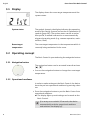
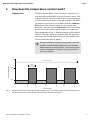
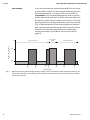
Operation 5 English Operation In normal operation, the room temperature is controlled in accordance with the time profile stored in the Geniax central user interface. If your daily routine should, however, deviate from this heating sequence for a short time, you can temporarily override the time profile via the Basic Control and manually adjust the room temperature (intervention). If your heating habits have significantly changed, the time profile should be correspondingly adapted in the Geniax central user interface so that the heating sequence does not require constant manual adjustment. Read the respective Geniax central user interface instructions about this. Temporarily changing room temperature Perform an intervention as described below. • The display shows the main display. The symbol indicates the “Time profile” system status; that is, the room will be heated in accordance with the Geniax central user interface time profile. If you have already performed an “Intervention”, the symbol will be shown in the main display. You can, however, change the temperature again at any time. 1. Select the desired room target temperature with the [] and [] buttons: [] for a higher temperature [] for a lower temperature ➥ The display shows the changed room target temperature. The symbol indicates the “Intervention” system status; that is, the preset Geniax Central Control central user interface time profile is inactive. The manual temperature change ends when the end time is reached of the time area defined in the time profile. Then the Geniax central user interface takes over the temperature control again. User manual Wilo-Geniax Basic Control 9