1
5. Advanced User Guidebook
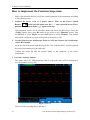
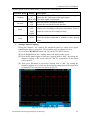
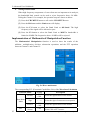
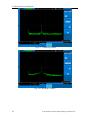
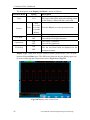
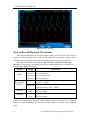
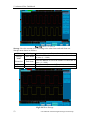
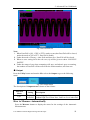
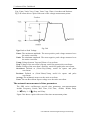
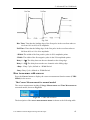
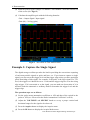
Fig.5-53
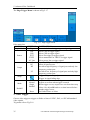
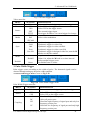
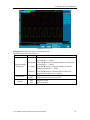
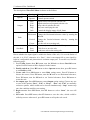
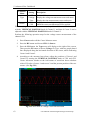
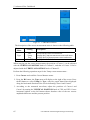
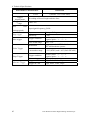
CURS MEAS Menu
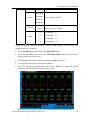
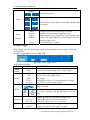
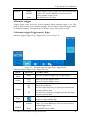
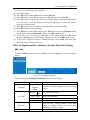
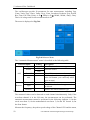
The description of the cursor measurement menu is shown as the following table:
Function
Menu
Type
Source
Setting
OFF
Vamp
Freq
Math FFT
Description
Switch off the cursor measurement.
Display the Vamp measurement cursor and menu.
Display the Freq measurement cursor and menu.
Display the channel for the cursor measure.
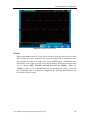
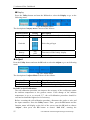
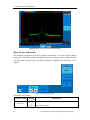
When carrying out the cursor measurement, the position of Cursor 1 can be adjusted
with the VERTICAL POSITION knob of Channel 1, and that of Cursor 2 can be
adjusted with the VERTICAL POSITION knob of Channel 2.
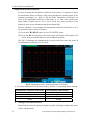
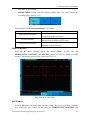
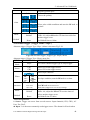
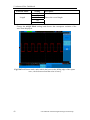
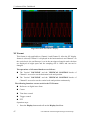
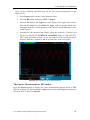
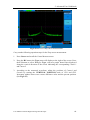
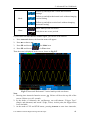
Perform the following operation steps for the Vamp cursor measurement :
1. Press Cursor and recall the Cursor Measure menu.
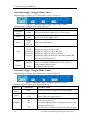
2. Press the H1 button, the Type menu will display at the right of the screen. Press
the F2 button to select Vamp for Type, with two purple dotted lines displayed
along the horizontal direction of the screen indicating Cursor1 and Cursor2.
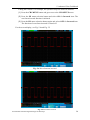
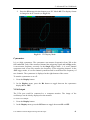
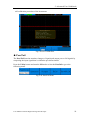
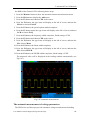
3. According to the measured waveform, adjust the positions of Cursor1 and
Cursor2 by turning the VERTICAL POSITION knob of CH1 and CH2. Cursor
increment window at the left bottom shows absolute value of the two cursors
amplitude difference and the present position.
65
User Manual of Smart Digital Storage Oscilloscope