1
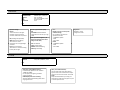
MASK SELECT
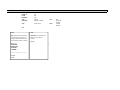
This camera has up to 8 masking areas. These 8 Masking Areas can be setup anywhere in the screen.
and each mask can be enabled or disabled anytime.
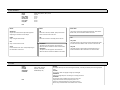
MODE (ON/OFF)
Enables or Disables the Privacy Masks . Make sure you are selecting the right privacy mask, looking at the MASK SELECT number.
COLOR you can choose from 7 different mask colors.
TOP/LEFT/RIGHT/BOTTOM/MOVE
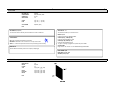
Use these commands to adjust the size of the Mask and Location by looking at the drawing, you will see which is TOP/RIGHT/BOTTOM and LEFT.
X is to move one of the area's point Horizontally.
Y is to move one of the area's point Vertically. MOVE X move the Mask Area horizontally
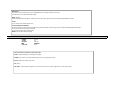
4. ENHANCE
GAMMA
3D‐DNR
MONITOR
DPC
LENS CORR.
0.3~1.0
0~5
CRT/LCD
OFF/AUTO
0~50
EXIT
Use these features to enhance the quality of the video
Gamma ‐ (Adjust the Brightness 0.3 brighter 1.0 darker)
3D‐DNR‐ (This Feature is to reduce the Background noise in a low light environment.)
Monitor‐ (Choose the monitor Type used )
DPC‐ (N/A)
LENS CORR. ‐ Helps enhance the brightness at the corners of the screen Values range from 0 to 5 from dark to bright.