1
Chapter 5
Topics
This chapter covers miscellaneous topics that do not fit elsewhere in the user manual. As topics
are added, they may be collected and factored into chapters that stand on their own. If you would
like to see a particular topic covered, please suggest it. Even better, volunteer to write a first draft
covering your suggested topic!
5.1
Writing user interfaces
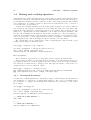
Alma Whitten1 and Doug Tygar2 have done a study3 on NAI’s PGP 5.0 user interface and came
to the conclusion that novice users find PGP confusing and frustrating. In their human factors
study, only four out of twelve test subjects managed to correctly send encrypted email to their
team members, and three out of twelve emailed the secret without encryption. Furthermore, half
of the test subjects had a technical background.
These results are not surprising. PGP 5.0 has a nice user interface that is excellent if you
already understand how public-key encryption works and are familiar with the web-of-trust key
management model specified by OpenPGP. Unfortunately, novice users understand neither publickey encryption nor key management, and the user interface does little to help.
You should certainly read Whitten and Tygar’s report if you are writing a user interface.
It gives specific comments from each of the test subjects, and those details are enlightening. For
example, it would appear that many of subjects believed that a message being sent to other people
should be encrypted to the test subject’s own public key. Consider it for a minute, and you will
see that it is an easy mistake to make. In general, novice users have difficulty understanding the
different roles of the public key and private key when using GnuPG. As a user interface designer,
you should try to make it clear at all times when one of the two keys is being used. You could also
use wizards or other common GUI techniques for guiding the user through common tasks, such as
key generation, where extra steps, such as generating a key revocation certification and making
a backup, are all but essential for using GnuPG correctly. Other comments from the paper include
the following.
• Security is usually a secondary goal; people want to send email, browse, and so on. Do not
assume users will be motivated to read manuals or go looking for security controls.
• The security of a networked computer is only as strong as its weakest component. Users need
to be guided to attend to all aspects of their security, not left to proceed through random
exploration as they might with a word processor or a spreadsheet.
• Consistently use the same terms for the same actions. Do not alternate between synonyms
like “encrypt” and “encipher”.
1 http://www.cs.cmu.edu/~alma
2 http://www.cs.berkeley.edu/~tygar
3 http://reports-archive.adm.cs.cmu.edu/anon/1998/abstracts/98-155.html
31