1
Walking Surface User Manual
Motorized Walking Surface used to Stimulate Walking Pattern
Brought to you by Mobility Research, INC.
Table of contents
1. Assembly Instructions ................................................................................. 4
2. Safety Instructions ........................................................................................ 6
3. Operation ......................................................................................................... 9
4. Care & Maintenance ..................................................................................... 10
5. Troubleshooting. ........................................................................................... 11
6. Specifications ................................................................................................. 12
7. Resource Directory ....................................................................................... 13
litegait.com / 800.332.WALK / 480.829.1727
3
1. Assembly Instructions
Assembly instructions
Basic Guidelines for Setting Up Your Treadmill
After removing the treadmill from the packaging, place your treadmill on a clean, level surface. Make sure the electrical cord
easily reaches a grounded three-pronged outlet . Do not allow the treadmill assembly to rest on the cord.
Important Electrical Requirements – 110V—240V
Your GaitKeeper™ treadmill requires a110 volt—240V Alternating current (AC), 15 amp (110V) 8 Amp (240V) grounded outlet circuit.
This means nothing else can be plugged into the same circuit.
Danger: Do not use an extension cord or ungrounded outlet.
The ground helps prevent electrical damage to your treadmill and enhances your safety by helping to prevent shock. Check with a
qualified electrician or serviceman if you are in doubt as to whether the treadmill is properly grounded.
Do not modify the plug provided with the treadmill if it will not fit the outlet. Have a proper outlet installed by a qualified electrician.
A
Component Checklist
B
ITEM
DESCRIPTION
QTY
A
Walking Surface
1
B
Hand Set
1
C
Magnetic Safety Key
1
D
Power Cord
1
E
Walker-Style Handlebars
1
C
D
E
litegait.com / 800.332.WALK / 480.829.1727
4
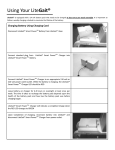
Assembly Instructions - with Litegait®
litegait.com / 800.332.WALK / 480.829.1727
5
litegait.com / 800.332.WALK / 480.829.1727
6
POWER REQUIREMENTS FOR GAITKEEPER™ PRODUCTS
NOTE:
DANGER!
Voltage
Voltage required for your unit is located on the
serial number decal (usually on the front of the
unit). Depending on where you live voltage
requirements differ.
Read and understand all instructions on this sheet
and in the Owner’s manual before plugging any
power cord into an electrical outlet. This information sheet will help you identify the voltage and
cords you need where you live and will outline requirements for:
• Grounded, dedicated lines
• Voltage
• Power cords
• Power adapters
• Extension cords
Improper connection of the equipmentgrounding conductor can result in risk of
electric shock. Check with qualified electrician
or service provider if you are in doubt as to
whether the equipment is properly grounded
or installed on a dedicated line. Seek qualified
electrician to perform any modifications to the
cord or plug. Mobility Research is not
responsible for any injuries or damages as a
result of cord or plug modification.
Figure 1
CAUTION! Place cords away from heat (such as
baseboards). Use care to arrange any cord so it
does not become an obstacle.
Extension Cords
Do not use an extension cord to supply power
to any GaitKeeper™ product.
GaitKeeper™ equipment must be grounded. If it
should malfunction or break down, grounding
provides a path of least resistance for electric
current to reduce the risk of electric shock.
GaitKeeper™ cords (except for cycle adapters)
have an equipment grounding conductor and a
grounding plug. The plug must be plugged into
an appropriate outlet that is properly installed
and grounded in accordance with all local
codes and ordinances where you live. Do not
use a ground plug adapter to adapt the power
cord to a non-grounded outlet. Do not use a
GFCI outlet or GFCI circuit breaker. A dedicated
line will assure that adequate power is available
for safe operation over the life of your
GaitKeeper™ Product
litegait.com / 800.332.WALK / 480.829.1727
7
2. Safety Instructions
IMPORTANT SAFETY INSTRUCTIONS
WARNING: READ ALL INSTRUCTIONS BEFORE USING THE WALKING SURFACE.
CAUTION: Health related injuries may result from incorrect or excessive use of exercise equipment.
The GKmini Walking Surfaces are intended for light commercial use.
WARNING: GKmini Walking Surface REQUIRES use with the LiteGait® or GKmini Walker-Style handle bars. Operation
without LiteGait® or GKmini handle bars may result in injury to user. The walking surface is only safe when used
properly with the appropriate LiteGait® products. GKmini includes a magnet that must be attached to your LiteGait®
following the provided instructions. This safety feature may not be tampered with.
LiteGait®
GKmini Walker-Style Handlebars
Without LiteGait® or GKmini handlebars
WARNING: Do not move the device by lifting the control.
DANGER: To reduce the risk of electric shock, always unplug the treadmill before cleaning.
WARNING: To reduce the risk of burns, fires and electric shock or injury to persons, follow these instructions.
•
Attach the safety magnet to LiteGait® prior to use.
•
Do not exceed maximum weight of 350lbs.
•
Avoid exiting treadmill while leaving the tread belt in motion.
•
Do not allow power cable or hand held cables to contact walking surface belt during operation.
Cables must be routed away from the walking surface belt.
•
Never walk or jog backwards on the treadmill without the aid of a physician and support from
LiteGait®
litegait.com / 800.332.WALK / 480.829.1727
8
•
This equipment should never be left unattended when plugged in.
•
Wear shoes with rubber or high traction soles. Do not use shoes with heels, leather soles, cleats or spikes. Make sure no
stones are embedded in the soles. Do not use this product in bare feet. Keep all loose clothing, shoelaces and towels away
from moving parts.
•
Do not operate the Walking Surface while being covered with a blanket, plastic, or anything that insulates or stops airflow.
•
Close supervision is necessary if the Walking Surface is used by children, or used near children. Also applies to disabled
persons.
•
Use this Walking Surface only for its intended use as described in this manual.
•
Do not use attachments not recommended by the manufacturer.
•
Never operate if the power cord or plug is damaged, if it is not working properly, if it has been damaged or dropped, or if it
has been submerged in water. In these cases, a qualified service technician should examine the walking surface.
•
Do not use the power cord as a handle for transporting.
•
Do not run the power cord along the side or under the treadmill.
•
Keep the power cord away from heated surfaces.
•
Never drop or insert any object into any opening.
•
Do not reach into or underneath the unit, or tip it on its side during operation.
•
Use indoors only.
•
Do not operate where aerosol (spray) products are being used or where oxygen is being administered.
•
Allow only trained personnel to service this equipment.
•
Never use near water or while wet. Using this Walking Surface around a pool, hot tub or sauna will void the warranty.
•
Avoid the possibility of bystanders being struck or caught between moving parts by making sure that they are out of reach
of the walking surface while it is in operation.
•
Allow only one person at a time on the Walking Surface while it’s operating.
•
Ensure that the sides of the treadmill are placed at least 20” away from a wall or other obstructions.
•
Never place liquids of any type directly on the unit.
•
Do not allow animals on or near the treadmill while it’s operating.
•
Consult your physician before beginning any exercise program
•
Do not use if you have a cold or fever.
litegait.com / 800.332.WALK / 480.829.1727
9
3. Operation
Operation:
Treadmill Use Preparation
Attach magnetic safety key lanyard to LiteGait®.
Connect magnetic safety key to Walking Surface.
Operation
Stand carefully on the walking belt while supported by LiteGait®
Press the
button on the handset. The walking belt will start at the speed
it was running when the
button was last pressed, or at 0.1 kph if the
walking surface has been powered down since the last activation.
To increase the speed press the
button. The speed of the walking belt
will increase by 0.1 mph per button press, to a maximum of 3.0 mph.
To decrease the speed press the
To Stop the walking belt, select the
button. The speed of the walking belt will decrease by 0.1 mph per button press.
button.
NOTE: The walking surface will always start at the speed it was running when the stop button was last pressed, or at 0.1
mph if the walking surface has been powered down since the last activation.
Display
Hand control display cycles between time of session, distance travelled and speed of walking belt.
Time (s)
Distance (m)
Pressing speed buttons returns display to speed display.
litegait.com / 800.332.WALK / 480.829.1727
10
Speed (kph)
4. Care & Maintenance
Care & Maintenance
It is important to perform the minor maintenance tasks described in this section. Failure to maintain the Walking Surface as
described here could void the Warranty. To reduce the risk of electrical shock, always unplug the unit from its power source
before cleaning or performing any maintenance tasks.
Inspection:
Inspect the walking surface daily. Look and listen for loose fasteners, unusual noises, worn or frayed power cords, and any other
indications that the equipment may be in need of service. If you notice any of these, obtain service. IMPORTANT: If you
determine that the Walking Surface needs service, make sure that the Walking Surface cannot be used inadvertently. Remove
the magnet to power the device down, and let users know service is needed.
Cleaning the Equipment:
MOBILITY RESEARCH recommends the walking surface be cleaned before and after each workout. Use mild soap and water to
dampen a soft cloth and wipe all exposed surfaces. This helps remove any dust or dirt.
CAUTION: Do not use any acidic cleaners. Doing so will weaken the paint or powder coatings and may void the Warranty. Never
pour water or spray liquids on any part of the device. Allow the walking surface to dry completely before using. Frequently
vacuum the floor underneath the unit to prevent the accumulation of dust and dirt, which can affect the smooth operation of
the unit.
When cleaning the exterior of the unit, a non-abrasive cleaner and soft cotton cloth are strongly recommended. At no time
should cleaner be applied directly to any part of the equipment; use nonabrasive cleaner of soft cloth and then wipe the unit.
Long Term Storage:
When the treadmill is not in use for any length of time, ensure the power cord is unplugged from the power source and position
the power and data cords so that they will not become damaged or interfere with people or other equipment.
litegait.com / 800.332.WALK / 480.829.1727
11
5. Troubleshooting
Troubleshooting
Problem: Treadmill belt slips when walking on it
Solution: Tighten the belt using the instructions below:
Set the treadmill flat and tension and align the belt according to the following procedures:
1.
Connect power and pendant controller to treadmill. Then connect magnetic key.
2.
Keeping the belt centered on both rollers, use a Phillips screwdriver to tighten the tensioning screws evenly until you can no
longer easily see the slots in the channels behind the ends of the rollers.
3.
Turn on the treadmill, starting at its slowest speed, and make sure everything is running smoothly with no out-of-theordinary noises. If the belt quickly runs to one side, tighten the tensioning screw on that side until the belt slowly centers.
4.
Use one foot to apply all your weight to the belt. If the belt sticks to the deck and stops moving, tighten each tensioning
screw in 1/2-turn increments the same amount. Then, retest.
5.
When the belt stops sticking from one foot pressure, speed the treadmill up to 1 mph (9 presses of the speed up command).
6.
Walk heavily on the treadmill. If the belt sticks, tighten each tensioning screw 1/2 turn and repeat.
7.
When properly tensioned, look at how the edge of the belt is running relative to the trim ledge. If it is angling toward the
right at the front of the treadmill, loosen the tensioning screw on the right 1/2 turn. Using either the screwdriver or the 3/16"
Allen wrench, tighten the alignment screw on the front right and of the roller 1/2 turn. Check again and repeat if necessary.
FOR ADDITIONAL ASSISTANCE TROUBLESHOOTING PLEASE FEEL FREE TO CONTACT
MOBILITY RESEARCH TECHNICAL SUPPORT 1-800-332-9255
litegait.com / 800.332.WALK / 480.829.1727
12
6. Specifications
Walking Surface Width
18”
21"
Walking Surface Length
40”
40"
Treadmill Width
21”
24"
Treadmill Length
42”
42"
21”x42”
24” x 42”
60lb
70lb
Foot Print
Shipping Weight
Maximum User Weight
350lb
Incline Range
N/A
Drive Motor
Brushless
Speed Range
0.1-3.0
Step-Up Height
Power Requirements
6”
110-240 VAC, 50/60 Hz, 15 AMP dedicated
line
Note: Dimensions are approximate and are subject to change without notice.
Authorized European Community Representative
Mobility Research
Lillehøjvej 29
DK-8600 Silkeborg
Denmark
litegait.com / 800.332.WALK / 480.829.1727
13
7. Resource Directory
Phone/Fax
Website:
Email Directory
Phone :
800.332.WALK (9255)
LiteGait.com
LiteGait.org
Service & Parts
[email protected]
Clinical Support
[email protected]
Education
[email protected]
Sales
[email protected]
Toll free in U.S. and Canada
Fax:
480-829-0737
(2015 US)
litegait.com / 800.332.WALK / 480.829.1727
14
All MOBILITY RESEARCH products are distributed by MOBILITY
RESEARCH and are warranted to the original registered
product purchaser and the parts of the TRUE product (the
“Product”) listed below, under normal use and service, shall
be free of manufacturing defects in workmanship and
materials only for the period of time beginning from the
original date of purchase set forth below
Frame
1 Year
Motor
Drive Motor
Motor Controller
1 Year
Parts
Electrical
Wear Items
Cosmetics
1 Year
Labor
1 Year
Please activate your warranty by providing the following
information. This information will allow us to notify you for
product updates, recall information, clinical support,
technical support, maintenance information and to receive
our E-Newsletter. You may visit our website at http://
www.litegait.com/warranty.html and fill the registration form
or fill in the information below and mail or fax back. (Keep a
copy for your records)
Model
Date of Purchase
Facility Name
Department Used in
Address
Losses due to work stoppage, lost revenues, damages due to
neglect or abuse ARE NOT covered by this warranty.
Shipping and handling charges ARE NOT covered by this
warranty. Repairs may be conducted at factory at the
discretion of Mobility Research.
Phone #
If a problem caused by a manufacturing defect occurs that
cannot be resolved by the replacement of parts the problem
will be resolved by replacing the current device with a
remanufactured replacement device (either the same model
or one of comparable quality).
Phone #
Fax #
Clinical Contact
Email
Biomed Contact
THIS WARRANTY AND REMEDIES SET FORTH ABOVE ARE EXCLUSIVE
AND IN LIEU OF ALL OTHER WARRANTIES, REMEDIES AND
CONDITIONS, WHETHER ORAL OR WRITTEN, EXPRESS OR IMPLIED.
MOBILITY RESEARCH SPECIFICALLY DISCLAIMS ANY AND ALL
IMPLIED WARRANTIES, INCLUDING, WITHOUT LIMITATION,
WARRANTIES OF MERCHANTABILITY AND FITNESS FOR A
PARTICULAR PURPOSE. IF MOBILITY RESEARCH CANNOT LAWFULLY
DISCLAIM IMPLIED WARRANTIES UNDER THIS LIMITED WARRANTY,
ALL SUCH WARRANTIES, INCLUDING WARRANTIES OF
MERCHANTABILITY AND FITNESS FOR A PARTICULAR PURPOSE ARE
LIMITED IN DURATION TO THE DURATION OF THIS WARRANTY. NO
MOBILITY RESEARCH RESELLER, AGENT, OR EMPLOYEE IS
AUTHORIZED TO MAKE ANY MODIFICATION, EXTENSION OR
ADDITION TO THIS WARRANTY. MOBILITY RESEARCH IS NOT
RESPONSIBLE FOR DIRECT, SPECIAL, INCIDENTAL OR
CONSEQUENTIAL DAMAGES RESULTING FROM ANY BREACH OF
WARRANTY OR CONDITION OR UNDER ANY OTHER LEGAL THEORY,
INCLUDING BUT NOT LIMITED TO LOST PROFITS, DOWNTIME,
GOODWILL, OR DAMAGE TO EQUIPMENT AND PROPERTY.
Phone #
Email
Write Your Serial Number Here
Your serial number will be located on the front of the
treadmill motor cover
EXAMPLE OF SERIAL NUMBER STICKER
litegait.com / 800.332.WALK / 480.829.1727
15