1
DCL/OPL DEMO APPLICATION -
2.
PAGE 6
The Menu structure
The menu structure consists of several menu items. These items together form the Main and
submenus. To navigate through the menus, the
selected from the menu by pressing the ENT or the
and
keys can be used. Items can be
button. In full keypad models, direct selection
of the menu is also possible by pressing the numeric equivalent of the menu item.
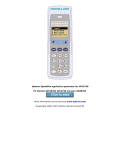
Below is the menu structure representation of the menu. Main menu items are shown in bold face. Use
the left & right buttons to navigate to the menu item, then press the middle (trigger) button to select that
menu item. Each sub menu has a BACK button to take you back to the upper menu level.
1 Scan labels
2 Scroll data
3 System menu
3-1 (back)
3-2 Barcodes
3-2-1 (back)
3-2-2..16 enable barcode types
3-3 Communicate
3-3-1 (back)
3-3-2 Interface
3-3-2-1 (back)
3-3-2-2..4 select interface type
3-3-3 Baudrate
3-3-2-1(back)
3-3-2-2..8 select baudrate
3-3-4 Protocol
3-3-4-1 (back)
3-3-4-2..3 select protocol
3-4 QTY Options
3-4-1 (back)
3-4-2..3 select Qty options
3-5 Splash Screen
3-6 Bluetooth
3-6-1 (back)
3-6-2..3 select Bluetooth options
3-7 Battery volt
3-8 Memory
3-9 Date / time
3-10 Standby time
3-10-1 (back)
3-10-2..9 select standby time
3-11 Backlight
4 Delete data
5 Send data
6 Version
OPL/DCL STANDARD DEMO WITH (MICRO) PDF417 AND RSS
OPTICON