1
3/4
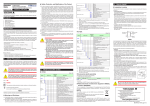
6.
MAXIMUM
VALUE OF PV
INPUT RANGE
RH
7.
20.00
MINIMUM
VALUE OF PV
INPUT RANGE
RL
8.
PV INPUT SCALE DECIMAL
POINT POSITION
MAXIMUM VALUE OF
PV INPUT SCALE
11.
12.
CONTROL OUTPUT
CYCLE TIME
Skip this parameter (not relevant).
30.0
Finally, EXIT is displayed. Select YES and press SET/ENTER to complete the
FINISH
EXIt
Set OT (output type selection) to 00.03: OUT terminal (control relay).
00.03
Ct
13.
Set SL (minimum value of PV input scale) to 0.00 (0.00 m).
0.00
OUTPUT TYPE
SELECTION
0t
Set SH (maximum value of PV input scale) to 3.00 (3.0 m).
3.00
MINIMUM VALUE OF
PV INPUT SCALE
SL
Set SDP (PV input scale decimal point position) to 2.
2
SH
10.
Set RL (minimum value of PV input range) to 4.00 mA (initial value).
4.00
SdP
9.
Set RH (maximum value of PV input range) to 20.00 mA (initial value).
basic function setup and return to the operating screen. Or, you can select NO
YES
to continue with the Quick Setting.
This document is subject to change without notice.
TI 04L01L01-05EN 2011.12.16-00