1
2/4
■ Settings
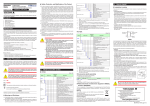
To set ON-OFF control, input signal (4 to 20 mA), and relay control output, set the following parameters.
(1) Select the desired parameter with the UP or DOWN key
(2) Press SET/ENTER (the setting value blinks)
(3) Change the setting with the UP or DOWN key
(4)
Power
Press SET/ENTER to set the new value (the setting value stops blinking but remains
bright)
● Redoing the Quick Setting
Once functions are configured with the Quick Setting, the Quick Setting function
will not appear after you restart. However, you can redo the Quick Setting by
Quick Setting
start
following the procedure below.
(1) Set the Quick Setting parameter QSM to ON, and re-engage power
(2) Set the PV input type parameter IN to OFF, and re-engage power
1.
START QUICK
SETTING
QSM
2.
YES
CONTROL TYPE
Press SET/ENTER to accept the "YES" option.
Quick Setting starts
First, the control type parameter CNT appears.
Set CNT (control type) to ONOF2 (initial value).
CNt ONOF2
3.
PV INPUT TYPE
IN
4.
5.
OFF
PV INPUT TYPE
IN
4ー20
PV INPUT UNIT
UNIt
OFF is displayed for IN (the PV input type).
ー
Set IN (PV input type) to current signal: 4–20.
(4–20 = 4.00 to 20.00 mA)
Set UNIT (PV input unit) to – (none).
If necessary, use the unit label "m."
This document is subject to change without notice.
TI 04L01L01-05EN 2011.12.16-00