1
CONFIGURATION FILE DOWNLOAD
Grandstream SIP Device can be configured via Web Interface as well as via Configuration File through
TFTP or HTTP/HTTPS. “Config Server Path” is the TFTP or HTTP/HTTPS server path for configuration
file. It needs to be set to a valid URL, either in FQDN or IP address format. The “Config Server Path” can
be same or different from the “Firmware Server Path”.
A configuration parameter is associated with each particular field in the web configuration page.
A
parameter consists of a Capital letter P and 1 to 3 (Could be extended to 4 in the future) digit numeric
numbers. i.e., P2 is associated with “Admin Password” in the ADVANCED SETTINGS page. For a
detailed parameter list, please refer to the corresponding firmware release configuration template.
When a Grandstream device boots up or reboots, it will issue a request for a configuration XML file
named "cfgxxxxxxxxxxxx.xml" followed by a file named "cfgxxxxxxxxxxxx", where "xxxxxxxxxxxx" is the
MAC address of the device, i.e., "cfg000b820102ab". The configuration file name should be in lower case
letters.
For more details on XML provisioning, please refer to:
http://www.grandstream.com/general/gs_provisioning_guide_public.pdf
FIRMWARE AND CONFIGURATION FILE PREFIX AND POSTFIX
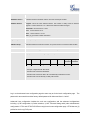
Firmware Prefix and Postfix allows device to download the firmware name with the matching Prefix and
Postfix. This makes it the possible to store ALL of the firmware with different version in one single
directory. Similarly, Config File Prefix and Postfix allows device to download the configuration file with the
matching Prefix and Postfix. Thus multiple configuration files for the same device can be stored in one
directory.
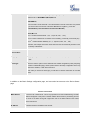
In addition, when the field “Check New Firmware only when F/W pre/suffix changes” is set to “Yes”, the
device will only issue firmware upgrade request if there are changes in the firmware Prefix or Postfix.
MANAGING FIRMWARE AND CONFIGURATION FILE DOWNLOAD
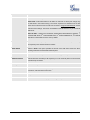
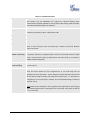
When “Automatic Upgrade” is set “Yes, every” the auto check will be done in the minute specified in this
field. If set to “daily at hour (0-23)”, Service Provider can use P193 (Auto Check Interval) to have the
devices do a daily check at the hour set in this field with either Firmware Server or Config Server. If set to
“weekly on day (0-6)” the auto check will be done in the day specified in this field. This allows the device
periodically check if there are any new changes need to be taken on a scheduled time. By defining
FIRMWARE VERSION 1.0.3.1
HT70X USER MANUAL
Page 49 of 52