1
Accessing the Projector
and Running Diagnostics
This section describes how to access the projector and run projector diagnostic utilities.
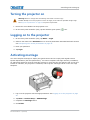
The touch panel controller
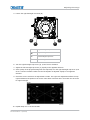
The touch panel controller (TPC) is a touch-sensitive screen that you use to control the projector.
You can use the TPC to turn the projector and lamp on or off, select channels, and view status
information. The TPC is mounted on the rear of the projector. You can tilt and turn the TPC to
improve the viewing angle. Use the USB port on the side of the TPC to download log files and install
software upgrades.
If the TPC fails or is disconnected, tap the emergency start button on the communications panel.
This starts the projector, turns the lamp on, and opens the douser. When using the emergency start
button, you cannot change channels.
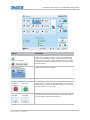
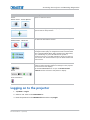
Use the Main screen of the touch panel controller (TPC) to access power, lamp, douser, channel, and
test pattern settings.
CP2208 User Manual
020-101916-02 Rev. 1 (08-2015)
43