1
4
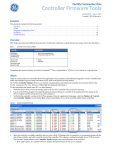
PXNplus CPU Board Firmware
Upgrade Instructions
Upgrade instructions to PXNP_DIST_R113/PP_VER_121/SP_VER_7013
From PXNP_DIST_R111/PP_VER_119/SP_VER_7011 or later
Using the Integrated Configuration Tool: Allocate 15 to 20 minutes per controller.
CAUTION:
DO NOT reset or restart the controller in the middle of the flash process or the controller will become
non-functional.
1. In the browser Address field, enter the IP address of the controller.
2. At the Integrated Configuration Tool password screen, log on.
3. Click Flash Micro and browse to the PXNP7013.efl file.
4. Wait for the file to load. After the upload is complete, you should see a message Uploaded file
processed correctly. When you click OK for the message, an alert will pop up asking if it can
close the window. Select NO, and click on Restart Controller to reboot the controller.
5. Wait for 8 to 10 minutes for the controller to complete its boot sequence and install updates. During
this time, DS7 and DS8 alternate ON while the image is being copied and when the controller is
installing the updates for kernel, web-server, and application. This sequence is repeated three times
while rebooting, once after each update. The normal start of this LED sequence is DS3 solid ON for
several seconds and DS7 solid ON for 30 to 40 seconds.
Once the flash update is complete, the following sequence will occur:
•
•
•
Picture Perfect - DS4 flashes once per second and DS1 turns solid ON.
Secure Perfect/FCWnx - DS4 flashes twice per second and DS1 turns solid ON.
The controller will then come online with the host.
6. Browse back into the controller and verify the build version is
PXNP_DIST_R113/PP_VER_121/SP_VER_7013.
Using eFlash through the Secure Perfect or Picture Perfect host: Allocate about 20 minutes for
upgrading each controller. Refer to eFlash instructions on page 8 and your host user manual for more
information on eFlash.
1. eFlash the PXNP7013.efl file.
2. The controller will reboot automatically after the file is uploaded. Since the controller is going through
the complete boot sequence and installing updates, it will need at least 8 minutes to connect back to the
host.
3. To verify the build upgrade, refer to Verify your PXNplus firmware build on page 2.