1
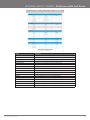
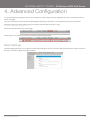
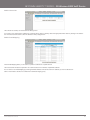
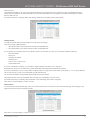
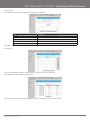
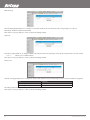
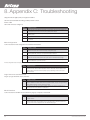
Domain Filters
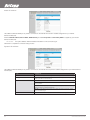
Domain Filters enable you to prevent users from accessing specific domain addresses.
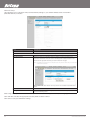
To enable the Domain Filter, tick the “Enable” tick box at the top of the page.
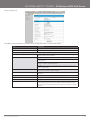
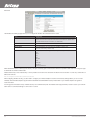
TITLE
DESCRIPTION
Log DNS Query:
Enable this if you want to log when someone accesses filtered URLs.
Privilege Host/Netmask:
Set a group of computers that has unrestricted access to the internet
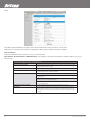
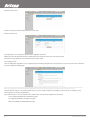
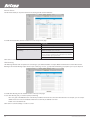
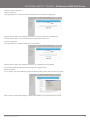
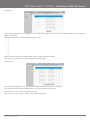
To set a Domain Filter, you need to specify
the following:
Domain Suffix: Please type the suffix of the URL that needs to be
restricted. For example, “.com”, “xxx. com”.
Action: The router action that you want when someone is accessing a
URL that matches the specified domain suffix. Select Drop to block the
access and/or select Log to log this access.
Enable: Tick to enable the rule.
Click “Save” to save the settings or “Undo” to cancel.
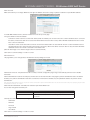
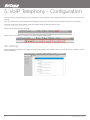
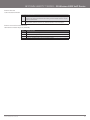
URL Blocking
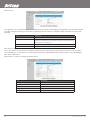
URL Blocking will block LAN computers from connecting to a pre-defined website. The major difference between the Domain Filter and URL
Blocking is that Domain Filtering require users to input a suffix (e.g. xxx.com, yyy.net) while URL Blocking only requires you to input a keyword.
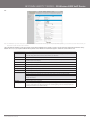
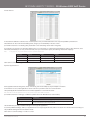
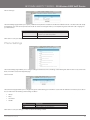
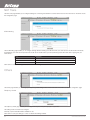
To enable URL Blocking, tick the “Enable” tick box at the top of the page.
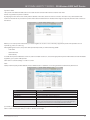
To set a URL Blocking rule, you need to specify the following:
- URL: If any part of the Website’s URL matches the pre-defined word then the connection will be blocked. For example, you can use predefined word “sex” to block all websites if their URLs contain the pre-defined word “sex”.
- Enable: Tick to enable the rule.
Click “Save” to save the settings or “Undo” to cancel.
3G18WV User Guide
36
YMLO-3G18WV
www.netcomm.com.au