1
Conventions
The following conventions are used in this document:
<>
Angle brackets that contain numbers separated by an ellipsis represent a range of values
associated with a bit or signal name—for example, AO <3..0>.
»
The » symbol leads you through nested menu items and dialog box options to a final action.
The sequence File»Page Setup»Options directs you to pull down the File menu, select the
Page Setup item, and select Options from the last dialog box.
This icon denotes a note, which alerts you to important information.
This icon denotes a caution, which advises you of precautions to take to avoid injury, data loss,
or a system crash. When this symbol is marked on a product, refer to the Read Me First: Safety
and Radio-Frequency Interference document for information about precautions to take.
bold
Bold text denotes items that you must select or click in the software, such as menu items and
dialog box options. Bold text also denotes parameter names.
italic
Italic text denotes variables, emphasis, a cross-reference, or an introduction to a key concept.
Italic text also denotes text that is a placeholder for a word or value that you must supply.
monospace
Text in this font denotes text or characters that you should enter from the keyboard, sections
of code, programming examples, and syntax examples. This font is also used for the proper
names of disk drives, paths, directories, programs, subprograms, subroutines, device names,
functions, operations, variables, filenames, and extensions.
What You Need to Get Started
To set up and use your BNC-2120 accessory, you need the following:
❑ BNC-2120 accessory/accessories1
❑ BNC-2120 Installation Guide
❑ One of the following DAQ devices:
–
68-pin E/M/S Series device (with one or two I/O connectors)2
–
100-pin E Series device
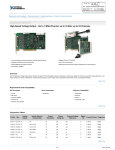
❑ Cable(s) for DAQ device(s), as listed in Table 1
❑ The E Series User Manual, the M Series User Manual, or the S Series User Manual
❑ BNC cables
❑ 28–16 AWG wire
❑ Wire strippers
❑ Flathead screwdriver
Installing the BNC-2120
Figure 1 shows the front panel of the BNC-2120.
1
2
You can use two BNC-2120 accessories with both connectors of NI 6224/6229/6254/6259/6284/6289 M Series devices.
You cannot use the BNC-2120 with Connector 1 of NI 6225/6255 devices.
BNC-2120 Installation Guide
2
ni.com