1
1.3
Vibration reminding
Your WATCH vibrates to remind you of:
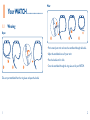
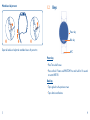
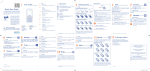
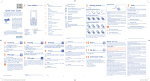
The left picture shows the correct insertion and the right one shows the
incorrect charging.
• All notifications
• Call, alarm, calendar, event, etc.
• Low battery
• Disconnection with your phone
1.4
USB charging
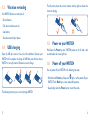
Open the USB port cover at the end of the watchband. Connect your
WATCH with a computer to charge via USB. Make sure that the chip on
WATCH is correctly inserted. Otherwise, it won't charge.
1.5
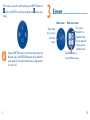
Power on your WATCH
Hold down the Power key until WATCH powers on. It will take a few
seconds before the screen lights up.
1.6
Power off your WATCH
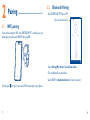
You can power off your WATCH in the following two ways:
• Hold down the Power key. Swipe icon
right or left to power off your
WATCH. Touch Back key to cancel power-off operation.
• Keep holding down the Power key for around 8 seconds.
The following instructs you to correctly charge WATCH.
5
6