1
•
4 ,( 1 1/ ( ((
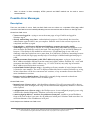
Possible Error Messages
Description
' 7 0 ( 4' (
' • You are not logged in - trying to access the status page or log off while not logged in.
Solution: log in
• already authorizing, retry later - authorization in progress. Client already has issued an
authorization request which is not yet complete. Solution: wait for the current request to be
completed, and then try again
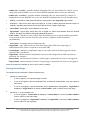
• chap-missing = web browser did not send challenge response (try again, enable
JavaScript) - trying to log in with HTTP-CHAP method using MD5 hash, but HotSpot server
does not know the challenge used for the hash. This may happen if you use BACK buttons in
browser; if JavaScript is not enabled in web browser; if login.html page is not valid; or if
challenge value has expired on server (more than 1h of inactivity). Solution: instructing browser
to reload (refresh) the login page usually helps if JavaScript is enabled and login.html page is
valid
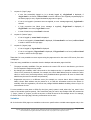
• invalid username ($(username)): this MAC address is not yours - trying to log in using a
MAC address username different from the actual user's MAC address. Solution: no - users with
usernames that look like a MAC address (eg., 12:34:56:78:9a:bc) may only log in from the
MAC address specified as their user name
• session limit reached ($(error-orig)) - depending on licence number of active hotspot clients
is limited to some number. The error is displayed when this limit is reached. Solution: try to log
in later when there will be less concurrent user sessions, or buy an another license that allows
more simultaneous sessions
• hotspot service is shutting down - RouterOS is currently being restarted or shut down.
Solution: wait until the service will be available again
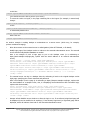
• internal error ($(error-orig)) - this should never happen. If it will, error page will be shown
displaying this error message (error-orig will describe what has happened). Solution: correct the
error reported
• configuration error ($(error-orig)) - the HotSpot server is not configured properly (error-orig
will describe what has happened). Solution: correct the error reported
• cannot assign ip address - no more free addresses from pool - unable to get an IP address
from an IP pool as there is no more free IP addresses in that pool. Solution: make sure there is a
sufficient amount of free IP addresses in IP pool
0 ' Page 27 of 28
Copyright 1999-2006, MikroTik. All rights reserved. Mikrotik, RouterOS and RouterBOARD are trademarks of Mikrotikls SIA.
Other trademarks and registred trademarks mentioned herein are properties of their respective owners.