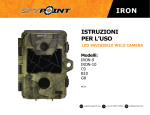
1
IRON
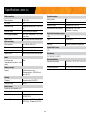
Components
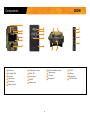
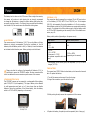
1
Photo lens
Image sensor and infrared filter.
13
Tripod mount
Standard ¼-20" tripod mount.
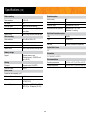
2
Invisible LEDs
Night lighting to obtain black and white photos
and videos.
14
12V power jack
3
Test light
Flashes in TEST mode when there is detection and flashes 60 seconds in PHOTO/VIDEO
mode to allow the user to leave without being
photographed or recorded.
This camera can be powered from an
external 12-volt DC input such as a 12V
battery or a 12V adapter, each sold
separately.
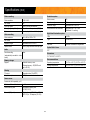
15
Microphone
Records sound in video mode.
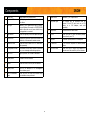
4
Light sensor
Allows the lighting of the LEDs panel at night.
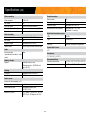
16
TV OUT
5
Fresnel lens
Expands the detection area and increases the
sensitivity of the camera’s motion sensor.
Allows the user to view or delete photos/
videos directly on a TV.
17
USB port
To transfer photos/videos to a computer.
6
Cable lock hole
Allows the user to install a CL-6FT cable lock,
sold separately.
18
SD card slot
An SD card is required to record photos/
videos.
7
Configuration screen
To see battery level, date, number of recorded
files, error messages and settings options.
19
distance dial
Allows the user to adjust the distance of
detection and the sensitivity of the detector.
8
BUSY LED
Lights up when TEST mode is activated.
9
Switch panel
Buttons to set the camera.
10
ON/OFF
Allows the user to turn on/off the camera.
11
Battery case
Case for AA batteries or a rechargeable
lithium battery pack.
12
Slot for installation
strap
Allows the user to install the camera using
the installation strap included.
6