1
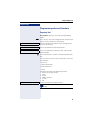
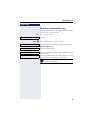
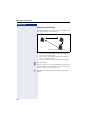
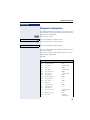
OpenScape Voice functions Step by step is informed that the call is being routed to another station. The connection is established with the first phone that accepts the call. If the call is not answered by any phone, it is forwarded to the configured forwarding destination (on no reply) or to a "rejection announcement". Parallel call Managing number lists/activating parallel call Before the parallel call feature can be activated, a parallel call list must be created. This can be prepared either by administrator or you can create it yourself later. Up to six numbers can be entered in the list for sites on which incoming calls including your main number should be signaled sequentially. Each number can consist of up to 30 digits. ^ Lift the handset. j Enter the code for the edit mode (see code table page 152). The edit mode opens and you hear an announcement with the following information: • Feature name • Current status (active/inactive) • Number of numbers currently on the parallel call list You are prompted to do one of the following: • Activate/deactivate the feature (only if numbers are already entered in the list) • Call up the numbers currently entered in the list. • Add or delete numbers • Repeat the options in edit mode If the parallel call list is still empty, you are prompted to enter numbers in the list. As soon as you have entered a valid number, the parallel call can be activated. If the parallel call is activated, incoming calls are routed to your phone and all other destination phones in the parallel call list. The connection is established with the first phone that accepts the call. If the call is not answered by any phone, it is forwarded to the configured forwarding destination (on no reply) or to a "rejection announcement". 142