1
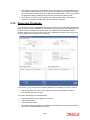
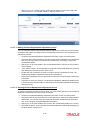
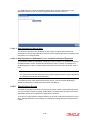
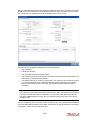
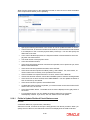
2.5 Dividend Processing for Beneficiaries Dividends that a unit holder is entitled to, can be distributed among the beneficiaries maintained for the unit holder provided the beneficiaries are existing unit holders and not third party beneficiaries. To facilitate this, you are required to check the ‘Dividend Payout’ option in the ‘Unit Holder Maintenance Detail’ screen and subsequently maintain at least one existing unit holder as a beneficiary along with the percentage of dividend to be awarded. The following are the salient points for the processing: The percentage for the beneficiaries can be modified; the system will pick up the latest rule and pay out the dividend accordingly. In case of multiple beneficiaries, if the sum of the percentages awarded to the beneficiaries is not equal to 100%, the system will credit the residual dividend to the primary unit holder. The dividend will be net of tax maintained for the beneficiary country and will be paid out in the unit holder preference currency and used for check and transfer payment mode. A check for minimum threshold limit for the dividend payment will be done at the primary unit holder level The dividend amount available to be distributed to the beneficiaries will depend on the IDS setup for the main unit holder. For instance, if the IDS for the main unit holder has 60% as dividend and 40% as re-investment, only the part pertaining to dividend (60%) will be distributed among the beneficiaries; the rest (40%) will be re-invested in the funds for the main unit holder. Note You can also perform Mock Dividend processing, Interim Dividend processing, Dividend Re-processing, Dividend Amendment and Reversal on the dividend paid out. 2.6 Fund Dividend Maintenance screen You can use this screen to maintain the dividend declaration details for a fund, for either a cash dividend or a stock dividend. This maintenance also supports the following: Zero distribution of all funds. In Zero Distribution, the Earning per Unit (EPU) will be zero, hence if G2 units are converted into G1 units, the unit holder is not financially benefited. This is applicable for equalization funds only. Multiple distribution of a fund on the same day. In this case the system allows to maintain the distribution type. Invoke the ‘Fund Dividend Detail’ screen by typing ‘UTDFUDIV’ in the field at the top right corner of the Application tool bar and clicking on the adjoining arrow button. The Fund Dividend Detail screen is displayed. Select ‘New’ from the Actions menu in the Application tool bar or click new icon to enter the details of the fund dividend. 2.6.1 Maintaining Regular Dividends In the case of dividends that are declared according the dividend cycle and the declaration frequency, the system generates the dividend record for declaration during the Beginning of Day process on the next dividend date. To maintain the details for this record, you must: 1. Retrieve it through the Fund Dividend Maintenance Summary screen 2-9