1
Section 3: Configuration
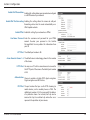
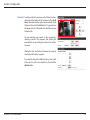
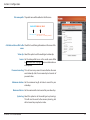
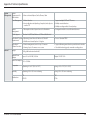
environments, or to Moving to capture moving objects.
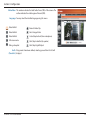
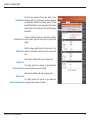
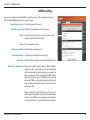
The Low Noise option will focus on creating a highquality picture without noise. You can also create 3
different custom exposure modes. The Max Gain setting
will allow you to control the maximum amount of gain
to apply to brighten the picture.
Denoise: This setting controls the amount of noise reduction that
will be applied to the picture.
Brightness: Adjust this setting to compensate for backlit subjects.
Contrast: Adjust this setting to alter the color intensity/strength.
Saturation: This setting controls the amount of coloration, from
grayscale to fully saturated.
Sharpness: Specify a value from 0 to 8 to specify how much
sharpening to apply to the image.
Reset Default: Click this button to reset the image to factory default
settings.
D-Link DCS-7413 User Manual
40