1
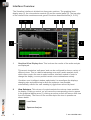
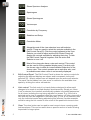
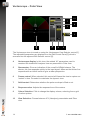
Stereo Spectrum Analyser
Spectrogram
Stereo Spectrogram
Vectorscope
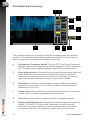
Correlation by Frequency
Statistics and Setup
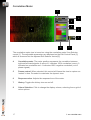
Correlation Meter
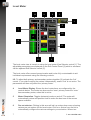
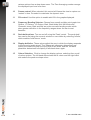
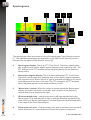
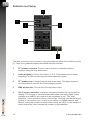
Alongside most of the view selectors is an edit selector
control. These are used to select the controls available in the
Edit Control Panel [3]. Click the control adjacent to the View
Selector you wish to adjust and the Edit Control Panel will
display the controls available for adjusting that view. To hide
the Edit Control Panel all together, click the active Edit
Selector to turn it off.
Most of the views also have a view solo control. This control
can be used to fill the graphicsl display area [1] entirely with
the chosen view to allow an instant detailed inspection of the
chosen view. This control operates as an exclusive solo, and
is available even when a view is not currently displayed.
3
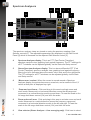
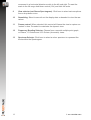
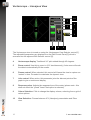
Edit Control Panel. The Edit Control Panel is where the various controls for
adjusting the different displays are shown and is accessed via the edit
selectors [2]. What is shown here will depend upon the active edit selector.
The panel can be hidden from view so as to maximise the available view
space by clicking the active edit selector.
4
Link control. The link control is a handy feature designed to allow rapid
changes to be made to multiple displays simultaneously. Simply put, when
‘Link’ is selected, the interface automatically updates ‘equivalent parameters’
for all views, including the one being adjusted on screen. E.g. If the link is
selected and a view is magnified using the zoom feature, all other views with a
like scale will also be magnified in the same way. If ‘Link’ is not selected, then
only the individual control being adjusted will be affected. Another example
would be using the link control to turn on/off all the peak hold views at once.
5
Clear. The clear button can be used to reset current views, removing peak
hold envelopes. This can be useful when a specific section of audio is being
inspected in a larger piece.
5
© 2014 NUGEN Audio