1
B. INTEGRAL PARTS AND FUNCTIONALITY
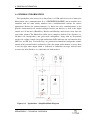
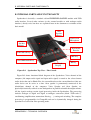
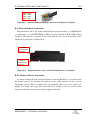
External Tipro
Bus cable
Connection
Figure B.5
B-6
Audio & Power
cable
Connection
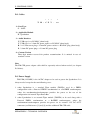
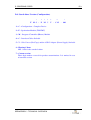
Speakerbox Bottom View (Detail) – Interface & Power Connections
As a rule, the Speakerbox requires 12V power from an external power supply, e.g.
TM-VPB. The only exception to the rule is Speakerbox as the standard add-on
module (TM-FSx) used in a FREE+/ BeFREE configuration along with Powered
FREE+ 15 touchmonitor or BeFREE touchcomputer, where the touchmonitor or the
touchcomputer provides power to the rest of the configuration via Tipro Power Bus.
B.11. External Tipro Bus Cable
External Tipro bus cable comes out from the bottom part of the housing through a cable
gland (see Figure B.5) and can not be detached from the outside of the module. It is an
integral part of the External Speakerbox modules (TM-FEx). Standard add-on Speakerbox
modules (TM-FSx) do not have it.
This cable should be connected to the External Tipro bus port of Tipro controller inside
a FREE+ touchmonitor, a BeFREE touchcomputer or a FREE keyboard.
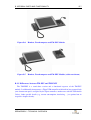
B.12. Differences between TM-FSx and TM-FEx
External modules (e.g. TM-FEU) are functionally equivalent to the respective Standard
modules (e.g. TM-FSU). The only difference is in physical connection of the Tipro bus
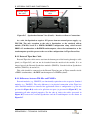
cable. External modules are intended for applications where a configuration (e.g. the one
presented in Figure B.6) needs to be split into two parts (as presented in Figure B.7), but
maintaining all other original properties. For the sake of clarity, the cables (presented in
Figure B.5) between the external Speakerbox and the Touchcomputer are not shown in
Figure B.7.
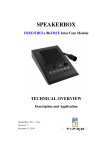
SPEAKERBOX – TECHNICAL OVERVIEW