1
Conversions
'Using' statements and type-names
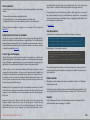
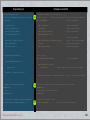
CSharpatron will automatically convert any Unityscript 'import' directive to C#'s 'using' command.
In addition the converter will always add:
Although there are many shared elements between Unityscript and C# - they both sit on top of the
same .Net framework, both access most of the same libraries, share similar syntax - there are a many small
syntactic differences and a few major conceptual differences that make manual file conversion a tedious
and error prone chore.
using UnityEngine
using System
Other namespaces may also be added according to the types that your script makes use of, e.g. if you use
generic containers such as List<> or Dictionary<>, you will see ‘using System.Collections.Generic’ added.
CSharpatron attempts to automate as many aspects of file conversion as possible whilst remaining 100%
consistent with original functionality.
Whenever a namespace is included, converted types will use correspondingly shortened names. Where
shortened names present ambiguity, e.g. the type ‘Random’ could mean ‘System.Random’ or
‘UnityEngine.Random’, then the fully qualified name is used.
I will outline the various conversions and fix-ups that take place and a few things that CSharpatron doesn’t
handle.
Pragmas
Pragmas ‘strict’, ‘downcast’ and ‘explicit’ are all removed by the converter since these aren’t valid in C# .
File structure adjustments
There are a few approaches to structuring classes within Unityscript files.
a) Don’t declare any class, i.e. a file implicitly represents a MonoBehaviour derived class of the same name
as the file. The file may contain other explicitly declared classes. ...All functions and vars defined in the
file become part of the ‘File Class’.
b) Explicitly declare a class within the file that has the same name as the file and may derive from
MonoBehaviour, a different class or be a base class with no inheritance. The file may contain other
explicitly declared classes.
c) Declare one or more classes where none of those classes share the same name as the file.
In C# there is no inferred automatic class generation (type A) and so CSharpatron must manually create an
equivalent class. Obviously it needs to consider type B and type C files too - in those cases it just converts
your own class declaration into C# syntax.
A challenge when working with type A files comes when your file includes other explicitly declared
classes. Those classes may occur anywhere in the file, and under Unityscript compilation rules they are not
subclasses of your main file-class as you might expect, but in fact possess the same (global) scope as the
file class. CSharpatron must gather together everything that relates to the file class into a single
contiguous block that can be framed within a suitable class declaration. Any other classes will be relocated
- in front of the file-class as it turns out - in order to keep their global scope in C# form.
CSharpatron User Manual - v1.2
Attributes
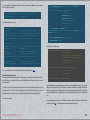
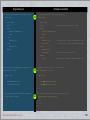
All attributes are converted from Unityscript to C# syntax, e.g.
@ExecuteInEditMode
@System.NonSerialized
@script RequireComponent (Camera)
[ExecuteInEditMode]
[System.NonSerialized]
[RequireComponent (typeof(Camera))]
As a special case, RequireComponent is also relocated to just prior to the main (Mono derived) class
definition.
Simple syntactic changes
There are a few areas in which syntax differs between Unityscript and C#. The following are all
automatically converted by CSharpatron:
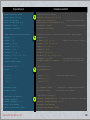
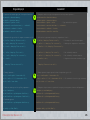
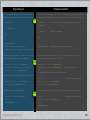
• Variable declarations uses a different syntax, require inversion of type/name, e.g.
var myVar: int;
int myVar
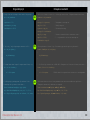
• Function declaration uses a different syntax, requires inversion of type/name for parameters, e.g.
function myFunc(myVar: int): int
{}
int myFunc(int myVar)
{}
13