1
MADE IN
User’s Guide
CAUTION! – This product
is not intended for medical
use or use on humans
Shop online at
omega.com ®
OS101E
e-mail: [email protected]
For latest product manuals:
omegamanual.info
OS102E
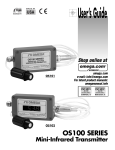
OS100E SERIES
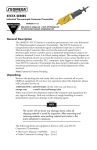
Mini-Infrared Transmitters
OMEGAnet ® Online Service
omega.com
Internet e-mail
[email protected]
Servicing North America:
U.S.A.:
ISO 9001 Certified
Canada:
Omega Engineering, Inc., One Omega Drive, P.O. Box 4047
Stamford, CT 06907-0047 USA
Toll Free: 1-800-826-6342
TEL: (203) 359-1660
FAX: (203) 359-7700
e-mail: [email protected]
976 Berar
Laval (Quebec), H7L 5A1, Canada
Toll-Free: 1-800-826-6342
TEL: (514) 856-6928
FAX: (514) 856-6886
e-mail: [email protected]
For immediate technical or application assistance:
U.S.A. and Canada: Sales Service: 1-800-826-6342/1-800-TC-OMEGA®
Mexico/
Latin America:
China::
Benelux:
Czech Republic:
France:
Germany/ Austria:
United Kingdom:
ISO 9001 Certified
Customer Service: 1-800-622-2378/1-800-622-BEST®
Engineering Service: 1-800-872-9436/1-800-USA-WHEN®
TEL: 001 (203) 359-1660
FAX: 001 (203) 359-7700
e-mail: [email protected]
Servicing Asia:
1698 Yi Shan Road, Unit 102
Min Hang District
Shanghai, China 201103
Hotline: 800 819 0559/400 619 0559
e-mail: [email protected]
Servicing Europe:
Toll-Free: 0800 099 3344
TEL: +31 20 347 21 21
FAX: +31 20 643 46 43
e-mail: [email protected]
Frystatska 184
733 01 Karviná, Czech Republic
TEL: +420-59-6311899
FAX: +420-59-6311114
e-mail: [email protected]
Toll-Free: 0800 541 038
TEL: 01 57 32 48 17
FAX: 01 57 32 48 18
e-mail: [email protected]
Daimlerstrasse 26
D-75392 Deckenpfronn, Germany
Toll-Free: 0800 8266342
TEL: +49 (0) 7056 9398-0
FAX: +49 (0) 7056 9398-29
e-mail: [email protected]
OMEGA Engineering Ltd.
One Omega Drive, River Bend Technology Centre, Northbank
Irlam, Manchester M44 5BD United Kingdom
Toll-Free: 0800-488-488
TEL: +44 (0) 161 777-6611
FAX: +44 (0) 161 777-6622
e-mail: [email protected]
It is the policy of OMEGA Engineering, Inc. to comply with all worldwide safety and EMC/EMI
regulations that apply. OMEGA is constantly pursuing certification of its products to the European New
Approach Directives. OMEGA will add the CE mark to every appropriate device upon certification.
The information contained in this document is believed to be correct, but OMEGA accepts no liability for any
errors it contains, and reserves the right to alter specifications without notice.
WARNING: These products are not designed for use in, and should not be used for, human applications.
OS100E Series Infrared Transmitter
Table of
Contents
Table of Contents
Section ................................................................... Page
Section 1
Safety Warnings and IEC Symbols ................................ iii
Caution and Safety Information ..................................... iii
Introduction ..................................................................... 1-1
Section 2
Installation ....................................................................... 1-1
2.1 Unpacking and Inspection ...................................... 1-1
2.2 Electrical Connection .............................................. 2-1
Section 3
Operation ......................................................................... 3-1
3.1 Main Board ................................................................ 3-1
3.2 Ambient Temperature .............................................. 3-2
3.3 Atmospheric Quality ................................................ 3-3
3.4 Measuring Temperature .......................................... 3-3
3.5 Alarm Setting ............................................................ 3-4
3.6 Adding Extension Cable........................................... 3-4
3.7 RS232 PC Interface ................................................... 3-5
Section 4
Software ......................................................................... 4-1
4.1 Software Overview ................................................... 4-1
4.2 Hardware Hookup ................................................... 4-1
4.3 Software Installation ................................................ 4-1
4.4 Using Software .......................................................... 4-6
Section 5
Laser Sight Accessory . ....................................................5-1
5.1 Warning and Cautions ............................................. 4-1
5.2 Operating the Laser Sight Accessory ..................... 4-1
Section 6
Specifications ................................................................... 7-1
6.1 General ....................................................................... 6-1
6.2 RS232 PC Interface .................................................. 6-2
6.3 Laser Sight Accessory (OS100-LS) .......................... 6-2
Section 7
Emissivity Table .............................................................. 7-1
i
Table of
Figures
OS100E Series Infrared Transmitter
Table of Figures
Figure
ii
Description
Page
2-1
Power Supply & Analog Output Connections .......... 2-1
2-2
Alarm Output Connection ............................................ 2-1
3-1
Main PC Board ............................................................... 3-2
3-2
Sensor Housing .............................................................. 3-2
3-3
Optical Field of View ..................................................... 3-4
3-4
Setting the Temperature Engineering Unit.................. 3-4
3-5
RS232 PC Interface Connection .................................... 3-5
3-6
Mounting Bracket OS100-MB ..................................... 3-10
3-7
Water Cooling Jacket, OS100-WC .............................. 3-10
3-8
Typical Water Cool Jacket Assembly ......................... 3-10
3-9
Air Purge Collar, OS100-AP ........................................ 3-11
3-10
DIN Rail Mounting Adapter, OS100-DR ................... 3-11
3-11
NEMA-4 Aluminum Enclosure .................................. 3-11
4-1
NET Framework 2.0 Eula .............................................. 4-2
4-2
Confirm Installation Screen .......................................... 4-3
4-3
OS100-Soft License Agreement .................................... 4-4
4-4
Installation In Progress .................................................. 4-5
4-5
Installation Complete .................................................... 4-5
5-1
Laser Sighting Accessory, OS100-LS ............................ 5-2
5-2
Laser Warning Label ...................................................... 5-2
OS100E Series
Safety Warnings and IEC Symbols
This device is marked with international safety and hazard symbols in
accordance with IEC 1010. It is important to read and follow all precautions and
instructions in this manual before operating or commissioning this device as it
contains important information relating to safety and EMC. Failure to follow all
safety precautions may result in injury and or damage to your calibrator.
IEC symbols
Description
Caution, refer to accompanying
documents
Direct Current
Laser Symbol
Frame or Chassis
Caution and Safety Information
• If the equipment is used in a manner not specified in this manual, the
protection provided by the equipment may be impaired.
• The installation category is one (1).
• There are no user replaceable fuses in this product
• The output terminals of this product are for use with equipment (digital
meters, chart recorders, etc,) which have no accessible five parts. Such
equipment should comply with all the applicable safety requirements.
• Do not operate the equipment in flammable or explosive environments.
• All connections to the thermometer should be made via a shielded
cable, 24 AWG stranded wire with the following ratings: 300V, 105°C
(221°F), PVC insulation.
• Power must be disconnected before making any electrical connections.
• The power supply used to power the thermometer should be VDE or
UL approved with the following ratings: 12 to 24vdc @150mA with
overload protection of 500mA.
iii
OS100E Series
NOTES:
iv
OS100E Series - Introduction
1
Section 1 - Introduction
The low cost OS101E mini-infrared transmitter provides non-contact
temperature measurement for industrial applications. The unit measures a
temperature range of -18 to 538°C (0-1000°F) and provides a linear analog
output of either 4-20 mA, 0-5 VDC, K type TC, 1 mV/°C, or 1 mV/°F.
The new OS102E mini-infrared transmitter has all the functions of OS101E
plus a built-in LED display that shows the measured temperature in
degrees F or degrees C which is switchable in the field.
The miniature sensor head design 2.5 cm dia. x 6.3 cm Length (1" x 2.5") is
ideal for measuring temperature in confined, and hard to reach places.
The aluminum sensor head as well as the rugged electronic housing (Die
cast Aluminum) are NEMA-4 rated.
The sensor head is connected to the electronic housing via a 1.82 m (6 feet)
shielded cable as standard. The unit provides field adjustable alarm
output.
Section 2 - Installation
2.1
Unpacking
Remove the packing list and verify that you have received all your
equipment. If you have any questions about the shipment, please call
Customer Service at:
1-800-622-2378 or 203-359-1660. We can also be reached on the internet:
omega.com e-mail: [email protected]
When you receive the shipment, inspect the container and equipment for
any signs of damage. Note any evidence of rough handling in transit.
Immediately report any damage to the shipping agent.
NOTE:
The carrier will not honor any damage claims unless all the shipping materials are saved for
inspection. After examination and removing contents, save packing material and carton in the
event reshipment is necessary.
The following items are supplied in the box:
• The infrared transmitter including the sensor head and the 1.82 m
(6 feet) shielded cable
• User's Manual
• Mounting Nut
1-1
2
OS100E Series - Installation
The following describes the ordering information:
OS102E or OS101E - MA - **, where
MA - 4/20 mA output
V1 - 0 to 5 VDC output
K - Thermocouple output, K type
MV - Millivolt output
HT- High
temperature
sensor head
The following optional accessories are available:
Model No.
Description
OS100-MB
OS100-DR
OS100-WC
OS100-AP
OS100-LS
OS100-CA15FT
OS100-CA25FT
TX8-100
PSU-93
CAL3-IR
Mounting Bracket
DIN Rail Mounting adapter
Water Cooling jacket
Air purge collar
Laser Sighting
Sensor Head Extension Cable (4.6 m, 15")
Sensor Head Extension Cable (7.6 m, 25')
8 Conductor stranded Shielded cable (30 m, 100')
Unregulated 16-24 VDC Power Supply
NIST Traceable Calibration
Here are the Features of OS101 and OS102 infrared transmitters:
Features
Accuracy
Temp Range
Emissivity
Field of View
Alarm Output
1mV/Deg. Output
4-20mA Output
0/5 VDC Output
K Type T/C
RS232 PC Interface
LED Display
Main Housing
2.2
101E
––
102E
2% Rdg or 4°F (2.2°C)
0-1000°F (-18 to 538°C)
0.1 to 1.00 Adj.
6 to 1
Standard
Standard
Standard
Standard
Standard
Standard
Standard
65.5 x 30.5 x 115.3 mm
(2.58" x 1.2" x 4.54")
Electrical Connection
Sensor Head Cable - The Sensor head is pre-wired to a 1.8 m (6 feet)
shielded cable. Plug & lock-in the male connector to the mating female
connector on the aluminum housing.
Power & Output Connection - Open the cover of the main aluminum
housing. Slide the cable through the strain relief and connect the wires to
the terminal block on the board as shown in Fig. 2-1. For Alarm output
connection, refer to Fig. 2-2.
2-1
OS100E Series - Operation
0-5/0-10 Vdc
POWER
SUPPLY
12-24 VDC
+
–
V
mV/Dgree
mV
4-20 mA
mA
Type-K
+
T/C
–
ANALOG OUTPUT
3
1
2
3
4
5
6
7
8
9
CHASSIS
Figure 2-1. Power Supply & Analog Output Connections
1
2
POWER
SUPPLY
5-24 VDC
+
--
ALARM
RELAY
*IN4004 DIODE
OR
EQUIVOLENT
3
4
5
6
7
8
9
Figure 2-2. Alarm Output Connection
Section 3 - Operation
3-1
Main Board
The Main Board is shown in Fig. 3-1. Here are the important components
on the board:
(1) - Terminal Block for Power & Output connections
(2) - Single Turn Potentiometer to adjust Emissivity in tenths (0.x_)
(3) - Single Turn Potentiometer to adjust Emissivity in hundreds (0._x)
(4) - Slide switch to select between real time (Normal Operation) and alarm
set point
(5) - Alarm set point adjust, P3
(6) - °F to °C Jumper setting
3-1
3
OS100E Series - Operation
1
J4
1 234 567 8 9
DS1 DS2
DS3 DS4
8888
J3
C
F P3
3
2
1
4 5
0
4 5
6 3
7 2
8 1
9
0
4
DISPLAY BOARD
6
5
2
INSTALLED ON
MODEL OS102E ONLY
6
7
8
9
3
Figure 3-1. Main PC Board
3.2
Ambient Temperature
The Sensing head can operate in an ambient temperature of 0 to 70°C (32
to 158°F). The Sensing head in the high temperature model (-HT) can
operate in an ambient temperature of 0 to 85°C (32 to 185°F) without any
cooling required. The Sensing head can operate up to 200°C (392°F) using
the water cool jacket accessory OS100-WC (See Fig. 3-6).
There is a warm up period of 3 minutes after power up. After the warm
up period, temperature measurement can be made.
When the ambient temperature around the sensor head changes abruptly,
the sensor head goes through thermal shock. It takes a certain amount of
time for the sensor head to stabilize to the new ambient temperature. For
example, it takes about 30 minutes for the sensor head to stabilize going
from 25°C to 50°C (77 to 122°F) ambient temperature.
The sensor head dimensions are shown in Fig. 3-2.
63.5
(2.5)
25
(1.0)
20
(0.8)
Dimensions mm (in.)
3/4-16 UNF
Figure 3-2. Sensor Housing
3-2
OS100E Series - Operation
3.3
3
Atmospheric Quality
Environments with smoke, dust, and fumes dirty up the optical lens, and
cause erroneous temperature readings. To keep the surface of the optical
lens clean, the air purge collar accessory is recommended, OS100-AP, See
Fig. 3-7.
Measuring Temperature
Before starting to measure temperature, make sure that the following
check list is met:
The power and analog output connections are made (Fig. 2-1).
The sensor head is connected to the main unit.
The slide switch (SW1) on the main board is set to real time (Fig. 3-1).
The target is larger than the optical field of view of the sensor head
(Fig. 3- 3 ).
The emissivity adjustment on the main board is set properly (Fig. 3-1).
The output load is within the product specification.
On 102E transmitters, follow these additional steps:
The temperature display is set to °F or °C (Fig. 3-1)
For 4-20mA output models, make sure an output load is added, ie. 250
ohms.
DISTANCE: SENSOR TO OBJECT (IN)
6"
SPOT DIA.* (IN)
0"
12"
24"
48"
36"
8.0"
6.0"
4.0"
2.0"
0.4"@0"
1.0"
D:S=6:1
SPOT DIA.* (CM)
3.4
1cm@0
3.3
6.6
10.0
13.0
16.0
0
20
40
60
80
100
20.0
122
DISTANCE: SENSOR TO OBJECT (CM)
* SPOT DIAMETER MEASURED AT 90% ENERGY
Figure 3-3. Optical Field Of View
3-3
3
OS100E Series - Operation
COVER
J4
1 2 3 4 5 6 7 8 9
DS1
DS2
DS3
DS4
8888
4 5
J3
C
P3
F
6
7
3
2
1
8
0
9
4 5
6
7
3
2
1
8
0
9
NOTE: OPEN THE
COVER OF THE
MAIN HOUSING & SET THE JUMPER SW1 TO F OR C.
Figure 3-4. Setting the Temperature Engineering Unit
3.5
Alarm Setting
The unit provides 0-100% alarm set point adjustment. Here is an example
of an alarm setting.
• An OS101E-MA (4/20 mA output), the alarm is to be set at 400°F
temperature.
• Connect the alarm output as shown in Fig. 2-2.
• Set the slide switch (SW1) on the main board to the Alarm position.
• Measure the analog output, and set the Potentiometer P3 until the
output reads 10.4 mA which is 40% (400°F) of the temperature range.
[10.4mA = 40 x (20-4) + 4]
100
• Set the slide switch (SW1) back to the Real Time position.
• If the temperature reading is below the alarm set point, the alarm
output stays high, otherwise it goes low.
On the OS102E, you can set the alarm set point directly based on the
temperature display.
3.6
Adding Extension Cable
You can add extension cable between the Sensor Head and the main
electronic housing up to 15.2 m (50 feet). After adding the extension cable,
follow the steps in section to adjust the cable offset.
The following figures show the mounting bracket (OS100-MB), Water
cooling jacket (OS100-WC), Air purge collar (OS100-AP), DIN Rail
Mounting adapter (OS-100-DR), and the main aluminum enclosure. The
DIN Rail Mounting adapter (OS100-DR) is mounted to the bottom of the
main aluminum enclosure using two 4-40 screws.
A typical water cool jacket assembly is shown in Fig. 3-7, on the following page.
1. Mounting Nut
2. Mounting Bracket
3. Water Cool Jacket
4. Sensor Head
3-4
OS100E Series - Operation
3.7
3
RS-232
1
2
3
1
5
4
5
PC SERIAL PORT
6
7
8
9
Figure 3-5. RS232 PC Interface Connection
OS101E/ OS102E RS232 Command Reference:
Note: All commands sent to the OS100E series must be terminated by a
carriage return or carriage return and linefeed, and is shown in this
document as “CR” and “LF”. Any parameters shown in square brackets “[
]” are optional. Parameters are separated from commands and from each
other by a space “ “. Spaces within commands are shown in this
document as “SP”. All commands are case insensitive, meaning any
combination of upper/lower case characters are accepted.
In order to communicate with the OS101E/OS102E, the terminal (or PC
running a terminal program such as HyperTerminal) must have the
following serial communication settings:
Baud:
Data Bits:
Parity:
Stop Bits:
Handshaking:
19200
8
None
1
None
C Command:
Description: - Transmit Target temperature in Deg C (one time).
Syntax:
C CR [LF]
Parts:
None. There are no parameters for this command.
Remarks:
None.
Example:
Assuming target temperature is 125 °C, the following is shown on the
PC (terminal) screen after typing “C” and “Enter”:
C
125
3-5
3
OS100E Series - Operation
F Command:
Description: - Transmit Target temperature in Deg F (one time).
Syntax:
F CR [LF]
Parts:
None. There are no parameters for this command.
Remarks:
None.
Example:
Assuming target temperature is 257 °F, the following is shown on the
PC (terminal) screen after typing “F” and “Enter”:
F
257
ALARM Command:
Description:
Transmit alarm setpoint.
Syntax:
ALARMCR [LF]
Parts:
None. There are no parameters for this command.
Remarks:
The purpose of this command is to transmit the current alarm setpoint
only. The only method of changing setpoint is by opening the
OS101E/OS102E case, and adjusting the alarm setpoint potentiometer.
Example:
The following is shown on the PC (terminal) screen after typing
“ALARM” and “Enter”:
ALARM
537 C
999 F
>
3-6
OS100E Series - Operation
3
VERSION Command:
Description: - Transmit model number, firmware version, and output
mode.
Syntax:
VERSION CR [LF]
Parts:
None. There are no parameters for this command.
Remarks:
Units with a display attached will transmit “OS102E” as the model
number. The example below shows a unit without a display attached.
The firmware version is a six-digit number following the “FW:” shown
below. Depending on the model suffix (the first characters immediately
following OS101-/OS102-), the “OUTPUT:” will be transmitted as follows:
Model Suffix
K
MV-C
MV-F
V1
V2
MA
OUTPUT:
TC-K
mV/Deg C
mV/Deg F
0-5V
0-10V
4-20mA
Example:
The following is shown on the PC (terminal) screen after typing
“VERSION” and “Enter”:
>VERSION
OMEGA ENGINEERING
OS101E FW: 061013
OUTPUT: mV/ Deg F
>
AMODE Command:
Description: - Set/Transmit alarm activation mode rising/falling.
Syntax:
AMODE[SP MODE] CR [LF]
Parts:
MODE (OPTIONAL)
Specifies whether the alarm will activate at the setpoint with rising
temperature, or falling temperature. The valid range for this parameter is
0 to 1. A value of 1 will cause the alarm to activate on rising temperature,
and 0 will cause activation on falling temperature. If this parameter is not
specified, the mode currently set will be transmitted.
Remarks:
The default mode for alarm activation is “rising”. The only way to change
the activation mode is through the RS232 “AMODE” command.
3-7
3
OS100E Series - Operation
Example 1:
The following is shown on the PC (terminal) screen after typing
“AMODE” and “Enter”. The activation mode is not changed, but it is
reported.
AMODE
ALARM MODE SET FOR
RISING TEMP.
>
Example 2:
The following is shown on the PC (terminal) screen after typing
“AMODE 0” and “Enter”. The activation mode is changed to “falling”
and reported as such.
AMODE 0
ALARM MODE SET FOR
FALLING TEMP.
>
Example 3:
The following is shown on the PC (terminal) screen after typing
“AMODE 1” and “Enter”. The activation mode is changed to “rising”
and reported as such.
AMODE 1
ALARM MODE SET FOR
RISING TEMP.
>
EMS Command:
Description: - Transmit emissivity setting.
Syntax:
EMS CR [LF]
Parts:
None. There are no parameters for this command.
Remarks:
The purpose of this command is to transmit the current emissivity setting
only. The only method of changing the emissivity setting is by opening
the OS101E/OS102E case, and adjusting the emissivity potentiometers.
Example:
The following is shown on the PC (terminal) screen after typing “EMS”
and “Enter”:
EMS
E = 0.95
>
3-8
OS100E Series - Operation
3
CABLE Command:
Description: - Set/Transmit cable length compensation.
Syntax: CABLE[SP LENGTH] CR [LF]
Parts:
LENGTH (OPTIONAL)
Specifies the total length (in feet) of cable attached between the sensor
head and the transmitter box. The valid range for this parameter is 6 to 56.
If this parameter is not specified, the length currently set will be
transmitted.
Remarks:
The default length is 6 Feet. The only way to change the cable length
compensation is through the RS232 “CABLE” command. Additional
extension cables can be purchased and added to the system, up to a
maximum total length of 56 Feet. As total cable length is changed, and
error is introduced. This command is used to compensate for that error.
When adding extension cable(s), ensure you specify the total length (i.e.,
25Ft extension + original 6Ft = 31Ft) with the CABLE command.
Example 1:
The following is shown on the PC (terminal) screen after typing
“CABLE” and “Enter”. The current cable length compensation value is
not changed, but it is reported.
CABLE
CABLE LENGTH = 6 FT
>
Example 2:
The following is shown on the PC (terminal) screen after typing
“CABLE 31” and “Enter”. The cable length compensation value is
changed to “31” and reported as such.
CABLE 31
CABLE LENGTH = 31 FT
>
Example 3:
The following is shown on the PC (terminal) screen after typing
“CABLE 200” and “Enter”. The cable length compensation value is
changed to “56” because the value 200 is above the maximum length of
56.
CABLE 200
CABLE LENGTH = 56 FT
>
3-9
3
OS100E Series - Operation
12.7
(0.5)
3.2
(1/8)
12.7
(0.5)
50.0
(1.97)
90
Ø 19
(0.755)
3.2
(1/8)
25.4
(1)
Ø4
(0.156)
Dimensions mm (in.)
Ø = Diameter
23.3
(.919)
31.8
(1.25)
42.9
(1.69)
Figure 3-6. Mounting Bracket OS100-MB
1/8 NPT COMPRESSION
FITTING , 2 PLCS.
41.3
(1.625)
8
(.312)
INLET
Dimensions mm (in.)
3/4-16 UNF-2B
OUTLET
3/4-16 UNF
60.3
(2.375)
Figure 3-7. Water Cooling Jacket, OS100-WC
4
3
INLET
OUTLET
UP TO 200C (392F) AMBIENT TEMPERATURE
TO MAIN HOUSING
Figure 3-8. Typical Water Cool Jacket Assembly
3-10
2
1
OS100E Series - Operation
3
28.6
(1.125)
17.5
(0.69)
1/16 NPT
COMPRESSION
3/4-16 UNF 2B
FITTING
THRU.
Dimensions mm (in.)
Figure 3-9. Air Purge Collar, OS100-AP
44.5
(1.75)
4-40 THRD. HOLE, 2 PLCS.
109.5
(4.3125)
DIN RAIL
SNAP FEET
Dimensions mm (in.)
Figure 3-10. DIN Rail Mounting Adapter, OS-100-DR
65.5
(2.578)
53.3
(2.10)
MAIN HOUSING
Dimensions mm (in.)
5.0
(0.20)
115.4
(4.545)
78.0
(3.07)
35.5
(1.400)
103.4
(4.07)
5.7 (0.225) DIA.
(4) HOLES
47.7
(1.880)
8.6 (0.340) DIA. x
22.6 (0.890) DEEP
(2) PLACES
26.4
(1.04)
COVER
Figure 3-11. NEMA-4 Aluminum Enclosure
3-11
3
OS100E Series - Operation
NOTES:
3-12
OS100E Series - Software
4
Section 4 – Software
4.1
Software Overview
The OS100-Soft application enables you to communicate with your
OS100E Series transmitter on a PC using serial communication. The
application has the following capabilities:
• Real-time display of temperature reading.
• Data acquisition and plotting of real-time data.
• Saving acquired data in comma separated values (csv) or tab format for
easy importation into spreadsheet programs.
• Data analysis function.
• Printing of graph and data.
4.2
Hardware Hookup
Wire the OS100E unit to the PC as shown in section 3.7, and table 4-1.
OS100E, Terminal Block TB1
Computer DB-9 Male Connector
Pos. No.
Description
Pos. No.
Description
5
Signal GND
5
Signal GND
6
Rx
3
Tx
7
Tx
2
Rx
Table 4-1 OS100E Serial Communications Wiring Table
4.3
Software Installation
4.3.1 System Requirements
Minimum System Requirements
The following are the minimum recommended system requirements:
• Windows 98/ME, Windows 2000, Windows XP, Windows Vista,
Operating System.
• Available serial port or USB to serial port adapter.
• 26 MB Ram
• 280 MB available hard drive space.
Recommended System Configuration
The following system configuration is recommended:
4-1
4
OS100E Series - Software
• Windows XP or newer operating system.
• At least 512 MB Ram.
• 280 MB available hard drive space.
4.3.2 Software Installation
Insert the OS100-Soft CD into your computer’s CD-Rom drive. The
installation program should start up automatically. If it does not start
automatically locate and run the Setup.exe file on the CD.
Microsoft .NET framework 2.0 is a pre-requisite for this application and
will be automatically installed from the CD if missing this will require
you to accept the license agreement prior to proceeding.
Figure 4-1. NET Framework 2.0 Eula
Once the .NET framework is installed or if previously installed on your
PC the OS100-Soft installation process begins. The first screen displayed is
the welcome screen click “Next>” button to continue. This is followed by
the Installation Options Screen, check the box if you would like to install a
shortcut for the application on your desktop. Click “Next>” button to
continue.
The wizard then takes you to the Installation Folder Screen. Accept the
default or choose alternate path then click “Next>” button to continue.
4-2
OS100E Series - Software
4
This is followed by the Confirm Installation Screen. If satisfied with click
“Next>” button to begin installation, otherwise use “<Back” button to
navigate to and change settings as needed.
Figure 4-2. Confirm Installation Screen
A license agreement for the OS100-Soft is next displayed, plead read and
select “I agree” option to proceed with installation.
4-3
4
OS100E Series - Software
Figure 4-3. OS100-Soft License Agreement
The installation process then begins and the Installation Complete screen
is displayed when done. Click “Close” button to finish.
4-4
OS100E Series - Software
4
Figure 4-4. Installation in Progress
Figure 4-5.
Installation Complete
4-5
4
OS100E Series - Software
Congratulations! You have successfully installed the OS100-Soft program
and you can now use it to communicate with your OS100E series unit(s).
4.4
Using Software
To run the application click on the desktop shortcut (if present) or access
the program from the Start Menu, Start\Programs\OS100-SOFT\OS100Soft.exe (or select path installed if different).
The software’s online help will guide you through its actual use.
4-6
OS100E Series - Laser Sight Accessory
5
Section 5 - Laser Sight Accessory
5.1
Warning and Cautions
CAUTION:
You may receive harmful laser radiation exposure if you do not adhere to the warnings listed
below:
• Use of controls or adjustments or performance of procedures other than
those specified here may result in hazardous radiation exposure.
• Do not look at the laser beam coming out of the lens or view directly
with optical instruments - eye damage can result.
• Use extreme caution when operation the laser sight accessory
• Never point the laser accessory at a person
• Keep out of the reach of all children
WARNING:
Do not attempt to open the laser sight accessory. There are no user serviceable parts inside.
5.2
Operating the Laser Sight Accessory
The laser sight accessory screws onto the front of the sensor head. This
accessory is only used for alignment of the sensor head to the target area.
After the alignment process, the accessory has to be removed from the
front of the sensor head before temperature measurement.
The laser sight accessory is powered from a small compact battery pack
(included with the accessory). Connect the battery pack to the accessory
using the cable provided. Aim at the target, and turn on the battery power
using the slide switch on the battery pack. Adjust the sensor head position
so that the laser beam points to the center of the target area. Turn off the
battery pack, and remove the laser sighting accessory from the sensor
head. See Fig. 4-1 for reference.
5-1
5
OS100E Series - Laser Sight Accessory
LASER WARNING LABEL
SENSOR HEAD
38.1
(1.5 )
DC POWER JACK
LED LASER
POWER
INDICATOR
19
(.75)
LASER BEAM
50.8
(2.0)
ON/OFF
SWITCH
POWER CABLE
Dimensions mm (in.)
BATTERY PACK
POWER SUPPLY
Figure 5-1. Laser Sighting Accessory, OS100-LS
®
LASER RADIATION DO NOT STARE
INTO BEAM OR VIEW DIRECTLY WITH
OPTICAL INSTRUMENTS. CLASS 2
LASER PRODUCT.
CAUTION
AVOID EXPOSURE. LASER
RADIATION IS EMITTED
FROM THIS APERTURE.
LASER RADIATION - DO NOT STARE INTO BEAM
OUTPUT <1 mW, WAVELENGTH 630-670 nm, CLASS II (2) LASER
PRODUCT. COMPLIES WITH FDA 21CFR 1040.10 & EN60825-1/11.2001
Figure 5-2. Laser Warning Label
5-2
OS100E Series - Specifications
6
Section 6 - Specifications
6.1
General
Temperature Range
-18 to 538°C (0 to 1000°F)
Accuracy @ 22°C (72°F)
ambient temperature &
emissivity of 0.95 or greater
± 2% of Rdg. or 2.2°C (4°F) whichever is
greater
Optical Field of View
6:1 (Distance/Spot Size)
Repeatability
± 1% of Rdg.
Spectral Response
5 to 14 microns
Response Time
100 msec (0 to 63% of final value)
Emissivity Range
0.1 to 1.00, adjustable
Operating Ambient Temperature
Main Transmitter
0 to 50°C (32 to 122°F)
Sensor Head
0 to 70°C (32 to 158°F)
Sensor Head (-HT Model)
0 to 85°C (32 to 185°F)
Sensor Head with OS100-WC
(Water Cooling Jacket)
0 to 200°C (32 to 392°F)
Operating Relative Humidity
Less than 95% RH, non-condensing
Water Flow Rate for OS100-WC 0.25 GPM, room temperature
Thermal Shock
About 30 minutes for 25°C
abrupt ambient temperature change
Warm Up Period
3 minutes
Air Flow Rate for OS100-AP
1 CFM (0.5 Liters/sec.)
Power
12 to 24 VDC @ 150 m
(0-10 Vdc output requires 14 Vdc)
Analog Outputs
MV
K
MA
V1
V2
1 mV/°F or 1 mV/°C
K Type TC
4 to 20 mA
0 to 5 VDC
0-10 VDC
Output Load requirements
Min. Load (0 to 5VDC)
Max. Load (4 to 20 mA)
1 K-Ohms
(Supply Power - 4 )/20 mA
Transmitter Housing
NEMA-4 & IP65, Die Cast Aluminum
Sensor Head Housing
NEMA-4; Anodized Aluminum
Alarm Output
Open Drain, 100 mA
Alarm Set Point
0 to 100% , Adjustable via P3
Alarm Deadband
12°C (10°F)
Alarm Indication
Display Flashing
6-1
6
OS100E Series - Specifications
6.1
General Con’t.
Dimensions
Sensor Head
Main Housing
Weight
6.2
272 g (0.6 lb)
RS232
Baud:
Data Bits:
Parity:
Stop Bits:
Handshaking:
6.3
25.4 OD. x 63.5 mm L (1" OD. x 2.5" L)
65.5 W x 30.5 H x 115.3 mm L
(2.58" W x 1.2" H x 4.54" L)
19200
8
None
1
None
Laser Sight Accessory (OS100-LS)
Wavelength (Color)
630 - 670 nm (Red)
Operating Distance (Laser Dot) Up to 9.1 m (30 ft.)
6-2
Max. Output Optical Power
Less than 1 mW at 22°F ambient
temperature.
European Classification
Class 2, EN60825-1/11.2001
Maximum Operating current
45 mA at 3 VDC
FDA Classification
Complies with 21 CFR 1040.10,
Class II Laser Product
Beam Diameter
5 mm
Beam Divergence
< 2 mrad
Operating Temperature
0 to 50°C (32 to 122°F)
Operating Relative Humidity
Less than 95% RH, non-condensing
Power Switch
ON / OFF , Slide switch on the Battery
Pack
Power Indicator
Red LED
Power
Battery Pack, 3 VDC (Consists of two 1.5
VDC AA size Lithium Batteries)
Laser Warning Label
Located on the head sight circumference
Identification Label
Located on the head sight circumference
Dimensions
38 DIA x 50.8 mm L (1.5" DIA x 2" L)
OS100E Series - Emissivity Table
7
Section 7 - Emissivity Table
METALS
Material
Emissivity (ε)
Aluminum – pure highly polished plate . . . . . . . . . . . . . . . . . . . . . . . . 0.04 to 0.06
Aluminum – heavily oxidized . . . . . . . . . . . . . . . . . . . . . . . . . . . . . . . 0.20 to 0.31
Aluminum – commercial sheet . . . . . . . . . . . . . . . . . . . . . . . . . . . . . . . . . . . . 0.09
Brass – dull plate. . . . . . . . . . . . . . . . . . . . . . . . . . . . . . . . . . . . . . . . . . . . . . 0.22
Brass – highly polished, 73.2% Cu, 26.7% Zn . . . . . . . . . . . . . . . . . . . . . . . . . 0.03
Chromium – polished. . . . . . . . . . . . . . . . . . . . . . . . . . . . . . . . . . . . . 0.08 to 0.36
Copper – polished. . . . . . . . . . . . . . . . . . . . . . . . . . . . . . . . . . . . . . . . . . . . . 0.05
Copper – heated at 600°C (1112°F) . . . . . . . . . . . . . . . . . . . . . . . . . . . . . . . 0.57
Gold – pure, highly polished or liquid. . . . . . . . . . . . . . . . . . . . . . . . . 0.02 to 0.04
Iron and steel (excluding stainless) – polished iron . . . . . . . . . . . . . . . . 0.14 to 0.38
Iron and steel (excluding stainless) – polished cast iron. . . . . . . . . . . . . . . . . . . 0.21
Iron and steel (excluding stainless) – polished wrought iron . . . . . . . . . . . . . . . 0.28
Iron and steel (excluding stainless) – oxidized dull wrought iron . . . . . . . . . . . . 0.94
Iron and steel (excluding stainless) – rusted iron plate . . . . . . . . . . . . . . . . . . . 0.69
Iron and steel (excluding stainless) – polished steel. . . . . . . . . . . . . . . . . . . . . . 0.07
Iron and steel (excluding stainless) – polished steel oxidized at
600°C (1112°F). . . . . . . . . . . . . . . . . . . . 0.79
Iron and steel (excluding stainless) – rolled sheet steel . . . . . . . . . . . . . . . . . . . 0.66
Iron and steel (excluding stainless) – rough steel plate . . . . . . . . . . . . . 0.94 to 0.97
Lead – gray and oxidized . . . . . . . . . . . . . . . . . . . . . . . . . . . . . . . . . . . . . . . 0.28
Mercury . . . . . . . . . . . . . . . . . . . . . . . . . . . . . . . . . . . . . . . . . . . . . 0.09 to 0.12
Molybdenum filament . . . . . . . . . . . . . . . . . . . . . . . . . . . . . . . . . . . . 0.10 to 0.20
Nickel – polished . . . . . . . . . . . . . . . . . . . . . . . . . . . . . . . . . . . . . . . . . . . . . 0.07
Nickel – oxidized at 649 to 1254°C (1200°F to 2290°F) . . . . . . . . . . . 0.59 to 0.86
Platinum – pure polished plate . . . . . . . . . . . . . . . . . . . . . . . . . . . . . . 0.05 to 0.10
Platinum – wire . . . . . . . . . . . . . . . . . . . . . . . . . . . . . . . . . . . . . . . . 0.07 to 0.18
Silver – pure and polished . . . . . . . . . . . . . . . . . . . . . . . . . . . . . . . . . 0.02 to 0.03
Stainless steel – polished . . . . . . . . . . . . . . . . . . . . . . . . . . . . . . . . . . . . . . . . 0.07
Stainless steel – Type 301 at 232 to 942°C (450°F to 1725°F) . . . . . . . 0.54 to 0.63
Tin – bright . . . . . . . . . . . . . . . . . . . . . . . . . . . . . . . . . . . . . . . . . . . . . . . . . 0.06
Tungsten – filament . . . . . . . . . . . . . . . . . . . . . . . . . . . . . . . . . . . . . . . . . . . . 0.39
Zinc – polished commercial pure . . . . . . . . . . . . . . . . . . . . . . . . . . . . . . . . . . 0.05
Zinc – galvanized sheet . . . . . . . . . . . . . . . . . . . . . . . . . . . . . . . . . . . . . . . . . 0.23
7-1
7
OS100E Series - Emissivity Table
Material
Emissivity (ε)
Asbestos Board . . . . . . . . . . . . . . . . . . . . . . . . . . . . . . . . . . . . . . . . . . . . . . . 0.96
Asphalt, tar, pitch
. . . . . . . . . . . . . . . . . . . . . . . . . . . . . . . . . . . . . . . 0.95 to 1.00
Brick – red and rough . . . . . . . . . . . . . . . . . . . . . . . . . . . . . . . . . . . . . . . . . . 0.93
Brick – fireclay . . . . . . . . . . . . . . . . . . . . . . . . . . . . . . . . . . . . . . . . . . . . . . . 0.75
Carbon – filament . . . . . . . . . . . . . . . . . . . . . . . . . . . . . . . . . . . . . . . . . . . . . 0.53
NONMETALS
Carbon – lampblack - rough deposit . . . . . . . . . . . . . . . . . . . . . . . . . . 0.78 to 0.84
Glass - Pyrex, lead, soda . . . . . . . . . . . . . . . . . . . . . . . . . . . . . . . . . . 0.85 to 0.95
Marble – polished light gray . . . . . . . . . . . . . . . . . . . . . . . . . . . . . . . . . . . . . 0.93
Paints, lacquers, and varnishes – Black matte shellac . . . . . . . . . . . . . . . . . . . . 0.91
Paints, lacquers, and varnishes – aluminum paints . . . . . . . . . . . . . . . . 0.27 to 0.67
Paints, lacquers, and varnishes – flat black lacquer . . . . . . . . . . . . . . . 0.96 to 0.98
Paints, lacquers, and varnishes – white enamel varnish . . . . . . . . . . . . . . . . . . 0.91
Porcelain – glazed . . . . . . . . . . . . . . . . . . . . . . . . . . . . . . . . . . . . . . . . . . . . . 0.92
Quartz – opaque . . . . . . . . . . . . . . . . . . . . . . . . . . . . . . . . . . . . . . . . 0.68 to 0.92
Roofing Paper . . . . . . . . . . . . . . . . . . . . . . . . . . . . . . . . . . . . . . . . . . . . . . . 0.91
Tape – Masking . . . . . . . . . . . . . . . . . . . . . . . . . . . . . . . . . . . . . . . . . . . . . . 0.95
Water . . . . . . . . . . . . . . . . . . . . . . . . . . . . . . . . . . . . . . . . . . . . . . . . 0.95 to 0.96
Wood – planed oak . . . . . . . . . . . . . . . . . . . . . . . . . . . . . . . . . . . . . . . . . . . . 0.90
7-2
OS100E Series
NOTES:
7-3
OS100E Series
NOTES:
7-4
WARRANTY/DISCLAIMER
OMEGA ENGINEERING, INC. warrants this unit to be free of defects in materials and workmanship for a
period of 25 months from date of purchase. OMEGA’s WARRANTY adds an additional one (1) month
grace period to the normal two (2) year product warranty to cover handling and shipping time. This
ensures that OMEGA’s customers receive maximum coverage on each product.
If the unit malfunctions, it must be returned to the factory for evaluation. OMEGA’s Customer Service
Department will issue an Authorized Return (AR) number immediately upon phone or written request.
Upon examination by OMEGA, if the unit is found to be defective, it will be repaired or replaced at no
charge. OMEGA’s WARRANTY does not apply to defects resulting from any action of the purchaser,
including but not limited to mishandling, improper interfacing, operation outside of design limits,
improper repair, or unauthorized modification. This WARRANTY is VOID if the unit shows evidence of
having been tampered with or shows evidence of having been damaged as a result of excessive corrosion;
or current, heat, moisture or vibration; improper specification; misapplication; misuse or other operating
conditions outside of OMEGA’s control. Components in which wear is not warranted, include but are not
limited to contact points, fuses, and triacs.
OMEGA is pleased to offer suggestions on the use of its various products. However,
OMEGA neither assumes responsibility for any omissions or errors nor assumes liability for any
damages that result from the use of its products in accordance with information provided by
OMEGA, either verbal or written. OMEGA warrants only that the parts manufactured by the
company will be as specified and free of defects. OMEGA MAKES NO OTHER WARRANTIES OR
REPRESENTATIONS OF ANY KIND WHATSOEVER, EXPRESSED OR IMPLIED, EXCEPT THAT OF
TITLE, AND ALL IMPLIED WARRANTIES INCLUDING ANY WARRANTY OF MERCHANTABILITY
AND FITNESS FOR A PARTICULAR PURPOSE ARE HEREBY DISCLAIMED. LIMITATION OF
LIABILITY: The remedies of purchaser set forth herein are exclusive, and the total liability of
OMEGA with respect to this order, whether based on contract, warranty, negligence,
indemnification, strict liability or otherwise, shall not exceed the purchase price of the
component upon which liability is based. In no event shall OMEGA be liable for
consequential, incidental or special damages.
CONDITIONS: Equipment sold by OMEGA is not intended to be used, nor shall it be used: (1) as a “Basic
Component” under 10 CFR 21 (NRC), used in or with any nuclear installation or activity; or (2) in medical
applications or used on humans. Should any Product(s) be used in or with any nuclear installation or
activity, medical application, used on humans, or misused in any way, OMEGA assumes no responsibility
as set forth in our basic WARRANTY/DISCLAIMER language, and, additionally, purchaser will indemnify
OMEGA and hold OMEGA harmless from any liability or damage whatsoever arising out of the use of the
Product(s) in such a manner.
RETURN REQUESTS/INQUIRIES
Direct all warranty and repair requests/inquiries to the OMEGA Customer Service Department. BEFORE
RETURNING ANY PRODUCT(S) TO OMEGA, PURCHASER MUST OBTAIN AN AUTHORIZED RETURN
(AR) NUMBER FROM OMEGA’S CUSTOMER SERVICE DEPARTMENT (IN ORDER TO AVOID
PROCESSING DELAYS). The assigned AR number should then be marked on the outside of the return
package and on any correspondence.
The purchaser is responsible for shipping charges, freight, insurance and proper packaging to prevent
breakage in transit.
FOR WARRANTY RETURNS, please have the
following information available BEFORE
contacting OMEGA:
1. Purchase Order number under which the product
was PURCHASED,
2. Model and serial number of the product under
warranty, and
3. Repair instructions and/or specific problems
relative to the product.
FOR NON-WARRANTY REPAIRS, consult OMEGA
for current repair charges. Have the following
information available BEFORE contacting OMEGA:
1. Purchase Order number to cover the COST
of the repair,
2. Model and serial number of the product, and
3. Repair instructions and/or specific problems
relative to the product.
OMEGA’s policy is to make running changes, not model changes, whenever an improvement is possible. This affords
our customers the latest in technology and engineering.
OMEGA is a registered trademark of OMEGA ENGINEERING, INC.
© Copyright 2012 OMEGA ENGINEERING, INC. All rights reserved. This document may not be copied, photocopied,
reproduced, translated, or reduced to any electronic medium or machine-readable form, in whole or in part, without the
prior written consent of OMEGA ENGINEERING, INC.
Where Do I Find Everything I Need for
Process Measurement and Control?
OMEGA…Of Course!
Shop online at omega.com SM
TEMPERATURE
Thermocouple, RTD & Thermistor Probes, Connectors, Panels & Assemblies
Wire: Thermocouple, RTD & Thermistor
Calibrators & Ice Point References
Recorders, Controllers & Process Monitors
Infrared Pyrometers
PRESSURE, STRAIN AND FORCE
Transducers & Strain Gages
Load Cells & Pressure Gages
Displacement Transducers
Instrumentation & Accessories
FLOW/LEVEL
Rotameters, Gas Mass Flowmeters & Flow Computers
Air Velocity Indicators
Turbine/Paddlewheel Systems
Totalizers & Batch Controllers
pH/CONDUCTIVITY
pH Electrodes, Testers & Accessories
Benchtop/Laboratory Meters
Controllers, Calibrators, Simulators & Pumps
Industrial pH & Conductivity Equipment
DATA ACQUISITION
Data Acquisition & Engineering Software
Communications-Based Acquisition Systems
Plug-in Cards for Apple, IBM & Compatibles
Data Logging Systems
Recorders, Printers & Plotters
HEATERS
Heating Cable
Cartridge & Strip Heaters
Immersion & Band Heaters
Flexible Heaters
Laboratory Heaters
ENVIRONMENTAL
MONITORING AND CONTROL
Metering & Control Instrumentation
Refractometers
Pumps & Tubing
Air, Soil & Water Monitors
Industrial Water & Wastewater Treatment
pH, Conductivity & Dissolved Oxygen Instruments
M3572A/0912