1
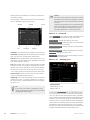
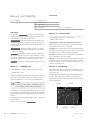
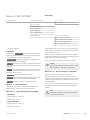
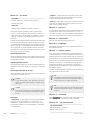
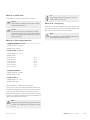
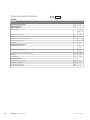
Menu 4.9.5 - schedule blocking
Caution
The compressor and/or addition in the indoor module
can be scheduled to be blocked for up to two different
time periods here.
If the stop time is before the start time it means
that the period extends past midnight.
If two settings conflict with each other a red exclamation
mark is displayed at the end of the line.
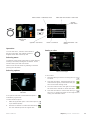
When scheduling is active the relevant blocking symbol
is shown in the main menu on the symbol for the indoor
module.
Scheduling always starts on the date that the
start time is set for.
Caution
Long term blocking can cause reduced comfort
and operating economy.
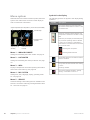
6FKHGXOH
$FWLYDWHG
VFKHGXOH EORFNLQJ VFKHGXOH VFKHGXOH DFWLYDWHG
DOO
PRQ
WXHV
ZH
WKXU
IUL
VDW
VXQ
&RQIOLFW
'D\
7LPH SHULRG
%ORFNLQJ
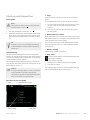
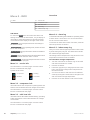
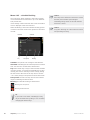
Schedule: The period to be changed is selected here.
Activated: Scheduling for the selected period is activated
here. Set times are not affected at deactivation.
Day: Select which day or days of the week the schedule
is to apply to here. To remove the scheduling for a particular day, the time for that day must be reset by setting
the start time to the same as the stop time. If the line
"all" is used, all days in the period are set for these times.
Time period: The start and stop time for the selected
day for scheduling are selected here.
Blocking: The desired blocking is selected here.
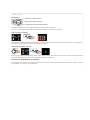
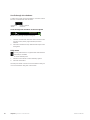
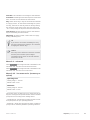
Blocking the compressor.
Blocking additional heat.
TIP
If you wish to set similar scheduling for every
day of the week start by filling in “all” and then
changing the desired days.
42
Chapter 8 | Control - Menus
NIBE™ VVM 500