1
Playback
Playing Back Recorded
Clips (continued)
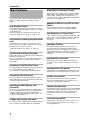
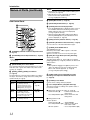
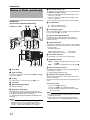
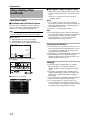
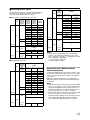
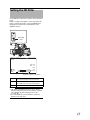
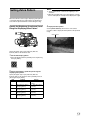
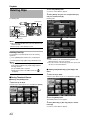
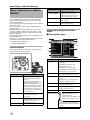
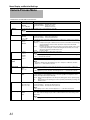
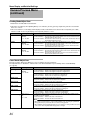
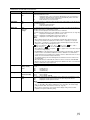
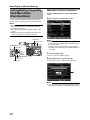
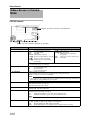
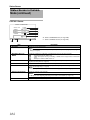
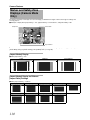
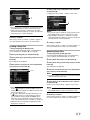
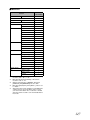
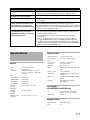
Name
D Video
Format
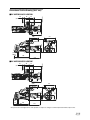
Thumbnail Screen (continued)
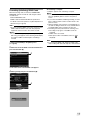
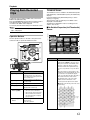
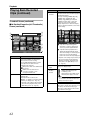
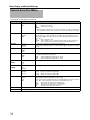
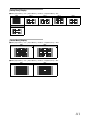
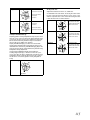
�No Detailed Properties (4x3 Thumbnails)
Screen (continued)
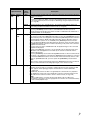
Description
Displays the video format (Camera
Resolution/Frame Rate) that allows playback
and thumbnail display.
Five types including [1080/60i, 30p, 24p],
[1080/50i, 25p], [720/60p, 30p, 24p],
[720/50p, 25p], [480/60i] (U model) and
[576/50i] (E model). Clips of other video
formats are represented in alternative
display. Clips that are in alternative display
cannot be played back with the current video
format settings.
A
B
D
E
F
C
B
A
G
H
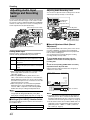
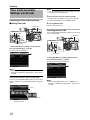
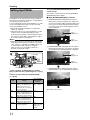
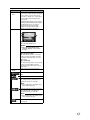
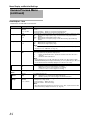
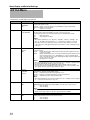
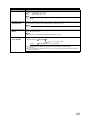
A A clip with corrupted management
information. It cannot be played back
even if you press the playback button.
I
B A clip that cannot be played back nor
J
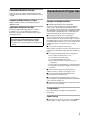
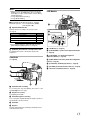
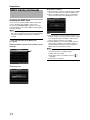
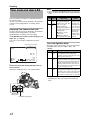
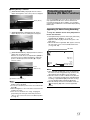
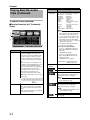
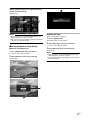
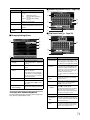
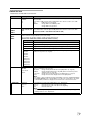
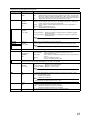
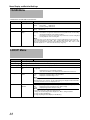
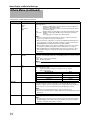
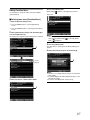
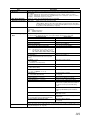
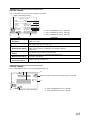
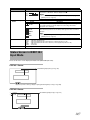
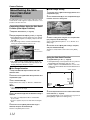
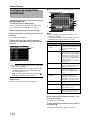
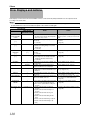
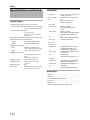
Name
B SDHC Card
C File Format
Description
Displays the status of the inserted SDHC
card, selected SDHC card, write-protect
switch, and the need for restoring.
Use the [SLOT SELECT] switch to switch
slots. Clips in slot A and B cannot be
displayed at the same time.
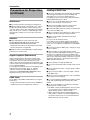
:Write-protect switch of the SDHC card in
slot A is set.
: SDHC card in slot B needs to be
restored or formatted, or is an
unsupported SDHC card.
* Depends on the settings in [Record Set] B
[Record Format] B [System Definition],
[Camera Resolution], and [Frame & Bit
Rate] items of the [Main Menu] screen.
(A Page 75)
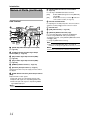
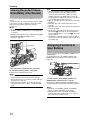
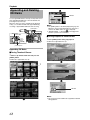
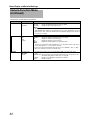
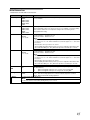
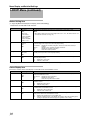
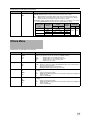
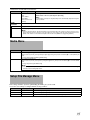
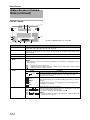
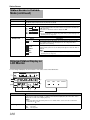
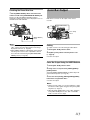
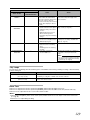
E Number of
Clips
F Remaining
Battery
Power
Shows the file format of the currently
displayed clips.
Only clips with the resolution (AHD
(MPEG2)B or ASD (DV)B) selected in [System
Definition] are displayed. (A Page 75)
* Depends on the settings in [Record Set] B
[Record Format] B [File Format] on the
[Main Menu] screen. (A Page 75)
62
displayed in thumbnail with the current
video format settings. It cannot be played
back even if you press the playback
button. The format of the clip is displayed.
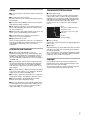
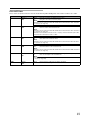
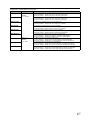
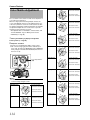
Displays the [running number/total number of
clips] of the displayed clips.
:
:
:
:
:
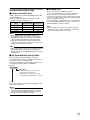
Ample battery power.
Slightly reduced battery power.
Low battery power.
Empty battery power. (Blinks in red)
External power supply connected.
Memo :
● If the battery in use is not a recommended
one, the battery mark which indicates the
battery level may not appear.
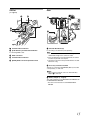
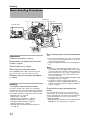
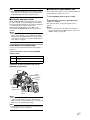
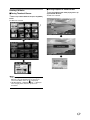
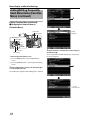
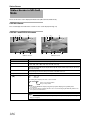
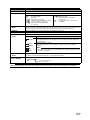
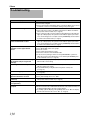
G Scroll Bar
Indicates the scroll position.
When there is a black space below the scroll
bar (white), this indicates further pages.
When the scroll bar (white) is at the bottom,
this indicates the last page.