1
Introduction
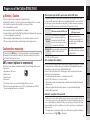
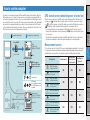
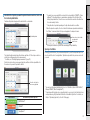
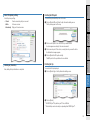
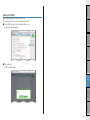
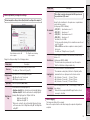
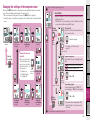
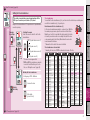
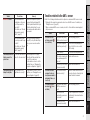
Screen display
Selected data icon
Indicates the data displayed
on the lower display.
Description
Pace arrow
Indicates if the current speed is faster or slower than the average speed.
( Faster, Slower)
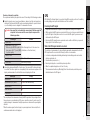
GPS signal receiving icon
Indicates the GPS signal receiving status
(Light up)
Setting up the
computer
Dot display
Displays the clock.
However, displays the
power (wattage) when the
power signal is received.
Icon
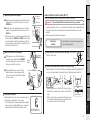
How to install the
unit on your bicycle
Current speed
0.0 (3.0) – 105.9 km/h
[0.0 (2.0) – 65.9 m/h]
GPS signal is strong
GPS signal is weak
Description
(Light up) Remaining battery capacity is large
Remaining battery capacity is small
(Flash)
Remaining battery capacity is nearly zero. In such case, the
computer turns off the power automatically.
Charge the battery as soon as possible.
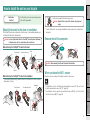
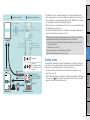
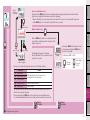
Sensor signal icon
Flashes when the ANT+ sensor signal is received.
When the speed signal is received
C (Flash) *1
When the cadence signal is received
H (Flash)
When the heart rate signal is received
P (Flash)
When the power signal is received
Speed unit
Flashes during measurement.
Speed sensor icon
Indicates the speed sensor or speed/cadence (ISC) sensor being received.
Power unit
Tire circumference icon
Lights up when the tire circumference is entered.
Clock icon
Lights up when the clock is displayed.
Changing the
computer
configuration
S (Flash) *1
Uploading the
Setup of your PC measurement data
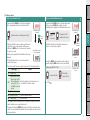
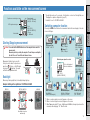
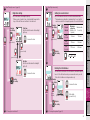
Battery icon
Displays the remaining battery capacity in 5 levels.
* For information on how to charge the battery, see “How to turn on/off the
power / how to charge the battery” (page 7).
How to use the
computer
Icon
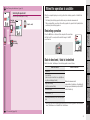
GPS signal non-receiving icon
Flashes when GPS signal cannot be received. In such status, measurement
cannot be performed.
* When such status lasts for 10 minutes, the computer turns off the power
automatically. (Auto power off)
Daylight saving time icon
* For information on how to set the daylight saving time, see “Changing the
computer configuration” (page 27).
Others
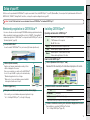
*1 : When the signal from the speed/cadence (ISC) sensor is received, S and
C flash simultaneously.
5