1
921 Corporate Way, Fremont, CA 94539, USA
Tel: +1-510-490-8024
Fax:+1-510-623-7268
Web: http://www.actisys.com E-mail: [email protected]
ACT-IR100UD
USB to IrDA SIR Adapter
User Manual
March 10, 2008
Ver. 1.0.0
© Copyright 2008 ACTiSYS Corporation
All Rights Reserved
The Infrared Wireless Expert
ACT-IR100UD
User Manual
TABLE OF CONTENTS
REVISION HISTORY..................................................................................... 3
PRECAUTIONS .............................................................................................. 4
1. FEATURES...................................................................................................... 5
2. OVERVIEW..................................................................................................... 5
3. PACKAGE CONTENT ................................................................................... 5
4. SYSTEM REQUIREMENT ............................................................................ 5
5. SETUP – UTILITY & DRIVER INSTALLATION........................................ 6
5.1 Configuration Utility Installation..................................................................................... 6
5.2 Driver installation ............................................................................................................ 8
6. INSTALLATION CHECK ............................................................................ 10
6.1 Add or Remove Programs Check .................................................................................. 10
6.2 Device Manager Check – COM Port Check.................................................................. 10
7. UNINSTALLATION PROCEDURE ............................................................ 11
7.1 Utility uninstallation ...................................................................................................... 11
7.2 Driver Uninstallation ..................................................................................................... 13
8. OPERATING ACT-IR100UD ....................................................................... 14
9. COMMUNICATION PARAMETER SETTINGS........................................ 15
9.1
9.2
9.3
9.4
9.5
The First Tab: Host Settings .......................................................................................... 16
Flow Control Note ......................................................................................................... 16
The Second Tab: Discovery Timing Settings ................................................................ 17
The Third Tab: Primary Protocol Settings..................................................................... 18
Factory Default Settings ................................................................................................ 18
10. LED BEHAVIOR .......................................................................................... 19
11. CHARACTERISTICS AND SPECIFICATION ........................................... 19
12. ACT-IR100UD DONGLE DIMENSIONS ................................................... 19
13. WARRANTY INFORMATION.................................................................... 20
14. CONTACT INFORMATION ........................................................................ 21
© Copyright 2008 ACTiSYS Corp.
ACTiSYS Confidential Information
2 of 21
Mar 10, 2008
Ver. 1.0.0
ACT-IR100UD
User Manual
The Infrared Wireless Expert
REVISION HISTORY
Revision History
Revision
1.0.0
Date
03/10/2008
Comment
Initial release
ACTiSYS reserves the right to make changes without further notice to any products herein to improve reliability,
function or design. ACTiSYS does not assume any liability arising out of the application or use of any product or
circuit described herein.
All trademarks, logos, organizations or company names and product model names are owned by the
respective organizations or companies.
© Copyright 2008 ACTiSYS Corp.
ACTiSYS Confidential Information
3 of 21
Mar 10, 2008
Ver. 1.0.0
The Infrared Wireless Expert
ACT-IR100UD
User Manual
PRECAUTIONS
To ensure trouble-free operation, please observe the following precautions:
Optical communications are easily affected by external light sources, weak batteries, transfer
distance, transfer angle, etc.
Any of these conditions may cause a data transfer failure, incomplete or missing data. Make
sure that the wireless interface is away from direct sunlight and other strong light source.
Do not terminate arbitrarily during file transfer process between ACT-IR100UD and
computers until finished. Otherwise ACT-IR100UD internal data integrity may be damaged,
which is due to the violation of ACT-IR100UD.
Do not expose the unit to moisture, as this will damage the internal circuitry.
Do not expose the unit to extreme temperatures. It should not be placed in direct sunlight or
in a closed vehicle, neither should it be placed near heaters nor other heat sources.
Do not store the unit in a humid or dusty place.
Use a soft, dry cloth to clean the unit. Do not use a wet cloth or any solvent.
Do not drop the unit or handle the unit carelessly.
CAUTION:
Never touch the pins of computer connection terminal. The internal circuits can be damaged
by an Electro Static Discharge. If this device requires any servicing, use only an ACTiSYS
service dealer, an ACTiSYS approved service facility, or an ACTiSYS repair service.
When exchanging data with host computer, be sure the appropriate serial communication
port is available and is not in conflict with other peripheral device or software.
© Copyright 2008 ACTiSYS Corp.
ACTiSYS Confidential Information
4 of 21
Mar 10, 2008
Ver. 1.0.0
ACT-IR100UD
User Manual
The Infrared Wireless Expert
1. FEATURES
•
•
•
®
Supports mandatory IrDA layer: IrPHYTM, IrLAPTM, IrLMPTM and IASTM.
Supports upper layers TinyTPTM, IrCOMMTM, IrLPTTM, and OBEXTM transport.
Supports host baud rate from 1.2 kbps to 115.2 kbps, which is changeable by PC utility; IrDA baud
rate from 9.6 kbps to 115.2 kbps, which is flexible setting by IrDA devices.
•
•
Supports both IrDA Primary and Secondary mode, changeable via PC utility.
Virtual COM port supported through Prolific USB to Serial device driver. Virtual COM has Less
Latency time, average is 1.5 ms. The latency of a real COM port is about 0.5ms.
•
•
•
•
Fully compliant with USB 2.0 (Full speed, 12 Mbps).
USB chip has 256 bytes outbound buffer and 256 bytes inbound buffer.
IrDA chip has 2048 bytes IR frame buffer and 2048 bytes Host buffer.
Nothing or minimum changes in user software, which are already working with ACT-IR100SD RS232
serial adapter.
•
•
No need any external power supply.
Supports Windows 2000/XP/Vista. For MacOS, Linux, Windows-CE and other operating systems
driver support, please contact ACTiSYS Technical Support ([email protected]).
2. OVERVIEW
ACT-IR100UD is a highly integrated IrDA Intelligent dongle with USB interface to a host device that
intends to have Infrared communication capability. ACT-IR100UD handles all the details regarding
IrDA protocols. It sends and receives user data to and from the host device via the USB interface.
Virtual COM port is created by Prolific USB to Serial device and its driver.
3. PACKAGE CONTENT
ACT-IR100UD package contains the following items:
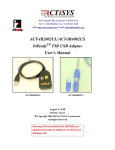
ACT-IR100UD USB to IrDA SIR Adapter
Installation CD, which includes:
o
Quick Start Guide
o
Setup file for installing configuration utility, manual and driver
o
Device driver for Windows Vista & 2K/XP
o
User Manual
4. SYSTEM REQUIREMENT
Windows 2000/XP/Vista.
At least 256MB RAM (512MB is recommended).
CPU Speed 1.8 GHz or above.
USB 1.1 port (or USB 2.0).
© Copyright 2008 ACTiSYS Corp.
ACTiSYS Confidential Information
5 of 21
Mar 10, 2008
Ver. 1.0.0
The Infrared Wireless Expert
ACT-IR100UD
User Manual
5. SETUP – UTILITY & DRIVER INSTALLATION
Note1: [Be Sure] ACT-IR100UD USB dongle is NOT plugged into PC until you have installed the
driver.
Insert ACT-IR100UD Installation CD in your PC.
In most cases this should start the installation automatically.
Otherwise browse the CD and double click “ACT-IR100UD-Setup-v1.0.0.exe” to start the
installation.
5.1 Configuration Utility Installation
A welcome screen for ACT-IR100UD configuration utility installer will show up. Click “Next” to
continue.
A “License Agreement” window will show up as below. Click “Yes” to continue.
© Copyright 2008 ACTiSYS Corp.
ACTiSYS Confidential Information
6 of 21
Mar 10, 2008
Ver. 1.0.0
The Infrared Wireless Expert
ACT-IR100UD
User Manual
Then a “Choose Destination Location” window will pop up as below. Click “Next” to continue.
You will be asked to “Select Program Folder”. Click “Next” to continue.
© Copyright 2008 ACTiSYS Corp.
ACTiSYS Confidential Information
7 of 21
Mar 10, 2008
Ver. 1.0.0
The Infrared Wireless Expert
ACT-IR100UD
User Manual
You will see a “Setup Status” window as shown below.
Click “Finish” to end the Utility installation.
5.2 Driver installation
After installing the Configuration Utility, setup will continue to install driver if you have not installed
it beforehand (User can also select “ACT-IR100UD-DriverInstaller.exe“ in CD to run manually).
•
Note: If you have already installed the driver previously for any other application, the setup program
“ACT-IR100UD-Setup.exe” will auto detect the driver “PL-2303 USB-to-Serial” exists in your PC and
© Copyright 2008 ACTiSYS Corp.
ACTiSYS Confidential Information
8 of 21
Mar 10, 2008
Ver. 1.0.0
The Infrared Wireless Expert
ACT-IR100UD
User Manual
will stop the installation automatically. Then you may skip this chapter.
A welcome screen for ACT-IR100UD Driver installer will show up. Click “Next” to continue.
Click “Finish” to close the Wizard window.
Now plug ACT-IR100UD into USB port. System will pop up a “Found New Hardware “ bubble
window at the right corner of Tool Bar and display the message: “Prolific USB-to-Serial Comm
Port” the first time you plug in.
This completes the configuration utility and driver installation. Now you need to confirm the
installation as the next chapter.
© Copyright 2008 ACTiSYS Corp.
ACTiSYS Confidential Information
9 of 21
Mar 10, 2008
Ver. 1.0.0
ACT-IR100UD
User Manual
The Infrared Wireless Expert
6. INSTALLATION CHECK
6.1 Add or Remove Programs Check
Open the “Add or Remove Programs” window from Control Panel. Check if two programs exist:
“ACT-IR100UD” and “PL-2303 USB-to-Serial”. See below:
Note: Instead of “PL-2303 USB-to-Serial” shown in Windows 2K/XP, it will show as “PL-2303 Vista
Driver Installer” in Windows Vista OS.
6.2 Device Manager Check – COM Port Check
To confirm if the installation is successful, look at the window from Device Manager.
You will see the device described as “Prolific USB-to-Serial Comm Port (COMx)” installed under
“Ports (COM & LPT)”, where COMx (e.g.,COM3) is the COM port number. This is the place you
can check which virtual COM port this device is connected. See below.
© Copyright 2008 ACTiSYS Corp.
ACTiSYS Confidential Information
10 of 21
Mar 10, 2008
Ver. 1.0.0
The Infrared Wireless Expert
ACT-IR100UD
User Manual
7. UNINSTALLATION PROCEDURE
7.1 Utility uninstallation
Double click “Add or Remove Program” under “Control Panel”.
Select “ACT-IR100UD” and click “Change/Remove” to remove the Utility.
A “Confirm File Deletion” window will pop up. Click “OK” to continue.
Then you will see a “Setup Status” window as below.
© Copyright 2008 ACTiSYS Corp.
ACTiSYS Confidential Information
11 of 21
Mar 10, 2008
Ver. 1.0.0
The Infrared Wireless Expert
ACT-IR100UD
User Manual
When you see above “Maintenance Complete” window, click “Finish” to complete the Uninstallation.
Then you will see below “Warning” message to remind you to continue to “remove Driver manually”.
Please refer to next section on “Driver Uninstallation”.
© Copyright 2008 ACTiSYS Corp.
ACTiSYS Confidential Information
12 of 21
Mar 10, 2008
Ver. 1.0.0
The Infrared Wireless Expert
ACT-IR100UD
User Manual
7.2 Driver Uninstallation
Double click “Add or Remove Program” under “Control Panel”.
Select “PL-2303 USB-to-Serial” and click “Change/Remove” to remove the driver.
Then the wizard will show “PL-2303 Driver Uninstall Completed!” and ask you to restart the
computer. Select “Yes” and click “Finish” to restart your computer.
© Copyright 2008 ACTiSYS Corp.
ACTiSYS Confidential Information
13 of 21
Mar 10, 2008
Ver. 1.0.0
The Infrared Wireless Expert
ACT-IR100UD
User Manual
8. OPERATING ACT-IR100UD
ACT-IR100UD uses virtual COM port created by Prolific USB to serial driver to connect with the host.
And DSR is an input signal for ACT-IR100UD. All the operating procedures of ACT-IR100UD are
triggered by DSR signal of virtual COM port from HOST except the time when DSR is ignored by PC
utility. See next Chapter of “Configuration Parameter Settings” for detail.
When DSR is pulled high level by HOST, ACT-IR100UD will send out discovery frames to outside and
try to find some other IrDA devices if it is set to “Primary” mode.
Or ACT-IR100UD will be ready to receive discovery frame from any other Primary device if it is set to
“Secondary” mode.
It depends on what mode you set in ACT-IR100UD.
When ACT-IR100UD is connecting to another IrDA device successfully via IR, it will pull DSR signal to
high, which also means that Host can send and receive data frame to and from another IrDA device.
When DSR is pulled to low, it means that IR link no longer exists now.
© Copyright 2008 ACTiSYS Corp.
ACTiSYS Confidential Information
14 of 21
Mar 10, 2008
Ver. 1.0.0
The Infrared Wireless Expert
ACT-IR100UD
User Manual
9. COMMUNICATION PARAMETER SETTINGS
Above is a configuration utility to set parameters as per need. You can open this utility from:
Start => Program => ACTiSYS => ACT-IR100UD => ACT-IR100UD.
1. Plug in ACT-IR100UD dongle to USB port.
2. Check the correct COM port number which it is connected (Refer to section 6.2 on “COM Port
Check”).
3. Then select the correct COM port number at “Port” of “COM PORT” field as below figure.
E.g., If your COM Port is 14, then you will see “ACTiSYS IR100UD READY” message as
shown in below figure.
© Copyright 2008 ACTiSYS Corp.
ACTiSYS Confidential Information
15 of 21
Mar 10, 2008
Ver. 1.0.0
ACT-IR100UD
User Manual
The Infrared Wireless Expert
9.1 The First Tab: Host Settings
This is for baud rate selection and the hardware flow control.
9.2 Flow Control Note
Ignore CTS: If host device has no hardware flow control signals, only Tx, Rx and GND, then you
have to select “YES” option. ACT-IR100UD will then pass the incoming data to host and
not care the status of CTS (it will Ignore CTS). Note: ACT-IR100UD is a buffer limited
adapter (2K bytes for host and 2K bytes for IrDA). If this option has been selected to
“YES”, then it may cause data loss because of no flow control. Whereas data loss can
be solved if user can send data segment by segment and every segment not exceeding
2K bytes. But normally we recommend to select “NO” option on this field..
Ignore DSR: If host system has no DSR signals, then this option should be set to “YES” to ignore
DSR signal. This is what we recommend only when host device is Secondary.
But since DSR signal will trigger ACT-IR100UD into Primary, if you select
© Copyright 2008 ACTiSYS Corp.
ACTiSYS Confidential Information
16 of 21
Mar 10, 2008
Ver. 1.0.0
The Infrared Wireless Expert
ACT-IR100UD
User Manual
“Primary/Secondary” on “Mode” option (on the 2nd tab) and set option to “Ignore DSR”, it
will always be in Primary mode and no way to disconnect IrDA link once power on.
In other words, once you set option “Ignore DSR” to “YES”, you will not be able to
control ACT-IR100UD at all until power off and set it to “NO”.
So normally we recommend to select “NO” on this option.
9.3 The Second Tab: Discovery Timing Settings
This is to set the Mode of ACT-IR100UD, the discovery slot number and discovery time interval.
9.3.1 ACT-IR100UD supports both Primary and Secondary mode.
9.3.2 Discovery Slot can make discovery process faster or slower.
9.3.3 Discovery time should be 3 seconds in general. You can change it if you want the
discovery process faster or slower.
© Copyright 2008 ACTiSYS Corp.
ACTiSYS Confidential Information
17 of 21
Mar 10, 2008
Ver. 1.0.0
ACT-IR100UD
User Manual
The Infrared Wireless Expert
9.4 The Third Tab: Primary Protocol Settings
This is to set the IrDA protocols when ACT-IR100UD is in Primary Mode as per application.
•
[Save Configuration Note]: If you change any parameter, be sure to click “Send” button on the
tab you have changed first. Then click “Save Config into Flash” so that all the change can be saved
successfully as above figure.
9.5 Factory Default Settings
ACT-IR100UD is configured for the following factory default settings.
Configuration Parameter Default Setting Value
Host baud rate
Data format
Device role mode
Primary protocol
Ignore DSR/CTS
Discovery time
Discovery slots
© Copyright 2008 ACTiSYS Corp.
ACTiSYS Confidential Information
115.2 Kbps
8N1
Primary/Secondary
IrCOMM 9 wire
No (Active)
3 seconds
6
18 of 21
Customization Option
Can be changed through config setting
Can be changed through config setting
Can be changed through config setting
Can be changed through config setting
Can be changed through config setting
Can be changed through config setting
Mar 10, 2008
Ver. 1.0.0
ACT-IR100UD
User Manual
The Infrared Wireless Expert
10. LED BEHAVIOR
Activities
Power Turned On
Set Dongle to Primary mode &
DSR activated
Set Dongle to Secondary mode &
DSR activated
Dongle is connected to another
IrDA device
LED Behavior
Remark
LED blinks rapidly one time & then off
LED blinks every 3 seconds
Discovering any other IrDA
device.
LED stays off
It is in stand by status.
LED blinks rapidly.
The blinking speed is based
on how fast both devices send
and reply frames to each
other.
11. CHARACTERISTICS AND SPECIFICATION
Parameter
DC supply voltage
USB signal threshold level
MIN.
Typical
MAX. Units
4.8
5.0
5V
5.2
5.5
V
V
DC current (Ready mode)
40
42.5
44
mA
DC current (Active Receive mode)
44
44.8
46
mA
DC current (Active Transmit mode)
55
59.5
62
mA
Infrared Transmitting range
1
158
200
cm
Operating temperature range, TA
0
60
O
C
12. ACT-IR100UD DONGLE DIMENSIONS
Cable Length: 120 cm.
© Copyright 2008 ACTiSYS Corp.
ACTiSYS Confidential Information
19 of 21
Mar 10, 2008
Ver. 1.0.0
The Infrared Wireless Expert
ACT-IR100UD
User Manual
13. WARRANTY INFORMATION
ACTiSYS Corporation warrants the first end-user purchaser, for a period of 1 year from the date of purchase,
that this wireless interface (The Product) will be free from defective workmanship and materials, and agrees
that it will, at its option, either repair the defect or replace the defective Product or part thereof at no charge to
the purchaser for parts or for labor.
This warranty does not apply to any appearance items of the Product, any consumable items such as paper,
ink ribbon, or batteries supplied with the Product, or to any equipment or any hardware, software, firmware,
or peripheral other than the Product. This warranty does not apply to any Product the exterior of which has
been damaged or defected, which has been subjected to misuse, abnormal service or handling, or which has
been altered or modified in design, construction or interfacing. Tampering with Label Voids Warranty.
In order to enforce the rights under this limited warranty, the purchaser should mail, ship or carry the Product,
together with proof of purchase, to ACTiSYS.
The limited warranty described above is in addition to whatever implied warranties may be granted to
purchasers by law. To the extent permitted by applicable law, ALL IMPLIED WARRANTIES INCLUDE THE
WARRANTIES OF MERCHANT ABILITY AND FITNESS FOR USER ARE LIMITED TO A PERIOD OF 1
YEAR FROM THE DATE OF PURCHASE. Some states do not allow limitations on how long an implied
warranty lasts, so the above limitation may not apply to you.
Neither the sales personnel of the seller nor any other person is authorized to make any warranties other
than those described above, nor to extend the duration of any warranties beyond the time period described
above on behalf of ACTiSYS. Corporation.
The warranties described above shall be the sole and exclusive remedy available to the purchaser.
Correction of defects, in the manner and for the period of time described above, shall constitute full
satisfaction of all claims, whether based on contract, negligence, strict liability or otherwise. In no event shall
ACTiSYS Corporation be liable or in any way responsible, for any damages or defects in the Product which
were caused by repair or attempted repairs performed by anyone other than ACTiSYS technician. Nor shall
ACTiSYS Corporation be liable or in any way responsible for any incidental or consequential economic or
property damage. Some states do not allow the exclusion of incidental or consequential damages, so the
above exclusion may not apply to you.
FOR YOU RECORDS
For your assistance in reporting this product in case of loss or theft, please record below the model number
and serial, which are located on the bottom of the case. Please retain this information.
Date of Purchase:
Model Number:
Serial Number:
© Copyright 2008 ACTiSYS Corp.
ACTiSYS Confidential Information
20 of 21
Mar 10, 2008
Ver. 1.0.0
The Infrared Wireless Expert
ACT-IR100UD
User Manual
14. CONTACT INFORMATION
ACTiSYS Corporation
921 Corporate Way
Fremont, CA 94539, USA
TEL:+1-510-490-8024, FAX:+1-510-623-7268
E-Mail: [email protected]
Web: http://www.actisys.com
© Copyright 2008 ACTiSYS Corp.
ACTiSYS Confidential Information
21 of 21
Mar 10, 2008
Ver. 1.0.0