1
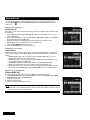
Reservation/Timer Setting
Refer to page 13.
Editing
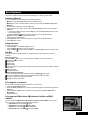
The HD6000T/NZ provides the ability to edit your recordings. You have the option to add
bookmarks and cut segments of a recording made by the receiver.
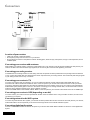
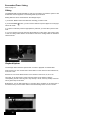
Editing features can be accessed from the Vantage Player:
1) Press the “Media” button and select the recording you want to edit.
2) Press the Zoom ( ) button, you will not see a small list of options appear on the top right
side of the screen.
3) To place a bookmark press the appropriate key wherever you would like to place a bookmark.
4) To cut a segment of the file press the appropriate key to start cutting, then press it again
to end the cutting. Please allow a few minutes for this as the Vantage needs to rebuild the
indexes and file.
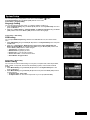
Playback Options
The Vantage offers numerous options when it comes to playback of recorded files.
Fast Forward: You can use the Fast Forward button on the remote to fast forward at 2x,
4x,8x,16x or 32x.
Rewind: You can use the Rewind button on the remote to rewind at 2x, 4x, 8x or 16x.
Time Skip: To use this function, simply press the number on the remote to skip the
corresponding amount of time. Eg The 1 key will skip 1 minute, the 9 key will skip 9 minutes.
This is great to skip an ad break.
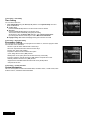
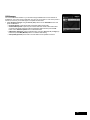
Bookmarking: You can add bookmarks to a recording which will allow you to easily jump to
the sections that you want to watch. Refer to the above editing section on how to do this.
19