1
User’s
Manual
Version 3.5.22
March 8, 2014
Introduction!
1
Chapter 1!
2
The main screen!
2
Adding a new patient!
2
Viewing a patient’s chart!
2
Basic patient information!
2
The main screen!
3
Displaying certain patients with the filter controls!
3
The patient list!
4
The enclosure/location list!
5
Adding a new patient!
6
Viewing the patient chart!
8
The Action Bar!
9
Changing the patient’s basic information!
11
The check boxes!
13
Chapter 2!
18
Making record entries!
18
Entering lab results, procedure reports and examinations!
18
Tracking the patient’s problem list!
18
Making medical record entries!
19
Individual entries!
19
Group entries!
21
Multiple enclosure entries!
22
Entering results of laboratory tests and examinations!
23
Physical exams!
24
Eye exams!
24
Biometric measurements!
25
Flight evaluations!
25
Feather checks!
26
CBC !
26
PCV/TS!
27
Serum chemistry!
27
Blood lead!
27
Fecal exams!
28
Cytologic exams!
28
Miscellaneous samples and tests!
28
Surgery reports!
30
Endoscopy reports!
30
Physical therapy!
31
Release/band use records!
31
Band report records!
33
Transfer records!
34
SOAPs!
35
Dose calculations!
35
Fluid calculations!
36
Enclosure logs and treatments!
37
Adding an enclosure log entry !
37
Recording aquarium maintenance!
39
Recording water quality tests!
39
Creating an enclosure feeding/treatment plan!
39
Viewing water quality data!
40
Problems!
41
Chapter 3!
43
Individual treatments!
43
Group treatments!
43
Printing treatment sheets!
43
Reminders!
43
Treatments!
44
Individual treatments!
44
Group treatments!
45
Printing treatment sheets!
46
Reminders!
48
Creating a reminder!
48
Viewing, editing and removing reminders!
48
Chapter 4!
50
The historical data viewer!
50
The reports!
50
Physical therapy report!
50
Last weights report!
50
Weight trends report!
50
The Site Map !
50
Year-end reports!
50
Other reports!
50
Historical data viewer!
51
Reports!
53
The Physical Therapy Report!
53
The Last Weights Report!
54
The Weight Trends Report!
54
The Site Map !
55
The Year-End Reports!
56
Monthly Report!
57
The Historical Patient Count Report!
57
Rehab Trends!
57
Enclosure Cleaning and Maintenance!
58
Resident Animal Summary!
58
Active Patients!
59
The Band Report Report!
59
Patient Table Viewer!
60
Patients Not Fed or Treated Today !
60
Patients Not Fed or Treated Yesterday!
61
View Last Record Entries!
61
Patients That Need Live Prey Test!
61
Ophtho Consult Waiting List!
61
Falconer Evaluation Waiting List!
61
Patients That Need Placement!
61
Missing Release Locations!
61
Imp Report!
61
Cope Report!
61
Cold-Intolerant Patients!
62
Orphans Ready for Transfer!
62
Waiting for Consult!
62
Patients in Hospital!
62
Patients > 90 Days!
62
Patients > 180 Days!
62
Sample Viewer!
63
Chapter 5!
64
Group operations!
64
Advanced search tool!
64
Query tool!
64
Address book!
64
Event planner!
64
Cost estimator!
64
Document repository !
64
Handler training log!
64
Transporter text messages!
64
Group operations!
65
Move!
65
Release!
65
Transfer!
66
Set patient info!
66
Add!
67
Automated paperwork!
67
Searches and queries!
69
The Advanced Search Tool!
69
The Query Tool!
69
The Address Book!
72
Types of entries!
73
Exporting to a Google Map !
74
The Event Planner!
75
Cost Estimator!
77
The Document Repository!
78
Handler training log!
78
Transporter text messages!
80
Chapter 6!
83
Miscellaneous functions!
83
Configuring the system!
83
Preferences!
83
List choices and locations/enclosures!
83
Drug dosages!
83
Treatments!
83
Species!
83
Users!
83
System maintenance!
83
Miscellaneous functions!
84
Finalizing a patient!
84
Delete last group entry !
85
Exporting releases to a Google Map !
85
Bandit integration!
85
Configuring your system!
87
Preferences!
87
List choices!
92
Users and user privileges!
95
Maintenance!
97
Increment ages!
97
Backing up the database!
97
Settings editor!
98
Medical record text template editor!
98
Medication editor!
100
Enclosure medication editor!
104
Licensing and system information!
106
Introduction
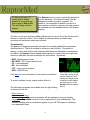
RaptorMed is a patient management software package originally designed for the
unique needs of birds of prey. It was created and developed by Dr. Dave Scott and the
staff at the Carolina Raptor Center in Charlotte, NC in 2009. It has since been expanded
to handle any type of wildlife patient.
It is very easy to use, requires very little in the way of computing resources and has a
very long list of useful functions and features that are designed to improve staff
efficiency and the quality of care. In addition, because there is powerful database
running behind-the-scenes, the data that is collected in the system is now completely
searchable. With RaptorMed, you can "go paperless" as there is no need for traditional
paper records anymore.
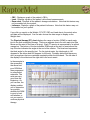
Here is just a short sample of the many things that RaptorMed does:
•
•
•
•
•
•
•
•
•
•
•
•
Track daily treatments and feedings
Schedule medications and procedures
Auto-calculate drug dosages
Track the exact location of every bird
Track each patient's problem list
Track weight and growth curves
Monitor physical therapy and feather check results
Store all imagery files and lab results
Generate all sorts of historical statistics
Estimate the cost of care for a patient
Produce all federal and state reports automatically
Produce Bandit reports automatically
1
Chapter 1
The main screen
Adding a new patient
Viewing a patient’s chart
Basic patient information
2
The main screen
Besides the main menu, the main screen is divided into three areas:
• The filter controls that determine
which patients are displayed in
the patient list
• The patient list
• The enclosure/location list
Filter controls
Patient list
Displaying certain patients with
the filter controls
The filter bar allows the patient list
to be filtered by various attributes
including:
Enclosure list
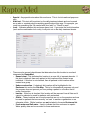
• Patient id - If this is entered, all
other attributes are ignored and
only the specified patient will be listed.
• Species group (if enabled) - Species groups are user-defined and can be, for
example, avian, avian:raptor, avian:songbird, mammal, mammal:rodent, etc.
• Species
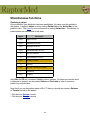
The patient status codes are:
• Status/Disposition
DOA - dead on arrival
• Admission date or Final date - You can
EOA - euthanized on arrival
select All, Today, or specify the number of
D24 - died in the first 24 hours
days in the past.
E24 - euthanized in the first 24 hours
• Location - You can choose to view animals
D - died after 24 hours
in only one specific location all all location.
E - euthanized after 24 hours
• Active patient status - You can choose to
Reh - currently in rehab
view only active and/or inactive patients. An
R - released
active patient is defined as one that has the
PR - permanent resident
Active patient checkbox checked and is
T - transferred
typically used to flag patients that are acutely ESC - escaped
injured and still in need of more hands-on
attention.
Once the desired attributes are entered, press the Search button and the patient list will
be filled appropriately.
3
For day-to-day use, it is
usually best to display
patients of all species and
status equal to Reh or PR.
This will display all active
patients.
The Refresh button is used to refresh the patient list
from the database. This should be used if certain
changes are made at another computer. For
instance, if a new patient is added or moved to a
new location on another computer, the data needs to
be refreshed from the database before it will display
properly.
The filter control area also has a Goto field that can be used to Scroll the Enclosure list
directly to a specific location. This is helpful in instances where you have many
enclosure are enclosures when many animals.
The patient list
The patient list displays all patients that match the currently applied filter parameters
described above. The list is sortable by clicking on each column. The patient id,
species, location and various other important data fields are displayed for each patient.
In addition, the Special column displays abbreviations for some of the more important
check box attributes that can be selected for each patient. Specifically,
•
•
•
•
•
•
RWF - Release where found
NOT RWF - NOT release where found
FS - Feed separately
NR - Non-releasable
LPT - Live prey test required
SWF - Staff will feed
Click here for more information on the check box attributes.
To access a patient record, simply double-click on it.
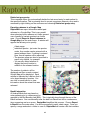
The following commands are available from by right-clicking
on an entry in this list:
•
•
•
•
Shift-right click on a patient
on the main screen to get
a quick “Snapshot” that
displays the weight profile
as well as the last weight
and date and any of the
Special attributes listed to
the left.
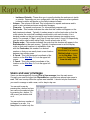
Edit treatments
Add new record entry
Show reminders - All upcoming reminders will be displayed in a popup window.
Paperwork - RaptorMed can do all sorts of paperwork for you automatically. This
includes sending various notifications species to your US FWS agent or creating a
non-releasability letter.
4
• Delete this patient - Although this should not need to be done often, this command
allows you to remove a patient from the system. This is typically only needed if a
patient was added accidentally.
• Assign to team (if Teams are enabled on your system)
• Show species info page - An informational page on the web will be displayed for this
patient’s species. Note that these information pages need to be configured for each
species. See Species for more information.
• Goto location - this will automatically scroll the Enclosure list the location that currently
contains this animal.
The enclosure/location list
The cage\location list displays each enclosure or location. Each patient is displayed
below the appropriate location. Empty locations are highlighted in blue and cages under
construction in red. To access a patient record, simply double-click on it.
The following commands are available from by right-clicking on an entry in this list:
• Record group treatment
General Workflow
• Delete last group entry - This command will delete
the last entry made for each patient in the
-------------------------------specified enclosure. This can be used in case a
1. Add a patient
group entry was made incorrectly or accidentally.
2. Setup treatment plan
3. Print treatments sheets
• Edit group treatment
4. Do your treatments
• Show weight trends
5. Record your treatments
• Add reminder
6. And start all over again
• Cleaning and watering - This command allows
you to record various cleaning/maintenance
actions for location/enclosure. This data is
displayed on the Enclosure cleaning and maintenance report.
• Edit cage/location properties
• Cage summary - This report concisely summarizes all patients in the specified
enclosure. It includes the patient’s id, band information, species, age, days in rehab,
and whether the patient is marked as Release Where Found. It also includes a list of
the problems. This report can be printed and is handy when going to a specific
enclosure to evaluate animals for release.
• Group operations
• Assign to team (if Teams are enabled on your system)
5
Adding a new patient
To add a new patient, select Edit ▶ Add new
patient from the main menu.
The New patient form appears. Note that the next
patient Id is automatically selected. You should
almost never have a need to change this id.
Note that it is important that
two patients are not entered
at the same time as they will
end up with the same id
number.
The Admission date and
Species are mandatory.
The species can be
chosen from the
abbreviation list or you can
press Lookup link to
choose the species by
their common names.
All other fields are optional
but it is important to enter
as much information as is
available as some of it is
required on various state
and federal reports. There
are fields to enter
information about where
and when the patient was
found. In addition, you can
enter information (the
Presented by fields)
about where this patient
may have been transferred
from (another rehab
organization, for example).
Information for either address (where found and presented by) can
be retrieved from the Address Book by
pressing this button.
Click here to
pull the lat/lon
from the
RaptorMed
Google Map
Click here for more information on the Address Book. You can copy the contact
information from the Where found fields to/from the Presented by fields by pressing
the left and right arrow buttons.
6
You can specify the exact location for where the
patient was found by manually entering the
coordinates in the Lat/Lon fields. You can also pull
the exact coordinates from the RaptorMed Google
Map. To do this, load the Google Map into your
browser. Find the location on the map and left-click
on the location. Now, back in RaptorMed, press the
Google Map button and the coordinate fields will be
filled in automatically for you. Click here for more
information on the RaptorMed Google Map.
If configured properly, the
system will automatically fill in
the county and zip code when
you choose a city from the prefilled list or when you manually
type in a value. This applies to
all forms that allow you to enter
city as part of an address or
location.
A short History can be recorded as well as the
name of the person who helped transport the animal.
The cause of injury and information about any donation made at the time of the
admission can be recorded. The initials/name of the person admitting the animal can
also be entered. The actual time of day that the patient was admitted is automatically
stored and is displayed in the Patient Info window.
You can record information about any donations including the amount, type (check,
credit card, cash) and details such as the check or credit card number. Note that the
data in this field is NOT encrypted so you should not record the entire credit card
number here.
You can also record the name or initials of the person doing the admission, some short
details about when the animal was captured (i.e. “this morning”) and who transported
the animal to your facility.
If enabled on your system, you can also record information about how the animal was
collected. This is useful when collecting aquatic animals for an aquarium. Press the
Collection details link and a form will appear that allows you to specify random details
about the collection, the method used (i.e. dipnet, hook and line, etc) as well as the
depth and water temperature.
The Release where found check box can be selected to indicate that this patient is
supposed to be released where it was found or if the finders indicated interest in being
involved with the release.
When the Ok button is pressed, the new patient is added.
7
At this point, the patient is in the system, but the
following needs to be done in order to complete the
entry:
• The physical exam findings and problem list should be
entered.
• The patient’s location/enclosure must be specified.
• The treatment plan must be specified.
All active patients
must have a valid
location and
treatment plan
specified.
Viewing the patient chart
The patient chart is accessible by double-clicking on the patient in either the patient or
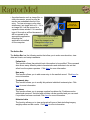
the enclosure/cage list. The chart is divided into three sections:
• The Patient Summary - This
section displays a patient overview
and includes things such as the
admission date, species, the age,
and the number of days in rehab. It
also shows the problem list, where
the patient was found and any other
special notes.
Summary
• The Action Bar - This section has a
series of links to various functions
that allow you to edit the patient’s
information or treatments as well as
manage the problem list, add
Action Bar
reminders and also to add new
record entries.
Record entries
• The Medical Record Entries - This
section has each record entry listed
with the most recent at the top. Each
entry includes the date and time it
was made, the initials of the person making the entry as well as the patient’s location
when the entry was made. Each entry also displays the patient’s weight, body
condition score and leftovers if specified, in addition to the actual text of the entry.
Note: the system can be configured to show only the last 12 months of entries, for
example. To see the entire set of entries if they are not already displayed, scroll to the
bottom of the chart and press the Display entire record link.
8
• Any attachments such as image files or
other documents, as well as any lab
results are embedded directly in the
entry. To view an image or any other
attachment, just single-click on it. If it is
an image file, it will be opened in a
separate viewer window. If it is another
type of file such as a Word document, it
will be opened in the
appropriate application,
Right click on an image to
assuming the
-----------------------------------application is installed
Export the image to a file
on the computer.
Change the image type
Delete the image
Shift left-click to
zoom on a
particular area.
The Action Bar
The Action Bar has the following entries that allow you to make record entries, view
data and charts, and setup treatments.
Patient info
This function allows the patient’s basic information to be modified. This command
also allows many different patient characteristics and attributes to be set that
affect how the system operates. Click here for more information.
New entry
This function allows you to add a new entry to the medical record. Click here for
more information.
Treatment plan
This function allows you to modify this patients individual treatment plan. Click
here for more information.
Problems
This function allows you to manage a patient’s problem list. Problems can be
added and removed. An initial and end date can be specified and you can mark
if a problem has been resolved. Click here for more information.
Historical data
The function allows you to view and graph all types of data including imagery,
weight profiles and lab results. Click here for more information.
9
Finder/Collection info
You can view/edit the information about where this patient found or collected by
clicking this link. A form similar to the New patient form will appear with fields for
entering information about where the patient was found and any facility where it
may have been transferred from.
Add reminder
This function allows you to set reminders for this patient. Click here for more
information.
View reminders
This function allows you to view all existing reminders for this patient. Click here
for more information.
Samples
This function allows you to view all samples stored for this patient. Click here for
more information.
Export
This function allows you to export a patient’s record to a file that can be viewed at
a later date or emailed as an attachment. The exported file will include all entries
and lab results. It does not, however, include any of the chart’s images. These
need to be exported separately. When you press the Export link, you will be
prompted for a folder in which to save the file.
Cost estimator
This function creates a cost estimate that summarizes the care that this patient
has received. Click here for more information.
Search
This function allows you to search for any word or phrase in the entire chart.
After entering the search text, any matching text will be highlighted in the record
and it will be highly visible when you scroll down in the chart.
Print cage card
This function allows you print a card suitable for hanging on the patient’s kennel
or enclosure. .
10
Changing the patient’s basic information
Basic patient information such as species, sex, age, and a whole range of other
attributes can be viewed and changed by clicking on the Patient info link in the Action
Bar on the patient’s chart. The most commonly made changes that are made here
involve the patient’s location and status (i.e. In Rehab, Released, Died, etc).
The following fields are on this
form:
• Id - This number is
automatically assigned by
the system and should rarely
or never need to be
changed.
• Name - This field is primarily
used for resident animals
that may have a name.
• Species - The species is
indicated by an abbreviation.
For birds, the 4-letter
abbreviations specified by
the USGS Bird Banding Lab
(BBL) are typically used, although, this is not absolutely required. For non-avian
patients, you can used any scheme that works for you. Many facilities use the genus/
species as the basis of the abbreviation. For example, the opossum is Didelphis
virginiana and its abbreviation could be DIVI. Another option is to create easily
recognized abbreviations for a species so the opossum could be OPOS. Any
abbreviation can be used as long as two species do not have the same abbreviation.
The species abbreviations are defined in the Species Editor.
• Morph - Any color morphology or subspecies information. This is useful for species
such as screech owls that have different feather colors.
• Age In - The age on admission.
• Age - The current age. This age should be updated as necessary. For example, all
birds traditionally gain a year of age on Jan 1.
• Sex - Male, female or Unknown.
11
• Admission date - The date of
admission
• Final date - The date when the
patient is finalized (i.e. release,
died, euthanized, etc.).
The format for all date fields is: ccyy-mmdd. For example, July 12, 2012 would be
2012-07-12
You can always double-click in any date
field to bring up a calendar date picker.
• Status - The current patient status. The basic choices are described in in
• this table. There may be additional status codes that are specific to your installation.
• Location - The patient’s current location. It is very important that this be kept up-todate.
• Band/color/unique characteristic - Any characteristics that uniquely identify this
patient. This is useful to tell this animal apart when in a group. It can be an ID band
number, an ear tag number, an ink pen color mark, or even an unique behavioral trait.
• Expected release date - The date you expect this patient to be ready for release.
This is used in the Event Planner to plan release events.
• Team - The team that this patient is assigned to. This feature may not be enabled on
your system.
• Summer/year-round weight - The ideal weight (in grams) for this patient. This value
is used for the summer or year-round if a winter weight is not also specified.
• Winter weight - The ideal weight (in grams) during the winter months.
• Husbandry notes - Any unique husbandry related notes for this patient.
• Away from/to - Dates during which this patient will be away from the facility. This is
primarily used for resident animals that are out on programs. In these cases, feeding
instructions for these patients will not be printed out on the daily treatment sheets.
These dates are ignored unless the Away/offsite checkbox is checked (see below).
• Training level - Used for resident animals that are trained or worked by handlers.
Each patient can be assigned a training level. This setting is used in the Handler
Training Log which allows you to keep track of which handlers have been trained on
12
which animals. The training level ranges from Beginner to Master. If you leave this
field blank, then this animal will not be included in the Handler training function.
• Keywords - Each patient can have keywords assigned to them for easy retrieval at a
later date. For example, a patient that is part of specific treatment trial can be tagged
with a special keyword. You can enter any random text or press the + button and
choose from a pre-defined list of keywords. Any number of keywords can be added
and should be separated with commas. A quick search for patients based on many
characteristics including keyword can be quickly performed using the Advanced
Search Tool.
• Notes - This field is used to store any
information that you want to keep
readily available. This information is
displayed at the top of the patient’s
record in the Summary area and
printed on the daily treatment sheets.
Status
• Release event - You can use this
field to store information about an
upcoming release event that this
patient is scheduled for. You can
manually enter information here but
this field is typically filled in
automatically by the Event Planner.
Description
DOA
dead on arrival
EOA
euthanized on arrival
D24
died within 24 hours
E24
euthanized within 24 hours
D
died after 24 hours
E
euthanized after 24 hours
Reh
R
currently in rehab
released
• Age and sex-related
PR
currently a permanent resident
characteristics - This field can store
information about any characteristics
T
transferred
that help identify the age or sex of
ESC
escaped
this patient. For example, “adult
plumage, dark brown iris” might be
entered for an adult hawk. This information is displayed later when creating a
Release/Banding Record as it helps fill the age and sex fields on that form correctly.
The check boxes
There are also a whole list of check box choices that can be made. When checked, a
short description of each is displayed at the top of the patient’s record in the Summary
area and printed on the daily treatment sheets. The options are summarized in the
following table. The entries marked with a * are for informational purposes only and do
not affect the behavior of the program. Note that the check boxes are arranged in a few
groups such as Alerts, Resident animals, etc. These groupings are merely
13
organizational and are for clarity. They do not indicate that only resident animals, for
example, can use the check boxes in the Resident animal section.
name
description
Critical*
This patient is critical.
Easily stressed*
This patient is easily stressed.
Bleeding tendency*
The patient has had a bleeding tendency on previous blood collections.
All meds PO
Used for patients that are not yet self-feeding. Used to ensure that all
meds are given manually. Birds with this option selected will
automatically be marked as a GRABBER on the daily treatment sheets.
Carry and weigh in box*
This patient should be carried and weighed in a box. Typically used for
young patients/orphans that are delicate and should be handled as little
as possible.
Anesthetic risk*
This patient has had anesthesia problems in the past.
Do not band*
This patient has had issues with id bands on its ankle in the past. This is
a reminder to not replace a band while in rehab or prior to release.
Food aggressive*
This patient is food aggressive and can be dangerous when feeding.
No water*
This patient should not be given water for some reason such as a foot
bandage.
Body grab only*
This patient should not be grabbed by the legs. Typically used for longlegged avian species or a patient that should not be grabbed by the legs.
Don’t grab left leg*
This patient has an injury to the left leg.
Don’t grab right leg*
This patient has an injury to the right leg.
Escape artist*
This patient has a tendency to escape so be careful when entering its
enclosure.
Undergoing PT
This patient is currently undergoing physical therapy. Selecting this
option will place this patient on the Physical Therapy Report.
Contagious*
This patient is potentially contagious.
Easily imprintable*
This patient is easily imprintable. Useful for young vultures or any other
easily imprintable species.
Long term feeder
Exclude from web page
This patient’s chart should not be displayed on the RaptorMed web page.
14
name
description
Neonate/orphan
This patient is a neonate/orphan. Depending on how your system was
configured, this may be used to determine where this patient prints on the
daily treatment sheets. This setting is also used to include patients on the
Orphans ready for transfer report.
180 days reported
This patient has been in rehab over 180 days and this status has been
reported to appropriate authorities. This checkbox can be checked
manually but it is also set automatically by the Greater than 180 days
report.
Active patient
This checkbox can be used to indicate if this is an active patient and not
one that is in the final stages of rehab. This checkbox can be used in the
Active patients report ( Reports ▶ Active patients ) and in the active/
inactive patient filter on the main window.
Feed/treat separately
This option is used to indicate animals in a group are to be treated/fed
separately. Typically, patients that are housed individually are treated
individually using their individual treatment plan. Likewise, patients in a
group are treated as a group and use a Group Treatment. By checking
this box, this behavior can be overridden such that all patients in a group
will use their individual treatment plans. This is useful when there are
patients that are housed in a group but that require individual treatments.
Note: this actual effect of this check box depends on your configuration.
In some cases, this check box is ignored and in some cases, it is only
active if ALL patients in a specific location have the check box checked.
Away/offsite
This patient is away or offsite. If checked, the Away From/To dates are
used to determine if an entry for this patient should be printed out on the
daily treatment sheets.
Staff will feed
These animals are to be fed by special staff and will appear on a special
“Staff will feed” treatment sheet. This option may not be used in your
configuration.
In rehab
This is used to indicate that a resident animal is sick/injured and should
be temporarily treated by the rehab staff. Typically, treatments for resident
and rehab animal are printed out on separate sheets. This allows this
behavior to be modified. Note that that actual behavior depends on how
your installation was configured.
Geriatric*
This is an old patient. Of course, this distinction is subjective and depends
on the individual and the species.
Needs cope
This avian patient needs to have its beak coped. It will appear on the
Cope report.
15
name
description
Non-native
This patient is not a native species. This setting can be automatically
configured for each species using the Species Editor. These patients are
typically ignored when generating year-end report for each state and for
the USFWS.
Cold-intolerant
This patient is cold-intolerant. It will appear on the Cold-intolerant
patients report.
Needs imp
This avian patient needs to have its feathers imped and it will appear on
the Imp report.
Waiting for molt*
This bird’s feathers are damaged badly and cannot be imped. It will likely
be a long-term patient while it waits to molt new feathers.
Needs molt chamber*
This bird’s feathers a damaged badly and cannot be imped. Checking
this option puts in on the waiting list for a molt-chamber, if available.
Release where found*
This patient should be released where it was found. This may be because
the finder/public requested it be returned when ready for release or
because it is in the best interest of the patient.
Finder present at release
This indicates that the finder would like to be present at the release.
Do NOT release where
found
This patient should NOT be released where found. This is typically for
cases where the patient was injured intentionally (i.e. gunshot). This flag
will be set automatically when you select one the illegal causes of injury
(click here for more information).
Has placement
This patient is non-releaseable but permanent placement has been found.
These patients will not be shown on the Patients that need placement
report.
NR
This patient is non-releaseable and permanent placement has not been
found. These patients will be shown on the Patients that need
placement report.
NR on arrival
This patient was non-releasable on arrival. Typically this option is
selected along with the NR option. If selected, this patient will be
excluded from any release rate calculations made by RaptorMed. This
option is used for patients that are clearly non-releasable on arrival but
are either unique or rare and are worth keeping for placement.
Release approved*
This patient has been approved for release. This may also be referred to
as Transfer approved when the patients are orphans that have been
approved for transfer to another facility to complete the rehab process.
Needs live prey test
This patient needs a live prey test prior to release. It will be shown on the
Patients that need live prey test report.
16
name
description
Does NOT need live prey
test
This patient does not need a live prey test prior to release. This can be
used for patients (i.e raptors) with eye damage. Typically, many of these
would need vision and/or live prey testing before release. This option can
be used for those patients that have eye damage but are deemed fit for
release without further testing. These patients will not be shown on the
Patients that need live prey test report.
Needs falconer eval
This raptor needs a falconer evaluation prior to release. These patients
will be shown on the Falconer eval waiting list report. This is typically
used for species such as peregrine falcons that may require special flight
training prior to release.
Needs ophtho consult
This patient needs a ophthalmogist’s evaluation prior to release. These
patients will be shown on the Ophtho consult waiting list report.
Band return
This patient has had a band report after release. It will appear on the
Band reports report. These patients typically will have a Band Report
record attached to there chart.
Treated with
chemotheapeutics
This animal has been treated with a chemical that makes it nonreleasable. This is typically used for fish in an aquarium setting. These
animals will appear on the Chemotherapeutic exposure report.
17
Chapter 2
Making record entries
Entering lab results, procedure reports and examinations
Tracking the patient’s problem list
18
Making medical record entries
Medical record entries can be made for an individual patient, for all patients in the same
enclosure (click here), or for multiple enclosures all at once (click here). Which method
you use depends on whether the patient is being treated individually or as part of a
group.
Individual entries
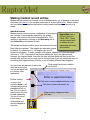
Medical record entries can be a combination of hand-typed,
text, text that is automatically inserted by the system,
images, and results of lab tests or examinations. This
function is accessed by clicking on the New entry link in
the Action Bar on the patient’s chart.
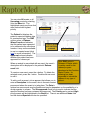
RaptorMed uses a
24 hour clock so 1
PM is 1300. Times
can be entered with
or without a colon
separating the hours
and minutes.
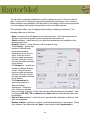
The weight and body condition score are entered at the top.
Both fields are optional. The weights are entered in grams
by default. If configured for it, the weights can also be
entered in kilograms. To enter a weight in kilograms, append a “k” after the weight
value as in “1.2k”. The initials of the person making the entry, the date and time,
however, are required fields. Note that the date and time fields are filled in with the
present date and time so you may need to change these if you are making an entry for
something that happened early that day or on an entirely different day altogether.
Enter weight and body condition
score here
You can enter any amount of text in the
main text area or you
can cut and paste text
in from any other
1
application.
Enter or paste text here
Double-clicking
on any of the
entries in Area 1, will
automatically insert a
predefined block of
text. This is useful to
quickly enter text that
is used repeatedly.
The list of choices
in this area is
configurable and
can be changed at
any time.
Click here to insert predefined blocks of text
2
Click here to enter lab results, etc.
Drag and drop image and other
files here
19
You can have RaptorMed alert you if a
newly added weight varies by a specified
percentage from the previous weight.
Double-clicking on any of the entries in Area 2 allows you to enter lab results,
treatments and many types of other data. Click here for more information.
Double-clicking on the Record treatment item in Area 2 (the red
arrow in the picture) will automatically insert the patient’s complete
treatment plan into the record. This includes everything that was
specified in the treatment plan as well as drug concentrations and
amounts. All you have to do is modify it to match what was actually
done. This allows you to make a very accurate and complete entry
in almost no time at all.
Any file can also be dragged onto the form and added as an attachment. For image
files, the JPEG file type is recommended. Other file types, such as Word or Excel files
or other image file types can also be dragged and dropped onto the medical record.
When you drag and drop and image
file, the Image import
window appears. This
Image
allows you to choose the
dimensions
image type. Here are
some possible choices:
• Radiograph - the
default choice
• Zoomed radiograph
• Endoscopic image
• ID photo
• Microscopic image
• Photograph
• Scanned document
Resize by
percentage
or specify
the width in
pixels
Flip horizontally or
vertically or rotate 90
clockwise
When a image is marked as a Radiograph, it will be used by the
20
Left-click and drag
mouse with shift key
pressed to crop the
image
Cost Estimator when calculating the total cost. For this reason, make sure you set the
image type correctly. Otherwise, the cost estimate will be inaccurate. It is not
uncommon to save a zoomed or cropped version of a radiograph that focuses on an
area of interest. For these images, choose Zoomed radiograph for the image type so
these images will not counted by the Cost Estimator as another radiograph.
When you add an image, the Image import tool allows
you to resize, crop, rotate and flip the image. It is
recommended that images be resized before saving,
especially if taken with a modern digital camera since
those images tend to be quite large and have many more
pixels than are actually needed for a good-quality image.
A good recommendation is to crop and resize an image
to a width of about 1000 pixels. This still provides good
quality and saves storage space. When you drag and
drop the image, the dimensions of the image will be
displayed.
Do not resize
radiographs as you
usually want to
maintain the highest
image quality so that
you can zoom in on
small details later.
To resize the image, check the Resize image check box and then choose either By
percentage or By pixels. By pixels is usually more helpful. Then enter the desired
width (such as 1000 pixels). The image aspect ratio will be preserved.
You can flip and rotate the image as well by pressing the corresponding buttons. Finally,
you can crop the image by left-clicking and dragging a box on the image preview while
holding the Shift key down. Once you have the image way you want it, press the Ok
button. If you made a change that you don’t like, simple press the Cancel button and
start over.
Group entries
To make an entry for all animals in a specific enclosure, right click on the enclosure in
the Enclosure list on the main screen and choose Record group entry from the popup
menu. A form as is shown here will appear. It displays what the currently proposed
treatment is. You may simply modify the existing text or completely replace it if
necessary. Be sure to enter your initials and the correct date and time. After pressing
the Ok button, a separate and identical entry will be made in the chart of each of the
patients in this enclosure. Click here to see how to set up a group treatment.
Note: The proposed treatment is for each patient. So, as in the pictured example for
Cage 2, you should enter 100 grams (not 25) if you fed each of 4 patients 25 grams
apiece. Always remember to multiply the treatment food amounts by the number of
patients in the location. Otherwise the resulting entries made in the patients’ chart will
not be correct.
21
In addition, you can press the Insert patient list link and a list of each patient’s id,
band/tag, age and sex information will be inserted. This is helpful when you need to
record notes about each patient in an enclosure.
Multiple enclosure entries
To enter
treatments for
multiple
enclosures at
once, choose
Tools ▶ Multiple
cage entry from
the main menu. A
form will appear
that contains a
spreadsheet that
lists all the
enclosures that
have at least one
patient in them.
You can filter the list by Nocturnal or Diurnal and by Rehab or Resident. There are
columns that allow you to enter the initials of the person who did the treatment/feeding,
the actual treatment or food provided, the leftovers (if any) and the time that the
treatment occurred.
There is also a column for the weight that
can be filled in if the patient was weighed.
Obviously, it only makes sense to fill in the
weight if the enclosure has only one patient.
The Initials, Food, and Time columns must
all be filled in. If not, then the row in the
table will be ignored. This is convenient as
you may only want to record treatments for
some of the enclosures.
As a time-saver, you can right-click on a cell
in the Initials and Time column and choose
Fill down to copy the current cell’s value
down to the bottom of the column.
Once you have entered everything, press
the Save button and the records for each
22
Note: Multiple enclosure
entries are most useful for
simple cases. Entries for
more complicated cases
are best handled as
described above.
patient in each of the Locations in the table that you filled in will be updated.
Entering results of laboratory tests and examinations
Results for laboratory tests, examinations, surgery, transfers and a whole host of other
important records can be attached to a patient’s file by clicking on the appropriate links
listed vertically on the left side of the medical record entry form. Results for the
following lab tests, exams, procedures can be added to a patient’s record:
Examinations
• Physical exams
• Eye exams
• Biometric measurements
• Flight evaluations
• Feather checks
Laboratory tests
• CBC
• PCV/TS
• Serum chemistries
• Blood lead
• Fecal exams
• Cytologic exams
• Miscellaneous samples and tests
Procedures
• Surgery reports
• Endoscopy reports
• Physical therapy
Miscellaneous
• Release/band use reports
• Transfer reports
• Band reports
• SOAPs
• Dose calculations
• Fluid calculations
23
Physical exams
The physical exam form allows you
to make entries for any abnormal
finding. There are different
sections that cover all body areas
and systems. When you have
completed your entry, press the Ok
button and your entries will be
formatted and inserted into the
patient’s record. It is usually
recommended that you leave an
entry blank if the corresponding
area or system is normal.
Alternatively, you may want to
make an entry indicating that no
problem was found to make it clear
that the exam was complete
thoroughly. Note that the actual
entry fields on the form depend on the species group that the patient belongs to. In
addition, the fields are customizable so the fields that you see may differ from the
screenshot.
You can also specify the patient’s weight, body condition/keel score, age and sex
making entries in the appropriate fields at the top of the form.
Eye exams
The eye exam form allows you to record your observations and to color code each eye
to indicate the severity of the
damage. The color coding
scheme is very subjective, but
if used consistently, it can be
very effective in demonstrating
changes over time. The color
codes range from red
(completely blind) to bright
green (perfect vision). There
are fields to record the PLR
and menace response as well
as the results of a corneal
stain. The Notes fields are
used to record any other finding
including results of a fundic
exam.
24
Biometric measurements
Biometric measurements can be recorded
using this form. The actual measurements to
be recorded are based on the animal’s species
group. For example, you can record the
weight, wing chord, culmen length and hallux
length for a bird and you can record various
carapace measurements for a turtle.
Flight evaluations
Results of flight examinations can be
recorded and scored using a color code.
Scores for both the ability to fly and the
sound level can be recorded. The color
coding scheme is very subjective, but if
used consistently, it can be very effective in
demonstrating changes over time. The
color codes range from red (unable to fly or
very loud) to bright green (perfect/silent
flight).
25
Feather checks
Records of feather condition can be
recorded for the primary feathers and the
tail feathers. The form is oriented as if
the bird was laying on its back for the
exam. So the left side of the form is for
the right wing. Each feather state is
color-coded. Greens indicate better or
good feather quality while yellows,
oranges and reds indicate progressively
worse condition. The condition of a
specific feather can be recorded simply
by dragging a color from the color palette
to the appropriate feather.
drag &
drop
The feather colors default to gray/
unknown. You can set them all to dark green/Ok by pressing the Set all to Ok link.
CBC
Complete blood count results can be recorded and you can
also specify findings regarding hemoparasites, cell
morphology, and platelets. The percentages of each cell
type must total to 100%. It is important, although optional,
that you enter the corresponding PCV, if known, as the
actual white count will be adjusted up or down based on the
PCV. The following formula is used to calculate the WBC
count:
!
count = countobserved x PCV / 45
If the PCV is not supplied, then a correction is not made.
26
PCV/TS
The packed celled volume (PCV), buffy layer
and total solids (TS) can be recorded. The
units for PCV and buffy are % and g/dl for
TS. A subjective interpretation of the plasma
can also be recorded.
Serum chemistry
Blood chemistry results can be
recorded using this form. The
actual fields present depend on
whether the patient is a mammal or
avian/exotic. The source of the
results can also be chosen from a
configurable list.
Blood lead
Blood lead values can be recorded using this
form. The units (i.e. ug/dL or ppm) and the source
of the results can be selected from a configurable
list.
27
Fecal exams
Results of fecal exams can be recorded
with this form. The list of choices is
configurable. To select an entry, doubleclick on it in the Choices list and it will
be added to the Findings list. To
remove a selected choice, double-click
on it in the Findings list. If the exam
was negative, simply leave the Findings
list empty.
Cytologic exams
Cytologic exam results can be
recorded using this form. The
list of Stains is configurable.
There are fields to enter the
Location of the sample, your
Findings and the Diagnosis.
Miscellaneous samples and tests
Samples and test results that do not
fit into one of the above mentioned
pre-defined categories can also be
recorded in RaptorMed. After
double-clicking on the Samples &
tests choice, a list of current samples
will be displayed. You can add a new
one by pressing the + button or
removed the selected one by
28
pressing the - button. You can edit the selected
sample by double-clicking on it.
When you add or edit a sample, you must select the
Sample type and Collection date. There is also an
optional Notes field. You can add a new test by
pressing the + button or remove the selected one by
pressing the - button. You can edit the selected test
by double-clicking on it.
Note: Samples can only be
added to existing medical
record entries. So, you
cannot create a new entry
then add a sample to it
before saving the entry
first.
The test result form allows you to specify
the Test, the Lab, the Submission
date, and any Results.
The sample form lists all tests run on that
sample.
29
Surgery reports
Surgical reports can be recorded
using this form. The actual
procedure performed is chosen
from the Procedure list. The list of
choices is configurable. The
Complexity field allows you to
specify if this was a Major or
Minor procedure and this choice
is used by the Cost Estimator
when calculating the patient’s total
cost. You can also record the
Total time and the actual
Surgical time. This is very useful
to track trends and gauge your
surgical skill over time. There are
also fields to record the
Anesthesia protocol, your
Monitoring methods, Premedications, Fluid therapy,
Antibiotics, and any Post-op
medications. Each of these fields is pre-filled with commonly-used text and this text
can be edited or replaced completely as needed. There is also a large edit field to
record the actual procedure.
Endoscopy reports
Endoscopic procedures can be recorded
using this form. There is a field to record
the location that was scoped (i.e.
trachea, air sac, etc), a field to record
the anesthetic protocol used, and a field
to actually record the procedure and
findings as well as a diagnosis if there
was one.
30
Physical therapy
Physical therapy sessions can be recorded with this
form. You can select which limb received the
therapy as well as the beginning and ending angles
for each of the major joints. This data is graphed in
the Physical therapy chart.
Release/band use records
Releases (with or without a
federal band or other
identification device such as an
ear tag) are recorded with this
form. The Id type list allows
you to choose the type of
identification device. There are
several options (including
“None”) to choose from. The Id
number field is used to store
the unique identification number
that is on the leg band or ear/
wing tab.
Click here to
load a location
from the
address book
If you choose “Leg band”, then
Click here to
pull the lat/lon
additional fields will be enabled
from the
that allow you to enter all the
RaptorMed
information that is required to
Google Map
be submitted to the USGS Bird
Banding Lab (BBL).
RaptorMed can then create a
file that can be imported
automatically by the BBL’s
Bandit Software to submit your
banding data. Click here for
more information on how
RaptorMed integrates with
Bandit. If your facility does not
federally band your avian patients on release or for non-avian patients, this form will be
simpler and will not have all the fields shown here.
31
If you do submit banding data to the BBL, it is very important that you make the correct
entries in this form or your data may not be accepted. This is especially important for
the How sex determined, How age determined, Id number, and Band size fields.
The Age-related notes field will contain any notations that you made in the Patient info
form, usually when the patient was first admitted. These notes can help to serve as a
reminder for how the age was determined. Select the type of tracking device in the
Tracker type list and enter any additional details in the Details field.
You can also enter information about any tracking devices that may have been attached
prior to release.
You should also enter the location where the release took place, including the latitude
and longitude, if known. If the animal was released at a known site in the Address
Book, you can import all the relevant information automatically by pressing the
Address Book button and selecting the appropriate site. Click here for more
information on the Address Book.
You can also pull the exact latitude and longitude coordinates from the RaptorMed
Google Map. To do this, load the Google Map into your browser. Find the location on
the map and left-click on the location. Now, back in RaptorMed, press the Google Map
button and the coordinate fields will be filled in automatically for you. Click here for more
information on the RaptorMed Google Map.
You can also record whether the release site was on public or private land.
32
Band report records
These records are used to record a
band report. That is, when a banded
animal is spotted or recovered in some
way after release. The Condition and
How found codes are usually stated
on the official band reports that you
will receive from the Bird Banding Lab.
If the report came directly from the
person who found the banded animal,
choose the most accurate codes for
the situation.
Click here to
pull the lat/lon
from the
RaptorMed
Google Map
In cases where the animal is
readmitted as a new patient, it is
important to attach the band report
record to the original patient’s chart,
not the new patient’s chart.
33
Transfer records
All transfers should be recorded with this
form. This is very important as this
information is required on the year-end
US Fish and Wildlife Service (USFWS)
report and may also be required on your
state reports. Animals are transferred for
several reasons including:
• For continued care with the hopes of
eventual release
• For permanent placement if nonreleasable
• Transferred live or dead for scientific/
education use
• For falconry or propagation programs
Click here to
load a
location from
the address
book
You must enter the information for the
recipient including the permit number. If
the animal was transferred at a facility in
the Address Book, you can import all the
relevant information automatically by
pressing the Address Book button and
selecting the appropriate facility. Click here for
more information on the Address Book.
The Reason choices are:
• Release
• Continued care
• E/S - educational/scientific study
• F/P - falconry/propagation
• Other
Note: When transferring a patient, the patient
status should be set to T and the Final date
should be set appropriately. Click here for
more information on finalizing a patient. The
one exception is when the patient is deceased
(with status of DOA, D, D24, EOA, E, or E24) and it is transferred dead for education or
scientific purposes. In this case, the status should be left unchanged and should not be
changed to T.
You can press the Save as default link to save the current choices. These will be used
as the default values the next time you create a Transfer record.
34
SOAPs
Clicking on the SOAPs item inserts a pre-formatted
block of text into the medical record that has a
SOAP entry for each unresolved problem (click
here for more on Problems). This simply provides
a shortcut so that you don’t have to type as much.
Note that use of this feature, and SOAPing in
general, is completely optional and may not be
necessary at your facility.
Dose calculations
This feature is used to
document how drug doses were
calculated. This is generally
only useful in an educational
setting (i.e. a vet school) where
students are required to show
their math. After clicking on the
Dose calc item, a form appears
that allows you to specify the
drug and the problem for which
the drug is meant to help. There
is also a field that is pre-filled
with the dose calculation
formula. The student must
edit the formula and enter the
actual numbers to show the
calculation. It is meant to be a manual process so that the student is forced to do the
calculation. The areas indicated by the arrows in the screenshot are to be replaced with
actual numbers.
35
Fluid calculations
This tool does quick fluid calculations for you.
After clicking on the Fluids item, the fluid
calculator window will appear. This form allows
you to select the dehydration level, how quickly
you want to replace the deficit and how often you
want to administer the fluids. It will then perform
the calculation and insert the corresponding fluid
therapy plan into the patient’s chart. Note that it
assumes a value of 50 ml/kg/day for
maintenance. If you have entered a weight in the
patient’s record, then it will be pre-filled in the Weight field. Otherwise, you have to
enter a weight manually.
36
Enclosure logs and treatments
Treatment plans for an entire enclosure can be setup and recorded in an enclosure log.
When an entry or treatment is recorded, a duplicate entry can also be made in the
individual chart for each animal in that location. This function is more versatile than the
standard Group treatment function described above and was designed for organizations
like aquariums that need may have complicated treatment and or feeding plans for their
various enclosures. In general, you should use either the enclosure records or the group
records as there is not much reason to use both simultaneously.
To access the enclosure log, right click on an location and select Enclosure log. The
enclosure log screen will be displayed. It has a Summary Area at the top that includes
various attributes and details for aquatic systems as well notations on when various
maintenance and cleaning functions were performed. There is an Action Bar below the
Summary Area that allows you to
• View/edit the
enclosure
properties
• Create a new log
entry
• Edit the treatment
plan
• View water quality
data (for aquatic
systems only)
• Add a reminder for
this location
• View reminders for
this location
Summary Area
Action Bar
Log Entries
The actual log entries are listed below the Action Bar with the most recent entry
displayed at the top.
Adding an enclosure log entry
To add a new log entry, press the New entry link. A form will appear that is very similar
to the one that is used to create a new individual patient record entry.
37
You can enter any amount of text in the main text area or you can cut and paste text in
from any other application.
Double-clicking on any of the entries in
Area 1, will automatically insert a
predefined block of text. This is useful to
quickly enter text that is used repeatedly.
The list of choices in this area is
configurable and can be changed at any
time.
Double-clicking on any of the entries in
Area 2 allows you to enter lab results,
treatments and many types of other
data. See below for more information.
Double-clicking on the Record treatment
item in Area 2 (the red arrow in the
picture) will automatically insert the
enclosure’s complete treatment plan into
the record. This includes everything that
was specified in the treatment plan as well
as drug concentrations and amounts. All
you have to do is modify it to match what
was actually done. This allows you to
make a very accurate and complete entry
in almost no time at all.
1
2
Enter or paste text here
Click here to insert predefined
blocks of text
Click here to
append a copy of
this entry in each
animal’s individual
chart.
Click here to enter water quality
test results, etc.
Drag and drop image and other
files here
Any file can also be dragged onto the form and added as an attachment. For image
files, the JPEG file type is recommended. Other file types, such as Word or Excel files
38
or other image file types can also be dragged and dropped onto the enclosure log. For
more information on importing image and document files, look here.
Recording aquarium maintenance
To record that an aquarium/system has
been cleaned or disinfected, double-click
on Cleaning/water change. A form will
appear that allows you to select what was
done (cleaned, disinfected, carbon
change, etc) and to specify the amount of
water changed as a percentage of the
entire volume. Enter the initials or name
of the person responsible for the work and
press Ok to append this the enclosure
log.
Recording water quality tests
To record a water quality test, double-click
on Water quality. A form will appear that
allows you to enter values for many different parameters. Press Ok to append this the
enclosure log. All the water quality data can be viewed and graphed as described
below. Note that this function is only available for aquatic enclosure (i.e. any enclosure
with the Fresh water or Salt water check boxes selected).
Creating an enclosure feeding/treatment plan
To setup a the feeding/treatment plan for an enclosure, press the Treatment plan link.
The Treatment plan form will appear that allows you to specify various types of food.
You can also setup and schedule various medication and chemical treatments for
aquatic systems. Finally, you can schedule various things such as water changes and
water chemistry tests.
39
Be sure to check the box
before any item on the tre
atment plan that you wish to
select. For the various
medications, you can select the
treatment form (if there is more
than one) and the frequency as
well as specific treatment dates
or an until date for medications
that are done daily. If properly
configured, RaptorMed will
automatically calculate the
dose based on the desired
dosage, the volume of the
system and the concentration/
form of the medication.
To specify a date, just doubleclick in any of the date fields
and a calendar will appear that allows you to choose a date.
Viewing water quality data
To view the water quality data for
an enclosure, press the Water
quality link. A window will appear
with two tabs. One tab displays
the data in tabular/spreadsheet
form. The other tab graphs the
data.
Note that this function is only
available for aquatic enclosure
(i.e. any enclosure with the Fresh
water or Salt water check boxes
selected).
40
Problems
You can maintain a problem list for each patient. This list is displayed on the patient’s
main chart in at the top in the Summary area. Problems can be added and removed.
An initial and end date can be
specified and you can mark if a
problem has been resolved. A
green check indicates that the
problem is resolved while a red x
indicates it is still an issue.
To add or edit problems, click on the Problems link in the Action Bar.
The current list of
problems is displayed to
the left. You can right-click
on an existing problem to
remove it, set the initial or
resolved dates or to switch
its status. When a
problem is marked as
resolved, the Resolved
date is automatically set to
the current date.
You can add a new
problem from a list of preconfigured problems by double-clicking on any of the entries in the list to the right. If
there is a problem not currently in the list that you would like to add, just enter it in the
edit field in the lower right and press the + button.
There are few problem choices that have special meanings:
• Toxin - Lead - Be sure to use this choice for all confirmed lead poisoning cases as
this information is used in optional Part E of the US FWS year-end report.
• Orphaned - Be sure to use this choice (and only this choice) for all healthy orphans as
healthy orphans are reported differently in the Bandit report report that goes to the US
Geologic Survey when reporting birds that are released with official federal bands.
41
Note: since this is a “normal” condition and not necessarily a true problem, these
entries are marked as “resolved” with a green check when added.
• orphan - For the Washington state year-end report, make sure that this word appears
in at least one problem associated with each orphan patient.
The system can be configured to treat various problems as “non-problems” and will
mark them as resolved with green check mark instead of a red X when added. This is
useful when you want to record various issues and conditions such as “Orphaned” that
really are not true problems. Please refer to the Technical Reference Manual for more
information.
You can also choose the cause of injury from a list of pre-configured choices. There are
a few choices (such as gunshot) that are considered illegal causes of injury by the US
Fish and Wildlife Service (USFWS). When one of those choices is selected, a
reminder will automatically be created to remind you to notify the USFWS. In addition,
the patient will be marked as “Do NOT release where found”.
The system can assist you in sending an automated update email to USFWS when
there is a patient admitted as a result of an illegal cause of injury. Click here for more
information.
42
Chapter 3
Individual treatments
Group treatments
Printing treatment sheets
Reminders
43
Treatments
You must specify a treatment for each patient. Each day, treatment sheets are printed
and the appropriate treatments are printed based on the date and the time of day. It is
not uncommon to print sheets multiple times a day as a patient may need different care
in the morning compared to at night. It is also very common
for a treatment plan to change during the day and for
All active patients
patients to be moved to a new location. A patient either has
must have a valid
an individual treatment or is part of a group treatment.
location and
treatment plan.
Individual treatments
All patients kept in an inclosure by itself will use its
individual treatment plan. This treatment plan is accessed
via the Treatments link in the Action Bar at the top of the patient chart.
The Treatment form appears and it has the following main categories:
• Food
Click on these
• Fluids
check boxes to
• Antibiotics, antifungals,
select a treatment.
etc
• Analgesics, NSAIDs, etc
• Eyes
• Ears
• Other meds
• Miscellaneous radiographs, blood
Click here to see the
collection, surgery,
actual dosages that
physical therapy,
the are programmed
bandage changes,
into the system.
clinician consults, etc.
Each section has many
different choices and these
choices are configurable
based on what your facility needs.
Therefore, your screen may differ in
appearance than what is shown here.
The dose is automatically
calculated for you.
The system knows
this patient’s weight
Set an Until
date here
Each choice has a check box that allows the treatment to be selected. In general, each
treatment may have a frequency list to allow you to select how often (i.e. SID, BID, TID,
etc.) the treatment needs to be done. There may also be options for setting specific
dates or for setting a date to continue the treatment until. Remember that you can
double-click in any date field to bring up a calendar date picker. If the treatment is for a
44
drug, the dosage will be automatically calculated for you if the patient’s weight has been
entered and if your formulary contains a dosage for this drug.
There is a special field
called Other. This field
is used to schedule a
BID keyword
treatment that isn’t
already built-in to the
system. After
checking this field’s
check box, you can enter random text describing the treatment. You can either enter a
specific date in the date field or you can put the SID, BID, TID keywords in the actual
text description to program a treatment that is to be performed at least once or more
times per day. The Requires grabbing is used to indicate if the patient needs to be
grabbed to perform this treatment.
Click the Show dosages link to view the dosages that are actually being used by the
system for this patient.
Group treatments
When a patient is part of a group of two or more animals, the treatment will be specified
by a group treatment plan. In these cases, the animals are usually on more of a
maintenance-type plan where individualized treatments are no longer required. To
create or edit a treatment plan for a group, right-click on the enclosure/location in the
Enclosure list on the main screen. Choose Edit group treatment from the popup
menu. Press the Yes button when prompted if you want to proceed. A window will
45
appear that allows you to enter the treatment plan
and to select the frequency (i.e. SID, BID, etc). Note
that the treatment plan that you enter is for EACH
animal in the enclosure. Press the Ok button when
complete. You can always go back and edit this
treatment plan later.
If an animal that is in a group needs a special
treatment, there are two ways to accomplish this:
1.
2.
Use a reminder. Reminders can be added for a patient to schedule a procedure or
treatment. They can be scheduled for a specific day or set to repeat daily until
turned off. Click here to see how to setup a reminder.
Mark the patient as “Feed separately”. This will tell
the system that, even though this patient is in a
Currently, if one patient
group, the patient’s individual treatment plan should
is marked as Feed
be used. Click here for more information about
separately, then all
setting this option.
patients in the
enclosure must also be
marked as such.
Printing treatment sheets
The treatment sheets that print out are designed to provide a clear and concise
synopsis of the patient and the treatment that has been planned for it. The actual
format of the sheets that are printed have been customized for your facility so they may
be different that what is shown in this example. The following areas and pieces of
information may be available on your sheets.
1.
2.
How often does this patient need to be treated each day?
Does the patient need to be grabbed in order to perform the treatment? The
system automatically determines this from the treatment plan. This is helpful as
you can utilize less experienced staff and personnel for the “non-grabbers” and use
your more experience people for the “grabbers”.
3. The patient id
4. The species
5. The age
6. The current location
7. Admission date
8. The problem list
9. Other important notations
10. Weight history
46
11. The treatments that are required
12. An area to jot down notes
13. Check boxes to indicate that the treatment is done. There is a checkbox to
indicate the treatment was prepped, one to indicate it was actually performed and
one to indicate if it was recorded in RaptorMed.
1
8
3
2
4
6
5
9
11
7
12
10
13
To
print treatment sheets, choose Tools ▶ Print treatment sheets from the main menu.
A window will appear that allows you to choose which sheets to print, if you want to print
for today or tomorrow and it also allows you to preview the printout before printing. The
actual appearance of your print selection form may vary as this feature is customized for
your facility.
Note that it is good practice to print sheets for the next day at the end of each day. This
insures that you will have your treatment sheets ready the next morning. You can never
predict when you may have a printer problem or power outage so it is strongly
encouraged that you print your sheets as part of your end-of-day procedure.
The Preview option is helpful in that you can
preview the treatments for tomorrow and this
helps you to get an idea of how busy the day will
be.
47
Reminders
RaptorMed allows for reminders to be added to the system. A reminder can be set for
an individual patient, for an enclosure or general purpose reminders can be added for
the facility as a whole. Each reminder will be printed on the daily treatment sheets on
the correct date.
Creating a reminder
To add a reminder for a patient, click the
Add reminder link in the Action Bar on
the patient’s chart.
To add a reminder for an enclosure,
right-click on the enclosure in the
Enclosure list on the main screen and
choose Add reminder.
To add a general purpose reminder,
choose Edit ▶ Add reminder from the
main menu.
Enter some text describing the task and
enter a date. You can choose Once if you only want one reminder or you can have the
reminder repeat any number of times by filling in the Repeat field and choosing an
interval in Days or Weekly or Monthly.
Most reminders are set for a specific date, but an autorepeating reminder can be created if the date field is left
blank. For this case, just leave the date field blank and
choose Once. This reminder will appear every day until it
is removed.
One good use for
Reminders is to
schedule special
treatments for patients
that are in a group.
You can also choose an optional Category for the
reminder and this allows reminders to be sorted in the Reminder Viewer. The category
can be anything and can indicate a type of task (e.g. rehab or maintenance), a person’s
name or anything else that allows you to group or organize your reminders.
Viewing, editing and removing reminders
To view reminders, choose Reports ▶ Reminder viewer from the main menu. A
window will appear that shows your reminders. You can filter what to view by choosing
All, Today, Upcoming or Tomorrow from the When list. You can also view reminders
for a single enclosure/location by selecting from the Where list and you can choose to
48
view only reminders of a certain category. Finally, you can view reminders for a single
animal by entering the patient id in Patient id field. After entering the id, press the
Rerun report button to refill the list.
To edit a reminder, just double-click on it. To view the chart for a patient, double-click on
the patient’s reminder with the SHIFT key held down.
You can select multiple reminders by left-clicking and shift-left clicking. You can then
edit, delete or push them all simultaneously by pressing the Edit, Delete or Push
buttons, respectively. If editing multiple reminders, you can only change the date and
category.
You can sort the reminders by clicking on any of the column headers and you can print
the currently displayed list of reminders by pressing the Print button.
You can also push a reminder to tomorrow by selecting it and pressing the Push to
tomorrow button. This is handy for those days where you could not get everything
done.
As a shortcut, you can view all reminders for a single patient by clicking the View
reminders link from the Action Bar in the patient’s chart.
49
Chapter 4
The historical data viewer
The reports
!
Physical therapy report
!
Last weights report
!
Weight trends report
!
The Site Map
!
Year-end reports
!
Other reports
50
Historical data viewer
Press the Historical data link in the Action Bar on the patient’s chart to view all sorts of
patient data. A window with the following tabs will appear:
• Weight - Displays a graph of the patient’s weight and body condition score.
• Feathers - Displays a view of all the patient’s feather checks. The most recent is at
the top.
• Imagery - Displays thumbnail views of all the patient’s imagery including photos and
radiographs. You can click on each image to display it in a larger view. Click here for
more information on viewing imagery.
• PT - Displays a graph of the patient’s physical therapy sessions.
• Eyes - Displays a view of all the patient’s eye exams. The most recent exam is at the
top.
• Flight - Displays a view of all the patient’s flight evaluations. The most recent
evaluation is at the top.
• PCV/TS/Buffy - Displays a graph of the patient’s PCV/TS/Buffy coat measurements.
51
• CBC - Displays a graph of the patient’s CBCs.
• Lead - Displays a graph of the patient’s blood lead measurements.
• Dose calcs - Displays all the patient’s dosage calculations. Note that this feature may
not be enabled on your system.
• Leftovers - Displays a graph of the patient’s leftovers. Note that this feature may not
be enabled on your system.
If you click on a point on the Weight, PCV/TP, CBC and Lead charts, the actual value
and date will be displayed. You can also choose the date range to display on the
Weight chart.
The Physical therapy (PT) chart displays the range of motion (ROM) for each major
joint in the limb undergoing therapy. There are separate charts for each each joint (the
elbow and the wrist in the case of a wing). Each PT session is represented by a vertical
orange bar. The bottom of the bar indicates ROM angle at the start of session and the
top of the bar indicates the angle at the end of the session. The blue band represents
the ideal angle for the specific joint. For the typical raptor, the ideal angle is 140
degrees for the elbow and 180 degrees for the wrist. A healthy bird should have very
short orange bars that are contained completely within the blue band. The left side of
the display is the oldest and the right side is the most recent.
In the example in
the screenshot,
the elbow had
poor ROM that
then progressed
to near-perfect
extension. The
wrist was very
good from the
beginning. As
you can see, the
display enables
you to determine
very quickly
whether the ROM
is good or bad
and whether or
not you need to
continue physical
therapy.
52
Reports
The Physical Therapy Report
This report allows you to review at-a-glance all patients that are currently undergoing
physical therapy (PT). A patient will be included in this report if it’s Undergoing PT
checkbox is checked. Click here for more information. The report shows the patient id,
the species, the current location, the last PT date, and the date of the next scheduled
PT session.
If a next PT is not scheduled, the box will be highlighted. For an individual patient,
physical therapy is scheduled on the patient’s individual treatment plan (click here for
more information). If the patient is part of a group, then future PT sessions must be
scheduled with a Reminder since patients in a group do not use there individual
treatment plan. In these cases, the Next PT column will say Reminders. Left click on
the Reminders text and the list of upcoming reminders will be displayed.
No upcoming PT has
been scheduled
This patient is in a group.
Left click here to see any
reminders.
53
The Last Weights Report
This report allows you to quickly determine
which patients have not been weighed
recently. Choose Reports ▶ Last
weights report from the main menu. You
can choose to view either patients
currently in rehab or resident animals.
You can also choose to view only those
patients that have not been weighed in a
specific number of days. The report
displays the patient id, name/band
information, the location, species, and the
last weight/date. It is a good idea to check
this report periodically to make sure a
patient doesn’t “slip through the cracks”.
The Weight Trends Report
Right-click on a location in the Location list and choose Show weight trends. This
command displays the weight trends for all patients in the enclosure. The patient’s id
number is displayed to the right of the trend line. The actual weight can be viewed by
clicking on any point. The overall trend is color-coded.
• Green means that the trend is generally increasing.
• Gray means that the trend is mostly flat.
• Red means that the trend is generally decreasing.
Note that recent changes are weighted more heavily than past changes.
54
You can select the number of days to display, you can filter the chart to only show lines
based on their color and you can also choose to display only juveniles or mixed ages.
The age filter currently only works for avian species whose current age is listed as L or
HY.
The Site Map
Choose Reports ▶ Site viewer from the main menu to view the Site Map. This shows
a graphical view of your facility with each enclosure indicated by a color code.
•
•
•
Red - under construction
Yellow - occupied by at least one patient
Green - empty
Click on each colored indicator to see a popup summary of the enclosure.
Shift-left click on any spot on the map to save the coordinates for later recall in the
Location Editor (click here).
Right click and choose Reload to have the map redrawn. This is useful if you make a
change to a location and want to see the changes reflected in the Site Map without
having to close it and re-open it.
55
Right click and choose Show feed
order to display the route specified by
each enclosure’s Feed order setting.
To hide the route, right click and
choose Hide feed order.
Click here for more information on
configuring locations and enclosures.
The feed order route
The Year-End Reports
Choose Reports ▶ Year-end reports from the main
menu to generate your year-end state and federal
reports. You can select either this year or last year
as well as the report you would like to run. The
following options apply to all reports:
• Include only avian species - the report will
include only avian species. Otherwise all types of
animal species will be included in the report.
• Use common species names - the reports will
use the common name instead of the species
abbreviation.
In addition, there are state-specific options that you can select. Once you choose the
reports to generate, press the Ok button. You will then be prompted for a folder to save
the reports to. The reports are created in an html format so you can view them in a web
browser by double-clicking on them. You can also send them as an attachment to an
email.
56
Monthly Report
This report displays the number of each
species admitted on a monthly basis and it
compares/displays the corresponding values
from the two previous years. You can select
the year and month and you can also choose
All for the month to see numbers for the
entire year.
This report can be printed or saved as an
html file.
The Historical Patient Count Report
This report displays a graph of the total
patient population (animals in rehab and
permanent residents) over time. You can
choose the time duration over which to display the data and you can see a tally of the
total patient-days per year for the last 5 years by pressing the Patient day counts link.
This report is very useful when forecasting as it clearly shows monthly and yearly trends
regarding your patient population.
Rehab Trends
This report tabulates and graphs various statistics over time. The following statistics are
calculated:
• Release rate (2 different ways)
• Releasability rate
• Euthanasia rate
• E24 rate
57
• Death rate
• D24 rate
• Days in rehab
The formulas used to calculate the various statistics are displayed in the upper right and
the actual data is displayed in a table in the upper left. You can choose the Start year
as well as which statistics to graph. In addition, you can choose an Interval of either 1
month or 6 months. This Interval is used to determine how many data points are
calculated to create a graph.
Enclosure Cleaning and Maintenance
This report displays when each enclosure was last cleaned and disinfected and when
the water was last changed. It can be used to schedule the next cleaning and to
prioritize which enclosure should be cleaned next.
Resident Animal Summary
This report creates a concise summary of all the current residents animals. The report
includes the animal’s name, id, species, location, sex, age, a list of the current problems
and any other annotations that were recorded in the patient’s Notes field (click here for
more information on the Notes field).
58
Active Patients
This report displays a list of all patients that are consider “active”. The report is
configurable to use one of two algorithms to determine which patients are active:
• Those with the Active patient checkbox checked.
• Or those with at least one unresolved problem.
You can double-click on any item to open the patient’s chart.
The Band Report Report
This report will produce a spreadsheet that summarizes each band report. It includes
information about the patient as well as the time elapsed and distance traveled between
the initial release and the subsequent report. You can sort the spreadsheet by clicking
on each column and you can export the data to the clipboard to paste into another
program like Excel by clicking the Copy data to clipboard link.
You can also export the reports to a Google Map by pressing the Export to Google
map link. A new map will open that shows each report connected by a line to the
preceding release. You can click on each balloon to get details about each report.
59
Patient Table Viewer
This report lists all patients in a tabular format. You can select a year and you can sort
the entries by clicking on any column heading.
Patients Not Fed or Treated Today
This report lists all patients (in rehab or permanent resident) that have not had an entry
made in their chart today. It is a good idea to run this report at the end of each day to
catch any patients that may have been accidentally forgotten.
60
Patients Not Fed or Treated Yesterday
This report lists all patients (in rehab or permanent resident) that did not have an entry
made in their chart yesterday.
View Last Record Entries
This report lists the last entry made today for each patient. You can select either
Rehab or Permanent resident and either Diurnal or Nocturnal. This report is useful
as an end-of-day check to make sure each patient has received the proper treatment or
food.
Patients That Need Live Prey Test
This report lists all patients in rehab that have their Needs live prey test checkbox
checked. Click here for more information.
Ophtho Consult Waiting List
This report lists all patients (in rehab or permanent resident) that have their Needs
ophtho consult checkbox checked. Click here for more information.
Falconer Evaluation Waiting List
This report lists all patients in rehab that have their Needs falconer eval checkbox
checked. Click here for more information.
Patients That Need Placement
This report lists all patients in rehab that have their NR checkbox checked and their Has
placement checkbox not checked. Click here for more information.
Missing Release Locations
This report lists all patients that have been released but for which an actual latitude and
longitude have not been recorded in their Release record. Click here for more
information. This report is helpful for birds that have been released with a federal band
because the release location must be recorded and submitted with your banding
reports.
Imp Report
This report lists all patients (in rehab or permanent resident) that have their Needs imp
checkbox checked. Click here for more information.
Cope Report
This report lists all patients (in rehab or permanent resident) that have their Needs cope
checkbox checked. Click here for more information.
61
Cold-Intolerant Patients
This report lists all patients (in rehab or permanent resident) that have their Cold
intolerant checkbox checked. Click here for more information.
Orphans Ready for Transfer
This report lists all patients in rehab that have their Neonate/orphan checkbox checked
and their Release approved checkbox checked and they have an expected release
date set. Click here for more information on the checkboxes and here for information on
setting the Expected Release Date. Basically, this lists all orphans that are ready to
transfer to another facility to finish the rehab process.
Waiting for Consult
This report lists all patients (in rehab or permanent resident) that have a specialist
consult scheduled in their individual treatment plan. Click here for more information.
Patients in Hospital
This report lists all patients (in rehab or permanent resident) that were in the clinic on a
specific date. You will be prompted for a specific date before the report runs.
Patients > 90 Days
This report lists all patients that have been in rehab over 90 days.
Patients > 180 Days
This report lists all patients that have been in rehab over 180 days. You can sort the
report by clicking on each column. You can have the report show all patients that are
within one month of 180 days by selecting the Show patients within 1 month...
checkbox. This allows you to request an rehab extension ahead of time.
To automatically create an email listing details of all patients currently displayed, press
the Send report email link. This will create an email that you can edit if needed and
send to the appropriate authorities. Each patient reported in the email will automatically
be marked as “reported”. That is, the 180 days reported checkbox will be checked.
See patient checkboxes for more information.
In addition, you can choose to see only those patients that have not been reported yet
by checking the Only show unreported patients checkbox.
62
Sample Viewer
This report lists samples that have been collected. Click here for more information on
samples. You can display only those samples whose results are still Pending or all
samples by making a choice from the Which list. You can also enter a specific Patient
id to view samples for just that patient. Double-click on any entry to open the patient’s
complete chart. Note: sample test results are considered Pending if the test results
field is blank.
63
Chapter 5
Group operations
Advanced search tool
Query tool
Address book
Event planner
Cost estimator
Document repository
Handler training log
Transporter text messages
64
Group operations
The group operations allow you to perform various functions on a whole group of
patients at the same time. They are accessed by choosing Tools ▶ Group operations
from the main menu or by right-clicking on a specific location in the Enclosure list on
the main screen. A form will appear that allows you to enter the id numbers of the
patients you want to work with. If you access the group operation functions by rightclicking on an enclosure, then the list of patients will be automatically filled with all the
patients in that enclosure. If you access the group operations from the main menu, then
you can enter specific id’s for the animals you want to work with. In either case, check
the boxes in the first column of the animals that you want to modify.
Groups of animals can be moved, released, transferred or added. In addition, you can
change the various properties of multiple animals in a group.
Move
After editing/modifying the patient list and entering your initials, choose the new location
to move the patients to and press the Ok button.
Release
After editing/modifying the patient list and entering your initials, press the Ok button.
The Release form will be displayed. Fill it out accordingly and press the Ok button.
Note that this form is simplified and does not include the band/tag fields since you
cannot specify a band or tag for multiple animals at once.
65
Transfer
After editing/modifying the patient list and entering your initials, press the Ok button.
The standard Transfer form will be displayed. Fill it out accordingly and press the Ok
button.
Set patient info
This function allows you to simultaneously set/modify several different properties for
multiple animals in a specific location. The following properties can be set:
• Band/tag
• AgeIn - choose from the list that will appear when you click in cell
• Age - choose from the list that will appear when you click in cell
• Sex - choose from the list that will appear when you click in cell
• Status - choose from the list that will appear when you click in cell
• Final date - enter in ccyy-mm-dd format. Note that this field must be filled in with a
valid date if you choose a Status that requires a Final date.
• Release approved - check the box for yes
• Expected release date - enter in ccyy-mm-dd format
• Neonate - check the box for yes
• Keywords - anything entered here will be appended to the patient’s current list of
keywords.
Note: in order to modify a patient, you must place check the box in the first column. To
leave a patient unchanged, clear the check box. Also note that the Patient id and
Species columns are for informational purposes only. They cannot be modified here.
You can right-click on a cell and choose Fill down to copy the cell’s value to all cells
below it.
After editing/modifying the patient list, press the Ok button.
66
Add
The Group Add function is slightly different than the
other group operations since a list of patients is not
presented. In this case, you must specify how many
patients you want to add, where they are going to be
located and whether they are neonates/orphans. You
can also specify a band/tag number if each animal is to
be identified the same way. Once you do this, the
normal Add patient form is presented. After filling out
that form, the specified number of new patients will be
created with sequential id numbers and they will
automatically be placed in the specified location.
Note that you still have to setup a treatment plan for these new patients.
Automated paperwork
RaptorMed can automate much of the routine paperwork that is required by the US
FWS. To access these functions, right click on the patient in the Patient List on the
main window and choose Paperwork. The following functions are automated:
• Send Special Species Admitted email - The USFWS must be notified when any of
the species of interest (such as eagles) are admitted into a rehabilitation facility. This
function automates the process. A form will be displayed with an email message prewritten to contain the specific information about the patient of interest. The email is
pre-addressed to your US FWS representative and is based on a template that you
can edit to suit your needs. You can edit the message if needed and press the Send
button to send the message.
• Send Illegal Cause of Injury email - The USFWS must be notified when a patient is
admitted as a result of illegal activity such as gunshot. This function automates the
process. A form will be displayed with an email message pre-written to contain the
specific information about the patient of interest. The email is pre-addressed to your
US FWS representative and is based on a template that you can edit to suit your
needs. You can edit the message if needed and press the Send button to send the
message.
• Send Status email - This function allows you to quickly send a patient status update
email. A form will be displayed with an email message pre-written to contain the
specific information about the patient of interest. The email is pre-addressed to the
address specified in the patient’s finder information. If no address was specified, then
you can manually enter an address. You can edit the message if needed and press
the Send button to send the message.
67
• Create Transfer Request - An official USFWS Transfer Request worksheet must
usually be submitted before a non-releasable animal can be transferred. This function
creates a worksheet for you based on a pre-installed template. You will be prompted
for a folder where the new worksheet will be saved. Once it is saved, you can doubleclick on it to open and edit it before submitting it to your USFWS agent.
• Write Non-Releasability Letter - A letter of non-releasability from a veterinarian is
often required before a non-releasable animal can be transferred. This letter is
typically addressed to the recipient from the veterinarian representing the organization
transferring the animal. This function creates a new letter for you based on a preinstalled template with the patient’s information plugged into it. You will be prompted
to choose an recipient from the Address Book. You can choose an existing entry
from the Address Book. If the recipient is not in the Address Book, then press the
Cancel button and the recipient area in the letter will be left blank for you to manually
edit. You will then be prompted for a folder where the new letter will be saved. Once it
is saved, you can double-click on it to open and edit it before sending it to the
recipient.
• Report Band - This function simply opens a web browser to the USGS Bird Banding
Lab Band Report web page.
• Print admission receipt - This function will print a receipt for the person delivering
the animal. It has details about the animal as well as any donation that may have
been given.
• Link to previous patient - This function is used to record a band report (when a new
patient is admitted that was previously released with a band or tag). After the new
patient is entered and it’s found location has been recorded (ideally including the exact
latitude and longitude), choose this command. The database will be searched for a
previous patient with the same band or tag. If one is found, the following will occur:
• A band report record will be created based on the found location of the new patient
it will be attached to the previous patient.
• The previous patient will be marked as a BAND_RETURN.
• A notation will be added to the new patient indicating the id number of the previous
patient.
These functions should have been configured and tested when the system was
installed. Please contact customer support if you encounter any problems.
68
Searches and queries
The Advanced Search Tool
This tool allows you to search for and find past patients based on a whole range of
parameters. You can specify many different parameters to narrow your search. Once
you have specified your search criteria, press the Search button. The results will be
displayed in the spreadsheet and the number of patients found will also be displayed.
Double-click on an entry to
open the patient’s full chart.
The following fields do NOT have to be an exact match: Finder name, Organization,
Keyword, and Problem. The results will be sorted by Patient id unless you specify a
different column name in the Sort by field. You can copy the results to the clipboard to
use in another program by clicking the Copy results to clipboard link.
The Query Tool
The query tool is a very powerful utility that allows you to pose very complex queries to
the database. It allows you to mine your data in ways never before possible and it can
create beautiful graphs with just a few mouse clicks. This tool is accessed by choosing
Tools ▶ Query tool from the main menu. Here are some example queries:
69
• Show me all red-tailed hawks that
were admitted in 2010 from Gaston
county, NC with an ulna fracture.
• What are the admission trends in bald
eagles since 1980?
• What was the outcome of all patients
treated with experimental drug X?
• How has our surgical time for
humerus fracture repairs improved
over time?
Type or paste a
query here. Or
drag and drop a
query file here.
The results are
displayed here.
Queries of this type require in-depth
knowledge of the internal database
structure. Because of this, you will
likely need assistance from customer
support. So, send us a question you
would like answered and we will create a custom query. This is simple file that you can
drag and drop onto this form.
You can also type or paste the query text into the edit field at the top of the form. After
you press the Run button, your results will display in the Results spreadsheet at the
bottom. You results can be copied to the clipboard and then pasted in Excel or any
other Windows application. To copy the results to the clipboard, Edit ▶ Copy results to
clipboard from the menu.
Queries can also be saved for later recall. Under the File menu, there are choices to
Open, Save, and Save as. You can also Delete or Rename the currently loaded query
by using the corresponding commands under the Edit menu.
Your data can be graphed using the Graph Wizard. Once you have run your query and
have your results listed in the Results spreadsheet, press the Graph button and the
Graph Wizard will appear. The wizard allows you to specify or select the following
attributes for your graph:
• The title
70
• The graph type (line, bar, scatter,
pie)
• The labels for each axis
• The starting value and increment
value for each axis. The increment
value determines how far apart the
horizontal and vertical lines are
spread.
• The number of points to include in
your graph. If you dataset has 50
points, you can choose to graph
just the first 25, for example.
• The line and bar thickness for line
and bar graphs, respectively.
• The symbol (square, x, circle, cross
or no symbol) and symbol size for
line and scatter graphs.
• You can also specify whether to fill
the area under the curve for line
graphs.
• Finally, you can select all sorts of
colors by double-clicking on each
square in the color palette. If you
hover your mouse over each
square, a tool tip will appear that tells you what the color is for.
After making your selections and changes to colors, etc, press the Redraw graph
button to see what your chart looks like. Once you are happy with its appearance,
press the Copy to clipboard button to save the chart to the Windows clipboard. You
can then paste it into another document like Word or Powerpoint.
Note: in order to use the Graph Wizard, the query must be
formulated such that the values for the X axis are in the first
column and the values for the Y axis are in the second
column. Please contact technical support for help.
If you have color scheme that you like you can save and recall it for later use. You can
select a color scheme by choosing it in the color scheme list. If you make changes, you
can save them by pressing the Save link or save them into a new color scheme by
pressing the Save as link. You can remove the currently selected color scheme by
pressing the Remove link.
71
The Address Book
The address book allows you to store contact information for all sorts of things like
people, places, suppliers, etc. To access the Address Book, choose Edit ▶ Address
Book from the main menu.
Data
obscured
for
privacy.
Data obscured for
privacy.
The Address Book viewer lists each contact. You can sort by any of the columns and
you can filter the list to show only certain types of contacts by choosing from the Type
list at the top. You can add a new contact by pressing the + button or remove the
selected one by pressing the - button. You can edit the selected contact by doubleclicking on it.
72
For configuring
the text message
Each entry has
function.
fields for:
• Contact
information
including
multiple phone
numbers.
Note that the
Cell provider
is only needed
Click here to
if you intend to
pull
the lat/lon
use the Text
from the
Messaging
RaptorMed
function.
Google Map.
• Permit
numbers
• A field that
allows you to
record if a certain contact is looking for specific non-releasable animals. If you enter
something here, this contact will be listed when you choose Looking for animals
from the filter in the Address Book list window shown above.
• Latitude and longitude - these must be filled in if you would like to plot this entry on a
Google Map (see below).
• The Availability field allows you to record when, for example, a Transporter-type
person is available to go out and rescue an animal. For example, you might enter
something like “M-F PM + weekends” or “Any day except Tuesday”.
• The Notes fields is for any random additional information that you would like to record
for this contact.
• The check boxes for AM/PM and Sun-Sat are used determine when it is all right to
send a Transporter-type person a text message. Click here for more information.
• Finally, there is a set of check boxes that define the contact Type.
Types of entries
The following contact types are possible. Note that more than one type can be
selected, so a person could be a rehabber and a transporter at the same time.
• Transporter - For people that can assist with rescuing and transporting injured
animals.
• Animal control - Animal control agencies. Usually government/county-run, but
not always.
• Rehabber - Other rehabilitation facilities or people that you work with.
73
• Falconer - Falconers. Sometimes useful for rehab or for rescuing birds
trapped in warehouses.
• Volunteer - Volunteers of your organization.
• Government agency - USFWS, state DNR, etc.
• Supplier - Suppliers for medications, food, etc.
• Handler/trainer - People in your organization that handle/train resident
animals. Only contacts with the check box checked will be included in the
Handler training log.
• Educator/museum - Educational facilities that you work with. Useful when you
need to place non-releasable animals.
• Zoo/aviary
• Staff - Staff members at your organization.
• Veterinarian - Veterinarians that you work with.
• Site/nature preserve - Actual locations that you use, potentially for release
sites. The Release form allows you to choose one of these entries so that the
location information does not have to be re-entered.
• Inactive - Used to mark this contact as inactive. This allows you to keep the
contact information in the Address Book without having to delete it completely.
Exporting to a Google Map
The entries in your Address Book can be
exported to a Google Map by choosing Report
▶ Export address book to Google map from
the main menu. A window will appear that
allows you to choose the types of Address
Book entries you want to export. Remember
that only entries with a valid latitude and
longitude can be exported.
Once you make your selections and press the
Ok button, you will be prompted for a folder to
save the Google Map to. An html file will be
created. You can then double-click on it to view it
in your browser. Each entry will have a colorkeyed balloon and you can click on each balloon
to get information about the entry.
74
It is very helpful to export
Transporters, Rehabbers and Animal
control agencies to the map. If you do
this, this map will be very helpful when
trying arrange for the capture and care
of an injured animal.
This map is also very useful as it will
store the latitude and longitude in the
Windows clipboard when you click on a
point. This location can then be
automatically imported by RaptorMed
and is helpful when:
• Recording a Release
• Sending a text message to transport
volunteers
• Recording Band Reports
• Creating new Address Book entries
The Event Planner
The Event Planner is accessed from the main menu under Tools ▶ Event planner.
This tool is great for fundraising as it helps coordinate events where you are planning to
release an animal. Basically, this tool allows you to create and schedule events and
match those events with animals that have upcoming expected release dates. The
Event Planner lists all events at the top and all animals with an Expected release date
that has been set are listed at the bottom. Remember, the Expected release date is
only a best guess as last minute changes or delays are not uncommon. Click here for
information on setting this date.
To use the tool, there are three steps that need to be followed:
1. Create an event.
2. Mark animals with an upcoming release dates. This is done in the Patient Info form.
3. Match an animal to an event.
75
You can view All events or all
Upcoming events by selecting
from the When list. The
highlighted events are those that
were marked with highest
priority.
Event list
The Patient list displays the
patient’s expected release date,
id, species and age. The RWF
column refers to Release
Where Found and indicates
that this patient was requested
to be released at the site where
found so it may not be available
to use in a special event (click
here for more information). The
Approved column indicates
whether this patient has been
approved for release yet.
Drag & drop
with shift key
pressed
When an animal is associated with an event, the event’s
description will be displayed in the patient’s Release
event field.
To create a new event, press the + button. To delete the
selected event, press the - button. Double-click an event
to edit it.
Patient list
Note: RAR refers to
Release-A-Raptor which
is catchy name for the
release program
developed at the Carolina
Raptor Center. Its
meaning has been
expanded to include the
release of any type of
patient.
To add or edit an event, a form appears that allows you to
enter a Description for the event, who is the main contact
person and where the event is to take place. The Date is
optional as some events may be flexible and may be dependent on the availability of a
certain species to release. The Site approved check box is used to indicate that the
specified location has been reviewed and approved. The Priority can be set and High
priority events will be highlighted in the Event list. There is an additional Notes field
and the desired Species can also be specified.
76
The First choice and Backup fields indicate
which animals are matched with this event. You
can simply enter the patient id of the desired
animals in the appropriate fields or, with the Shift
key pressed, drag and drop a choice from the
Patient list to the Event list. Be sure to drop the
choice in either the Primary or one of the two
Backup columns for the desired event in the
Event list.
Cost Estimator
The Cost Estimator function is a tool that
provides an estimate of the cost associated with
the treatment for a specific patient. It is
accessed by pressing the Cost
estimator link in the Action
Bar on the patient’s chart.
The estimator automatically
tallies the number of days in
rehab, as well as radiographs,
bloodwork and many other
tests and procedures.
Although usually unnecessary,
you can edit each line item if
The cost estimator report
necessary to change a
is very useful to show to
description, quantity or cost.
the public at release
There are also blank lines at
events. It provides a
the end that can be used to
detailed list of everything
add completely new items.
you did for that animal.
Once the spreadsheet
accurately reflects the desired
costs, press the Calc total
button to have the total
calculated. Note that any edits you make here will NOT be saved.
77
Press the Print button to create a report that summarizes the patient’s basic
information, problems, and all treatments and costs.
The Document Repository
This function is accessed by selecting Tools ▶ Document repository from the main
menu. The repository provides an easy-to-access location for various documents and
files of any type. Rather than storing them
in random folders on different computers,
they are all stored in one place, and can be
accessed from any computer that has
RaptorMed installed. In addition, these
files will be automatically
copied for safe-keeping when Drag and drop
the rest of the database is
your files here
backed up.
To add a file to the repository,
simply drag and drop it onto
the form. Or you can press the
+ button and browse to the file
when prompted. You will be prompted for a
description of the file and it will then be
added to the list. To view or edit a file
already in the repository, just double-click on it. To delete a file, select it and press the button.
Handler training log
RaptorMed can help you keep track of who is trained to work with various animals in
your resident population. To access this function, choose Edit ▶ Handler training log
from the main menu.
For each resident animal, you can specify a Training level. This level indicates how
much training a person needs to have in order to be certified or signed off to work
independently with the animal. The Training level can be one of the following:
Beginner, Intermediate, Advanced, or Master. Click here for more information on
setting the Training level.
The system can be configured so that a person needs a set number of check-offs in any
number of training categories. Once a person has completed the required number of
78
check-offs in each category, you can mark the person as certified on a particular
animal.
In the Handler training log, you can select the Handler and the animal they are training
on. Only people from the Address Book with the Handler check box checked will be
included in the list. Only animals with a Training level set will be included the list. Click
here for more information on the Training level.
The animals training level.
Each training record is
displayed here with the
initials of the trainer.
The categories are
configurable and there can
be any number of them.
When an animal is selected, the Training level and the
number of required check-offs will be displayed. When a
person is then selected, each training check-off will be
displayed. To add a new training entry for this person/
animal, press the Add entry button. A small window will
appear that allows you to specify the date, the initials of the
trainer and training category. Press Add to add a new entry.
You can add multiple entries and then press Done when you
are finished.
79
How many check-offs
are needed?
When all training is complete, add one more entry by choosing Certified for the
category. The display will change to show a green banner indicating that the person is
now certified on this animal.
The Certification entry
There are two reports that you can run:
• The Animal summary report lists all the Certified people for each animal.
• The Handler summary report lists the training history of each person for each
animal.
Transporter text messages
The function allows you to quickly and automatically send a text message to all
Transporter people in the Address Book which are within a specified radius of an
injured animal. To access this function, choose Tools ▶ Contact transporters from the
main menu.
To use this function:
1. Find the location of the injured animal on the Transporter Google Map. Click
here for information on creating the the map. This will store the location of the
injured animal in the Windows clipboard.
2. Choose Tools ▶ Contact transporters from the main menu. The text message
for will appear.
3. Press the globe button to copy the location you just stored from the map.
4. You can enter the city’s name. This will be inserted into the text message that will
be sent.
80
Choose the radius
Press here to copy the
animal’s location.
5.
6.
7.
Choose the desired Distance. This is the radius in miles that will be used to search
for transporters.
Press the Count transporters in radius link to see how many people are in the
desired radius. You can increase or decrease the Distance as needed. The list of
available people will be printed out for you to view. Note: contacts from the
Address Book will only be listed here if:
•
They have the Transporter checkbox checked.
•
They are within the desired distance/radius.
•
They have a Mobile phone number and Cell provider specified.
•
They have the Accept text message check box checked.
•
And finally, if the Availability check boxes for the time of day and day of
week match the current time of day. These check boxes allow you to
prevent somebody from receiving a text message at times of day where
they cannot accept them or do not want to be bothered.
When you have a reasonable list of transporters, press the Send button. A text
message will be sent to each person. The message is configurable and is
formatted when RaptorMed id installed but it generally says something like “There
is an injured animal in CITY. Can you help? If yes, please call...”.
81
You can also send a random text message to any
contact in the Address Book. Press the Send
single message link and the following form will
appear. Choose a recipient from the Send to list,
type in your subject and the message body and
press Ok. Note that only the contacts with text
messaging enabled in the Address Book will
appear in the Send to list.
82
Chapter 6
Miscellaneous functions
Configuring the system
!
Preferences
!
List choices and locations/enclosures
!
Drug dosages
!
Treatments
!
Species
Users
System maintenance
83
Miscellaneous functions
Finalizing a patient
Once a patient’s final disposition has been established, it’s status must be updated in
the system. A patient’s status is set by clicking Patient info in the Action Bar on the
patient’s chart. Click here for more information on setting Patient info. The choices for
patient status are summarized in this table.
Status
Description
DOA
dead on arrival
EOA
euthanized on arrival
D24
died within 24 hours
E24
euthanized within 24 hours
D
died after 24 hours
E
euthanized after 24 hours
Reh
R
PR
T
ESC
currently in rehab
released
currently a permanent resident
transferred
escaped
Only Reh and PR are considered “active” patient statuses. All others are inactive and it
is important to properly set the patient Status and Final date in order to remove a
patient from active status.
Note that if you set the patient status to R or T, then you should also create a Release
or Transfer record for the patient.
• Click here for Release records
• Click here for Transfer records
84
Delete last group entry
This command allows you automatically delete the last record entry for each patient in
the specified location. This is primarily used to correct a previous data entry error and is
accessed by right-clicking on the enclosure and choosing Delete last group entry.
Exporting releases to a Google Map
RaptorMed can export information about past
releases to a Google Map. This is very useful
when planning future releases as it helps prevent
over-crowding of certain species in a certain
area. Choose Report ▶ Export releases to
Google Map from the main menu. A window will
appear that allows you to specify:
• A date range
• Individual species - just enter the species
codes. Any number can be entered with a
space between them. If nothing is entered
here, then all species will be exported.
• The species group can also be specified to
export only reptiles, for example.
• You can also select whether to
display the found location in
addition to the release location.
The number of patients will be
displayed and then a newly created
Google Map will be displayed. Each
release is indicated by a balloon that is
color-keyed based on species. You
can click on each balloon to view
information about the animal that was
released.
Bandit integration
All federal bands that are placed on
avian patients prior to release must be
reported to the Bird Banding Lab (BBL). This is typically done through the use of the
Bandit software. You can manually enter the data into Bandit but this is cumbersome,
time-consuming and error prone. RaptorMed simplifies this process. Choose Report
▶ Bandit from the main menu. You will be prompted to enter a date range. Once you
specify a range and select a folder to save to, RaptorMed will create a file that contains
85
the required information on all the bands used in the specified date range. You can then
use the Import command in Bandit to load this data and submit it to the BBL.
86
Configuring your system
Preferences
Choose File ▶ Preferences from the main menu to set preferences and various other
settings. A window with several tabs will be displayed. Note that the actual tabs
displayed depend on the specific privileges of the RaptorMed user that you are logged
in as. Click here for more information on users and user privileges. In most cases, you
will need to press the Apply button before your changes will be activated. In some
cases, you may need to restart the program.
Appearance
This tab allows the colors of various areas in the program to be set. Double-click
on each color to choose from a color-picker.
•
•
•
•
•
•
Main window - This sets the color of the Patient list and the Enclosure list in
the main window.
Record entry background - This sets the color of the main text edit area in
the medical record entry form as well in other forms throughout the program.
Patient snapshot - This sets the color of the patient snapshot popup window.
Patient record accent - This sets the color of the accented areas in the main
patient record display.
You can also choose the font size that is used in the lists in the Main Window
and on most printouts. If you leave thse blank, then the default system font
will be used. As a point of reference, a font size of 18 is very large.
The default zoom level that is used when you preview the various printouts
before actually printing them.
87
Miscellaneous
This tab allows the following settings to be configured:
•
•
•
•
•
Patient of the week This determines which
patient will be showcased
on the RaptorMed web
page.
Ideal weight - Each
patient can have an ideal
weight specified for the
summer and/or winter.
See Patient info for
details. This weight is
displayed as an “ideal
weight band” on the
patient’s weight chart. This setting allows you to choose which weight will be
used for the weight band display. This setting should be updated based on
the season.
Show record entry timestamps - If this is checked, then the last date and
time that a record entry was updated will be displayed in the patient’s record.
Debug mode - For internal use only.
Use cage card printer - If this is checked, the dedicated cage card label
printer function is enabled.
Species
This list of species programmed into the system can be edited and modified on
this tab. To add a new species, press the + button. To edit an existing species,
double-click on it. To delete the selected
species, press the - button. Note that you
can select more than one species using
the shift and control left-click key
combinations. You can sort the list by
clicking on each column heading. Note
that N or D stands for Nocturnal or
Diurnal.
You remove any unused entries from the
list by pressing the Delete unused
species link.
88
When adding or editing a species, the following form appears. There are fields
for the Abbreviation, Common name, Scientific name, and you can specify
whether the species is Native or not and whether it is Diurnal or Nocturnal.
You can also specify whether this species is a Species of concern (i.e.
threatened or endangered) in your state or nationally. This is important because
the system will remind you to report species of concern when admitted. In
addition, you can specify if this is a Highly
Migratory Species (important when creating
HMS reports).
If enabled on your system, you can also specify
the entire taxonomy from Kingdom to Species.
For birds, the four-letter abbreviations specified
by the USGS Bird Banding Lab (BBL) are
typically used, although, this is not absolutely
required. For non-avian patients, you can used
any scheme that works for you. Many facilities
use the genus/species as the basis of the
abbreviation. For example, the opossum is
Didelphis virginiana and its abbreviation could
be DIVI. Another option is to create easily
recognized abbreviations for a species so the
opossum could be OPOS. Any abbreviation can
be used as long as two species do not have the
same abbreviation.
Click here to automatically
go to the USGS BBL page of
abbreviations.
You can specify an Information page/URL
as well. This page will be displayed when the
user right-clicks on a patient and chooses
Show species info page. Note that Wikipedia has a very good set of pages for
a wide range of species.
89
The Cost category is used by the Cost Estimator function and this setting helps
determine the per day cost for a patient of a particular species.
The Value field can be used to assign a monetary value to a specimen of this
species.
Treatments
The non-medication treatments that will
appear as options on the treatment sheets
are chosen on this tab. There are the
following general categories: Food, Fluids,
Eyes, Ears and Miscellaneous. You must
restart the program before any changes
made here will take effect.
Email
These settings are used to configure the
function that allows RaptorMed to
automatically sends emails for various
situations. Click here for details. These
settings are typically configured when the
system is installed and should not need to
be changed.
90
Network connection
Each RaptorMed workstation needs to
have access to a few shared folders on
the RaptorMed server machine. In most
instances, this access will be established
automatically by Windows when you log
onto your machine. In some cases, this
does not occur and this tab allows you to
manually configure access to these
folders.
Check the Separate network connection
required checkbox if this is necessary.
A drive letter must be specified for each of
the two shared folders to be accessed. The drive letters are separated by a
comma. For example: s,t would be an appropriate entry here.
Enter the Windows login username and password required to access these
folders. Your network administrator may need to provide this.
You will need to restart RaptorMed for the changes to take place. When
RaptorMed starts a command-prompt window will popup momentarily as the
connection to these folders is established. As a test, try to view any image for an
existing patient. If you can view an image, then you have configured this
properly. If the images for any patient do not appear, then you may have entered
the wrong username or password.
91
List choices
There are lists to choose from throughout the program. In
general, the choices in these lists are configurable. To edit
these choices, select Edit ▶ List choices from the main
menu. A window will appear that allows you to select the
category/list you want to edit. You can add a new entry by
pressing the + button. You can delete the selected choice
by pressing the - button and you can edit the selected choice
by double-clicking it. In addition, you can copy the selected
Location by pressing the Copy button (indicated by the
arrow in the screenshot). The following category/lists can be
edited:
•
•
•
•
•
•
•
•
•
•
•
•
•
•
•
•
•
Age - Used to specify the patient age on admission and
the current age.
Chemistry source - Used to specify the source of the results for blood chemstries.
City - Used to specify where a patient was found and for making entries in the
Address Book.
Clinicians for consult - Used to schedule a consult with a specific clinician on the
treatment sheet.
Collection method - The methods used to capture fish from the wild.
Collectiion vessel - The vessels/boats used to capture fish from the wild.
County - Used to specify where a patient was found and for making entries in the
Address Book.
Dosage units - The units used to specify a dose per kg. Used by the Medication
Editor when setting up a dosage for a liquid drug. The typical value is ml.
Ear medication type - These are the choices available when ordering ear
medications on the treatment sheet.
Eye antibiotic - These are the choices available when ordering ophthalmic
antibiotics on the treatment sheet.
Eye NSAIDs - These are the choices available when ordering ophthalmic NSAID
medications on the treatment sheet.
Fecal parasites - Used when recording results of fecal examinations.
Formula - These are the choices available when ordering formula on the treatment
sheet.
Image type - Used to specify the type of image when a new image is dragged and
dropped onto a patient’s chart.
Injury cause - Used to specify the cause of injury.
Keyword - Used to save special keywords in the patient’s chart. These can be used
to search for patient’s with special problems or that were treated with special
treatments.
Lab results source - Used to record the source (i.e. lab or instrument) that
generated the results of a specific sample test.
92
•
•
•
•
•
•
•
•
•
•
•
•
•
•
•
Lab test - Used to specify a lab test that was run on a sample.
Location - Used to configure each separate enclosure or cage for housing patients.
Patient skill level - Used to specify the skill level required to do a treatment on a
particular patient. This option may not be available in all installations.
Problem - Used to record the various problems and diagnoses.
Release id type - Used to specify the type of release identification device that was
used when a patient is released. Typical choices include Leg band and ear tag. This
choice is made on the Release form.
Reason for euthanasia - Used to specify the reason that a euthanasia was
performed.
Release id type - Used when creating a release record to specify which type of
permanent id was placed on an animal. Typical choices include Leg band, ear tag,
etc.
Reminder category - Used to categorize reminders. They can be any descriptive
text such as a department or person’s name and can be used to sort the reminders
in the Reminder Viewer.
Sample type - Used to specify the type of sample (i.e. blood, biopsy, etc.).
Species group - Used to specify a group of species such as avian, avian:raptor,
avian:songbird, or mammal. Note that the species groups are hierarchical and each
sub-category is separated by a colon.
Stain - Used to specify the stain that was used in preparing a cytology slide.
Surgical procedure - Used the specify the procedure that is described in a surgical
report.
Tag type - Used the type of tag used to identify aquatic animals. PIT tag is the most
common choice for this.
Tracker type - Used the specify the type of tracking device that may have been
used when a patient is release. This choice is made on the Release form.
Vitamin type - Used the specify the type vitamins that are to be used in an
individual treatment plan. Not currently used.
All category list values except for the Location are simple text. For each Location, the
following properties that can be set:
•
•
•
•
Name - The name of the enclosure. This can be simply a number or a more
descriptive name. Note that apostrophes are not allowed in the name.
Description - A description of this enclosure. For information purposes only.
Dimensions - The enclosure dimensions. This is displayed in the Enclosure list on
the main screen and is for informational purposes only.
Capacity - The enclosure capacity (i.e. the number of animals that can comfortably
be houses in this location). This is displayed in the Enclosure list on the main
screen and is for informational purposes only.
93
•
•
•
•
Special - Any special notes about this enclosure. This is for informational purposes
only.
Alert text - This text will be printed on the daily treatment sheets and can be used
as an alert or reminder about something specific about this cage. For example, you
could say something like “Be careful with door latch” or “Check for ants”.
Lock - Indicates whether this enclosure has a lock. If you enter the lock information
(such as the combination lock code), it will print out on the daily treatment sheets.
There are also several check boxes that determine how this location is used and
interpreted by RaptorMed.
• Kennel room - This indicates this location is a room full of separate kennels. If
this box is checked, then each patient in this location will be treated as an
individual. If this box is not checked, then all patients in this location will be
treated as a group.
• Under construction - If checked, this location will be highlighted in the
Enclosure list and on the Site Map. This is for informational purposes only and
the program does not prevent you from putting a patient in a location that is
under construction.
• Inactive - If this box is checked, this location will be removed from all lists and it
cannot be selected or used for patients until unchecked.
• Offsite - These locations are for enclosures that are not on the premises and can
be used for patients that are currently “on loan” to another organization or are
otherwise offsite. Offsite locations are not included in the main Enclosure list.
• Fresh water and Salt water - Used to indicate that this enclosure is aquatic.
Water quality data can be recorded for these enclosures.
94
•
•
•
•
•
•
•
!
Inside and Outside - These allow you to specify whether the enclosure is inside
or outside. Depending on your configuration, this may determine where patients
in these locations will appear on the daily treatment sheets.
Volume - The volume of the tank. This is important for aquatic enclosures and is
used to auto-calculate enclosure medication dosages.
Flow rate - For aquatic enclosures. For informational purposes only.
Feed order - This number indicates the order that this location will appear on the
daily treatments sheets. Typically, it makes sense to set the feed order so that the
order mimics the route that somebody would walk to visit each location. It is a
decimal number so that you can add a new location between two existing ones
easily. For example, if Cage 1 and Cage 2 have feed order 2.4 and 2.5 respectively,
you can add a new location called Cage 1a with a feed order of 2.41.
Display order - This number indicates the order that this location will appear in the
Enclosure list on the main screen. Typically, it makes sense to set the display
order so that each location is in alphabetic order. As
To easily set the
with the Feed order, this number is a decimal
coordinates
for a location,
number so that you can easily insert a new location
Shift-left click on a spot
between two existing ones.
on the Site Map. Then
X Coord - This is the horizontal coordinate of the
press the “Copy coords
location on the Site Map. 0,0 is in the upper left
from site map” link.
corner.
Y Coord - This is the vertical coordinate of the
location on the Site Map. 0,0 is in the upper left
corner.
!
Users and user privileges
Users can be managed by choosing File ▶ User manager from the main menu.
Currently you must be logged into RaptorMed as a special user whose login name is
root. This user is setup when the system was installed. It should only be used when
you need to manage or add a user; not for day-to-day use.
You can add a user by
pressing the + button and you
can remove the selected user
by pressing the - button. To
edit a user, just double-click
on it.
You can select any number of
privileges for a user. It is
always best to select only the
95
privileges that are absolutely needed for that
user.
A typical user should have View, Add/update,
and Delete privileges. You may also want to
grant Add patient privileges. Only
administrator or management-type users
should have User management or
Maintenance privileges.
Note that Delete privileges does NOT allow a
user to delete a patient or an entire record entry. This requires a user with Maintenance
privileges.
96
Maintenance
Increment ages
This command can be used to update the age of each active patient. It currently only
works for patients whose ages are specified using the age scheme utilized by the USGS
Bird Banding Lab (BBL). Specifically, ages such as L, HY, AHY, SY, TY, 4Y, 5Y will be
properly incremented but other age values will be ignored. As birds are deemed to have
aged one year on Jan 1, this command should be run in early January. Note that this
command cannot be undone so you will be prompted twice to proceed before the
operation will take place. Note that you must have Maintenance privileges to access
this function. Click here for more information on User privileges.
Backing up the database
The database should be backed up frequently. In order to do this, you can access the
Backup Wizard by choosing Tools ▶ Maintenance ▶ Backup database from the main
menu. Note that you must have Maintenance privileges to access this function. Click
here for more information on User privileges.
Notes:
• In order to run this command, the Windows user that you are logged in as must have
Administrator rights on the computer. This is sometimes complicated, especially on
Windows 7, so you may need assistance from your network administrator.
• Also realize that the database will be offline for the short period of time that is
required to perform the backup, so you should plan to do the backup during a slow
period or after hours.
When you press Step 1, a
window will pop up
momentarily. This stops the
database and the green light
should change to red. If the
color does not change, then
your Window’s user account
probably does not have the
correct access rights.
Once the light has turned red,
press Step 2. This automatically opens each folder that has data that needs to be
backed up. This is done as a convenience for you but the actual backup procedure that
you must perform depends on if you are burning the data to a CD/DVD or copying it to a
secure network drive.
97
Once the backup procedure is complete you can close all the folders that were opened
in Step 2 and press Step 3. A window will popup again to restart the database and the
light should turn back to green. At this point, the backup procedure is complete.
You can view the history of all backups by choosing Help ▶ About from the main menu.
A list of all database maintenance, including backups and updates, will be displayed.
Settings editor
The Settings editor is used to
do maintenance or make
configuration changes to the
database. It is accessed by
choosing Tools ▶
Maintenance ▶ Settings
editor from the main menu.
This function is generally for
internal use only or should
only be used under direction
from RaptorMed technical
support. Note that you must
have Maintenance privileges
to access this function. Click
here for more information on
User privileges.
Medical record text template editor
The text stings that can be automatically inserted into a medical record are list at the top
of the list on the right-hand side of the medical record entry form. These can be edited
using this tool that is accessed by choosing Tools ▶ Maintenance ▶ Template editor.
98
A window is displayed that displays each template.
• Select a template by choosing one from the list. You can edit the template’s text that
is displayed in the large edit fields.
• Add a new template by pressing the + button.
• Remove a template by pressing the - button.
• Rename a template by pressing the Rename link.
• In addition, you can specify whether this template should be available for individual
patient record entries and/or enclosure record entries by checking the appropriate
boxes.
99
Medication editor
The medications listed on the individual treatment sheets can be configured using this
tool that is accessed by choosing Tools ▶ Maintenance ▶ Medication editor. The
following window will appear. It is divided into two main sections. The left side lists each
medication and they are divided int 3 main categories:
• Antibiotics
• Analgesics, NSAIDs, etc.
• Other meds
The right side lists the formulary for each drug and it is organized in a nested
arrangement based on the species group. So for example, avian:raptor is listed below
avian.
100
You can edit and existing medication by double-clicking any entry in the list on the left
side. You can add or remove the selected medication by pressing the + and - buttons.
When adding a new medication it will be added to the category that is currently selected
or to the category that contains the medication that is currently selected.
The medication editor form is displayed when editing or adding a medication. The
following fields are on this form:
• Name - the name that will appear on the treatment sheet. Note that spaces are not
allowed. If you enter a space it will be replaced with an underscore.
• Select checkbox - check this box if you want this medication to be available on the
treatment plan form.
• Generic checkbox - check this box if this is a generic drug.
• The Forms list - specify any
number of different drug
forms/concentrations.
Double-click on an entry to
edit it. Press the + and buttons to add and remove
choices. Press the * button
the mark the selected choice
as the default.
• The Routes list - specify any
number of different delivery
routes. Press the + and buttons to add and remove
choices. Press the * button
the mark the selected choice
as the default.
• The Frequencies list specify any number of
different delivery
frequencies. Press the +
and - buttons to add and
remove choices. Press the * button the mark the selected choice as the default. Valid
choices are SID, BID, TID and dates where dates indicates that individual dates can
be specified.
• Use until date checkbox - check this box if you want this medication to allow an Until
date to be specified.
• Number of dates - specify the number of individual dates that can be entered. This is
only relevant if you have selected “dates” as an option in the Frequencies list.
101
• On click event - allows you to specify an action that will occur when this medication is
selected. The choices are:
• approvalRequired - this will force the user to enter the initials of the person that
has approved the use of this drug.
• fluids - this will prompt the user to setup a fluid protocol and is typically used for
nephrotoxic drugs.
You can edit and existing dosage by double-clicking any entry in the list on the right
side. You can add or remove the selected dosage by pressing the + and - buttons.
When adding a new dosage it will be added to the species group that is currently
selected or to the species group that contains the dosage that is currently selected.
The dosage editor form is displayed when editing or adding a dosage. The following
fields are on this form:
• Name - The name of the medication. This must exactly match a corresponding entry
in the medication list.
• Form - The form of the medication. This must exactly match a corresponding entry in
the medication list.
• Frequency - the dosage frequencies that this dosage applies to. You can list more
than one separated by a comma. For example: SID, BID, TID
102
• Route - the dosage route that this dosage applies to. You can list more than one
separated by a comma. For example: SQ, IM, IV
• Planned dosage - the intended dosage in mg/kg. This is for informational purposes
only and is not used in any dosage calculations.
• Type
• calc - This is used for liquid medications that can be dosed exactly by calculating
the dose based on the animal’s weight and the concentration of the liquid. The
dose is calculated by multiplying the animals weight in kg by the Actual dosage
specified in the Actual dosage fields. For example: if the weight is 2 kg and the
Actual dosage is specified as 0.35 ml, then the dose would be 0.7 ml
• closestMatch - This is used for tablets and capsules that cannot be divided easily.
If this choice is selected, the Actual dosage fields are ignored. Instead a
spreadsheet is used that allows you to specify a dose that most closely matches
the animal’s weight. So for example, you could specify that 100 g animal gets 1/4
tab, a 250 g animal gets 1/2 tab, etc. The following is a typical example:
Note that it is good practice, as is shown in this example, to include a dose of NA (not
applicable) for a weight that is too small or too large to be effectively dosed by this
medication form. If this is done, then the auto-calculator will display NA when this drug
is selected and this will indicate to the user that another drug form must be used.
103
You can right click on the dosage spreadsheet to Clear all previously entered dosages
and to automatically insert a range of weights. When auto-inserting a weight range,
you will be prompted for the min weight, the max weight and the increment in weight
between entries. All weights are in grams.
At any time, you can backup the medication formulary by pressing the Backup link. As
the process of editing the formulary is somewhat detail-oriented, it is not a bad idea to
perform a backup before making any edits. When you make a backup, the formulary is
stored in a file that contains the date and time. If an error is made, you can easily
restore a saved backup by pressing the Restore link. When restoring a formulary from a
backup, you will be prompted to choose from a list of previously saved backups.
Enclosure medication editor
The medications listed on the enclosure treatment sheets can be configured using this
tool that is accessed by choosing Tools ▶ Maintenance ▶ Enclosure/system
medication editor. The following window will appear. It is divided into two main
sections. The left side lists each medication and the right side lists the dosages.
104
You can edit and existing medication by double-clicking any entry in the list on the left
side. You can add or remove the selected medication by pressing the + and - buttons.
The medication editor form is displayed when editing or adding a medication. The
following fields are on this form:
• Name - the name that will appear on the treatment sheet. Note that spaces are not
allowed. If you enter a space it will be replaced with an underscore.
• Select checkbox - check this box if you want this medication to be available on the
treatment plan form.
• Non-releasable checkbox - check this box if this is a drug that should result in any
animals being marked as non-releasable after being treated with this drug.
• The Forms list - specify any number of different
drug forms/concentrations. Double-click on an
entry to edit it. Press the + and - buttons to add
and remove choices. Press the * button the mark
the selected choice as the default.
• The Frequencies list - specify any number of
different delivery frequencies. Press the + and buttons to add and remove choices. Press the *
button the mark the selected choice as the
default. Valid choices are SID, BID, TID and
dates where dates indicates that individual
dates can be specified.
• Use until date checkbox - check this box if you
want this medication to allow an Until date to be
specified.
• Number of dates - specify the number of
individual dates that can be entered. This is only
relevant if you have selected “dates” as an
option in the Frequencies list.
You can create a new dosage entry from the selected medication entry by pressing the
* button.
You can edit and existing dosage by double-clicking any entry in the list on the right
side. You can add or remove the selected dosage by pressing the + and - buttons.
The dosage editor form is displayed when editing or adding a dosage. The following
fields are on this form:
105
• Name - The name of the medication. This must
exactly match a corresponding entry in the
medication list.
• Form - The form of the medication. This must
exactly match a corresponding entry in the
medication list.
• Frequency - the dosage frequencies that this
dosage applies to. You can list more than one
separated by a comma. For example: SID, BID, TID.
• Planned dosage - the intended dosage in mg/kg.
This is for informational purposes only and is not
used in any dosage calculations.
• Actual dosage - Specify the amount here. The
volume units for the dose and the units for the
destination aquarium must be specified.
At any time, you can backup the medication formulary by pressing the Backup link. As
the process of editing the formulary is somewhat detail-oriented, it is not a bad idea to
perform a backup before making any edits. When you make a backup, the formulary is
stored in a file that contains the date and time. If an error is made, you can easily
restore a saved backup by pressing the Restore link. When restoring a formulary from a
backup, you will be prompted to choose from a list of previously saved backups.
Licensing and system information
RaptorMed requires an active license in order to run.
The license is renewed on a periodic basis as
determined by the purchase agreement. The current
license expiration date is shown in the About box that
is displayed when you select Help ▶ About from the
main menu.
In addition, this window displays the network IP
address of the RaptorMed server and the status of
the RaptorMed shared folder resources.
These can be helpful when debugging problems that
you may encounter.
106