1
Quick Start
After installing the software and connecting JellyBean to the host PC, start the application. Select New
in the File menu to open a new window for editing. Then type in the following lines:
loop:
toggle led
pause 500
goto loop
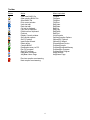
Select Compile in the Program menu (or click the gearwheel icon). A window should pop up showing
no errors in the compilation. If there are errors then check the program lines are exactly as above.
After a successful compilation, select Download Memory in the Program menu (or click the down
arrow icon). The program should be copied to the JellyBean board.
Once the program has successfully downloaded it should start automatically (if not click the green run
icon) and the onboard LED should flash about once a second.
6