1
Progressive Failure Analysis (PFA) Static Un-notched
Coupon
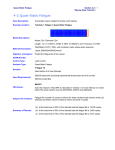
Summary of Results:
Section 2-1 2
Step-by-Step Tutorials
Damage Initiation:
Load 4314.0 lbf, Active damage modes: Longitudinal tensile, transverse tensile
and modified distortion energy.
Final Failure:
Load ~10161.4 lbf, Active failure modes: Longitudinal tensile and compressive,
transverse tensile, and modified distortion energy.
Introduction
This tutorial demonstrates how to modify and edit a previously translated FE model in GENOA format
and set if for performing the Static Progressive Failure Analysis using the default MHOST FE solver.
This example contains a standard un-notched coupon and was originally prepared in PATRAN. The
model does not contain any boundary and loading conditions and any ply schedule information.
Note: To see the solution and results for this tutorial, please open the project from the ‘Solutions’
library.
Launch GENOA
1.
Start GENOA by executing it from the desktop or typing genoa in the command prompt.
Setup
The first step is to import the model file which is already in GENOA format.
2.
Make sure the Unit System in the upper right corner is set to Inch-Second-Pound.
Note: Depending upon the units that have been used to create FE models, the units should be
changed before preparing or importing the model if necessary.
Note: The imported GENOA input file contained ‘*UNIT’ keyword to indicate the units
3.
Right click on PFA Static Flat Coupon item under the Static tutorials and select Open Project.