1
1.2 Main Module Functions
Explanation of Functions
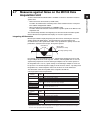
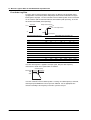
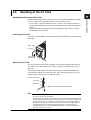
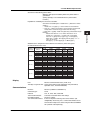
Use of the Measured Data Saved to the CF Card
The Viewer of the PC software can be used to display the measured data saved to the
CF card. However, time synchronization processing is not possible. To connect the
data before disconnection (saved to the PC) and the data after disconnection (saved to
the CF card), open the CF card data using the PC software and convert to Excel format.
Then, insert the data in the appropriate place in the data before disconnection using
copy and paste or other means. Note that when the communication with the PC is
resumed, the PC software acquires as much retraceable data as possible. Therefore, a
portion of the data saved to the CF card and the data recorded by the PC software
overlaps.
1
2
3
4
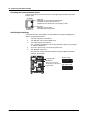
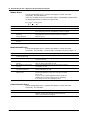
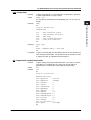
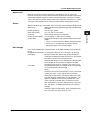
Log File Storage
In addition to the measured data that is saved when the communication with the PC is
disconnected, a log file of information related to the CF card operation and information of
power ON/OFF is saved to the CF card in text format (MX100MLG.TXT). The maximum
size of the log file is 40 KB. Up to 1021 events can be stored. When 1021 events are
exceeded, the event is deleted in order from the oldest information. The log is written
(overwritten to the same file name) to the CF card when you press the access stop
switch (see section 2.8).
• Information Saved to the Log File
• Date/Time when the power is turn ON or OFF.
• Date/Time when the CF card is inserted or removed.
• Save mode when data is saved (backup) and the log of start/stop.
• The log of file creation and deletion.
• Media-related errors.
• The log of CF card format.
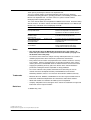
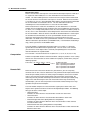
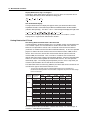
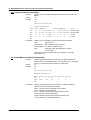
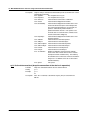
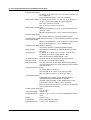
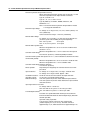
• Log File Example
Yokogawa
Date
70/01/01
03/01/01
03/03/25
03/03/25
03/03/25
03/03/25
03/03/25
03/03/25
03/03/25
03/03/25
03/03/25
03/03/25
03/03/25
>>
DAQMASTER MX100 <Media Info>
Time
Status Message
00:00:00 Power
off
00:00:01 Power
on
10:12:13 Format ok
11:14:12 Backup start
11:14:12 Mode
rotary
11:14:13 Delete (--)
11:14:21 Create 32500000
11:14:36 Code
12 MF
11:14:36 Error
P3
11:14:54 Backup stop
11:15:18 Create MX100MLG
11:15:22 Card
out
11:15:25 Card
in
Time indicating that the settings have been initialized*
Time after resetting the internal clock*
Media error (records the error code)
Most-recent information
Termination mark
* When the MX100 is initialized, the date/time on the MX100 is reset to 1970/01/01 00:00:00 once, then
to the default value on the MX100 (2003/01/01 00:00:00). Then, when the PC software is started and
connection to the MX100 is made, the current date/time on the PC is transmitted to the MX100. The
MX100 is reset to the received date/time.
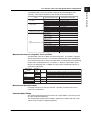
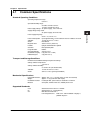
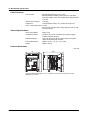
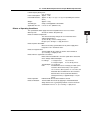
CF Card Specifications
Item
IM MX100-01E
Specification
Capacity
2 GB maximum
Type
Type I or Type II
Format
Supports quick (logical) format. 1 partition format (hard disk format) is
possible only through a command from the PC when the MX operation
mode is idle.
File system
FAT
1-9