1
Storing Information About CDs (Custom Files)
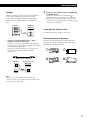
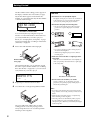
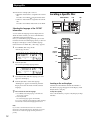
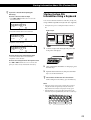
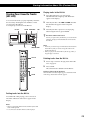
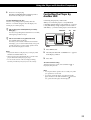
If you make a mistake while inputting the
character(s)
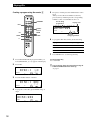
To correct a character that was input
1 Press . or > until the cursor moves to the
incorrect character.
2nd
NEXT DISC ART. HIT TRACK
GROUP ART. MIN STEP
SEC
SONYHETS* ****
ALL 1 DISC S SHUFFLE REPEAT 1 GROUP
PROGRAM 1 2 3 X-FADE DELETE
MULTI CD TEXT NO DELAY CD1 CD2 CD3
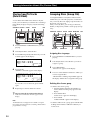
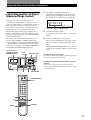
Storing Custom File
Information Using a Keyboard
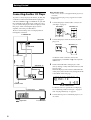
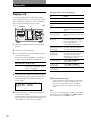
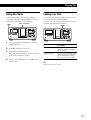
You can store the Disc Name for each disc, one by one,
using an IBM-compatible PC keyboard* (not supplied).
* The keyboard’s power consumption must be 120 mA or
less.
Keyboard jack
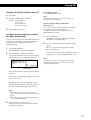
2 Press DEL to delete the incorrect character.
2nd
NEXT DISC ART. HIT TRACK
GROUP ART. MIN STEP
SEC
SONYHTS** ****
ALL 1 DISC S SHUFFLE REPEAT 1 GROUP
PROGRAM 1 2 3 X-FADE DELETE
MULTI CD TEXT NO DELAY CD1 CD2 CD3
I/1
3 Input the correct character.
2nd
NEXT DISC ART. HIT TRACK
GROUP ART. MIN STEP
SEC
SONYHITS* ****
ALL 1 DISC S SHUFFLE REPEAT 1 GROUP
PROGRAM 1 2 3 X-FADE DELETE
MULTI CD TEXT NO DELAY CD1 CD2 CD3
1
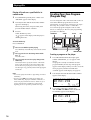
Connect a keyboard to the keyboard jack on the
front panel of the player.
I/1
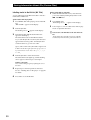
To correct the character currently being input
1 Press DEL to delete the incorrect character.
2 Input the correct character.
To insert a character(s) between the input characters
Press . or > until the cursor moves next to the
point you want to insert, and enter the character(s).
2
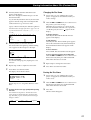
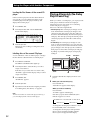
After selecting the desired disc on the player, press
the Enter key.
3
Input the desired characters, then press the Enter
key to store the information.
z
You can delete all characters of a selected item
While holding down the Shift key, press the Delete key.
Notes
• If the cursor keys do not work correctly and you cannot
complete the task using the keyboard, disconnect the
keyboard then reconnect it to the player and try again.
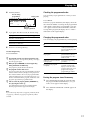
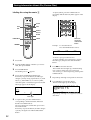
• If the keyboard is not a USA model (shown below), the
characters may be input differently from those on the keys.
~
'
z
!
1
@
2
Q
Caps Lock
#
3
W
A
$
4
E
S
%
5
R
D
&
7
^
6
T
F
Y
G
(
8
U
H
J
-
)
9
I
0
O
K
+
=
{
[
P
}
]
L
Enter
Shift
Ctrl
Z
X
Alt
C
V
B
N
M
<
>
?
Alt
Shift
Ctrl
23