1
12. Using Yocto-Relay with Visual Basic .NET
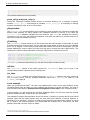
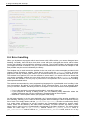
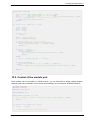
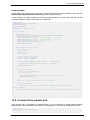
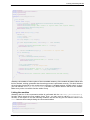
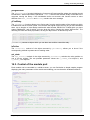
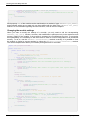
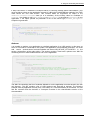
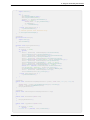
Sub Main()
Dim argv() As String = System.Environment.GetCommandLineArgs()
Dim errmsg As String = ""
Dim m As ymodule
If (yRegisterHub("usb", errmsg) <> YAPI_SUCCESS) Then
Console.WriteLine("RegisterHub error:" + errmsg)
End
End If
If argv.Length < 2 Then usage()
m = yFindModule(argv(1)) REM use serial or logical name
If (m.isOnline()) Then
If argv.Length > 2 Then
If argv(2) = "ON" Then m.set_beacon(Y_BEACON_ON)
If argv(2) = "OFF" Then m.set_beacon(Y_BEACON_OFF)
End If
Console.WriteLine("serial:
" + m.get_serialNumber())
Console.WriteLine("logical name: " + m.get_logicalName())
Console.WriteLine("luminosity:
" + Str(m.get_luminosity()))
Console.Write("beacon:
")
If (m.get_beacon() = Y_BEACON_ON) Then
Console.WriteLine("ON")
Else
Console.WriteLine("OFF")
End If
Console.WriteLine("upTime:
" + Str(m.get_upTime() / 1000) + " sec")
Console.WriteLine("USB current: " + Str(m.get_usbCurrent()) + " mA")
Console.WriteLine("Logs:")
Console.WriteLine(m.get_lastLogs())
Else
Console.WriteLine(argv(1) + " not connected (check identification and USB cable)")
End If
End Sub
End Module
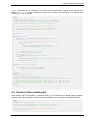
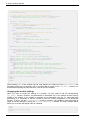
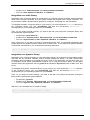
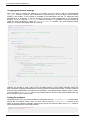
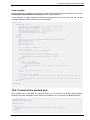
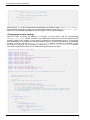
Each property xxx of the module can be read thanks to a method of type get_xxxx(), and
properties which are not read-only can be modified with the help of the set_xxx() method. For
more details regarding the used functions, refer to the API chapters.
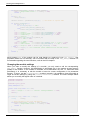
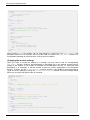
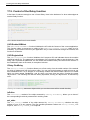
Changing the module settings
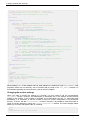
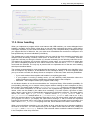
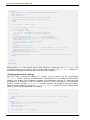
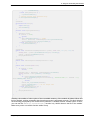
When you want to modify the settings of a module, you only need to call the corresponding
set_xxx() function. However, this modification is performed only in the random access memory
(RAM) of the module: if the module is restarted, the modifications are lost. To memorize them
persistently, it is necessary to ask the module to save its current configuration in its permanent
memory. To do so, use the saveToFlash() method. Inversely, it is possible to force the module to
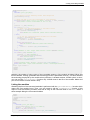
forget its current settings by using the revertFromFlash() method. The short example below
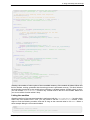
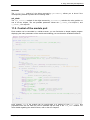
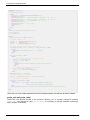
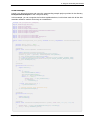
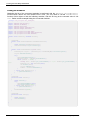
allows you to modify the logical name of a module.
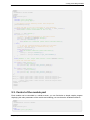
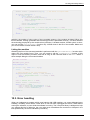
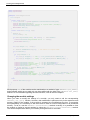
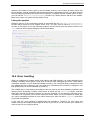
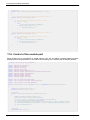
Module Module1
Sub usage()
Console.WriteLine("usage: demo <serial or logical name> <new logical name>")
End
End Sub
Sub Main()
Dim argv() As String = System.Environment.GetCommandLineArgs()
Dim errmsg As String = ""
Dim newname As String
Dim m As YModule
If (argv.Length <> 3) Then usage()
66
www.yoctopuce.com