1
PA-3000 Users Manual – Ch 5
5.4
An Example protocol
The following is an example protocol consisting of two Groups.
Group No
Voltage
Width
Interval
Number
1
600
0.050
0.125
1
2
120
0.010
0.50
6
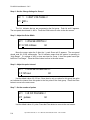
Step 1 - Turn on the PA-3000
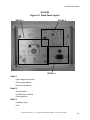
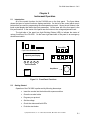
The on/off switch is in the lower left corner of the front panel.
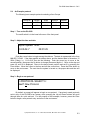
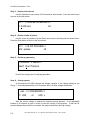
Step 2 - Adjust the time and date
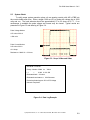
Adjust System Time:
10-05-02-7
08:01:25
Push the cursor button to toggle among the choices. The date is represented in the form
MM-DD-YY-DoW. If the date appears as shown above, and the desired date is November 12
2004 (Friday), i.e., 11-12-04-6; then do the following: Push the cursor key to move to the
second position, then press the Up button to change the second digit to 1. Move to the day and
press Up until 08 is displayed. Move to the day-of-week position and set 6 by pressing the
Down button. Move the cursor to the time and set the current time. Press the Enter button to
move to the next screen. The next time the system is turned on, the proper date and time will
be displayed.
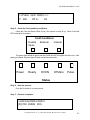
Step 3 – Begin a new protocol
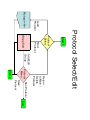
>>PROTOCOL SELECT<<
Next? New Protocol
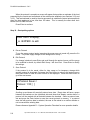
By default, a prompt will appear to begin a new protocol. If previously saved protocols
exist in any of the PA-3000’s ten memory slots, pressing the Up and Down buttons will scroll
through them for quick retrieval. For the purpose of this example, however, press the Enter
button to begin a new protocol entry and move to the next screen.
Cyto pulse Sciences, Inc. P. O. Box 609, Columbia, MD 21045 410-715-0990
5-3