1
3
Chapter
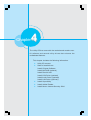
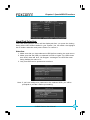
This chapter tells how to change system settings through
the BIOS Setup menus. Detailed descriptions of the BIOS parameters are also provided.
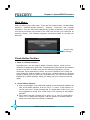
You have to run the Setup Program when the following cases
occur:
1. An
errorpage
message
appears
the--his
screen during the system
T-- This
is intentionally
lefton
blank
POST process.
2. You want to change the default CMOS settings.
This chapter includes the following information:
Enter BIOS Setup
Main Menu
Standard CMOS Features
BIOS Features
Advanced BIOS Features
Advanced Chipset Features
Integrated Peripherals
Power Management Setup
PnP/PCI Configurations
PC Health Status
Frequency/Voltage Control
Load Fail-Safe Defaults
Load Optimized Defaults
Set Supervisor/User Password
Save & Exit Setup
Exit Without Saving