1
However, if the entity is not an actual customer of your bank but you would be sending/receiving
payment messages to/from that party, you will have to choose BIC as the counterparty type and
specify the counterparty’s address as well. As a result, you will need to identify the preferred
Nostro/ Vostro accounts for that currency and BIC code combination.
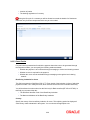
Note the following:
• If you opt to generate receive notices for settlements made in all currencies, involving all
counterparties, and transactions in all modules of Oracle FLEXCUBE, an MT 210 will
automatically be generated for any money settlement made by your branch.
• If you are defining settlement instructions for a customer related to the FT module you
have to indicate the charge account, which will be used as the default account for
deducting all charges involved in processing the FT.
While processing an FT for the customer the appropriate charge account is picked up depending
on the customer, currency and branch processing the FT.
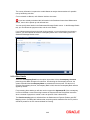
In addition, you can maintain the details of the various intermediaries involved in payments and
receipts. The preferences maintained for an entity determine the manner in which money
settlements are made on behalf of the entity.
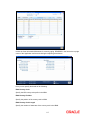
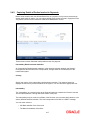
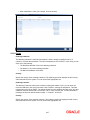
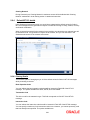
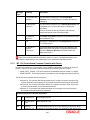
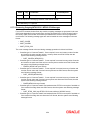
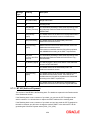
Counter Party
You can maintain settlement instructions for all the customers or for specific customers only.
From the option list select the specific customer number or choose the ALL option
Module
You can maintain different settlement instructions for different products. If you choose Module as
‘ALL,’ then the Product must also be chosen as ‘ALL’. If you choose a specific module for
maintaining settlement instructions, then you can choose any Product available under the module
from the option list provided. You can also choose ‘All’ to maintain settlement instructions for all
products under the selected module.
Product Code
Indicate a specific product code or choose All from the option list. However, if you have chosen
All in the Module field, this field will be defaulted to ALL. You will not be allowed to change this.
Currency
You can maintain settlement instructions for a particular currency or for all the currencies From
the option list select the particular currency code or choose the ALL option.
Branch
You can maintain settlement instructions for all the branches or for a particular branch. From the
option list select the particular branch code or choose the ALL option.
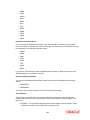
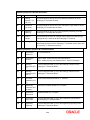
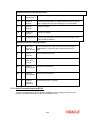
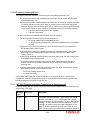
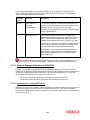
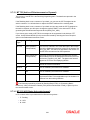
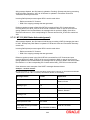
Payment By
Indicate the method of payment for both Outgoing as well as Incoming Payments, for a Branch,
Account and Currency combination. The following options are available:
• Instrument (settlement is done through a Check, MCK etc.)
• Message (payment is made by means of a SWIFT Message)
2-15









![[January] [2010] Oracle Part Number E51573-01](http://vs1.manualzilla.com/store/data/005777075_1-9f1c819619cc4ae74609e937019c49fd-150x150.png)