1
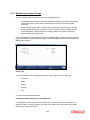
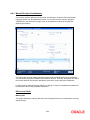
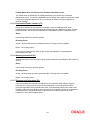
RFC = Risk-free Collateral
PP = Provisioning Percentage
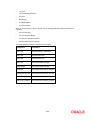
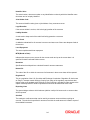
The provisioning percentage could be computed as shown:
Status
Provisioning Percentage
Watch
10%
Substandard
30%
Doubtful
50%
Loss
100%
The provisioning would be done for individual accounts as shown above.
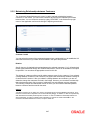
7.1.7.3 Specifying Rebooking Provision Entries
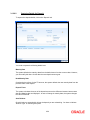
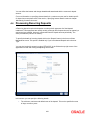
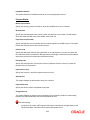
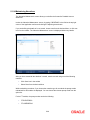
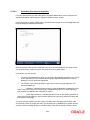
In the Status Details function, you can indicate whether provisioning entries for an account must
be rebooked when provisioning is done after an automatic status change for the account.
Rebooking essentially means that fresh provisioning is done, after reversing the previous
provisioning amount.
The provisioning batch process, when executed, not only computes the provisioning amount; it
also records the current status of the account and checks whether the current status is different
from the status that was prevalent when the process was previously executed. If so, the old
provisioning amount is written back into the write back GL of the old status (if the Rebook
Provision option has been set in the Status Details), and the entries for the new provisioning
amount are booked into the provisioning GLs maintained for the current status in the Status
Details.
If the Rebook Provision has not been set, there is no reversal of the old provisioning amount, and
the differential provisioning entries are be passed, as usual, into the GLs maintained for the
current status. When there is a status change between two provisioning cycles, the Rebook
Provision option is set for the status with the higher sequence number. For instance, while
moving from status NORM (Normal) to PDO1 (Past Due Obligation), the Rebook Provision option
is set for the status PDO1 and while moving from PDO1 to NORM, the Rebook Provision option is
set for the status PDO1 again.
If manual provisioning has been done, the entries for the differential amount are passed or
written back into the GLs associated with the NORM (normal) status.
7.1.7.4 Maintaining Accounting Entries for Provisioning
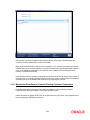
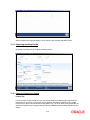
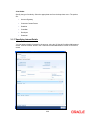
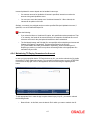
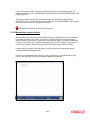
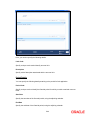
The computed provision amount is stored and displayed in the Amount Tab in the Customer
Account Maintenance. The current status and exposure category of the account is also stored
along with the balances.
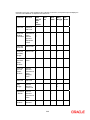
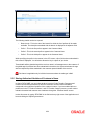
For account provisioning, accounting entries are passed for the following:
•
Changes in provisioning amount without status change
•
Reversal of provisioning amount as a result of status change
7-15