1
NONLIN User’s Manual
Page 16
Entering Structural Properties
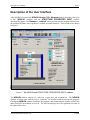
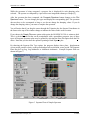
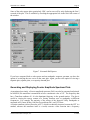
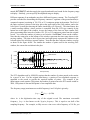
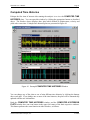
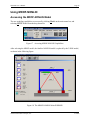
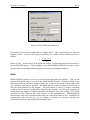
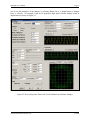
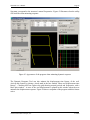
The structural properties are entered through the STRUCTURE PROPERTIES INPUT
window, which is shown in Figure 1. This window contains seven parts or frames:
•
•
•
•
•
•
•
The Unit Type input frame
The Length Units input frame
The Force Units input frame
The Dynamic Force Applied as... input frame
The Constitutive Properties input frame (which includes the structure diagram)
The Dynamic Properties output frame
The Summary of Latest Run output frame
The Unit Type, Length Units and Force Units Frames
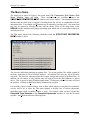
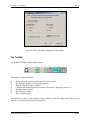
These three frames are input frames - you are expected to click on the appropriate buttons within
these frames. NONLIN can operate in either U.S. Customary or metric units. Unit types are
toggled by the two option buttons in the Unit Type frame. For U.S. Customary units, lengths
may be entered in the Length Units frame as inches or feet and forces may be entered in the
Force Units frame in pounds or kips. When metric units are selected, lengths are centimeters or
meters and forces are either Newtons or kilo-Newtons. You may switch from one unit type to
another at any time. Data that has already been entered is automatically converted as soon as you
select the appropriate units.
When the applied dynamic force is an earthquake ground acceleration, NONLIN automatically
converts the acceleration units into units which are expressed as a fraction of the acceleration due
to gravity. The acceleration of gravity in the current computational units is always shown on the
Gravity line (the last line) of the Dynamic Properties frame. Note that these units automatically
change when the computational units are altered via the option buttons in the Unit Type, Length
Units and Force Units frames.
If a wave type forcing function is used, the forcing function amplitude is assumed to be in units
of force consistent with the unit types selected using the Unit Type, Length Units and Force
Units frames.
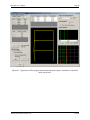
The Constitutive Properties Frame
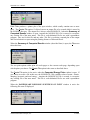
This frame includes both the Constitutive Properties frame and the structure diagram. Six
general items of input corresponding to five large icon buttons and one small button, are
expected in order to analyze your problem.
The structure is idealized as a single degree of freedom system, as shown schematically in Figure
1. For linear analysis, the following properties are required:
Advanced Structural Concepts, Inc.
3/1/2004