1
NONLIN User’s Manual
Page 64
For the Bilinear model only, negative values may be entered for secondary stiffness K2 and K3.
Otherwise, all other values should be entered as positive. The sign for the negative yield strength
is set internally within NONLIN.
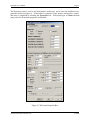
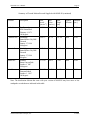
If the Multilinear model is selected, the panels labeled "Common Parameters for Multilinear and
Smooth Model", and "Multilinear Model" are activated. It is here that the controlling variables
listed in Table 2 are provided. Where available, slider bars may be used to change the properties.
Sliders positioned to the left create standard hysteretic shapes. Sliders moved to the right
increase the degrading stiffness, degrading strength, and pinching effects.
For the Smooth model, the "Smooth Model" panel is activated, and the "Multilinear" panel is
disabled. Enter the desired smooth model parameters in the boxes provided. Recall that a
description of the properties was given in Table 3. For the Smooth model and the Multilinear
model, NONLIN will not let you enter invalid controlling values in the boxes.
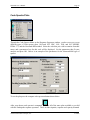
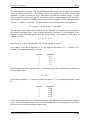
For the Frame property only, damping is entered as percent critical. The damping coefficent cF is
then computed on the basis of the mass and frame stiffness provided. For this computation, the
frame is considered to be fixed at its base.
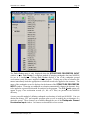
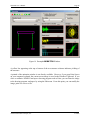
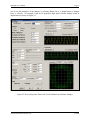
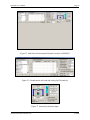
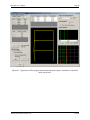
Once all the data has been entered, it is recommended that the hysteretic properties be tested.
This is particularly true for the Multilinear and Smooth models. To test the properties, first set
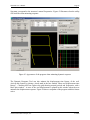
the data by clicking the SET button, and then press TEST. After clicking TEST, the Frame
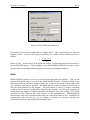
panel expands as shown in Figure 23.
Figure 23 Frame Properties Panel with Test Panels Visible
Advanced Structural Concepts, Inc.
3/1/2004