1
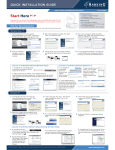
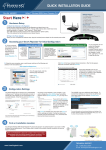
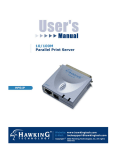
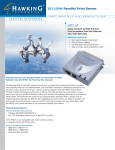
Internet Printing The Internet Printing Protocol (IPP) lets you easily connect to any printer and print documents by specifying the device's URL. With IPP Technology, Printing over a WAN or the Internet becomes much easier. You can send a job to a printer in another country just as easily as to a printer in your own office. IPP also turns your printer into a killer fax machine. Why send a degraded image by fax, when you can simply print an original at the destination? Network your printer PN7127P The Fastest Networking Printing Solution • • • • • • Easily connect printer to network Compatible with most printers Supports Bi-Directional Simple to Install, easy to use Compatible with most Networking Systems Remote Web Management The palm-sized Hawking 10/100 Internet Print Server is the most convenient way to connect your printer to a network. It provides 10/100Mbps auto-sensing port, allowing flexible attachments to either 10BaseT or 100BaseTX networks without the need for a dedicated PC print server. The PN7127P also supports multiple servers and multiple protocols, which will allow you to print from anywhere, from any computer and from any application. The PN7127P not only gives network users greater flexibility, but also reduces file server load. This enhances both printing performance as well as overall network performance. You can place your printer anywhere in the network. There is no need to place your printer right next to the workstation or file server. Managing your PN7127P is simple. The built-in Web Management feature will allow you to configure, monitor the status of and even reset the PN7127P from anywhere via a web browser. Furthermore, the PN7127P supports the most popular network protocols such as Microsoft NetBEUI, Novell IPX/SPX, Macintosh AppleTalk, TCP/IP, IPP which will allow you to connect the PN7127P to any platform such as Windows 95/98/2000/ME/XP, NT, NetWare, UNIX, LINUX and Macintosh Network. Package Contents: • • • • 1 10/100 Print Server 1 3.5" setup diskette 1 external AC power adapter 1 user’s manual Systems Requirement: § § § 10BaseT or 100BaseTX network Windows 95/98/NT/2000/XP, Netware, Mac OS 8.x, UNIX or LINUX Printer with parallel port Network Protocol Support: § § § § § § Appletalk Netbeui IPX/SPX TCP/IP DHCP SNMP Ready, Network & Go! It's easy to install, it's easy to use! Everyone can do it. Step 1 – Connect it Connect the PN7127P directly to your printer via the Parallel port – no printer cables are needed. Connect to the existing network via the RJ45 port. The PN7127P is 10/100 Auto-Sensing so you don’t need to worry about what speed your hub is. Next, plug in the included power adapter. Step 2 – Install it Then, insert the setup diskette into the A:/ drive and run the Setup program. It’s that easy. Step 3 – Add it Click the Add Printer Icon to add the printer to your Networked PC. Now you can enjoy fast Network Printing from anywhere and from any application Application Diagram: Features Benefits Specification: Internet Printing Protocol (IPP) RJ45 Auto-Sensing Port Standard Centronics Port Allows you to print over a WAN or the Internet Connect to a 10BaseT or 100BaseTX Network Directly Connects to printer – No printer cable required Place your printer anywhere in the network-No need to place your printer next to the workstation or file server Configure, monitor and reset via the web browser Print from anywhere and from any application Network Interface: Flexible and convenient Web Management Supports Multiple protocols § § Printer Interface: § PN6125 1-Port Mini Print Server PN7127P 1-Port 10/100M Mini Print Server PN7117P 1-Port Mini Internet Print Server PN7337P 3-Port Internet Print Server Hawking Technologies, INC. 6A Faraday, Irvine, California, USA Sales: (888) 662-8828, (949) 580-0888 Fax: (949) 580-0880 Email: [email protected] Tech Support: (949) 580-0878 Email: [email protected] Web Site: www.hawkingtech.com Copyright Hawking Technologies, Inc. 2002. All rights reserved .All trademarks herein are the property of their respective owners. Product specification subjects to change without notice. One DB25 Female print port LED Indicators: § Power , Status , Flow/Link Network Protocol Support: § IPX/SPX, NETBEUI, TCP/IP, IPP, DHCP, SNMP and AppleTalk protocols Network Operation Systems Support: § § § § § Ordering Information: One RJ 45 IEEE 802.3 10BaseT and 802.3u 100BaseTX auto-sensing Cat.3/5 UTP, 100ohm STP cabling up to 328ft/100M Windows 98/95/ME/XP, 2000, NT 3.51, 4.x NetWare 3.12, 4.x and 5.x (Bindery & NDS) Mac OS 8.x or later BSD-based UNIX 4.x, Sun OS, DEC Ultrix, IBM AIX, HP-UX etc. AT&T System V-based UNIX: AT&T, SCO, Sun Solaris, UnixWare, Linux etc. Network Printing Support: § § § § § § § § IPP, Internet Printing Protocol NetWare "Print Server" mode NetWare multiple print queues Windows NT/2000 printers pool feature Multiple NT/2000 servers, printing on demand Windows 95/98/ME/XP peer-to-peer networks RFC 1179 Peer-to-Peer printing UNIX LP Daemon (LPD) printing Configuration Support: § § § § § § Web Management SNMP Management All-in-one Windows-based setup program DHCP (client) Telnet, TFTP for NT, UNIX setup RARP, BOOTP protocols