1
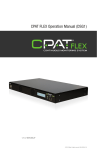
CPAT FLEX Operation Manual (ITX2)
v 1.0 / 2014.04.28
© 2014 Effigis. All rights reserved. 006-000039-101
This document provides information proprietary to Effigis and cannot be used or disclosed
without Effigis’ written authorization.
Effigis reserves the right to make changes without notice. Changes affecting the operation of
any component in this manual will be reflected in a subsequent revision. Effigis assumes no
responsibility for any omissions or errors that may appear in this document or for any damages that may result from the use of information contained herein.
ITX2 User Manual
First edition (v1.0): April 2014
Part No. 9575
Published by:
Effigis
4101 Molson St., Suite 400
Montreal, Quebec
CANADA H1Y 3L1
Telephone: + 1 514 495-0018
Toll-free (North America): + 1 888 495-6577
Fax: + 1 514 495-4191
Copyright © 2014 Effigis
All rights reserved
2
CPAT FLEX (ITX2)
effigis.com
Contents
1. General Information . . . . . . . . . . . . . . . . . . . . . . . . . . . . . . 5
1.1 About this Manual. . . . . . . . . . . . . . . . . . . . . . . . . . . . . . . . . . . . . . 5
1.2 Explanation of Symbols Used. . . . . . . . . . . . . . . . . . . . . . . . . . . . . . 5
1.3 Certification . . . . . . . . . . . . . . . . . . . . . . . . . . . . . . . . . . . . . . . . . . 5
1.3.1 Tests Specifications. . . . . . . . . . . . . . . . . . . . . . . . . . . . . . . . 5
1.3.2 Compliance. . . . . . . . . . . . . . . . . . . . . . . . . . . . . . . . . . . . . . 5
1.3.1 Note. . . . . . . . . . . . . . . . . . . . . . . . . . . . . . . . . . . . . . . . . . . 5
1.4 Technical Support. . . . . . . . . . . . . . . . . . . . . . . . . . . . . . . . . . . . . . 6
1.5 Calibration . . . . . . . . . . . . . . . . . . . . . . . . . . . . . . . . . . . . . . . . . . . 6
1.6 Effigis Website. . . . . . . . . . . . . . . . . . . . . . . . . . . . . . . . . . . . . . . . .6
2. System Components. . . . . . . . . . . . . . . . . . . . . . . . . . . . . . 7
2.1 Initial Verification. . . . . . . . . . . . . . . . . . . . . . . . . . . . . . . . . . . . . . . 7
2.2 ITX2 Optional Accessories. . . . . . . . . . . . . . . . . . . . . . . . . . . . . . . . 8
2.2.1 Vehicle accessories. . . . . . . . . . . . . . . . . . . . . . . . . . . . . . . . 8
2.3 Features. . . . . . . . . . . . . . . . . . . . . . . . . . . . . . . . . . . . . . . . . . . . . 9
2.4 Physical Overview. . . . . . . . . . . . . . . . . . . . . . . . . . . . . . . . . . . . . . 9
2.4.1 Front View Buttons and Display . . . . . . . . . . . . . . . . . . . . . . . 9
2.4.2 Power and Data Interface. . . . . . . . . . . . . . . . . . . . . . . . . . . 10
2.4.3 Antenna Connector. . . . . . . . . . . . . . . . . . . . . . . . . . . . . . . 11
2.4.4 Battery. . . . . . . . . . . . . . . . . . . . . . . . . . . . . . . . . . . . . . . . 11
3. Installation. . . . . . . . . . . . . . . . . . . . . . . . . . . . . . . . . . . . . 12
3.1 Using the Vehicle Support Bracket (optional). . . . . . . . . . . . . . . . . . 12
3.1.1 Safety Precautions for Installation. . . . . . . . . . . . . . . . . . . . . 12
3.1.2 Installing the Vehicle Support Bracket. . . . . . . . . . . . . . . . . . 13
4. Setup . . . . . . . . . . . . . . . . . . . . . . . . . . . . . . . . . . . . . . . . . 14
4.1 IRX1 setup . . . . . . . . . . . . . . . . . . . . . . . . . . . . . . . . . . . . . . . . . . 14
4.2 ITX2 setup . . . . . . . . . . . . . . . . . . . . . . . . . . . . . . . . . . . . . . . . . . 14
5. Operation. . . . . . . . . . . . . . . . . . . . . . . . . . . . . . . . . . . . . . 15
5.1 LCD information . . . . . . . . . . . . . . . . . . . . . . . . . . . . . . . . . . . . . . 15
5.2 Button functions . . . . . . . . . . . . . . . . . . . . . . . . . . . . . . . . . . . . . . 15
5.3 Menu content. . . . . . . . . . . . . . . . . . . . . . . . . . . . . . . . . . . . . . . . 16
5.4 Using the ITX2 as a portable transmitter. . . . . . . . . . . . . . . . . . . . . 18
5.5 Charging the battery. . . . . . . . . . . . . . . . . . . . . . . . . . . . . . . . . . . 21
5.6 Using the ITX2 for autonomous detection . . . . . . . . . . . . . . . . . . . . 21
5.7 Replacing the Battery Pack . . . . . . . . . . . . . . . . . . . . . . . . . . . . . . 22
5.8 Updating the ITX2’s Firmware. . . . . . . . . . . . . . . . . . . . . . . . . . . . . 23
Operation Manual
3
6. Maintenance . . . . . . . . . . . . . . . . . . . . . . . . . . . . . . . . . . . 23
6.1 Cleaning. . . . . . . . . . . . . . . . . . . . . . . . . . . . . . . . . . . . . . . . . . . . 23
6.2 Preventative Maintenance . . . . . . . . . . . . . . . . . . . . . . . . . . . . . . . 23
Appendix A – Specifications. . . . . . . . . . . . . . . . . . . . . . . . . 23
A.1 Technical . . . . . . . . . . . . . . . . . . . . . . . . . . . . . . . . . . . . . . . . . . . 23
A.2 Electrical and Environmental . . . . . . . . . . . . . . . . . . . . . . . . . . . . . 24
A.3 Physical. . . . . . . . . . . . . . . . . . . . . . . . . . . . . . . . . . . . . . . . . . . . 24
Appendix B – Our Services. . . . . . . . . . . . . . . . . . . . . . . . . . 25
B.1 Customer Support. . . . . . . . . . . . . . . . . . . . . . . . . . . . . . . . . . . . . 25
B.1.1 Equipment Return Instructions. . . . . . . . . . . . . . . . . . . . . . . 25
B.2 Limited Product Warranty. . . . . . . . . . . . . . . . . . . . . . . . . . . . . . . . 26
B.2.1 Hardware. . . . . . . . . . . . . . . . . . . . . . . . . . . . . . . . . . . . . . 26
B.2.2 Software. . . . . . . . . . . . . . . . . . . . . . . . . . . . . . . . . . . . . . . 26
B.2.3 Exclusions . . . . . . . . . . . . . . . . . . . . . . . . . . . . . . . . . . . . . 26
B.2.4 Refurbished Parts and Prior Testing . . . . . . . . . . . . . . . . . . . 26
B.2.5 Exclusive Remedies. . . . . . . . . . . . . . . . . . . . . . . . . . . . . . . 27
B.2.6 Disclaimer . . . . . . . . . . . . . . . . . . . . . . . . . . . . . . . . . . . . . 27
Installation diagram . . . . . . . . . . . . . . . . . . . . . . . . . . . . . . . 28
4
CPAT FLEX (ITX2)
effigis.com
1.  General Information
1.1 About this Manual
This manual describes the components, installation and operation of the ITX2.
You will find important safety information in this manual. We strongly recommend that all
users read this manual. Use of this product other than for its intended application may compromise the unit’s safety features.
1.2 Explanation of Symbols Used
The following symbols are used on the ITX2 label and in this Manual:
SymbolExplanation
!Caution. Indicates that operations or procedures, if carried out without caution, may
cause personal injury or damage to the unit.
/
Note. Indicates additional information about the product.
1.3 Certifications
This section describes the certifications the ITX2 complies with. (IN PROCESS)
1.3.1 Tests Specifications
FCC 47 CFR Part 15, Subpart B – Verification
ICES-003/NMB-003 Issue 4 February 2004
Electrical equipment for measurement, control and laboratory use – EMC requirements –
Part 1: Generic requirements.
1.3.2 Compliance
This Class A digital apparatus complies with Canadian ICES-003/NMB-003.
This Class A digital apparatus also complies with European EN61326-1: 2006.
1.3.3 Note
This device may not cause harmful interference.
This device must accept any interference received, including interference that may cause undesired operation.
Operation Manual
5
NOTE
Any modifications made to this device that are not approved by Effigis GeoSolutions Inc., may void the authority granted to the user by the FCC to operate
this equipment.
1.4 Technical Support
Effigis Technical Support Service is available from Monday through Friday from 9:00 AM to
5:00 PM Eastern Time.
Toll free from U.S. and Canada: + 1 888 495-6577
International: + 1 514 495-0018
Fax questions anytime to: + 1 514 495-4191
[email protected]
1.5 Calibration
Your ITX2 unit has been calibrated and tested in the factory, and does not need further
calibration before use.
However, if the unit suffers damage and needs repair, it is recommended that the unit be
returned to an authorized Effigis service center where it will be properly recalibrated.
If your company requires regular calibration of all equipment, or requires a calibration certificate for the ITX2, a calibration service is available through Effigis.
For more information on calibration services, please contact your Effigis representative.
1.6 Effigis Website
Effigis’ website contains product specifications, information, press releases, brochures,
downloads and Frequently Asked Questions (FAQs). Please visit our website at:
http://effigis.com
6
CPAT FLEX (ITX2)
effigis.com
2.  System Components
The ITX2 is a portable radio transmitter that continuously transmits a low-power test carrier signal in the cable upstream band to detect ingress faults. It can be used as a portable
find-and-fix tool, or can be plugged into the ARD4 CPAT FLEX module to automatically locate
ingress impairments while driving in the operator’s territory as part of the technician’s daily
work routine.
This section describes the ITX2 unit in detail, including its accessories, and helps you get
started by explaining its features, how to use its buttons, and its powering and data interfaces.
NOTE
The ITX2 must be used in conjunction with the IRX1 ingress monitoring system
installed in the headend.
2.1 Initial Verification
Your ITX2 unit is 40% charged, calibrated, and ready to use right out of the box. Upon reception, visually inspect each item for any damage that may have occurred during shipping. If
you see any signs of physical damage, please contact Effigis:
•Callers from the U.S. and Canada can dial +1 888-495-6577 (toll-free number)
•International callers can dial +1 514 495-0018.
If there are no apparent signs of physical damage, turn on the unit by pressing the red On/
Off button, and make sure the unit boots up properly.
Make sure no items are missing. Your package should contain all the standard items as well
as any accessories you may have ordered. If you ordered the ITX2 portable ingress detection
kit, the following items are included:
• ITX2 transmitter with rubber holster
• Portable dipole antenna
• Belt strap
• AC adapter
• User manual
Operation Manual
7
Figure 1: Portable dipole antenna, charger and ITX2
If any of the standard accessories are lost or damaged, you can order a replacement for the
ITX2. Please quote the following part numbers when placing an order:
Part No. Accessory Description
3500
AC adapter
3430
Replacement battery pack
6117
Portable dipole antenna
9540
Belt strap
9550
ITX2 rubber holster
9575
ITX2 user manual
To place an order, please call Effigis at + 1 888 495-6577 or + 1 514 495-0018
2.2 ITX2 Optional Accessories
2.2.1 Vehicle accessories
The ITX2 comes with a portable dipole antenna for handheld ingress detection. The ITX2 can
also be operated by the ARD4 CPAT FLEX module, installed in the service vehicle. To do so,
the accessories listed below are required.
8
CPAT FLEX (ITX2)
effigis.com
Part No. Accessories Description
9560
Vehicle support bracket
6110 Monopole 6.78 MHz Antenna Kit (includes lip mount base + whip antenna + BNC
terminated cable)
6206
Vehicle magnetic mount base for RF antenna with BNC terminated cable
9860
ITX2 DC adapter
9260
ITX2 USB Cable
NOTE
Only antennas obtained from Effigis can be used effectively with the ITX2.
Each Effigis antenna has been analyzed and the appropriate compensation
has been designed into the ITX2 for optimal results. Effigis cannot guarantee
proper results with an antenna from any other source.
2.3 Features
The ITX2 is a find-and-fix transmitter for ingress detection that offers many features,
including:
• User-adjustable transmission level
• User-adjustable antenna gain
• Based on Effigis’ CPAT FLEX ingress monitoring system technology
2.4 Physical Overview
2.4.1 Front View Buttons and Display
The ITX2 has four front panel buttons used to turn the unit on and off, navigate menus,
confirm modifications and toggle transmission on and off.
Operation Manual
9
LCD display
On/Off button
Navigation button
Esc / Mute Tx
Enter
2.4.2 Power and Data Interface
The ITX2 has two interfaces on the bottom of the unit. The round receptacle is used to connect the AC adapter or the DC adapter, supplied by Effigis. The data interface is a USB type A
receptacle and is used with the ARD4. It is also used for firmware upgrades.
Charger adapter interface
USB (A) interface
10
CPAT FLEX (ITX2)
effigis.com
2.4.3 Antenna Connector
The ITX2 has a BNC connector on the top of the unit. This interface is used to connect an
antenna supplied by Effigis to transmit a low power ingress test carrier. By default, the portable dipole antenna is used. Insert the antenna into the connector and turn slightly to lock
the antenna in place.
2.4.4 Battery
The ITX2 is powered by a 7.2V 2000mAh lithium ion battery pack that has a 4-pin connector to interface with the unit. The battery pack is charged at about 40% when the ITX2 is
shipped.
NOTE
The battery compartment is not used, because the battery pack is installed
inside the unit’s housing. Therefore, the battery compartment has been intentionally left empty.
NOTE
This unit does not provide audio feedback. Therefore, the speaker compartment inside the unit has been intentionally left empty.
Operation Manual
11
3.  Installation
3.1 Using the Vehicle Support Bracket (optional)
If you intend to use the ITX2 in conjunction with the ARD4, it is recommended that you use
the vehicle bracket to secure the device while the vehicle is moving.
3.1.1 Safety Precautions for Installation
1. Never install this product in places where, or in a manner that it could injure the
driver or passengers if the vehicle stops suddenly.
2. Never install this product in places where, or in a manner that it may interfere
with the driver’s operation of the vehicle, such as on the floor in front of the
driver’s seat, or close to the steering wheel or shift lever.
3. Make sure there is nothing behind the dashboard or paneling when drilling holes
in them. Be careful not to damage fuel lines, brake lines, electronic components,
communication wires or power cables. When using screws, do not allow them to
come into contact with any electrical lead.
4. To ensure proper installation, use the supplied parts in the manner specified. If
any parts other than the ones supplied are used, they may damage internal components of this product or they may work loose and the product may become
detached.
5. It is extremely dangerous to allow the cables to become wound around the steering column or shift lever. Be sure to install this product, its cables and wiring in
a way that does not obstruct or hinder driving.
6. Make sure that leads cannot get caught in a door or the sliding mechanism of a
seat, resulting in a short circuit.
7. Do not install this system where it may (i) obstruct the driver’s vision, (ii) impair
the performance of any of the vehicle’s operating systems or safety features,
including airbags, hazard lamp buttons or (iii) impair the driver’s ability to operate
the vehicle safely.
8. Never install the system in front of or next to the place in the dash, door, or pillar from which one of your vehicle’s airbags would deploy. Please refer to your
vehicle’s owner’s manual for reference to the deployment area of the frontal
airbags.
9. Do not install the system in a place where it will impair the performance of any
of the vehicle’s operating systems, including airbags and headrests.
12
CPAT FLEX (ITX2)
effigis.com
3.1.2 Installing the Vehicle Support Bracket
The vehicle support bracket is designed to store the ITX2 for handy access. It typically
mounts on the vehicle’s dash near the 12V power source so the ITX2 can remain in the support bracket while charging. You will require 3 screws (not provided) to secure the bracket
to the dash.
CAUTION!
Do not disconnect or modify the vehicle’s safety systems such as airbags or
seatbelts. Safety system wires have yellow sleeves and yellow connectors.
Accidental triggering of these systems may cause severe injuries.
To install the support bracket:
1. Choose a location on the dash that does not interfere with any of the vehicle’s
safety features or other wiring. See the “3.1.1 Safety Precautions for Installation”
on page 12.
2. For easier installation, remove the back plate from the ITX2 clip by loosening the
large adjustment screw (see Figure 2).
Screw to secure clip to back plate
Bracket’s back plate
Openings for screws
ITX2 clip
Figure 2: Vehicle support bracket
See the installation diagram on page 28.
Operation Manual
13
3. Using the screw holes on the back plate as a template, mark where you will need
to pre-drill holes for the screws.
4. Pre-drill the holes of an appropriate depth and diameter for your screws, making
sure that you do not damage any hidden wiring.
5. Affix the back plate to the dash with the screws.
6. Re-attach the ITX2 clip to the support bracket’s back plate using the large screw.
Do not overtighten.
7. Place the ITX2 in the clip, the vehicle rooftop antenna cable in the antenna
holder, and, if desired, attach the 12V charger’s wire to the strain relief slots with
a cable tie so it is readily accessible for charging.
4.  Setup
Like the ITX1 that is permanently installed in vehicle, the ITX2 needs to operate with an IRX1
in order to detect and measure ingress levels. The transmitter and the receiver need to operate with the same parameters in order the measure and locate ingress.
4.1 IRX1 setup
The installation, setup and system operation are detailed in the “CPAT FLEX Operation Manual (IRX1)”. The IRX1 automatically monitors any ITX1 and ITX2 that match its parameters and
are transmitting in the return path of the nodes linked to it.
NOTE
The return path of the nodes in areas where you are measuring ingress must
be connected to the inputs of an IRX1. There are a total of 32 inputs per IRX1.
Depending on the operator’s signal sensitivity needs, it is possible to combine
up to 8 nodes per input.
4.2 ITX2 setup
The ITX2 is ready to operate as a mobile unit to locate ingress right out of the box, requiring
only that you connect an antenna and power it on.
The operating parameters and keypad functions are described in the Operation section of
this manual.
14
CPAT FLEX (ITX2)
effigis.com
5.  Operation
5.1 LCD information
At startup, the LCD display shows a splash screen with the Effigis logo for about 3 seconds.
Then, the main interface appears, summarizing the unit’s operating parameters.
Transmission Frequency
FRQ 6.78 MHz
Transmission Power Level
TX
Batt. status
Charging/Low Battery
Indicator
HIGH
Portable Ant. Dipole
Antenna gain
The LCD screen also allows you to browse through and edit the operating parameters (see
Menu content below).
5.2 Button functions
Power button
Used to turn On/Off the unit by pressing the button for about 1 second.
NOTE
The ITX2 is automatically turned On/Off by the ARD4 when they are linked via
the USB cable.
Enter button
From the main interface, the Enter button is used to access to the settings menu.
When used within the settings menu’s items, the Enter button lets you exit the settings menu
and save the last changes.
Operation Manual
15
Arrow buttons
From the main interface, the up and down arrows are used to set the transmission level:
Mute, Low, Medium, High. In the settings menu, the up/right/down/left arrows allow you to
browse and modify parameters.
To change the settings of an element, press the right arrow ( ) when the cursor is over the
selected element of the menu. You can then choose a new value among the preset values by
pressing the up or down arrow.
To keep a new value and return to the list of settings, press the left arrow ( ) or Enter ( ↵ ).
To save values and exit the settings menu, press the left arrow ( ) again. To exit the menu
without saving, press Esc.
Please refer to the Menu content section for details on configuring each element in the menu.
NOTE
When connected to the ARD4 via the USB cable, the ITX2’s buttons are automatically disabled, except for the Power button.
Esc/Tx button
The Esc button is used to exit the settings menu without saving.
If you press Esc while the ITX2’s main interface is displayed, this toggles the RF test carrier
signal transmission On and Off. The active transmission level will automatically be updated
in the main interface.
5.3 Menu content
Tx Power
The ITX2 can transmit at various levels to help you locate the source of ingress.
The transmission level can be set to Mute, Low, Medium or High. The center section of the
main interface of the ITX2 shows the current Tx level.
NOTE
The transmit level can be modified directly from the main interface by using
the up and down arrows on the keypad, or can be muted with the Esc / Tx
button.
16
CPAT FLEX (ITX2)
effigis.com
Antennas (for 6.78 MHz ITX2 only)
The level of transmission is the same for all antennas associated with this product. Therefore, the default antenna, “Portable dipole ant.”, cannot be modified. When connected to an
ARD4, the antenna selection will display “Vehicle rooftop ant.” to remind the user to connect
the ITX2 to the vehicle’s monopole antenna.
Antennas (for 27.12 MHz ITX2 only)
In order to provide similar results using different antennas, the ITX2 adjusts the transmission
level depending on the gain factor associated with the active antenna model.
The associated gain can be specified from one of the following antenna types:
• Monopole: The antenna whip installed on vehicle’s roof.
• Dipole: The portable antenna used to locate ingress source.
• Rubber Duck: Available with the 27.12 MHz version.
• Near field: Used to locate ingress source at close range.
• None: No antenna is used (for testing purpose only).
NOTE
Do not change the antenna type unless you are physically connecting a
different antenna.
NOTE
Effigis offers other types of antennas that can be used with the ITX2. Regardless of the antenna you are using, it is very important to make sure the
ITX2’s settings match the actual antenna type connected to the unit in order to
transmit at a similar level and be able to compare ingress readings. Using an
antenna that is not authorized by Effigis, or setting up the ITX2 with the wrong
antenna type will result in erroneous readings.
Frequency
This menu displays the active test carrier signal transmission frequency. Considering that it is
hardware-dependent and set at the factory, it cannot be modified through the interface. The
transmission frequency can be 6.78 MHz or 27.12 MHz.
Operation Manual
17
Backlight
The ITX2’s display is backlit to facilitate reading content in various lighting condition. However, to maximize battery life, it is programmed to automatically turn off after a specified
period of keypad inactivity.
The backlight delay can be selected from one the following values: always ON, 10 sec (default), 30 sec, 60 sec or OFF.
Contrast
The contrast level can be adjusted in this menu, by specifying a value from 1 (lowest) to 10
(highest). The default value is 6.
Version
This menu displays the active firmware version.
NOTE
See section “Updating the ITX2’s Firmware” for information on how firmware
updates can be performed.
5.4 Using the ITX2 as a portable transmitter
Once it is fully booted up, the ITX2 starts to transmit, using the active parameters. If required,
adjust the power level and the antenna type to optimize ingress detection.
The ingress level can be accessed through a computer or a smart phone with a web browser
pointing to the following link:
http://www.cpat-solution.com/RIM
Access to readings through the RIM is restricted to CPAT users. Use the same username
and password to log into the RIM. The list of available ITX1 and ITX2 units is built using the
regions, or PSIDs, granted to the group the username belongs to.
Once connected to a specific ITX, the readings are updated every second. If no ingress is
measured at the headend from a particular ITX, you will see the value “--“. In all other cases,
the ingress level measured at the headend will be displayed in dBmV.
18
CPAT FLEX (ITX2)
effigis.com
NOTE
When using a mobile device, the audio feedback might not work depending on
the device’s operating system and browser version. This is a known limitation
for all web applications using audio feedback.
NOTE
The RIM is also available as a mobile application for iOs and Android. To
download it, connect to the Apple App store (iTunes) or the Android App store
(Google Play), and download the “CPAT” app. The first module within this app
is an enhanced version of the RIM software on the web.
Operation Manual
19
NOTE
The ITX1 and ITX2 signal will be detected and measured only if all these conditions are fulfilled:
•The is an operational IRX1 receiver monitoring the search area (subset of
nodes);
•The operating parameters of the transmitter (ITX1 or ITX2) match those of
the receiver (IRX1).
• There is valid antenna plugged to the transmitter.
•There is at least one ingress point within range of the transmitter (a few
to several meters, depending on Tx level and ingress sensitivity).
• The ITX1 or ITX2 is transmitting.
Remember that the higher the value, the closer the ingress point.
20
CPAT FLEX (ITX2)
effigis.com
5.5 Charging the battery
The ITX2 can operate on battery power for several hours when fully charged. When the unit
approaches a low charge state, the battery indicator appears and starts to blink slowly.
To maintain good battery health and ensure the longest useful battery life, follow these recommendations for charging the battery:
1.Use only the battery pack and replacement battery pack available from Effigis.
2.Use only the chargers available through Effigis. The battery charges at a rate of
0.6A/h. A fully discharged battery will be recharged to approximately 90% after
6 hours. The ITX2’s status LED will turn off if the device is not operating, or be lit
green if the device is operating only when the battery is fully charged.
3.Charge the unit at room temperature. Do not place the unit in a location where
temperature extremes occur during charging. The ITX2 is equipped with additional
protection to prevent the battery from charging when its temperature is below 0°C
(32°F) or above 40°C (104°F).
4.It is possible to charge the unit for a short period (e.g. 15 minutes) and return to
using it on battery power when immediate use is required. You should, however,
fully recharge the unit at the earliest opportunity (e.g. end of work shift).
IMPORTANT INFORMATION REGARDING CHARGE AND DISCHARGE
The ITX2 is equipped with a protection against deeply discharged cells that allows you to
charge them even if this situation occurs. It is critical to note that a deep discharge reduces
the lifetime of the battery pack and care must be taken to avoid this situation.
5.6 Using the ITX2 for autonomous detection
The ITX2 can be used for autonomous detection when used with an ARD4, the central control
module of the CPAT FLEX platform. To do so, the ITX2 must be linked to the ARD4 using the
USB cable.
Once connected the ARD4 will power On/Off and configure the ITX2. The ITX2 will transmit
as long as the ARD4 records, and the GPS signal is valid. The ITX2 transmission will only be
used for reading via the RIM application if the vehicle’s speed is below the threshold (default
is 5 km/h). If the vehicle moves faster than the threshold speed, the IRX1 will also use ITX2
transmission to record ingress points and transmit them to the CPAT database integration
process.
Operation Manual
21
NOTE
The ARD4 must have been configured previously to operate an ITX2 when
one is detected. That setup is performed remotely by the CPAT support team.
NOTE
The ITX2 operating parameters are set by the ARD4 according to its active
setup. By default, the ARD4 operates the ITX2 with “Tx Level: High” and “Antenna type: Monopole”. Once the USB cable linking the ARD4 and the ITX2 is
disconnected, the ITX2 will keep the parameters programmed by the ARD4.
NOTE
The USB cable does not carry power from the ARD4. Therefore, the ITX2 is
powered by its battery unless the DC adaptor is plugged in and operational.
The battery charge cycle is the same whether the ITX2 is used with the ARD4
or not.
5.7 Replacing the Battery Pack
The rechargeable Lithium ion battery pack is located inside the ITX2 unit. You do not need to
access the battery pack unless it can no longer be recharged.
To change the battery pack:
1.Remove the antenna and the rubber holster.
2.Loosen the back compartment’s screw using a Philips head screwdriver and remove the panel.
3.Remove the 6 screws on the bottom part of the ITX2’s housing using a Philips head
screwdriver and remove the bottom part of the case.
4.Disconnect the 4-pin mating on the cable between the battery pack and the circuit
board. Replace the battery pack only with a battery pack from Effigis.
5.Plug the 4-pin connector to the cable, and replace the bottom part of the case.
Secure it with the 6 screws. In order to avoid damaging the ITX2’s housing, do not
overtighten the screws.
6.Replace the panel on the back compartment and secure it with the last screw.
7.Reinstall the rubber holster and the antenna.
22
CPAT FLEX (ITX2)
effigis.com
5.8 Updating the ITX2’s Firmware
From time to time, firmware updates may be available for the ITX2. Effigis provides these updates via its website. Please visit the Downloads page to obtain the latest firmware release.
To check which version is currently installed in the ITX2, access the setup mode by pressing
the left or right arrow and scroll to the Version menu.
Firmware updates can be automatically performed through the ARD4. To proceed manually,
using an ITX2 linked to a computer through the USB cable, contact the CPAT support team.
6.  Maintenance
6.1 Cleaning
Your ITX2 unit can be wiped clean with a damp cloth. Do not immerse the unit in water. Avoid
solvents and commercial cleaners.
6.2 Preventative Maintenance
The technician shall do periodic visual inspections of the ITX2 to make sure that there is
nothing loose or broken. Both can affect the performance of the system. In case that a replacement is required, please contact Effigis for more information.
Appendix A - Specifications
A.1 Technical
Transmitter type
Digital receiver/demodulator
Frequency range
6.78 MHz or 27.12 MHz, set at factory.
Bandwidth
30 kHz
Radiated power
Maximum : -8 dBm at 6.78 MHz
Maximum : -12 dBm at 27.12 MHz.
Antenna connector
BNC 50 OHM
Transmitted data
68 bits
Transmission duration
8 ms
Transmission interval
96 ± 3 ms
Communication port
USB type A
Operation Manual
23
A.2 Electrical and Environmental
Power
Inputs: +12VDC 1.2A max;
+7.2VDC lithium ion battery pack of 2000mAh ~ 0.3A.
AC battery charger
Input: 100-240V ~ 50-60Hz 0.7A;
Output: +12VDC 1.66A;
Transient overvoltage II;
Rated pollution degree 2.
Mains supply voltage fluctuations
Up to ±10 % of the nominal voltage.
Operation time
6 hours nominal on battery power
Operating temp
-20°C – +40°C (-4°F – +104°F)
Storage temp
-20°C – +45°C (-4°F – +113°F)
Recommended use
Indoor use or outdoor use without exposing to direct sunshine or wet
location.
Altitude
Up to 2000 m (6560 ft).
Maximum relative humidity
80% for temperatures up to 31°C (88°F) decreasing linearly to 50% relative humidity at 40°C (104°F).
A.3 Physical
ITX2 with its rubber holster only (no antenna):
Dimensions
7.7’’ x 3.4’’ x 1.8’’ [H x W x D]
19.5 cm x 8.6 cm x 4.5 cm
Weight
19 ounces / 550 g
* Specifications subject to change without prior notice.
24
CPAT FLEX (ITX2)
effigis.com
Appendix B – Our Services
Effigis offers a portfolio of services to deploy and support purchased equipment through its
Customer Support organization. Customer Support is standard with every product sale and
consists of business hour technical assistance, in-warranty repair and calibration.
B.1 Customer Support
Customer Support is accompanied with the sale of every Effigis product. Customer Support
services include:
- Product and Service Literature
- Technical Assistance (Business Hour)
- Equipment Repair (Under Warranty Repair and Calibration Services)
- Equipment Return Authorizations
Contact a Customer Support representative through your local distributor or by accessing
http://effigis.com for information on calibration and warranty policies.
B.1.1 Equipment Return Instructions
Please contact your local Customer Support location via telephone for Return Authorization
to accompany your equipment. For each piece of equipment returned for repair, attach a tag
that includes the following information:
– Owner’s name, address, and telephone number
– The serial number, product type, and model
– Warranty status (If you are unsure of the warranty status of your instrument,
contact Effigis’ Customer Support.)
– A detailed description of the problem or service requested
– The name and telephone number of the person to contact regarding questions
about the repair
– The return authorization (RA) number
If possible, return the equipment using the original shipping container and material. If the
original container is not available, the unit should be carefully packed so that it will not be
damaged in transit; when needed, appropriate packing materials can be obtained by contacting Effigis Support. Effigis is not liable for any damage that may occur during shipping.
The customer should clearly mark the Effigis’ issued RA or reference number on the outside
of the package and ship it prepaid and insured to Effigis.
Operation Manual
25
Equipment repaired or replaced under warranty will be returned at Effigis’ expense to Customer (Canada/USA) or Effigis’ representative (all other countries).
All other non-warranty repairs will be returned at Customer’s expense to Customer (Canada/
USA) or Effigis’ representative (all other countries).
B.2 Limited Product Warranty
B.2.1 Hardware
Effigis warrants to the original end user (Customer) that the new Effigis branded products will
be free from defects in workmanship and materials, under normal use, for one (1) year from
the date of original shipment.
Effigis warrants repaired products for ninety (90) days from date of shipment. Any Product
repaired or replaced under warranty is only warranted for the period of time remaining in the
original warranty for the Product.
Any third party products, including software, included with Effigis products are not covered
by this Effigis warranty and Effigis makes no representations or warranties on behalf of such
third parties. Any warranty on such products is from the supplier or licensor of the product.
B.2.2 Software
Effigis warrants to the Customer that new Effigis branded software and firmware will perform
in substantial conformance to program specifications for a period of ninety (90) days from
the date of original shipment. Effigis warrants the media containing software against failure
during the warranty period.
Effigis makes no warranty or representation that the operation of the software products will
be uninterrupted or error free, or that all defects in the software products will be corrected.
B.2.3 Exclusions
This warranty excludes:
•Damage to the physical surface of the product, including cracks or scratches to any
part.
•Damage caused by misuse, neglect, improper installation or testing, unauthorized
attempts to open, repair, or modify the product, or any other cause beyond the
range of the intended use.
•Use of the product with any non-recommended device or service if such device or
service causes the problem.
26
CPAT FLEX (ITX2)
effigis.com
•Installation or maintenance of Product by someone other than Effigis or persons
certified by Effigis
• Changes to the Customer environment in which Product was installed
• Damage caused by accident, fire, power changes, other hazards, or acts of nature.
•Consumable Product or parts thereof (e.g., parts with an expected useful life of less
than ninety (90) days, such as certain batteries)
• Product not returned in accordance with Effigis’ RA procedure.
B.2.4 Refurbished Parts and Prior Testing
Product may incorporate reconditioned or refurbished parts or subassemblies and may have
been used in testing prior to sale.
B.2.5 Exclusive Remedies
If any Product materially fails to conform to the limited warranty set forth in this Section (Limited Warranty) and actually fails during the applicable warranty period and under normal use,
Effigis shall, at its sole discretion (i) repair or replace the non-conforming Product to remedy
the nonconformity identified by Customer in accordance with this Section (Limited Product
Warranty); or (ii) issue a credit to Customer for the amounts paid for the Product in exchange
for return of the non-conforming Product, in which case Customer’s licenses to any Firmware
shall be automatically revoked. Customer hereby transfers to Effigis title and ownership of
any parts that Effigis replaces.ownership of any parts that Effigis replaces.
B.2.6 Disclaimer
THE REMEDIES EXPRESSLY PROVIDED IN THIS SECTION WILL BE CUSTOMER’S SOLE AND
EXCLUSIVE REMEDIES AND SHALL BE IN LIEU OF ANY OTHER RIGHTS OR REMEDIES CUSTOMER MAY HAVE AGAINST EFFIGIS WITH RESPECT TO ANY NON-CONFORMANCE OF
PRODUCTS. EXCEPT AS SPECIFIED IN THIS LIMITED PRODUCT WARRANTY, EFFIGIS MAKES
NO EXPRESS REPRESENTATIONS OR WARRANTIES WITH REGARD TO ANY PRODUCT.
EFFIGIS DISCLAIMS ALL IMPLIED WARRANTIES, CONDITIONS, AND REPRESENTATIONS INCLUDING, BUT NOT LIMITED TO, ANY WARRANTIES OR CONDITIONS OF MERCHANTABILITY,
SATISFACTORY QUALITY, FITNESS FOR A PARTICULAR PURPOSE, AND NON-INFRINGEMENT, REGARDLESS OF THE LEGAL THEORY ON WHICH SUCH IMPLIED WARRANTY MAY
BE BASED, INCLUDING, WITHOUT LIMITATION, CONTRACT, COURSE OF DEALING, USAGE,
OR TRADE PRACTICE.
Operation Manual
27
Installation diagram
Screws
Tie wrap
Vehicle Roof Antenna
28
Vehicle
DC
CPAT FLEX (ITX2)
effigis.com
Holder + lockplate
Operation Manual
29
effigis.com
1.888.495.6577