1
Submit Continuing Review – Once the submission draft is ‘finished’, ALLOWS the PI to
submit the form for IRB review. Reminder: The PI is the only person that can submit
submissions.
Submit study – If you are the PI for a study, only you will have the option to submit
(equivalent to a signature on paper) the study, continuing review, reportable event, or
modification request. Once you have opened the submission draft and have reviewed it for
accuracy, you may click on the ‘Submit’ activity located on the left section of the submission
workspace page under My Activities. Once the submit action has been completed, the
submission will enter the review process.
Suspend study– ALLOWS the PI or IRB to suspend a study; suspended studies must
temporarily cease all study activities except those required to protect the health and welfare
of study participants.
Terminate study– ALLOWS the PI or IRB to terminate a study, after which the study will no
longer be in an ‘IRB-approved’ status.
Withdraw – ALLOWS the item to be withdrawn and archived. The ‘Withdraw’ action allows
the PI to effectively cancel the submission. This action will be useful if, during the review
process, events impact the plans for the study and it is decided that the study or particular
submission will not proceed. Withdrawing the study will not delete the study and its
information, but rather archive it. You will still be able to retrieve the information you have
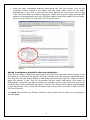
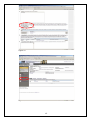
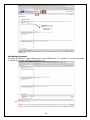
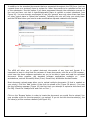
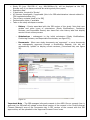
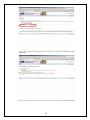
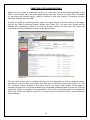
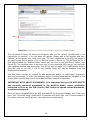
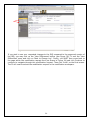
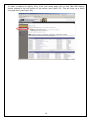
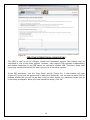
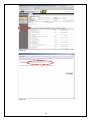
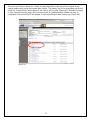
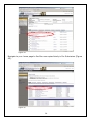
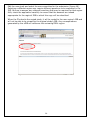
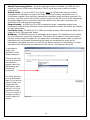
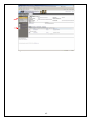
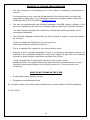
entered into the IRQ should the need arise in the future. See Figures 48 and 49.
To withdraw a
study, click
‘withdraw’ in the
study workspace.
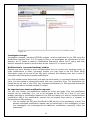
This form will then
pop-up so that you
can indicate a
general reason for
withdrawing and
include any
comments.
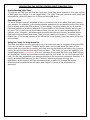
The study will then
be in a ‘withdrawn’
state. If you wish to
submit it later, you
‘Reactivate’ the
submission, which
will put it in a ‘Presubmission’ state
for you to revise, if
needed, and then
‘submit’ again for
review.
Figure 48
42