1
IC-2720H_2.qxd
03.5.13 9:45
Page 1 (1,1)
New2001
1
PANEL DESCRIPTION
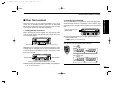
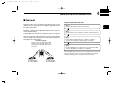
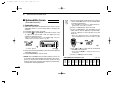
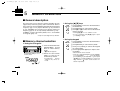
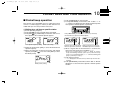
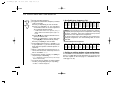
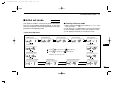
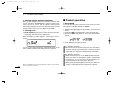
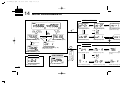
■ Front panel— controller
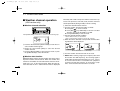
q
MAIN
BAND
w
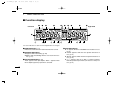
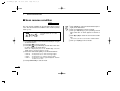
Function display (pgs. 3, 4)
SET
PWR
MAIN
T X
V/MHz
SCAN
M/CALL
MW
DUP
BUSY LOWMID
T SQL
DTCS
AM
M
DUP
MAIN
T X
T SQL
BUSY LOWMID
VOL
i2720
DIAL
DIAL
SQL
*The switches w to t are
for the MAIN band only.
SQL
DUP
MONI
TONE
DTMF
LOW
PRIO
t
r
e
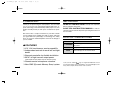
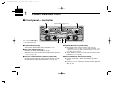
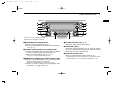
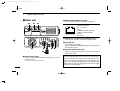
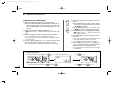
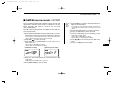
q POWER SWITCH [PWR]
Turns power ON and OFF when pushed for 1 sec.
w SET•LOCK SWITCH [SET•
]
➥ Enters set mode when pushed. (p. 56)
➥ Switches the lock function ON and OFF when pushed
for 1 sec. (p. 15)
e OUTPUT POWER•PRIORITY SWITCH [LOW•PRIO]
➥ Each push changes the output power selection. (p. 20)
➥ Starts priority watch when pushed for 1 sec. (p. 47)
1
M/CALL
MW
M
SKIP
DUAL BAND FM TRANSCEIVER
MAIN
BAND
V/MHz
SCAN
SKIP
VOL
DTCS
AM
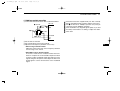
r TONE•DTMF SWITCH [TONE•DTMF]
➥ Each push selects a tone function. (pgs. 23, 52)
• Subaudible tone encoder, pocket beep (CTCSS), tone
squelch, pocket beep (DTCS), DTCS squelch or tone function OFF can be selected.
➥ Turns DTMF memory encoder ON and OFF when
pushed for 1 sec. (p. 48)
t DUPLEX•MONITOR SWITCH [DUP•MONI]
➥ Push to select DUP–, DUP+ and simplex operation.
(p. 23)
➥ Push for 1 sec. to switch the monitor function ON and
OFF. (p. 16)