1
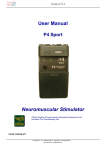
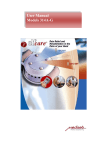
MODEL AWQ-105 PRO
ACUPUNCTURE STIMULATOR / T.E.N.S.
(5 channels with digital displays)
INSTRUCTION MANUAL
AWQ-105 PRO User Manual
____________________________________________________________________
AWQ-105 PRO ACUPUNCTURE STIMULATOR / T.E.N.S.
It is a professional, brand new unit with 5 channels. It comes up with a modern design and
inherits the features of AWQ-series acupunctoscope. This professional unit provides
multiple functions and features, which are essential in daily acupuncture practice.
Before using this device, please read the instruction manual carefully as well as read all
“Safety Precautions” and “Warnings” carefully to ensure the device is operated properly.
1
AWQ-105 PRO User Manual
____________________________________________________________________
Table of Contents
Contents of the “AWQ-105 PRO” Package ··················································3
Technical Specifications ···············································································4
Wave Form Pictures ·····················································································6
Introduction ···································································································7
Indication and Its Intended Purpose ·····························································7
Safety Precautions - Warnings ·····································································8
Features & Advantages: ···············································································9
Battery Information······················································································11
Indications and Controls ·············································································12
Operation of Controls ··················································································14
Precaution before the Treatment ································································16
Instructions For Use····················································································16
ELECTRIC STIMULATION SETTINGS······················································18
Acupuncture therapy (Needles or Electrodes)············································20
Therapy with Electric Stimulation probe & Settings ····································21
Precaution After the Treatment···································································22
Disposal of the Device ················································································22
Maintenance································································································23
Trouble Shooting·························································································24
Storage and Transportation ········································································25
Environmental condition··············································································25
Cleaning ······································································································25
Limited Warranty ·························································································26
2
AWQ-105 PRO User Manual
____________________________________________________________________
Contents of the “AWQ
“AWQAWQ-105 PRO”
PRO” Package
“AWQ-105 PRO” ACUPUNCTURE STIMULATOR / T.E.N.S.
1 pc.
Search/stimulation probe with handgrip electrode
1 pc.
Connecting wire (4 assorted colors ●●●● )
4 pcs.
Pin lead to duck beak clip adaptor
4 pairs.
DC 1.5V C size battery (not included in package)
6 pcs.
Instruction manual
1 pc.
The device and its accessories are packed in a sturdy paper carton box.
Optional accessories…
Different types of connecting clips are available for selection:
Crocodile Clip
Duck Beak Clip
Grasp+ Clip
3
Micro-Hook Clip
AWQ-105 PRO User Manual
____________________________________________________________________
Technical Specifications
Output channel
:
5 Channels (including one channel for “APD/STIM”)
Normal Output channels
Output Voltage
Hi
: 0 - 22.5V
Low :
Output Current
Hi
Pulse width
Pulse Rate
APD & Stim mode
0 - 40 V
0 - 10V
: 0 - 45 mA
Low :
APD/STIM output channel
0 - 80 mA
0 - 20 mA
X1
: 50 - 500 μS adj.
X5
: 10 - 100 μS adj.
X1
: 1 - 100 Hz. Adj.
X5
: 5 - 500 Hz. Adj.
:
260 μS (fixed)
10 Hz (fixed)
LED lights up in “Stim” mode, and is flashing when
“Stim button” is pressed.
Waveform
:
Asymmetric Square Wave with a negative spike
Pulse width
:
50 -500 μS adjustable, when in X1 position
Pulse Rate
:
1-100 Hz, adjustable, when in X1 position
10 -100 μS adjustable, when in X5 position
5-500 Hz, adjustable, when in X5 position
Mode
:
Constant
- pulse rate and width are adjustable from
1-100 Hz, & 50-500 μS respectively at X1
position, and from 5-500 Hz, & 10-100 μS
respectively at X5 position,
Modulation - Preset Pulse Rate and width ramp up and
down for 6 seconds per one cycle; both
pulse rate & width are adjustable.
Burst - Preset Pulse Rate and width <ON> 3 seconds;
<OFF> 3 seconds; both pulse rate &
width are adjustable.
4
AWQ-105 PRO User Manual
____________________________________________________________________
Timer
:
Cont ; 15 min; 30 min
Display
:
3 LCD, each measure 15x30 mm
Low battery lamp
:
The LED lights when voltage drops to 7V
Power supply
:
C type (LR 14) batteries x 6 pcs Or
DC 9V 500mA adaptor (optional)
(Use correct adaptor comply with standard and spec.)
DC Power Jack
:
6.3mm x 2mm centre pin.
Output socket
:
1.5mm diameter socket.
Error LED
:
Red LED lights up & music sounds when turn ON
the unit without reset all previous channels setting to
zero output. The unit resumes work after reset all
channels to zero position.
Weight
:
726g (main unit only)
Size
:
255 x 175 x 75 (mm) (main unit only)
Accessories
:
Search/stimulation probe with handgrip electrode
Connecting wire (4 assorted colors ●●●● ) 4 pcs.
Pin lead to duck beak clip adaptor 4 pairs.
Instruction manual 1 pc.
5
AWQ-105 PRO User Manual
____________________________________________________________________
Wave Form Pictures
FC
A. CONTINUOUS
Pulse Rate :
FC = Continuous Frequency
Pulse Width range at different Pulse Rate settings
X1
x5
Pulse Rate
1-100 Hz
5-500 Hz
Pulse Width
50-500 μS
10-100 μS
B. MODULATE
Preset pulse rate and width ramp up and down for 6 seconds per one cycle.
Pulse Width range at different Pulse Rate settings:
X1
x5
Pulse Rate
1-100 Hz
5-500 Hz
Pulse Width
50-500 μS
10-100 μS
C. BURST
Preset pulse rate and width (ON) 3 seconds, (OFF) 3 seconds.
Pulse Width range at different Pulse Rate settings:
X1
x5
Pulse Rate
1-100 Hz
5-500 Hz
Pulse Width
50-500 μS
10-100 μS
6
AWQ-105 PRO User Manual
____________________________________________________________________
Introduction
AWQ-105 PRO ACUPUNCTURE STIMULATOR / T.E.N.S. is a professional, brand new unit
with 5 channels. It comes up with a modern design and inherits the features of AWQ-series
acupunctoscope. This professional unit provides multiple functions and features, built in with
5 outputs channels, and with separated groups for adjusting frequency and pulse width. The
acupuncture point detection is with sensitivity control and the Search /Stim Probe includes a
Search-to-treat push button selector, which when depressed allows immediate stimulation
on a point right after its location is found.
2 large LCD (each measures 15X30 mm) for displaying precise frequency of each group,
and one LCD (15x30 mm) for showing sensitivity during acup-point detection and the
frequency during direct stimulation. It provides 3 different Mode; Cont (continuous),
Modulate and Burst, and a High/Low selection of output.
Lastly, a timer is equipped for selection of different period of treatment session, and a
Buzzer ON/OFF control, for shutting down the sound during point detection.
Indication and Its Intended Purpose
The AWQ-105 PRO ACUPUNCTURE STIMULATOR / T.E.N.S. is intended to use in
applying electronic stimulation to acupuncture points. The device utilizes a low-intensity, low
frequency pulse multimode generator and either electrodes or alligator clips to deliver
electronic stimuli to the patient. When using the device with electrodes, the electrodes may
be placed on the skin at the treatment location. When using the device with alligator clips,
the alligator clips should be connected to acupuncture needles that penetrate the skin at the
acupuncture points.
7
AWQ-105 PRO User Manual
____________________________________________________________________
Safety Precautions - Warnings
Heart Patient -
Adequate precautionary measures should be considered prior to
stimulating patients suspected of having heart disease. Current clinical data cannot
sufficiently rule out the possibility of adverse results for such patients.
Carotid sinus -
Do not stimulate over the carotid sinus nerves, especially in patients with
known sinus reflex sensitivity.
Neck Stimulation - Severe spasm of the laryngeal and pharyngeal muscles may occur when
the electrodes are placed across the neck or the mouth. This may be strong enough to close
off the airway.
Cardiac Pacemakers - Stimulation will inhibit the output of some demand cardiac
pacemakers and therefore, it is not recommended for patients with this type of pacemaker.
Pregnancy - The safety of electrical nerve stimulation for use during pregnancy or delivery
has not been established.
Other - Electrical nerve stimulation, as presently understood, is a symptomatic treatment
and as such may suppress the progress of pain which would otherwise serve as a protective
influence on the outcome of a disease process. The potential for physical and/or
psychological dependence upon nerve stimulation as a means of relieving pain has not yet
been determined.
It has been noted that some patients find the sensation of electrical stimulation extremely
unpleasant and should probably be excluded from further use of the stimulator.
Do not apply electrical nerve stimulation when pain syndromes are undiagnosed until
etiology is established.
Do not apply electrical nerve stimulation current transcerebrally.
Electrical nerve stimulation devices should be used only under the continued supervision of
a physician. Electronic monitoring equipment (such as EKG monitors and EKG alarms) may
not operate properly when electrical nerve stimulation is in use.
Avoid use in post-operative recovery rooms when a heart monitor is on.
Keep out of reach of children.
8
AWQ-105 PRO User Manual
____________________________________________________________________
Features & Advantages:
◆ 5 outputs (including an output exclusively for the use of search/stimulation probe for point
detection and immediate stimulation.)
◆ Frequency and Pulse Width are adjustable
& separated into two groups, Group 1 for Ch
1 & 2 , and Group 2 for Ch 3 & 4. (Instead of one Frequency and one Pulse Width for all
channels)
◆ 2 large LCD (each measures 15X30 mm) for displaying precise frequency of each group,
and one LCD (15x30 mm) for showing sensitivity during acup-point detection. This LCD
also displays the frequency (fixed at 10 Hz) during direct stimulation by the
search/stimulation probe.
◆ 3 different Mode; Cont (continuous), Modulate and Burst.
◆
High & Low output levels for selection.
◆
X1 and X5 (multiplier) of pulse rate and width for adjustments.
◆ Timer selection for different period of treatment session. Continuous, 15 minutes and 30
minutes.
◆ Buzzer ON/OFF, for sound control during point detection.
◆ Music for timer alert and error warning.
i) The Search / Stim Probe includes a Search-to-treat push button selector, which when
depressed allows immediate stimulation on a point right after its location is found.
Search-to-treat push button
STI in Search-to-treat mode
APD in Search mode
9
AWQ-105 PRO User Manual
____________________________________________________________________
Improved design of accessories, CE-marked plug connecting wires (4 assorted colors)
with pin leads so that each can be fitted to alligator clip adaptors or different types of
needle connectors such as Grasping clips, duck beak clips, micro-hook clips or crocodile
clips. A large range of optional accessories is available.
ii) Optional accessories…
Crocodile Clip
Duck Beak Clip
Grasp Clip
Micro-Hook Clip
iii) Alligator clip wires which provide very sturdy and convenient connection to needles,
search-to-treat probe for point detection & electric stimulation, and optional accessories
which expand its function to a powerful T.E.N.S device as well.
Search / Stim Probe
Search-to-treat push button
10
AWQ-105 PRO User Manual
____________________________________________________________________
Battery Information
Your stimulator requires 6 pcs. 1.5V battery (not included), use “C type (LR14)” or its
equivalent type of battery. The batteries can be replaced by opening the battery door on the
bottom side of the device. Slide the battery door off, remove the old batteries and insert the
new batteries. Insert the batteries correctly into the battery compartment by making sure the
direction of the positive and negative poles of each battery match the illustrations inside the
battery compartment. Be sure that each battery used is a fresh new battery. Once the
batteries have been properly seated inside the battery compartment, the battery door should
be closed. Battery life expectancy is between 4 to 20 treatment hours depending on current
settings and treatment length. Many short treatments yield longer battery life than fewer
longer treatments.
To avoid battery leakage, remove the battery if the device will not be used for an
extended period of time.
A specially designed battery compartment is used in this device to ensure easy and
proper insertion as well as securely hold the batteries in place.
Special design of battery compartment for easy and proper insertion of batteries.
11
AWQ-105 PRO User Manual
____________________________________________________________________
Indications and Controls
12
AWQ-105 PRO User Manual
____________________________________________________________________
13
AWQ-105 PRO User Manual
____________________________________________________________________
Operation of Controls
No. Descriptions
Functions
1
Model Name
AWQ-105 PRO
2
Power ON/OFF switch
Turns the power ON or OFF.
3
BUZZER ON/OFF switch Turns the buzzer sound during point detection ON or OFF.
4
HI / LOW switch
For selection of HI range or LOW range output intensity.
5
ERROR LED
When turn ON the unit, if all channels setting do not reset to OFF output,
Red LED lights up & music sounds. The unit resumes work after reset all
channels to OFF position.
6
LOW BATTERY LED
When the battery voltage drops to under 7 volts, this LED will illuminate
indicating that new batteries need to be installed.
7
Mode selection switch
To select different modes of waveform, CONT. (continuous), MODULATE
(dense-disperse) and BURST (Intermittent).
8
Mode indication LED
The selected waveform mode LED will illuminate indicating which
waveform is currently active.
9
Frequency Adjustable
Turn clockwise (increase) or anticlockwise (decrease) to adjust the
knob for Ch1 & Ch2
frequency (pulse rate) of Ch1 & Ch2.
Frequency Adjustable
Turn clockwise (increase) or anticlockwise (decrease) to adjust the
knob for Ch3 & Ch4
frequency (pulse rate) of Ch3 & Ch4.
Pulse Width Adjustable
Turn clockwise (increase) or anticlockwise (decrease) to adjust the Pulse
knob for Ch1 & Ch2
Width of Ch1 & Ch2.
12
Pulse Width Adjustable
Turn clockwise (increase) or anticlockwise (decrease) to adjust the Pulse
knob for Ch3 & Ch4
Width of Ch3 & Ch4.
13
Ch1 Ch2 Frequency LCD Displays the frequency selected for Ch1 & Ch2
14
Ch3 Ch4 Frequency LCD Displays the frequency selected for Ch3 & Ch4
15
APD LED
10
11
It illuminates during point detection, and flash continuously which indicates
the probe reaches or closer to the acupuncture point.
16
STIM LED
It illuminates when Search-to-treat push button is depressed for immediate
stimulation.
17
SEN./STIM LCD
This LCD displays the detection accuracy when using the point location
feature of the device – the higher the number, the closer the probe is to the
acupuncture point. It also shows the frequency of stimulation when the
Search-to-treat push button is depressed for immediate stimulation on a
point right after its location is found.
14
AWQ-105 PRO User Manual
____________________________________________________________________
18
Sensitivity Knob
Fine-tune the sensitivity of the point location feature of the device. Adjust
the sensitivity knob of the “Loc” to the appropriate position (it turns with
increasing sensitivity) during location of acupuncture point.
19
Timer switch
20
Search/Stimulation probe This jack is used for attaching the search/stim probe to the device.
Select the timer duration for 15, 30 minutes or continuously.
21
Output jacks (socket)
For insertion of output connecting wires.
22
Output Intensity control
Rotating the knob clockwise will first turn on the output channel and then
knob
increase the current output. (or vise versa)
23
X1 X5 switch
X1 X5 multiplier switch - to select the frequency and pulse width of the
insertion jack (socket)
output in normal range of frequency at 1 ~ 100 Hz , pulse width at 50-500
μS, or multiplies 5, i.e. 5 ~ 500 Hz. (frequency), and 10-100 μS (pulse
width)
24
Battery compartment door The battery compartment door can be removed to expose the battery
compartment. The device uses 6 pcs. of 1.5 V “C” type (LR14)batteries.
25
DC 9V Input
This input can be used to plug in an external 9V 500mA input source.
26
Output Intensity control
Output Intensity control knob is applied only at “APD & STIM mode”: when
knob for search / stim
operating stimulation at “APD & STIM mode”, rotating the knob clockwise
probe
turns on the output channel and then increase the current output intensity
(or vise versa) of the search / stim probe.
27
Output Intensity LED
When turning clockwise output intensity knob at “ON” position, output
Lights
intensity LED lights will illuminate.
15
AWQ-105 PRO User Manual
____________________________________________________________________
Precaution before the Treatment
INSTALLATION
Use the device in an area free from any exposure to water.
Avoid storing the device in an environment of high humidity and temperature, and free
from dust or chemical contamination.
Place the device on a flat and stable surface free from any inclination and vibration.
Do not operate the device in an environment where flammable substances are present.
-
Check to be sure the device is installed with new batteries, and check that all LCD
displays on the device are working properly.
-
Connect all cables correctly.
-
Only use accessories that are supplied with the device.
-
Check that all output intensity knobs are turned OFF.
-
Never operate the device with wet hands to avoid an electric shock.
-
Avoid operating the device consecutively for more than 60 minutes in each treatment.
Instructions For Use
POINT DETECTION - BASIC PRINCIPLE,
PRINCIPLE, and DIRECT STIMULATION
On the body surface, the electric resistance of an acupuncture point is lower than its
surrounding area. It can be readily located by means of an instrument which is sensitive to
resistance changes. When the metal probe touches a low resistance point, the loudspeaker
gives a sound signal and the digital display shows a numerical value. Its pitch rises and
digital display number increases with the lowering of the electric resistance of the skin. The
pitch will get higher and the numerical value will increase as the probe moves closer to the
acupuncture point. With this instrument and method of detection, acupuncture points
located usually produce a strong sensation and reaction to electric stimulation, and will
achieve the best therapeutic results.
16
AWQ-105 PRO User Manual
____________________________________________________________________
Ensure that all batteries are inserted correctly (see
the battery information section). Turn on the device
by pressing the POWER ON/OFF switch on the left
side of the unit.
Insert the Search/stimulation probe with handgrip
electrode into the APD/STIM socket.
Adjust the sensitivity by turning the sensitivity knob.
When the air humidity is wet, turn the knob
anti-clockwise to decrease sensitivity. If it is too dry,
turn the knob clockwise to increase sensitivity.
Sensitivity knob
Touch the hand grounding pole with the probe tip, the buzzer will give a sharp sound signal,
the digital display will show increasing numbers, and the “ADP” LED will flash continuously
indicating that the point location capabilities of the device are working properly.
Let the patient grasp the hand pole in one hand. Search for the acupuncture point with the
probe tip on the patient’s skin in the appropriate anatomical location. When doing this, the
probe should be held in a vertical position perpendicular to the surface of skin. The pressure
and duration in touching the point with the probe should be kept constant. If too much
pressure is applied to the skin, the electrical resistance measured by the device effectively
becomes lower and the device will behave as though an acupuncture point was found.
When the probe touches an acupuncture point the buzzer will buzz (the LED of the “ADP”
will flash continuously at the same time), the digital display will show a higher number and a
very light electric stimulus may be felt by the patient. Since an acupuncture point is very
small, it should be located with patience and care.
If the electrical resistance of the general surface of the skin is low, or when the skin is wet or
sweating, which would lower the skin resistance, the buzzer would give a sound signal on
17
AWQ-105 PRO User Manual
____________________________________________________________________
the skin surface wherever the probe touches. When this happens, dry the skin with a towel,
maneuver the probe with lighter pressure, and readjust the sensitivity setting to a lower level
so that the point to be located can be discriminated from the surrounding areas of the skin.
There is no definite standard for the adjusting the sensitivity of the device and how much
pressure to apply to the skin surface, the appropriate sensitivity will be found through
experience.
WARNING:
Never use the probe on open cuts or wounds!
If the located point is to be stimulated by the probe tip, make sure the probe tip is touching
the located point, and press the search-to treat button on the probe (adjusting the intensity
setting of STIM INT Channel will increase or decrease the stimulation intensity), direct
stimulation with preset waveform, frequency and pulse width will be provided by the probe
head.
BUZZER ON / OFF switch – the buzzer will emit sounds
during point detection. The buzzer can be turned ON or OFF
by switching it to OFF position.
ELECTRIC STIMULATION SETTINGS
This section of the instrument produces stimulating impulses, which act on acupuncture
points or through electrodes for therapeutic purpose.
Operating instructions
Ensure that all batteries are inserted correctly (see the
battery information section). Turn on the device by
pressing the POWER ON/OFF switch on the left side
of the unit.
Insert connecting wires to corresponding output jacks.
Connect the wire to acupuncture needles with the clips.
18
AWQ-105 PRO User Manual
____________________________________________________________________
Select the appropriate mode and adjust frequency (pulse rate) and pulse width as follows:
i)
MODE selection switch - the desired waveform mode; CONT. (continuous),
MODULATE (dense-disperse) and BURST (Intermittent) may be selected by
switching this switch. Each waveform mode has a corresponding LED that will
illuminate when the waveform mode is selected.
ii)
The Frequency and Pulse Width of Ch1/2 and Ch3/4 can be adjusted separately.
To adjust the frequency and pulse width of Ch1 & Ch2 - Turn clockwise (increase)
or anticlockwise (decrease) of the <Frequency Knob CH1 CH2> to adjust the
frequency, and <Pulse Width knob Ch1 Ch2> to adjust the pulse width.
To adjust the frequency and pulse width of Ch3 & Ch4 - Turn clockwise (increase)
or anticlockwise (decrease) of the <Frequency Knob CH3 CH4> to adjust the
frequency, and <Pulse Width knob Ch3 Ch4> to adjust the pulse width.
iii)
Ch1 Ch2 Frequency LCD will display the frequency for Ch1 & Ch2 when selected.
iv)
Ch3 Ch4 Frequency LCD will display the frequency for Ch3 & Ch4 when selected.
A X1 X5 multiplier switch is provided for selecting the frequency and pulse width of the
output in normal range of frequency at 1 ~ 100 Hz , pulse width at 50-500us, or multiplies 5,
i.e. 5 ~ 500 Hz. (frequency), and 10-100 us (pulse width).
The channel output intensity for all channels is adjusted by rotating the knob of Ch1 ~ 4 INT
respectively in clockwise direction, it will first turn on the output channel and then increase
the current output (or vise versa).
Two ranges (High, Low) of output intensity are provided. If maximum intensity in Low range
is not sufficient, switch it to High range for stronger intensity output.
Select the timer duration of treatment for 15, 30 minutes or continuously by switching the
Timer switch to the selected position.
19
AWQ-105 PRO User Manual
____________________________________________________________________
Acupuncture
Acupuncture therapy
therapy (Needles or Electrodes)
Turn all “intensity” knobs to OFF position and slide the HI/LOW switch to the “Hi” or
“Lo” position as required. HI (for electrode stimulation) or LOW (for needle stimulation)
Apply acupuncture needles or electrodes to patient.
Insert alligator type connecting wires into 1, 2, 3 or 4 sockets and fasten their clips to
the acupuncture needles or electrodes. The number of channels used depends on the
number of needles or electrodes used in each treatment.
CH4
CH3
SEN / STIM
CH2
Set the desired mode, frequency (pulse rate), pulse width and operation time with the
switches as mentioned above.
CH1
Adjust the intensity of each channel to appropriate
setting. The intensity current of each output channel
can be adjusted from 0 mA to 20 mA when the
“HI/LOW” switch is switch to the “LOW” range or 0 to
45 mA when the “HI/LOW” switch is switch to the “HI”
position. Rotating the INTENSITY knob will increase
(or decrease) the intensity.
20
AWQ-105 PRO User Manual
____________________________________________________________________
Therapy with Electric Stimulation probe & Settings
Use the Search/Stimulation probe (point detector with hand pole) by placing the probe
tip onto the acupuncture point or another selected part of the skin.
STI in Search-to-treat mode
APD in Search mode
Search / Stim Probe
Search-to-treat push button
Insert the Search/stimulation probe with handgrip
electrode into the APD/STIM socket. To stimulate
the acupuncture point with the probe tip, make sure
the probe tip is touching the treated point or area,
and press the search-to treat button on the probe
Socket for Search / Stim
(The intensity is regulated by the STIM Channel),
probe
direct stimulation with fixed waveform, frequency
and pulse width will be provided by the probe head.
NOTE : The output intensity of “Stim” is in High range intensity (0-80 mA) and frequency is
fixed at 10 Hz (SEN/STIM LCD will display the Hz during direct stimulation).
21
AWQ-105 PRO User Manual
____________________________________________________________________
Precaution After the Treatment
After use, turn all output knobs to OFF position, and press the POWER SWITCH to turn off
the device.
Keep the device clean and Store it in a clean and dry place.
Explanation of symbols
The following symbols are used in this device:
On
Off
Read Instruction
Type BF Applied
Year of
Part
Manufacture
SN
Serial Number
Authorised
Representative in
the European
Community
CE 0197 mark of conformity.
The device is complied with the Essential Requirements for
Medical Devices according to EC Directive 93/42/EEC
Disposal of the Device
Please follow the local environmental requirements when disposing of the device, or its
accessories, or packing materials.
22
AWQ-105 PRO User Manual
____________________________________________________________________
Maintenance
Maintenance of the stimulator is limited to cleaning the stimulator battery contacts and
replacing lead wires when they become old.
The stimulator operates on DC 1.5 volt x 6 pcs. Batteries (not included). When adequate
stimulation can no longer be maintained, change the batteries.
Remove the old batteries and replace them with new batteries.
The device will provide sufficient levels of stimulation only if the batteries are properly
installed.
To avoid battery leakage, remove the batteries if the device will not be used for an extended
period of time.
To ensure the device works properly, please check the device on a periodic basis with the
following:
PARTICULARS
Appearance
Operation
Accessories
DESCRIPTIONS
PROCEDURES
I.
check for broken or damaged parts.
By visual inspection
II.
check all LCD displays, make sure all digits are legible.
I.
check all LEDs light when device is turned on.
By operating the
II.
check that the buzzer sounds.
device
III.
check that the device functions properly.
I.
check for broken or damaged parts of all accessories
By visual inspection
including the search/stim probe.
II.
check all connecting wires for any broken or damaged
parts.
Safely
precaution
I.
Turn on one of the intensity knobs, press POWER
By operating the
SWITCH ON so an error occurs. Verify that the device
device
resets to normal operation when turn OFF all intensity
knobs, no error light, no music to be function.
23
AWQ-105 PRO User Manual
____________________________________________________________________
Trouble Shooting
If your device appears to be functioning improperly, check the procedures shown below to
determine what may be wrong.
If none of these measures correct the problem, the device should be serviced.
Do not attempt to repair the device by yourself!
yourself ! Return the device to your local
authorized dealer or to the manufacturer as listed in this manual for repair or service.
Problem
Indicator lights up but device
Solution
I.
Check control settings, are they set to values prescribed as
desired.
does not function properly.
II.
Check if frequency control is turned on (not too low, or at zero
setting)
III.
Are needles or electrodes firmly fixed and in proper position?
IV.
Check connecting wire. Make sure all alligator clips are firmly
connected to the needles or electrodes.
V.
Replace connecting wire with another to insure the wire is not
broken.
Low battery lamp illuminates.
Replace batteries with new ones.
No indicators light up.
Replace batteries with new ones.
1.
Battery replacement - Batteries should be replaced whenever sufficient stimulation
cannot be maintained.
2.
Care of Device - The stimulator and connecting wires should be kept clean. The
stimulator should not be immersed in any liquid. Avoiding rough use will help prevent
premature failure.
24
AWQ-105 PRO User Manual
____________________________________________________________________
Storage and Transportation
Store the device in a dry location free from dust and contamination where the temperature
remains fairly constant and within the range of 10℃ to 50℃ (50℉ to 122℉).
Do not drop, mishandle, or expose to temperature or humidity extremes <outside the range
of 10℃ to 50℃ (50℉ to 122℉), 15-95% RH non-condensing>. Do not use if the device
malfunctions or has been damaged in any manner.
There is generally no restricted “shelf-life” of the device.
Environmental condition
Temperature
During Use
Storage
Transportation
Humidity
10℃ to 40℃
30-75% RH
(50℉ to 104℉)
non-condensing
10℃ to 50℃
15-95% RH
(50℉ to 122℉)
non-condensing
10℃ to 50℃
15-95% RH
(50℉ to 122℉)
non-condensing
Pressure
700-1060 hPa
700-1060 hPa
700-1060 hPa
Cleaning
DO NOT IMMERSE THE STIMULATOR IN ANY CLEANING SOLUTION.
The stimulator should be periodically wiped clean using a damp cloth and a solution of mild
soap and water. Use of other cleaning solutions may damage the housing.
The wires should be wiped clean with a cloth dampened with a mild soap solution and then
wiped dry.
25
AWQ-105 PRO User Manual
____________________________________________________________________
Limited Warranty
This warranty is in lieu of any other warranty expressed or implied:
This AWQ-105 PRO ACUPUNCTURE STIMULATOR / T.E.N.S. is warranted to the initial
purchase. (“purchases”) and to no other person against any defects in material and
workmanship for a period of one year from the date of purchase. If the stimulator is found to
be defective within the warranty period, it will be repaired or replaced if returned prepaid to
an authorized service center. This warranty does not cover damage caused by rental,
misuse, negligence, accident, abuse, alteration, or modification of the device. Repairs after
the warranty period will be made and charged to the customers on the basis of rates which
are available on request. Except for personal injury, no liability is held in either tort or
contract for any loss or damage, direct, consequential, or incidental arising out of the use,
misuse, or inability to use this product.
Serial No.:
___________________________________________________________________
(located on the rear side of the device, next to the battery compartment door)
Date Purchased
___________________________________________________________________
Customer: Please record this information
26