1
®
ALL-ROUND Flashlight Expert
General Operation
Lockout Function
Brightness Selection In Daily Mode
Power Tips
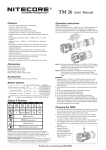
NB: The TM26 utilizes a 2-stage switch similar to a camera shutter
button. The light’s numerous functions are selected according to the
depth the switch is pressed.
The TM26 has two modes: Daily mode and Turbo mode. With the TM26
turned off, pressing the switch partway down will activate Daily mode.
Alternatively, with the TM26 turned off, pressing the switch all the way
down will activate turbo mode. The TM26 is turned off by pressing the
switch all the way down.
1. With the TM26 turned on in Daily mode, press the switch partway down
to select a brightness level of ultra-low, low, medium or high. The
selected brightness level will be memorized when the light is turned
off.
2. With the TM26 turned on in Daily mode, press the switch partway down
and hold to enter into turbo mode. A second partway press will revert
back to the brightness level last used.
Bright Selection In Turbo Mode
With the TM26 turned on in Search/Turbo mode, partway presses of the
button will cycle between high and ultra-high mode. There is no memory
function in Search/Turbo mode.
Momentary Daily / Turbo Mode
1. With the TM26 turned off, press the switch partway down and hold to
activate Momentary Daily mode. Release the switch to turn the light off
again.
2. With the TM26 turned off, press the switch all the way down and hold
to enter into Momentary Turbo mode. Release the switch to turn the
light off again.
Standby Mode
With the TM26 turned on, press the switch all the way down and release
within one second to enter into standby mode. In this mode, the light will
consume small amounts of power to maintain the settings in the MCU
(micro control unit) but appear to be turned off. When in standby mode
the power indicator light will flash once every three seconds to show the
location of the light.
OLCD Display
1. When the TM26 is turned on, the OLCD display will activate
automatically and show lumen output, brightness mode, battery
voltage, battery status, approximate runtime and temperature. After
displaying this information for several seconds the OLED display will
turn off. The display can be reactivated by pressing the display switch
and the information can be cycled through with subsequent presses of
the switch.
2. When in Standby mode, a single press of the OLCD display switch will
activate the OLCD and display battery voltage for 10 seconds.
3. When using Nitecore’s NBP52 high-performance battery pack, the
actual runtime will be twice the figure displayed on the OLCD panel.
NB: The TM26 has an integrated thermal protection circuit which
prevents overheating. Please refer to the “Thermal protection”
section of this manual for details.
Special Strobe / SOS mode and
Location Beacon
With the light turned on, press the switch all the way down twice in quick
succession to access strobe mode. When in strobe mode, press the
switch partway down to cycle through SOS, location beacon and strobe
modes. To select any of these modes simply release the switch when it is
displayed. To turn off the light (enter into standby mode) fully press and
release the switch.
NB: When in any of the special modes, the OLCD display will remain on
to display which mode is being used.
Demonstration mode
With the light turned on, press the switch all the way down and hold
for more than one second. The light will turn off and enter into
lockout mode. Lockout mode consumes almost no battery power
and prevents the light from accidentally turning on. Simply press the
switch and hold for more than one second to exit lockout mode.
NB: If the display button is pressed when in lockout mode, the
OLCD display will show the words “LOCK OUT” as a reminder.
1. With the light switched on, the power indicator will blink once
every two seconds when power levels reach 50%.
2. With the light switched on, the power indicator will blink rapidly
when power levels are low.
Note: When the light is being used in ultra-low mode, the blue
power indicator will turn off to help conserve power.
Thermal protection
As the TM26 is very compact, extended operation in Turbo mode
will cause the body temperature to continually rise, thus, making it
too hot to comfortably hold. As a result, Nitecore does not
recommend using the TM26 in Turbo mode for extended periods.
The TM26 has an integrated thermal protection circuit which
prevents overheating. With the light turned on in Search/Turbo
mode, for user safety and to protect the flashlight from failure, the
TM26 will automatically reduce its output to prevent overheating
once it has reached 60 degrees.
Precaution: When the flashlight is hot, do not attempt to cool it by
submerging it in liquid. Due to the differences in
internal and external air pressure the TM26 may
suffer irreparable water damage.
Changing / Charging Batteries
When the power indicator blinks rapidly it means the batteries need
to be replaced or recharged. Alternatively if the light becomes dim or
unresponsive to adjustment this also indicates batteries need to be
replaced or recharged.
Maintenance
Every 6 months, threads should be wiped with a clean cloth followed
by a thin coating of silicon-based lubricant.
Warranty Service
All NITECORE® products are warranted for quality. DOA / defective
products can be exchanged for replacement through a local
distributor/dealer within the 14 days of purchase. After 14 days, all
defective / malfunctioning NITECORE® products will be repaired
free of charge for a period of 18 months from the date of purchase.
After 18 months, a limited warranty applies, covering the cost of
labor and maintenance, but not the cost of accessories or
replacement parts.
The warranty is nullified in all of the following situations:
1. The product(s) is/are broken down, reconstructed and/or modified
by unauthorized parties.
2. The product(s) is/are damaged through improper use.
3. The product(s) is/are damaged by leakage of batteries.
For the latest information on NITECORE® products and services,
please contact your national NITECORE® distributor or send an
email to [email protected]
SYSMAX Industry Co., Ltd.
When entering standby mode simultaneously press and hold the display
switch and the on/off switch to enter into Demonstration mode. In
Demonstration mode, the OLCD screen will cycle through the TM26’s
various messages. Simply press any button to exit Demonstration mode.
Please follow our facebook for
more info: NITECORE Flashlights
TEL:
+86-20-83862000
FAX:
+86-20-83882723
E-mail:
[email protected]
Web:
www.nitecore.com
Address: Rm1407-08, Glorious Tower, 850 East Dongfeng
Road, Guangzhou, China 510600
Thanks for purchasing NITECORE!