1
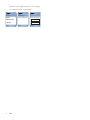
ANC LED indicator status (left side
of headphones)
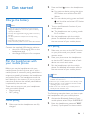
Wear your headphones
Headphones status
Active noise cancelation
is on.
Awareness mode is on.
Adjust the headband to fit your head.
Active noise cancelation and
awareness mode is off.
Indicator
The green LED
is on.
The green LED
flashes.
The green LED
is off.
Connect to airline audio
systems
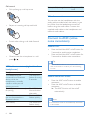
1
Connect the audio cable into the airline
adapter.
Tip
•• After use, twist the headphones for easy storage.
2
•
Insert the adapter into the dual output
jacks in the airplane seat.
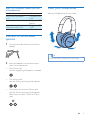
One 3.5mm jack
Use the single plug. No adapter is needed.
•
Two 3.5mm jacks
Use the 3.5mm dual plug airline adapter.
•
One power jack and two 3.5mm jacks
Use the 3.5mm dual plug airline adapter.
Make sure you insert it into two 3.5mm
jacks.
EN
9