1
3 Get started
2
Charge the battery
Note
•• Before you use your headphones for the first time,
charge the battery for 5 hours for optimum battery
capacity and lifetime.
•• Use only the original USB charging cable to avoid any
damage.
•• You can operate the headphones normally during
charging.
•• Normally, a full charge takes 2 hours.
•• When the battery level is low, the white LED will flash.
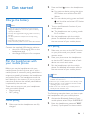
Connect the supplied USB charging cable to:
• the micro USB charging port on the
headphones and;
• the charger/USB port of a computer.
Pair the headphones with
your mobile phone
Before you use the headphones with your
mobile phone for the first time, pair it with a
mobile phone. A successful pairing establishes a
unique encrypted link between the headphones
and mobile phone. The headphones store the
last 8 devices in the memory. If you try to pair
more than 8 devices, the earliest paired device
is replaced by the new one.
There are two ways to pair your headphones
with your mobile phone:
• Manual pairing
• NFC pairing
Manual pairing
1
Make sure that the headphones are fully
charged.
3
4
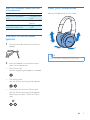
Press and hold to turn the headphones
on.
»» For previous device pairing, the white
LED flashes once and the blue LED
flashes.
»» For new device pairing, press and hold
until the blue and white LED flashes
alternately.
Turn on the Bluetooth function of your
mobile phone.
»» The headphones are in pairing mode
for 5 minutes.
Pair the headphones with the mobile
phone. For detailed information, refer to
the user manual of your mobile phone.
NFC pairing
1
2
3
Make sure you turn on the NFC function
on your phone and your phone’s screen
remains active.
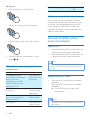
Place your phone over the headphones
so that the NFC detection area of each
device can touch each other.
Pair the headphones with the mobile
phone. For detailed information, refer to
the user manual of your mobile phone.
Note
•• Make sure your mobile phone has the NFC feature
available and switched on.
•• Make sure your mobile phone is not in standby mode.
•• Pairing with NFC is only suitable for Android mobile
operating system 4.2 or above.
•• Refer to the user manual of your mobile phone to
identify its NFC detection area.
The following example shows you how to pair
the headphones with your mobile phone.
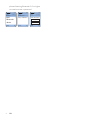
1
2
Activate the Bluetooth feature of your
mobile phone, select Philips SHB9850NC.
Enter the headphones password "0000"
(4 zeros) if prompted. For those mobile
EN
5