1
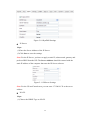
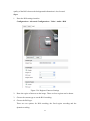
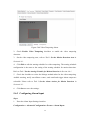
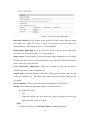
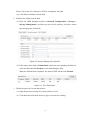
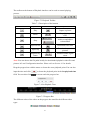
another camera as 81, 8001, 555, 8201 with IP 192.168.1.24. Refer to the steps as
below:
Steps:
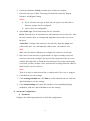
1. As the settings mentioned above, map the port 80, 8000, 554 and 8200 for the
network camera at 192.168.1.23
2. Map the port 81, 8001, 555 and 8201 for the network camera at 192.168.1.24.
3. Enable ALL or TCP protocols.
4. Check the Enable checkbox and click Save.
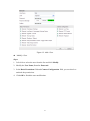
Figure A.2.3 Port Mapping
Note: The port of the network camera cannot conflict with other ports. For example,
some web management port of the router is 80. Change the camera port if it is the
same as the management port.
104